
This page is not an official page of the app or its developer, but an independent editorial publication created for informational and commentary purposes. Unless expressly stated otherwise, neither the app nor its developer is affiliated with, endorsed by, sponsored by, authorized by, or otherwise officially connected with MWM, Apple, Google Play, the app publisher, or the app's developer, and nothing on this page implies that the app was developed using MWM's services. Any trademarks, logos, screenshots, and other content remain the property of their respective owners.


Eyelid
Quantify opened eye ratios and eyelid positions with clinical-grade precision. Featuring a built-in spirit level for standardized documentation and surgical tracking.
Downloads
0User Rating
Total Ratings
0Publisher
Category
Health & FitnessLocales
2Latest Version
4.1.1Size
3.5 MBFirst Released
Feb 15, 2015Precision Ocular Analysis for Professionals
A dedicated clinical utility designed to quantify eyelid position and eye-opening ratios with medical-grade accuracy.
Accurate Metric Ratios
Quantify the Opened Eye Ratio (OER) and eyelid margins with pinpoint accuracy using adjustable corneal limbus referencing.
Integrated Spirit Level
Capture standardized medical photographs. The built-in level ensures the subject is in the correct primary gaze position for valid data.
The following screenshots and description are sourced directly from the app's official store listing and are the property of the app developer.
App Store
Screenshots
Eyelid app home screen showing an eye illustration with a measurement grid and medical utility icons
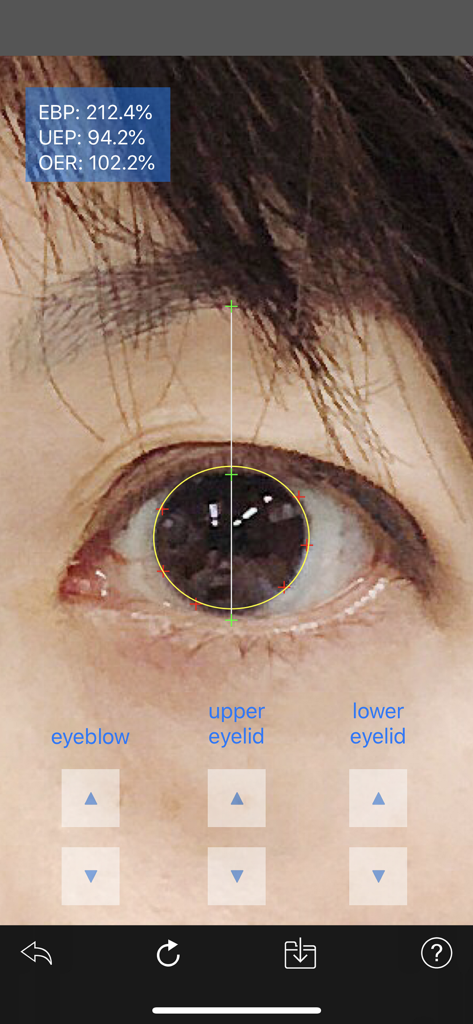
A clinical interface of the Eyelid app showing eye opening ratio and position measurements on a human eye.
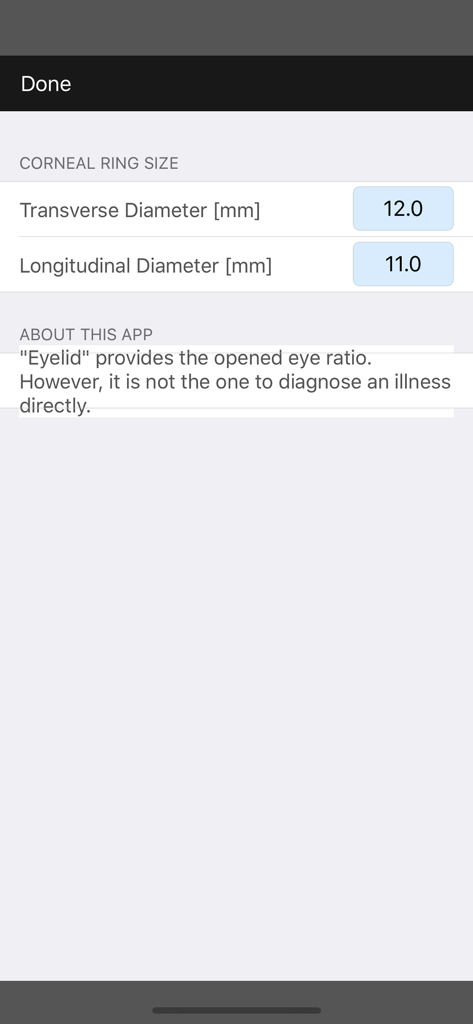
Settings screen of the Eyelid app showing corneal ring size configuration for transverse and longitudinal diameters
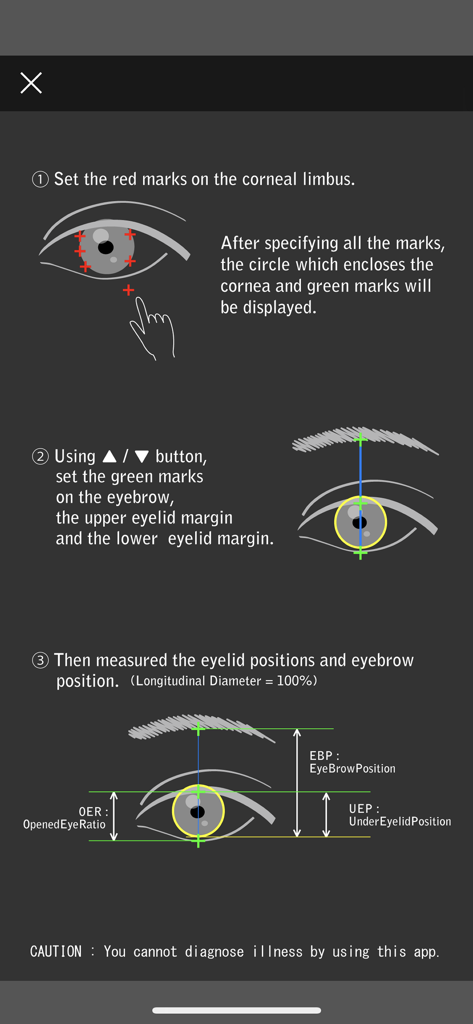
Step-by-step instructions for measuring eyelid and eyebrow positions including OER and EBP metrics
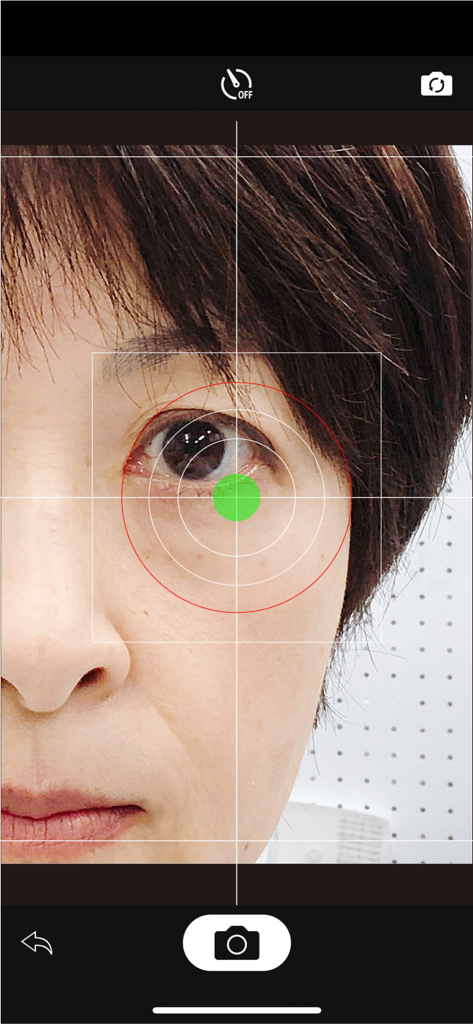
Clinical camera interface of the Eyelid app showing an alignment grid and spirit level over a patient's eye.
Description
Download
More Like This
Top-ranked apps in the same category

Strava: Run, Bike, Walk
Strava Inc.

Flo Cycle & Period Tracker
FLO HEALTH UK LIMITED

Mi Fitness (Xiaomi Wear Lite)
Beijing Xiaomi Co., Ltd

AI Calorie Tracker by Yazio
YAZIO GmbH

美柚 - 经期·备孕·怀孕·育儿&亲友版
Xiamen Meet You Co., Ltd.

MyFitnessPal: Calorie Counter
MyFitnessPal, Inc.
Yuka - Food & Cosmetic Scanner
Yuca

HUAWEI Health
Huawei Software Technologies Co., Ltd.

Period Tracker Period Calendar
ABISHKKING LIMITED.
This page is not an official page of the app or its developer, but an independent editorial publication created for informational and commentary purposes. Unless expressly stated otherwise, neither the app nor its developer is affiliated with, endorsed by, sponsored by, authorized by, or otherwise officially connected with MWM, Apple, Google Play, the app publisher, or the app's developer, and nothing on this page implies that the app was developed using MWM's services. Any trademarks, logos, screenshots, and other content remain the property of their respective owners.