
This page is not an official page of the app or its developer, but an independent editorial publication created for informational and commentary purposes. Unless expressly stated otherwise, neither the app nor its developer is affiliated with, endorsed by, sponsored by, authorized by, or otherwise officially connected with MWM, Apple, Google Play, the app publisher, or the app's developer, and nothing on this page implies that the app was developed using MWM's services. Any trademarks, logos, screenshots, and other content remain the property of their respective owners.


Faceover: Photo Face Swap
Unleash digital mischief. This app turns mundane photos into comedic gold with zero effort.
Downloads
5M+User Rating
Total Ratings
66.6KPublisher
Category
Photo & VideoLocales
18Latest Version
4.5.1Size
222.3 MBFirst Released
Oct 13, 2010An evaluation of core functionalities designed for engaging and humorous photo content creation.
Key Features Analysis: Faceover: Photo Face Swap
Effortless Face Swapping
The app provides a straightforward mechanism to exchange faces between subjects within a single photo, enabling instant humorous transformations.
Cross-Photo Face Swapping
It allows users to creatively swap faces by selecting them from one photo and seamlessly applying them to another, expanding artistic possibilities.
Realistic and Comical Results
This tool features advanced processing capabilities that ensure swapped faces appear realistic while consistently producing comical and shareable outcomes.
Integrated Sharing Capabilities
The app allows users to directly save their creations and seamlessly share them with friends or across various social media platforms.
Intuitive User Interface
It features an intuitive and user-friendly interface, allowing individuals to quickly master photo editing without prior experience.
Versatile Image Editing Tools
This tool features a suite of versatile editing options, including copying, pasting, flipping, and rotating, enabling detailed customization beyond simple swaps.
Frequently Asked Questions
Everything you need to know about Faceover: Photo Face Swap
What is Faceover: Photo Face Swap?
Faceover: Photo Face Swap is an app that allows users to easily copy and paste faces between photos, creating realistic and humorous photo edits directly on their iPhone, iPad, or iPod Touch.
Is Faceover: Photo Face Swap a free app?
Yes, Faceover: Photo Face Swap is free to download and use. A Premium version is available for unlimited access to features without ads via subscription.
How does Faceover: Photo Face Swap work?
Faceover allows users to copy, paste, swap, flip, and rotate images to create face edits. Users can select faces from their photo library or use built-in content like memes.
What editing tools are available in Faceover: Photo Face Swap?
Faceover provides tools such as open image, undo, redo, shapes, copy, paste, copy & paste, flip, clean clipboard, and skin tone for detailed manual editing.
Can I save and share photos edited with Faceover: Photo Face Swap?
Yes, Faceover: Photo Face Swap allows users to save their edited photos to their device and share them directly from the app after creation.
Does Faceover: Photo Face Swap support video editing or face swapping in videos?
Yes, Faceover: Photo Face Swap supports working with both photos and videos. Users can manage favorite photos and videos within the app.
How do I upgrade to the Premium version of Faceover: Photo Face Swap?
Users can upgrade to the Premium version of Faceover: Photo Face Swap via a subscription to gain unlimited access to all app features without ads.
How can I cancel my Faceover: Photo Face Swap Premium subscription?
To cancel a Faceover: Photo Face Swap subscription, open the iPhone Settings app, tap your name, then Subscriptions, and select the Faceover subscription to manage it.
Where can I find the Terms of Use for Faceover: Photo Face Swap?
The Terms of Use for Faceover: Photo Face Swap are available on the website linked within the app description at https://www.zedit.info/Service_Terms.html.
Where can I find the Privacy Policy for Faceover: Photo Face Swap?
The Privacy Policy for Faceover: Photo Face Swap is available on the website linked within the app description at https://www.zedit.info/PrivacyPolicy.html.
The following screenshots and description are sourced directly from the app's official store listing and are the property of the app developer.
App Store
Screenshots
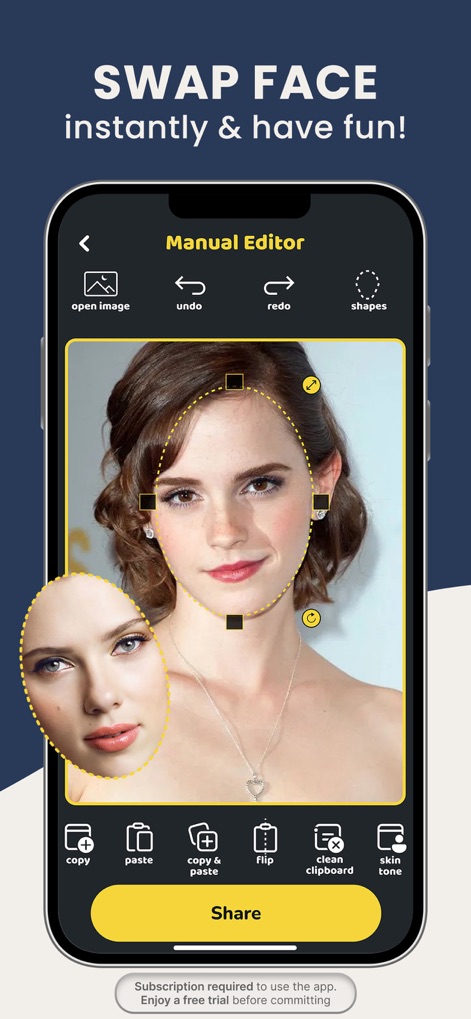
Users can precisely select faces using the detailed 'Manual Editor' interface and apply fine-tuning with options like 'skin tone' adjustment.
Precision Editing
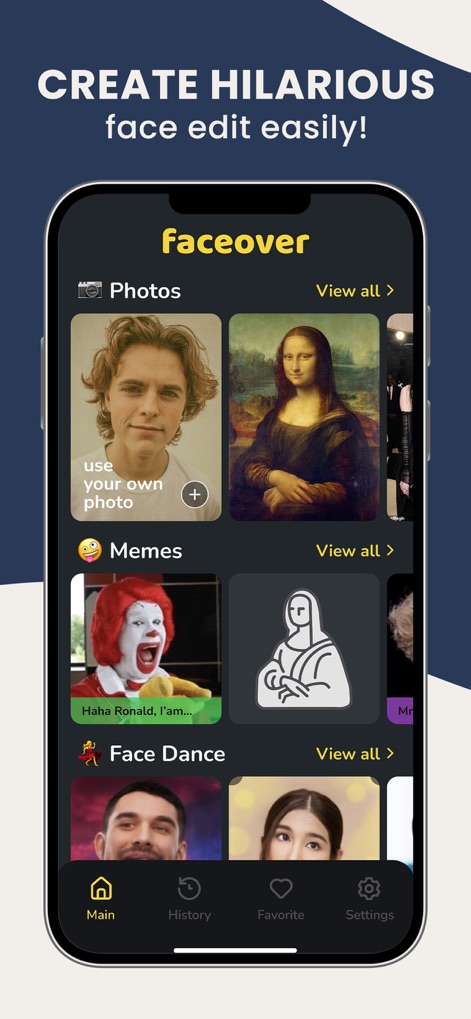
The app provides a diverse content library, offering categories such as 'Memes' and 'Photos' for users to begin their creative face-swapping projects.
Creative Content Hub
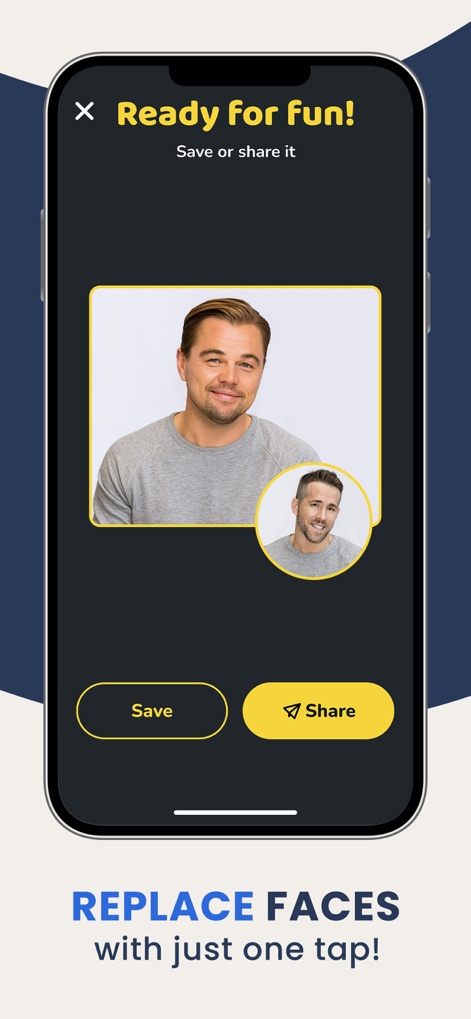
This tool simplifies the post-editing process, allowing users to quickly 'Save' their hilarious creations or 'Share' them directly with friends.
Share Your Fun
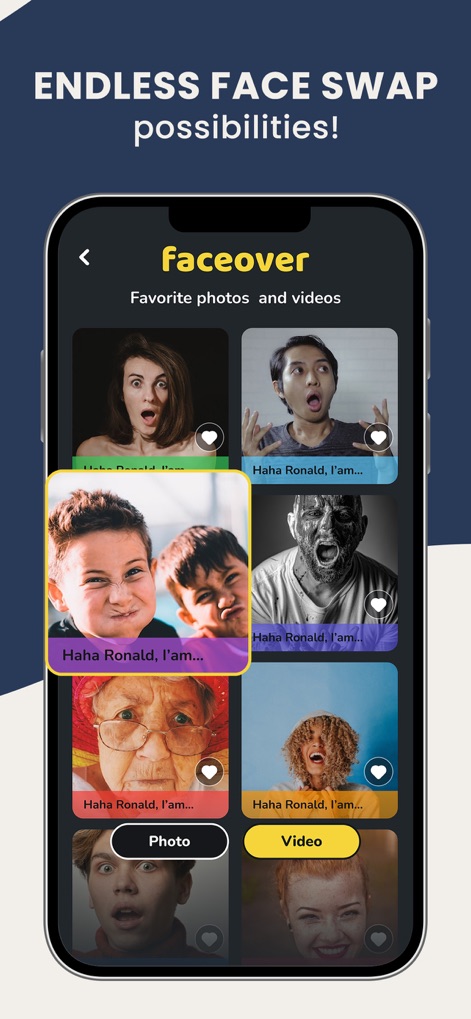
The app keeps track of past creations in the 'Favorite photos and videos' gallery, enabling users to revisit and manage both 'Photo' and 'Video' edits.
Personal Fun Gallery

Users can easily import source images by selecting from their device's 'Gallery' or capturing new ones with the 'Camera' feature, providing a flexible starting point.
Image Selection
Description
Download
More Like This
Apps with similar features and user experience

ElevenLabs: AI Voice Generator
Eleven Labs Inc.

Viggle AI: Meme Maker
WarpEngine Canada Inc.

可灵AI - AI图片&视频创作工具
Beijing Kwai Technology Co., Ltd.

Leonardo.Ai - Image Generator
Leonardo Interactive Pty Ltd

Reface: Face Swap AI Photo App
NEOCORTEXT, INC.

Shedevrum
DIRECT CURSUS COMPUTER SYSTEMS TRADING LLC

Remove Objects
TAPUNIVERSE LLC

Zaps Collages
Turnip Media Private Limited

Carat - Create Anything
Paradot Corp.
This page is not an official page of the app or its developer, but an independent editorial publication created for informational and commentary purposes. Unless expressly stated otherwise, neither the app nor its developer is affiliated with, endorsed by, sponsored by, authorized by, or otherwise officially connected with MWM, Apple, Google Play, the app publisher, or the app's developer, and nothing on this page implies that the app was developed using MWM's services. Any trademarks, logos, screenshots, and other content remain the property of their respective owners.