
This page is not an official page of the app or its developer, but an independent editorial publication created for informational and commentary purposes. Unless expressly stated otherwise, neither the app nor its developer is affiliated with, endorsed by, sponsored by, authorized by, or otherwise officially connected with MWM, Apple, Google Play, the app publisher, or the app's developer, and nothing on this page implies that the app was developed using MWM's services. Any trademarks, logos, screenshots, and other content remain the property of their respective owners.


Fasting-Timer
The essential tool for your fasting journey. No accounts, no tracking, and no cloud storage—just a streamlined, secure way to manage your health data locally on your device.
Downloads
28K+User Rating
Total Ratings
0Publisher
Category
Health & FitnessLocales
2Latest Version
1.2Size
1.9 MBFirst Released
Jan 1, 2021A Simpler Way to Fast
No subscriptions, no accounts, and no data tracking. Just a powerful, minimalist tool designed to help you manage your intermittent fasting windows with zero friction.
Privacy First Design
Your health data is your business. Every record stays on your device with local storage—no third-party clouds, no logins, and no tracking.
Intuitive Time Control
Life happens. Easily adjust your start and end times with a single finger drag to keep your history accurate without digging through menus.
Frequently Asked Questions
Everything you need to know about Fasting-Timer
What is the main purpose of the Fasting-Timer app?
The Fasting-Timer app's main purpose is to help users track their intermittent fasting times. It allows for easy adjustment of fasting start and end times directly within the application.
Does Fasting-Timer store user data in the cloud?
No, Fasting-Timer does not store user data in the cloud. All fasting times and personal information remain stored locally on the user's device, ensuring privacy.
Can I view my past fasting sessions in Fasting-Timer?
Yes, Fasting-Timer allows users to view and change their fasting history. A dedicated 'History' section in the app displays records of all previous fasting sessions.
Is an account required to use the Fasting-Timer app?
No, an account is not required to use the Fasting-Timer app. Users can utilize all features without creating a profile or logging in.
Can I adjust my fasting times in Fasting-Timer?
Yes, the Fasting-Timer app allows users to adjust fasting times. Users can easily modify the start and end of their fasting periods with a single finger drag on the timer interface.
The following screenshots and description are sourced directly from the app's official store listing and are the property of the app developer.
App Store
Screenshots
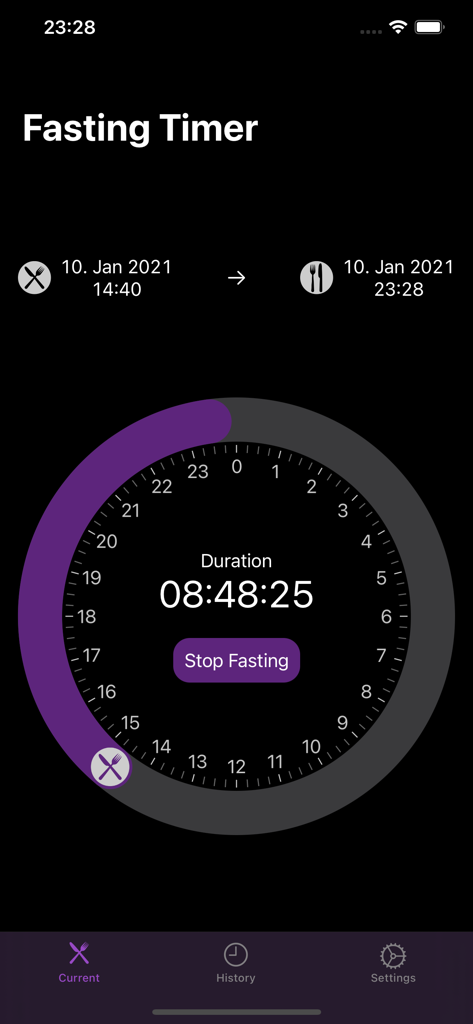
Intermittent fasting tracker dashboard with circular progress dial and duration
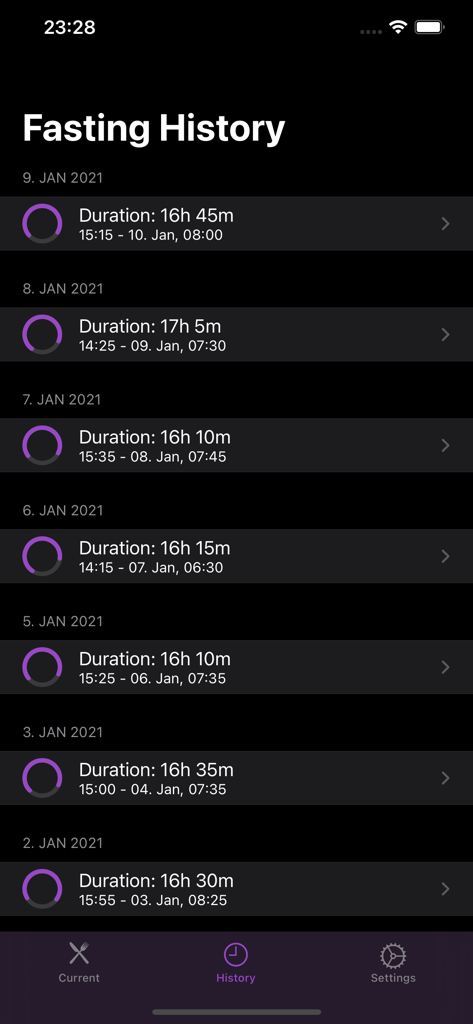
A list of past intermittent fasting sessions showing duration start and end times
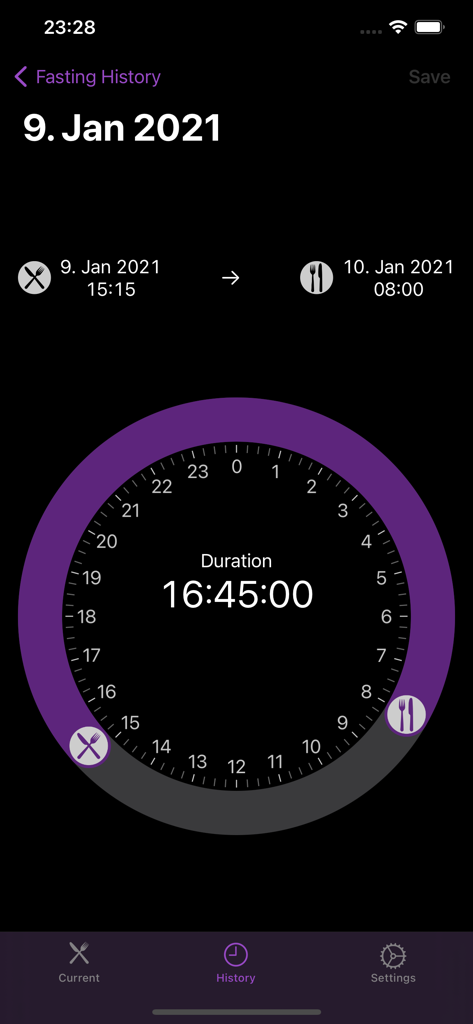
History screen of the Fasting Timer app showing a recorded 16 hour fast on a circular clock.
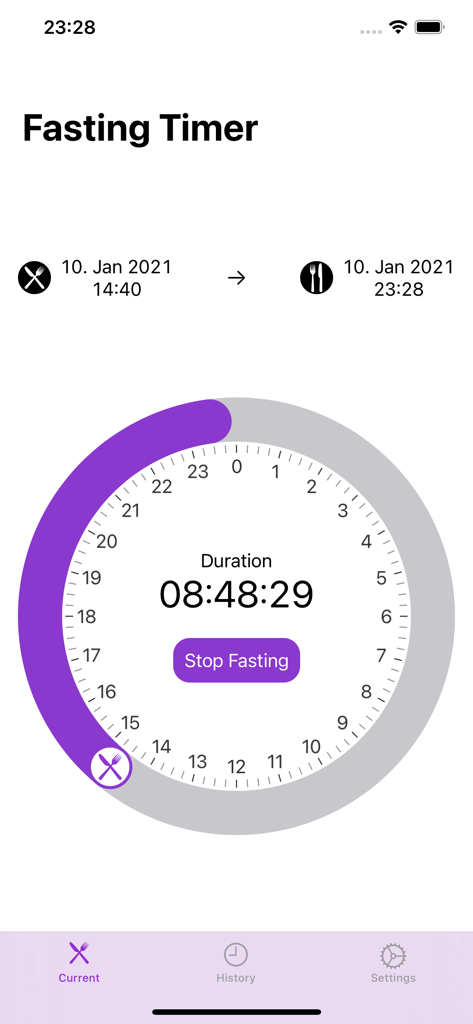
Fasting-Timer app interface showing a minimalist circular timer and elapsed fasting duration.
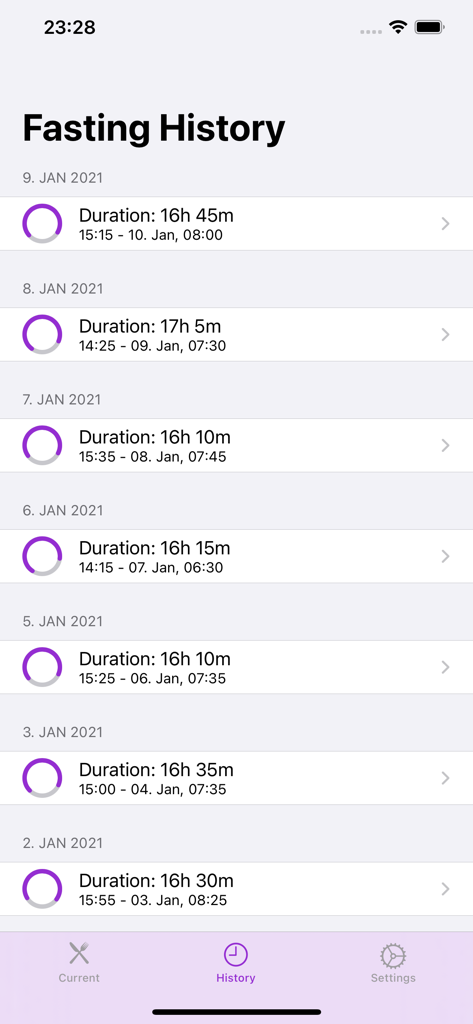
Screenshot of the Fasting-Timer app history screen showing a list of daily intermittent fasting durations and timestamps.
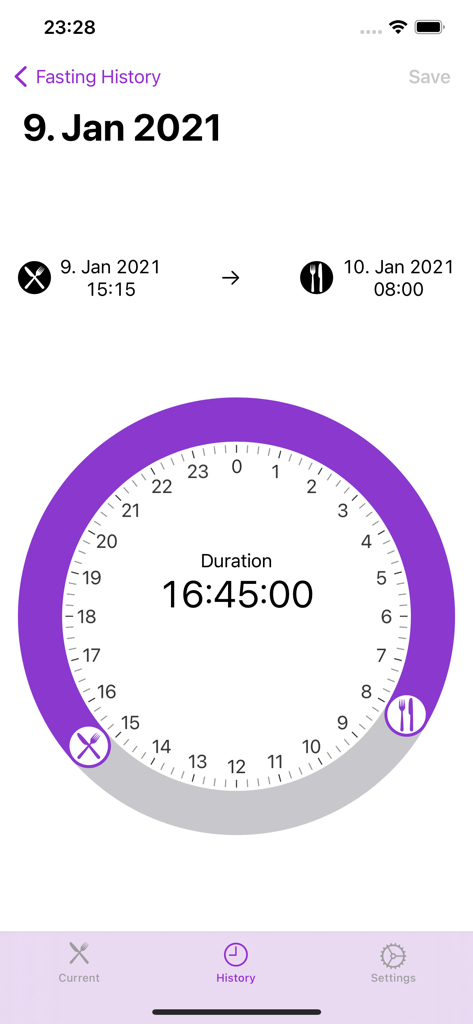
Screen showing intermittent fasting history with a circular clock timer and recorded duration
Description
Download
More Like This
Top-ranked apps in the same category

Strava: Run, Bike, Walk
Strava Inc.

Flo Cycle & Period Tracker
FLO HEALTH UK LIMITED

AI Calorie Tracker by Yazio
YAZIO GmbH

MyFitnessPal: Calorie Counter
MyFitnessPal, Inc.

Mi Fitness (Xiaomi Wear Lite)
Beijing Xiaomi Co., Ltd

美柚 - 经期·备孕·怀孕·育儿&亲友版
Xiamen Meet You Co., Ltd.

Cal AI - Calorie Tracker
Viral Development LLC

Yuka - Food & Cosmetic Scanner
Yuca

BitePal: Food Tracker Pet
REFACE LITHUANIA UAB
This page is not an official page of the app or its developer, but an independent editorial publication created for informational and commentary purposes. Unless expressly stated otherwise, neither the app nor its developer is affiliated with, endorsed by, sponsored by, authorized by, or otherwise officially connected with MWM, Apple, Google Play, the app publisher, or the app's developer, and nothing on this page implies that the app was developed using MWM's services. Any trademarks, logos, screenshots, and other content remain the property of their respective owners.