Feed MoneyBook Pro
Feed MoneyBook Pro
Download on App Store

This page is not an official page of the app or its developer, but an independent editorial publication created for informational and commentary purposes. Unless expressly stated otherwise, neither the app nor its developer is affiliated with, endorsed by, sponsored by, authorized by, or otherwise officially connected with MWM, Apple, Google Play, the app publisher, or the app's developer, and nothing on this page implies that the app was developed using MWM's services. Any trademarks, logos, screenshots, and other content remain the property of their respective owners.


Logo of Feed MoneyBook Pro
Download on App Store

Feed MoneyBook Pro

Turn budgeting into a beautiful memory. Track your spending with cute themes, photos, and a social-style feed—completely private, ad-free, and 100% yours.

Key Figures

Downloads

100

User Rating

1.0/5

Total Ratings

0

Publisher

MINIE BAI

Category

Finance

Locales

4

Latest Version

1.3.7

Size

151.7 MB

First Released

Nov 4, 2025
Features

Finance Meets Your Aesthetic

Turn boring budgeting into a beautiful digital scrapbook. Track your expenses through a visual feed, customize every detail, and keep your data 100% private.

Relive Your Memories

Transform dry transactions into a visual feed. Add up to three photos per entry to remember the people and places that make your spending meaningful.

Express Your Style

Your MoneyBook, your vibe. Personalize everything from cute themes and background colors to custom icons using your own gallery photos.

The following screenshots and description are sourced directly from the app's official store listing and are the property of the app developer.

App Store

Screenshots
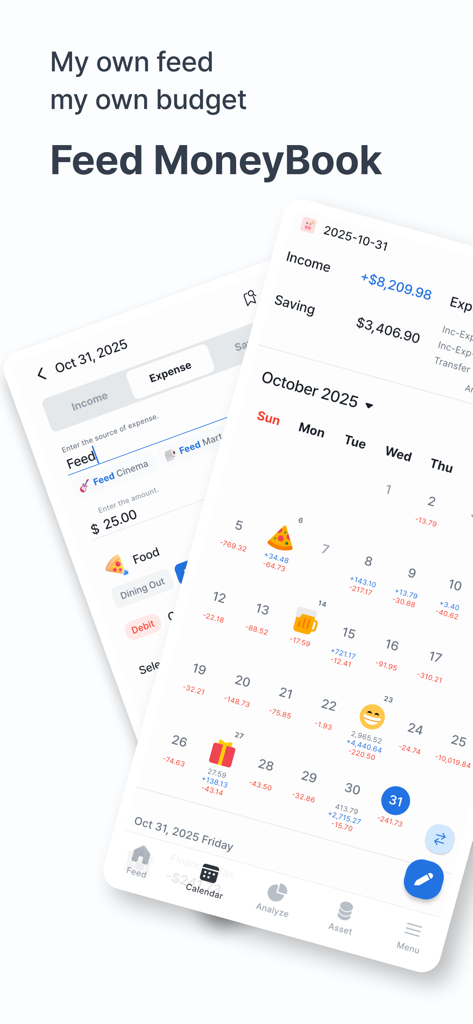
Feed MoneyBook Pro - Two mobile app screens showing a budget calendar with emoji icons and an expense entry form for Feed MoneyBook Pro
Two mobile app screens showing a budget calendar with emoji icons and an expense entry form for Feed MoneyBook Pro

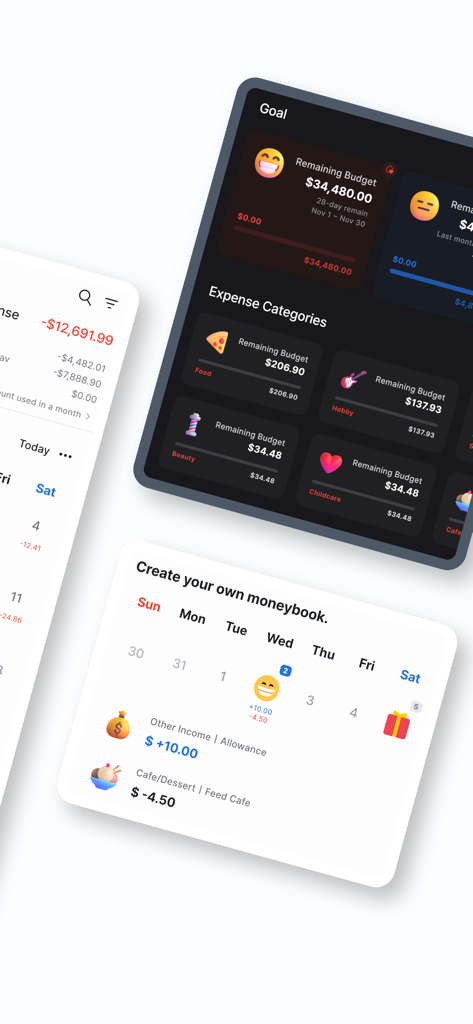
Feed MoneyBook Pro - Screenshots of Feed MoneyBook Pro app showing personalized budget goals and expense categories with cute icons
Screenshots of Feed MoneyBook Pro app showing personalized budget goals and expense categories with cute icons

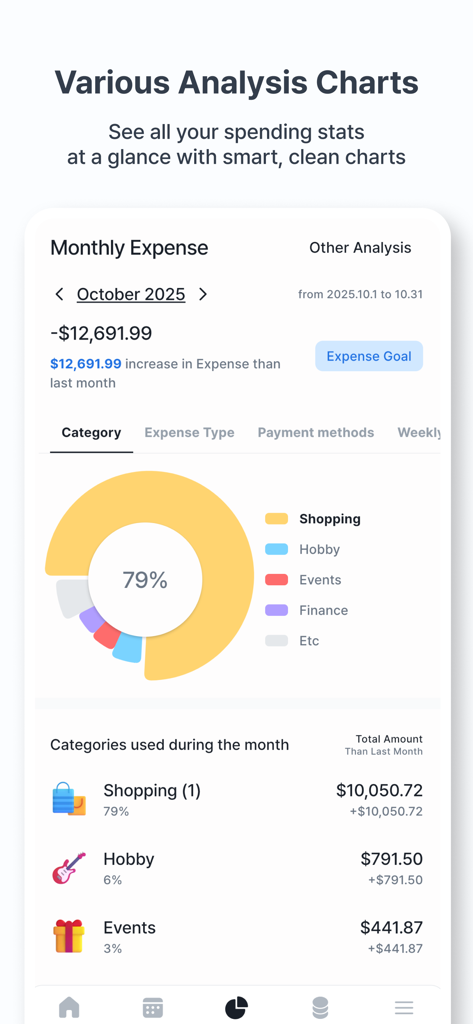
Feed MoneyBook Pro - Monthly expense analysis screen with a donut chart showing spending by category in Feed MoneyBook Pro
Monthly expense analysis screen with a donut chart showing spending by category in Feed MoneyBook Pro

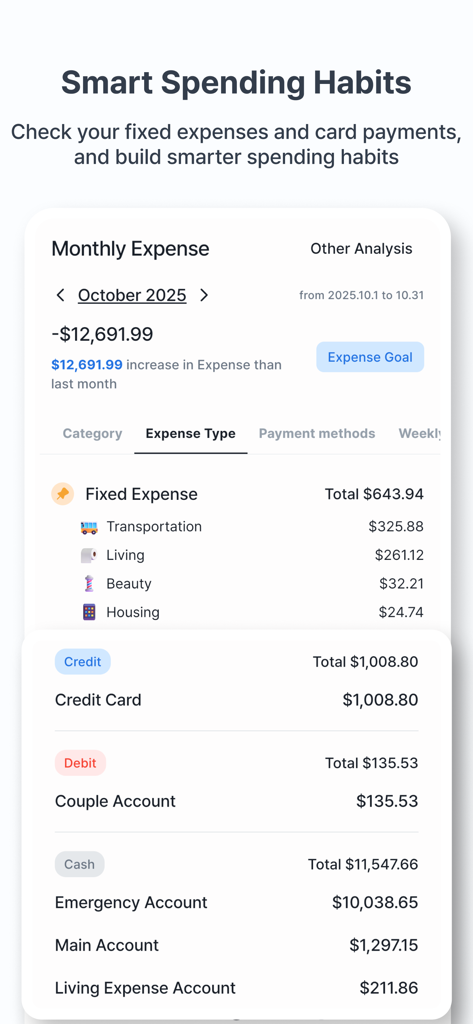
Feed MoneyBook Pro - Monthly expense analysis screen showing fixed expenses and payment methods with cute icons.
Monthly expense analysis screen showing fixed expenses and payment methods with cute icons.

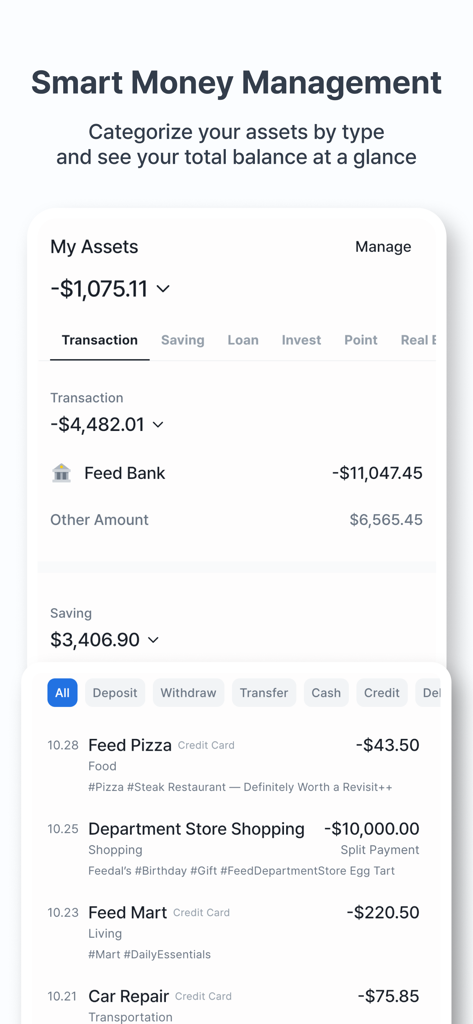
Feed MoneyBook Pro - Asset management screen in Feed MoneyBook Pro showing total balance and recent transactions.
Asset management screen in Feed MoneyBook Pro showing total balance and recent transactions.

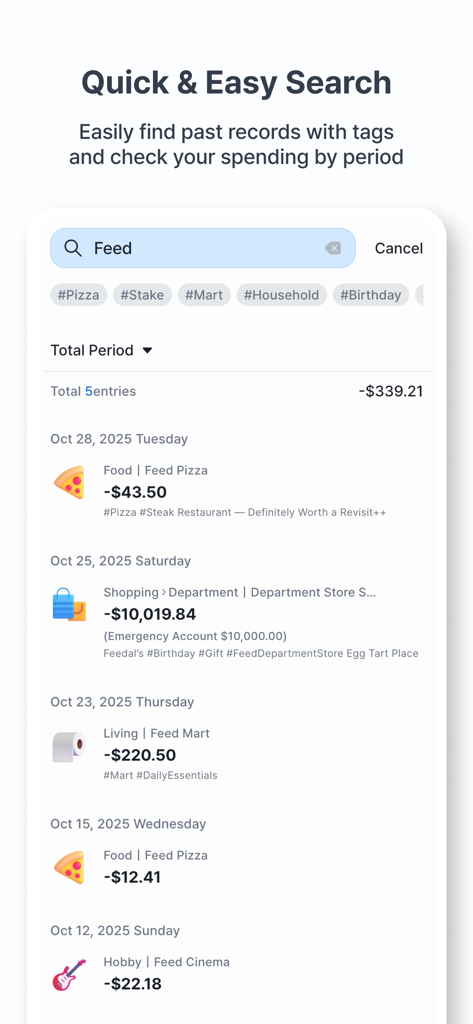
Feed MoneyBook Pro - A search interface in the Feed MoneyBook Pro app displaying a list of financial transactions organized by tags and dates with cute icons.
A search interface in the Feed MoneyBook Pro app displaying a list of financial transactions organized by tags and dates with cute icons.

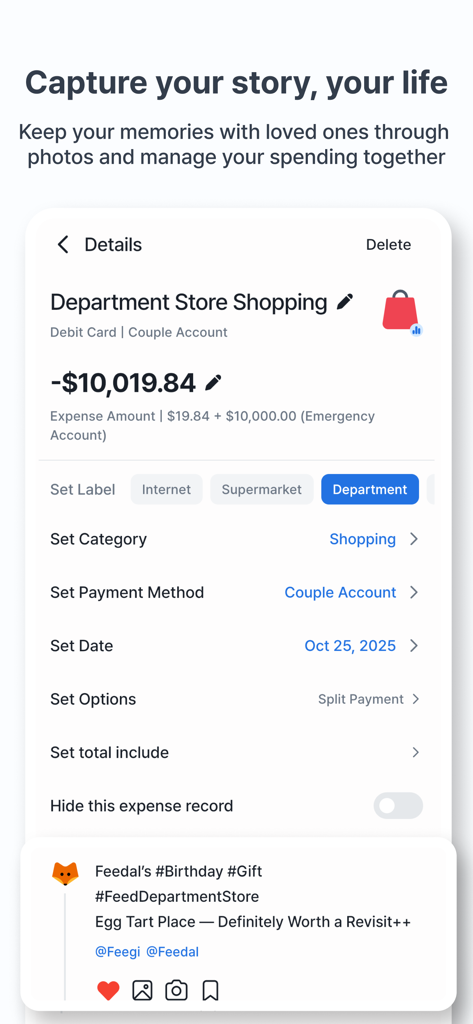
Feed MoneyBook Pro - Detail screen of an expense entry for department store shopping featuring social feed notes and category labels.
Detail screen of an expense entry for department store shopping featuring social feed notes and category labels.

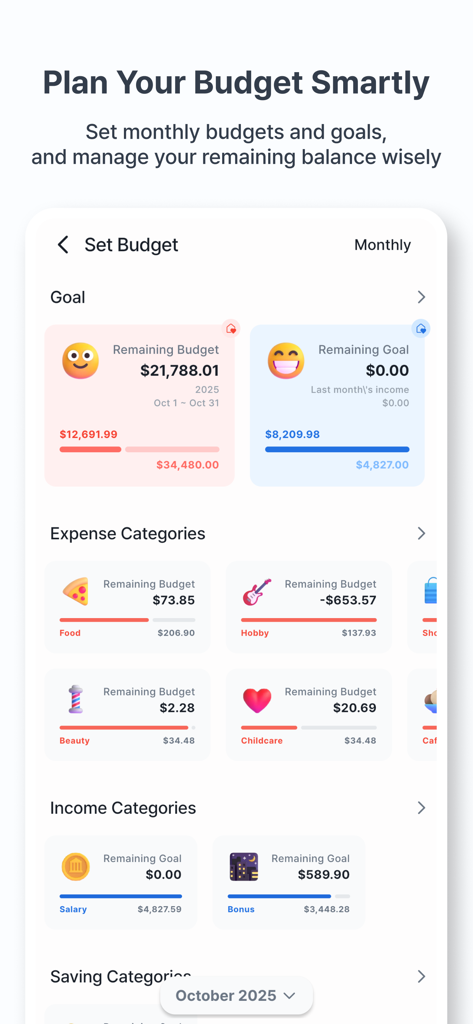
Feed MoneyBook Pro - Budget planning screen with colorful progress bars and cute expense category icons
Budget planning screen with colorful progress bars and cute expense category icons

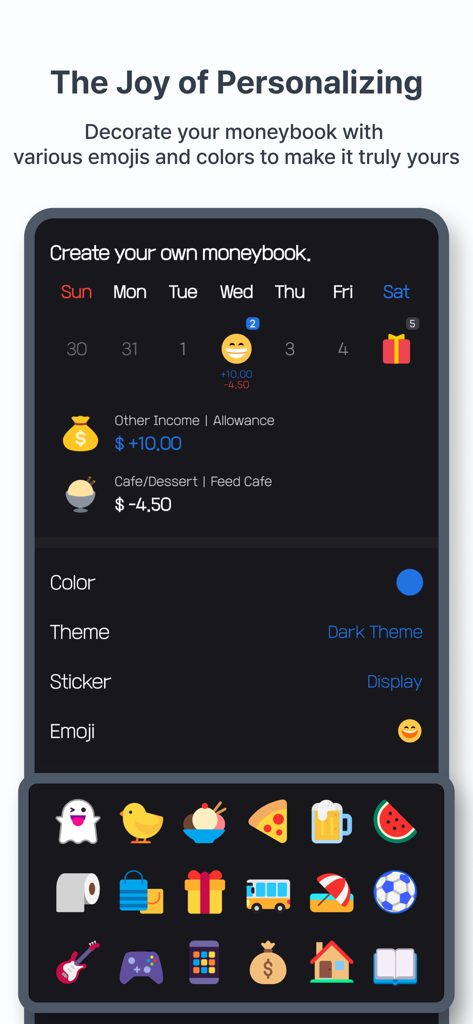
Feed MoneyBook Pro - Personalization screen in Feed MoneyBook Pro featuring dark theme and emoji icons for expense tracking.

Personalization screen in Feed MoneyBook Pro featuring dark theme and emoji icons for expense tracking.

Description

● Theme Function to Create Your Own Cute MoneyBook · You can customize the colors, backgrounds, and emojis to your liking. · Use various icons to create a cute MoneyBook. · You can also register your own icons by using the gallery or taking photos. ● A feed screen where you can reminisce about your MoneyBook entries · Customize your income, expenses, and savings entries in your personal feed. · Record who you were with and follow them to see everything at a glance. · You can register up to three photos per MoneyBook entry. · View only the entries with registered photos in a separate collection. · If you add notes or hashtags, you can also view them in the feed. ● A Clean but Powerful Calendar Screen · View a clear summary of your entries for the entire month or just for a selected date. · Select a range to see the entries and totals for that period. · Use the filter function to view only the entries you want. · Quickly search using tags or places of use. ● Easy-to-Use Entry Screen · Quickly enter income, expenses, and savings with auto-focus. · Easily input previous entries with the autocomplete feature. · Register entries not only in the default currency but also in foreign currencies. · Leave complex calculations to the handy calculator ● Analysis Screen to Check Your Status from All Angles · Analyze your data easily and enjoyably with various charts. · View detailed analyses of your income, expenses, and savings entries. · Compare income/expenses, income/savings, and expenses/savings side by side. · Choose to view weekly, monthly, or yearly analyses. · We also provide analysis for foreign currency entries. · Set target amounts to increase your income/savings and reduce your expenses. ● Menu Screen for Managing Your Data · Manage categories, payment methods, and the people you were with. · Change the app to various languages, with more languages to be supported in the future. · Change the app's default currency; any other currency will be recognized as foreign. · Easily back up and restore your data via email or file. · Reset your data to its original state. ● And Many More Features · You can navigate to the detailed screen from anywhere to edit your entries. Changes are reflected in real time. · Landscape mode is supported, and we are continuously improving to support various form factors. · The app is designed to work smoothly even when the screen is zoomed in for users with low vision. · You can use the app without a network connection. Network usage is only for Firebase analytics and displaying ads in the free version. * Developer's Tip: If ads are bothersome, try using the app without a network connection. If that's still inconvenient, consider upgrading to the paid version. ● Additional Information · There is no server for the Feed MoneyBook. All data is stored solely in the app, and it will be deleted if you uninstall the app. · To optimize storage space, photos imported from the gallery are not stored in the app. If you delete them from the gallery, they will no longer be visible in the app. · Feed MoneyBook does not require any personal information. ● Paid Version · The paid version is ad-free. · Exclusive features will be added to the paid version in the future. ● Permissions [Required Permissions] · None [Optional Permissions] · Camera: Needed to take and register photos or icons.

Download

Download on App Store

This page is not an official page of the app or its developer, but an independent editorial publication created for informational and commentary purposes. Unless expressly stated otherwise, neither the app nor its developer is affiliated with, endorsed by, sponsored by, authorized by, or otherwise officially connected with MWM, Apple, Google Play, the app publisher, or the app's developer, and nothing on this page implies that the app was developed using MWM's services. Any trademarks, logos, screenshots, and other content remain the property of their respective owners.








