Find Your Car with AR

Find Your Car with AR

Download on App Store
Logo of Find Your Car with AR

Find Your Car with AR: Never Wander a Parking Lot Again

Stop wasting time searching for your vehicle. Use 3D Augmented Reality to see exactly where you parked, track your parking meter, and find your way back with an intuitive visual guide on your iPhone or Apple Watch.

Download on App Store

Publisher

Davide Vincenzi

Category

Navigation

Downloads

426K+

User Rating

4.0/5

Total Ratings

3K+

Locales

11

A Visual Path Back

Discover the interface used by 426K+ users.
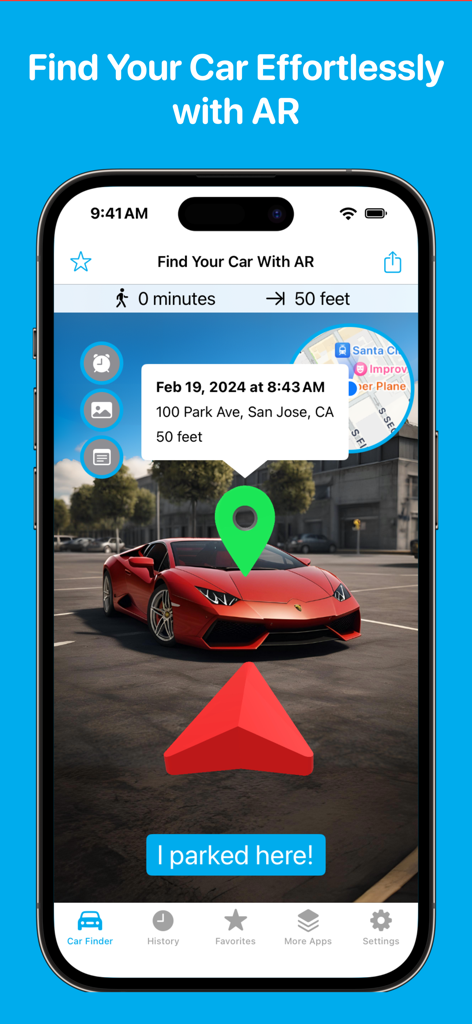
Find Your Car with AR app interface showing a 3D red arrow and green location pin pointing toward a parked vehicle in a parking lot.

Find Your Car with AR app interface showing a 3D red arrow and green location pin pointing toward a parked vehicle in a parking lot.

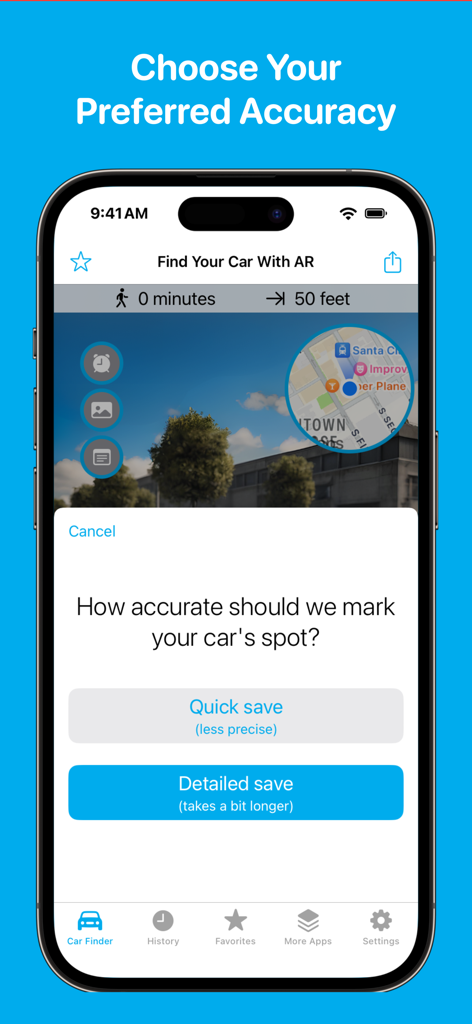
iPhone screen for Find Your Car with AR app showing the option to choose between a quick or detailed save for a parking spot

iPhone screen for Find Your Car with AR app showing the option to choose between a quick or detailed save for a parking spot

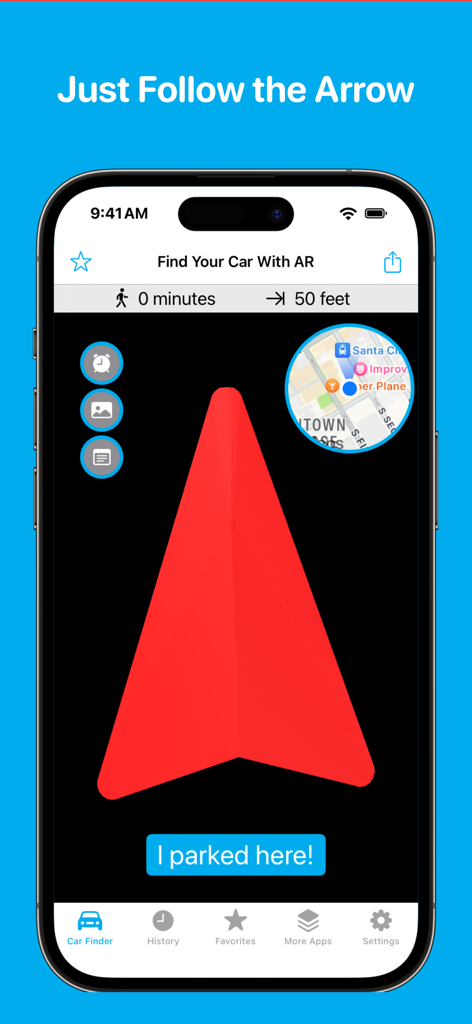
Find Your Car with AR app interface showing a large red directional arrow and a mini-map for vehicle location

Find Your Car with AR app interface showing a large red directional arrow and a mini-map for vehicle location

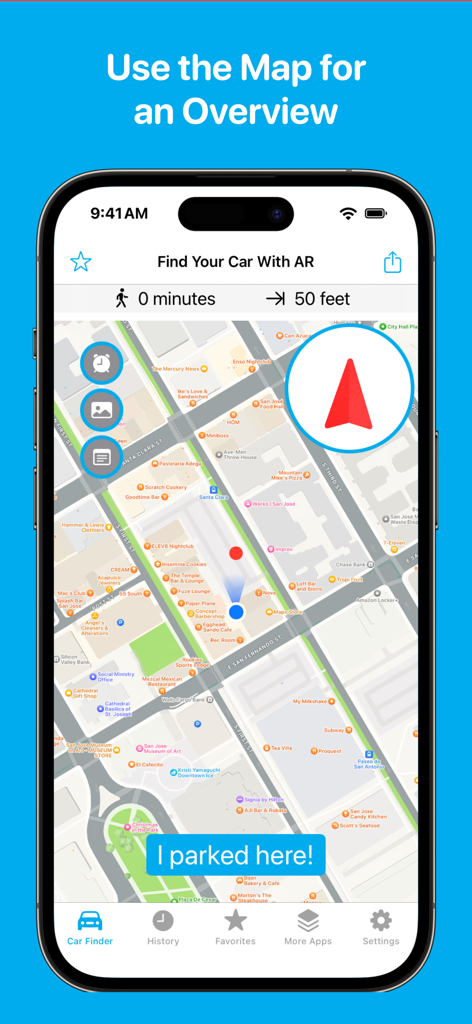
Find Your Car with AR app interface showing a 2D map overview of the parked car location

Find Your Car with AR app interface showing a 2D map overview of the parked car location

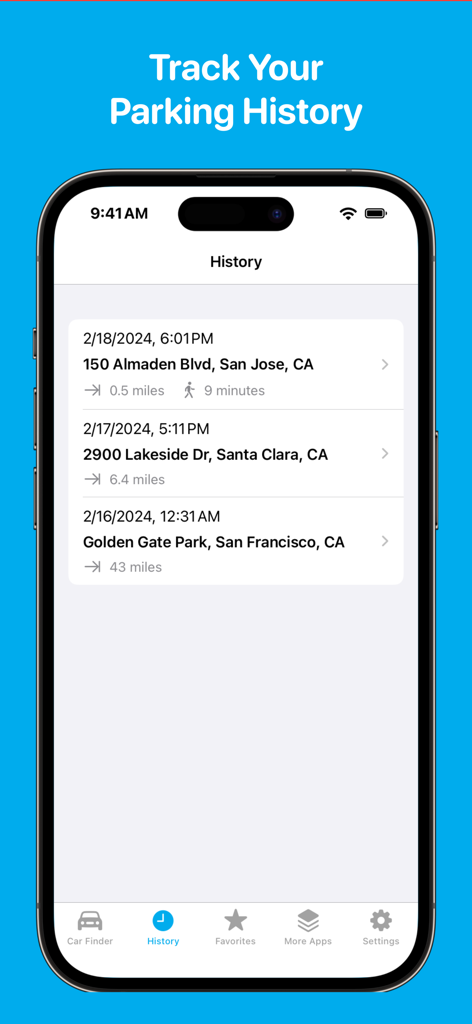
A mobile app screen showing a list of previous parking locations with dates times and addresses

A mobile app screen showing a list of previous parking locations with dates times and addresses

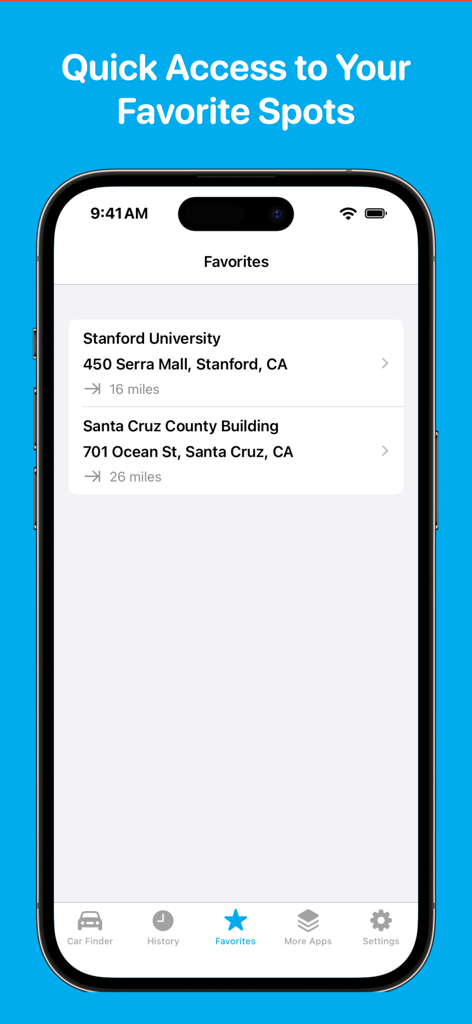
iPhone screen showing a list of favorite saved parking locations including Stanford University and Santa Cruz County Building

iPhone screen showing a list of favorite saved parking locations including Stanford University and Santa Cruz County Building

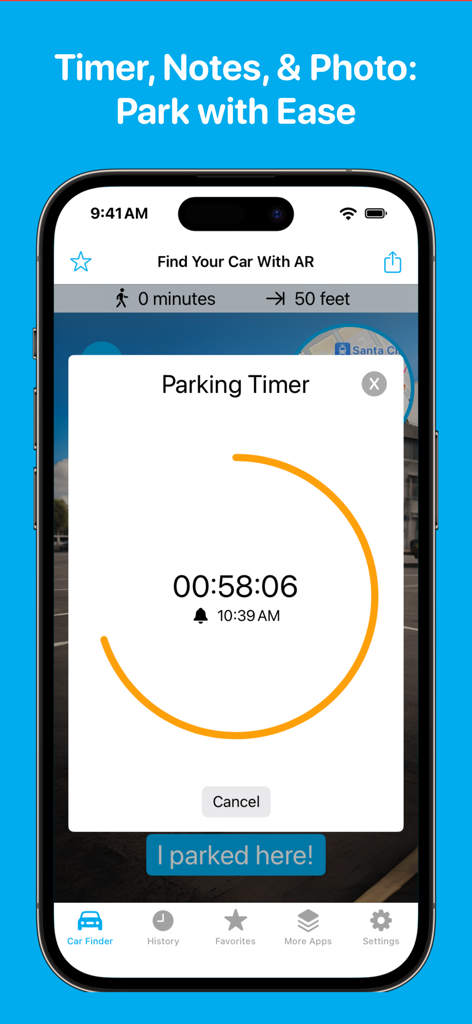
Parking timer feature in the Find Your Car with AR mobile app

Parking timer feature in the Find Your Car with AR mobile app

Navigate Your World with Confidence

The tools that make this app stand out, trusted by 426K+ users.

🚀

Precision AR Locating

Eliminate parking amnesia with 3D Augmented Reality. Follow a virtual arrow overlaid on the real world to walk directly to your spot without the confusion of 2D maps.

💸

Avoid Costly Tickets

Save money and reduce stress with the integrated parking timer. Receive timely alerts before your meter expires, ensuring you never face another expensive city fine.

Seamless Wrist Navigation

Keep your hands free for bags or gear. Use Apple Watch integration to get glanceable directions and haptic alerts while navigating crowded stadiums or hiking trails.

About the app

Everything you need to know about Find Your Car with AR.

Description

Find Your Car Easily with AR Find your car fast with 3D Augmented Reality (AR). No more wandering—just follow the AR guide back to your spot. As Seen On: PC Magazine, Lifewire, New York Magazine, Fox News: “Super easy to use, with AR that takes you right back to your car.” Quick and Easy Steps - Park your car, tap “I parked here,” and choose between a quick or detailed GPS save for more precise directions. - When you're ready, follow the AR arrow to find your car. - Need to save a new spot? Just tap “I parked here” again. What's New in Version 4 - New 3D AR Navigation: Get super accurate directions right to your car. - Notes & Photos: Write notes or take pictures of your parking spot for easy reference. - Parking Timer: Get alerts before your parking time ends to avoid tickets. Premium Features - Apple Watch Directions: Get directions right from your wrist. - Favorites & History: Save and revisit your favorite spots easily. - Customizable AR: Personalize your AR arrow by changing its color. - Ad-Free Experience: Enjoy uninterrupted use with no ads. Not Just for Cars Find Your Car with AR isn't just for parking lots. Use it for outdoor adventures, like hiking trails or campgrounds. Many users have shared stories of how they used the app to find their way back after a long hike or to locate their campsite in a large park. It works great outdoors to guide you back to where you need to be. Other Uses Include: - Finding your way back to a hiking trailhead. - Locating your tent in a crowded campground. - Tracking mushroom foraging spots. - Remembering where you left your bike. - Keeping track of a meeting point in a large outdoor event. Never Lose Track Again Download Find Your Car with AR now and make finding your car (or anything else) the easiest thing you do today!

Latest Version

4.1.1

Size

20.7 MB

First Released

May 10, 2010

Never Lose Your Way Again

From crowded city garages to remote hiking trails, join 426,000+ users who find their spot in seconds. Download now and let 3D AR guide you straight back to your car, campsite, or trailhead.

Download on App Store

App information, icons, screenshots, and descriptions displayed on this page are sourced from the Apple App Store and are the property of their respective developers. Download estimates and rankings are based on MWM's proprietary models and may not reflect actual figures. This page is provided for informational and analytical purposes only.

Believe this page infringes your intellectual property? File a dispute