
This page is not an official page of the app or its developer, but an independent editorial publication created for informational and commentary purposes. Unless expressly stated otherwise, neither the app nor its developer is affiliated with, endorsed by, sponsored by, authorized by, or otherwise officially connected with MWM, Apple, Google Play, the app publisher, or the app's developer, and nothing on this page implies that the app was developed using MWM's services. Any trademarks, logos, screenshots, and other content remain the property of their respective owners.


FloatingPlayer: Music Player
Elevate your multitasking with a persistent floating interface for Spotify and Apple Music. Keep your playback controls always in reach while you scroll, game, or study.
Downloads
47K+User Rating
Total Ratings
0Publisher
Category
MusicLocales
1Latest Version
2.0.0Size
1.9 MBFirst Released
Jan 2, 2022Your Music, Always Front and Center
Stop app-switching and keep the rhythm going. Control your favorite tracks from Spotify or Apple Music without ever leaving your current app.
Seamless Picture-in-Picture
Keep your controls floating on top of any app, from social media to mobile games, for instant playback access.
Aesthetic Customization
Personalize your player's look to match your home screen vibe and your unique digital aesthetic perfectly.
Frequently Asked Questions
Everything you need to know about FloatingPlayer: Music Player
What is FloatingPlayer: Music Player?
FloatingPlayer is an accessible music player that lets you control your music from Spotify or Apple Music through a Picture-in-Picture (PiP) view. It works across any app.
Can I control music with FloatingPlayer?
Yes, FloatingPlayer allows you to control music. It creates a now playing view with playback controls accessible through Picture-in-Picture, usable in any app.
Which music services does FloatingPlayer support?
FloatingPlayer supports music from Spotify and Apple Music. Users must connect to either a Spotify account or their Apple Music library to use the app.
Does FloatingPlayer require Spotify Premium?
Yes, FloatingPlayer requires a Spotify account or access to your Music library. Some advanced playback control features may additionally require Spotify Premium.
Can I customize the FloatingPlayer's appearance?
Yes, FloatingPlayer allows customization. You can edit the player's look and configure settings like showing playback controls, enabling track skipping, and displaying album names.
Does FloatingPlayer support Picture-in-Picture functionality?
Yes, FloatingPlayer functions through Picture-in-Picture (PiP). It provides a floating, always-accessible player that displays music information and controls across all applications.
The following screenshots and description are sourced directly from the app's official store listing and are the property of the app developer.
App Store
Screenshots
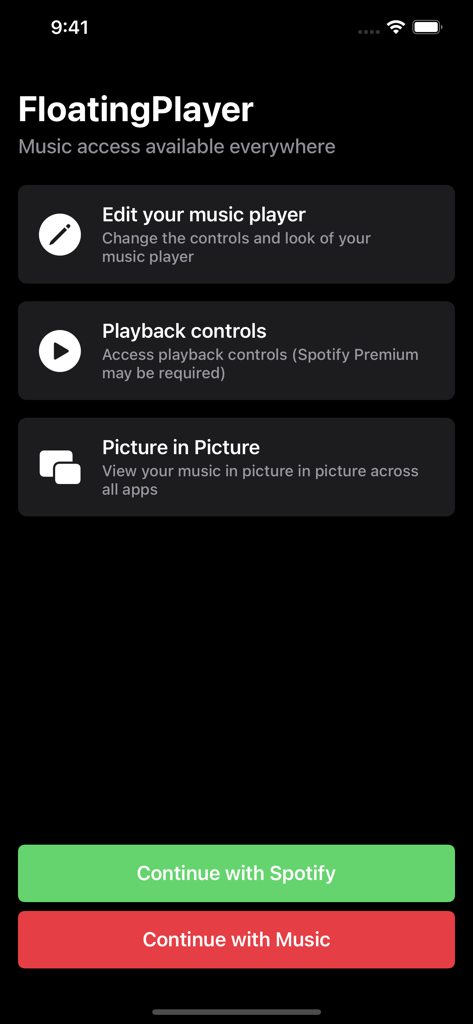
Welcome screen of FloatingPlayer app showing Picture in Picture features and Spotify and Apple Music connection buttons
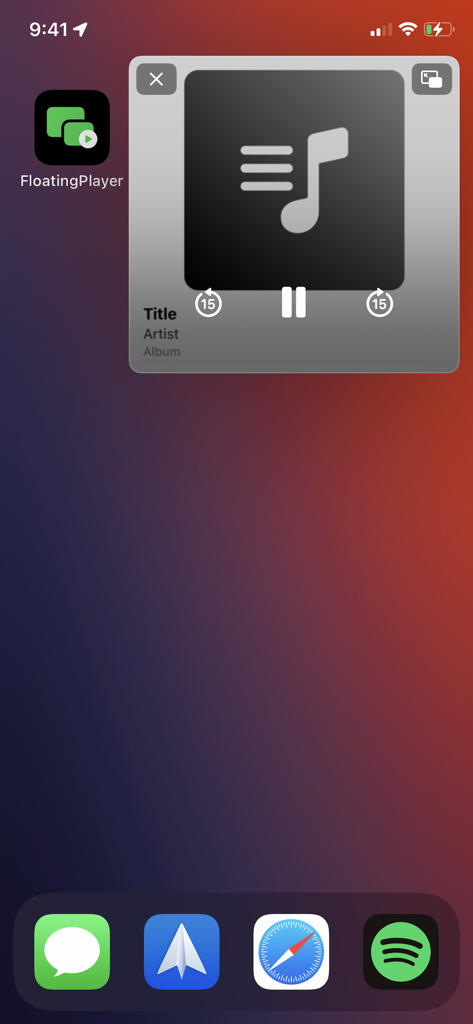
Floating music player interface on an iPhone home screen using Picture in Picture mode
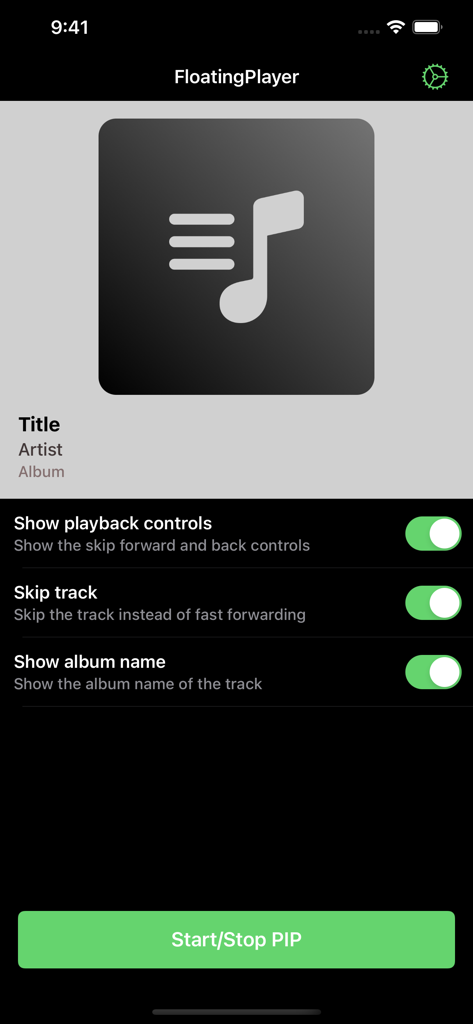
FloatingPlayer app settings for customizing music playback in picture-in-picture mode
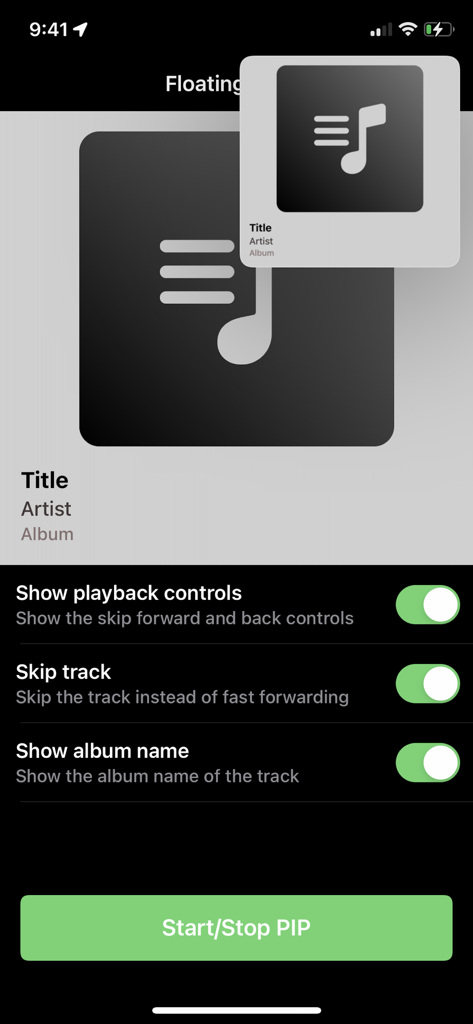
Settings screen for FloatingPlayer music app featuring picture in picture mode controls
Description
Download
More Like This
Top-ranked apps in the same category

Spotify: Music and Podcasts
Spotify

YouTube Music
Google LLC

Shazam: Find Music & Concerts
Apple Inc.

SoundCloud: The Music You Love
SoundCloud Global Limited & Co KG

Suno - AI Songs & Music
Suno Inc.

QQ音乐 - 听我想听
Tencent Technology (Shenzhen) Company Limited

Audiomack - Play Music Offline
Audiomack, Inc.

GuitarTuna: Tune & Play Guitar
Yousician Ltd

BandLab – Music Maker & Beats
BandLab Singapore Pte Ltd
This page is not an official page of the app or its developer, but an independent editorial publication created for informational and commentary purposes. Unless expressly stated otherwise, neither the app nor its developer is affiliated with, endorsed by, sponsored by, authorized by, or otherwise officially connected with MWM, Apple, Google Play, the app publisher, or the app's developer, and nothing on this page implies that the app was developed using MWM's services. Any trademarks, logos, screenshots, and other content remain the property of their respective owners.