Forex Strength Meter - Pro
Download on App Store

This page is not an official page of the app or its developer, but an independent editorial publication created for informational and commentary purposes. Unless expressly stated otherwise, neither the app nor its developer is affiliated with, endorsed by, sponsored by, authorized by, or otherwise officially connected with MWM, Apple, Google Play, the app publisher, or the app's developer, and nothing on this page implies that the app was developed using MWM's services. Any trademarks, logos, screenshots, and other content remain the property of their respective owners.


Logo of Forex Strength Meter - Pro
Download on App Store

Forex Strength Meter - Pro

Instantly identify high-probability setups with real-time currency strength feeds, advanced charting, and professional-grade alerts. Master the markets from your iPhone with the analytical edge you've been searching for.

Key Figures

Downloads

12K+

User Rating

4.6/5

Total Ratings

100

Publisher

QM4 Investing Pty Ltd

Category

Finance

Locales

1

Latest Version

3.2.1

Size

121.3 MB

First Released

Sep 29, 2019
Features

Identify High-Probability Setups

Stop trading blind. Our Pro-grade strength meter distills complex currency correlations into actionable data points across multiple timeframes, giving you the edge of a professional desk.

Live Currency Strength

Instantly see which currencies are dominating and which are lagging with our accurate 0–10 scoring system, updated in real-time with low latency.

Multi-Timeframe Analysis

Sync your strategy across 6 different timeframes. Use professional bar and line charts to confirm trends and correlations before you risk capital.

The following screenshots and description are sourced directly from the app's official store listing and are the property of the app developer.

App Store

Screenshots
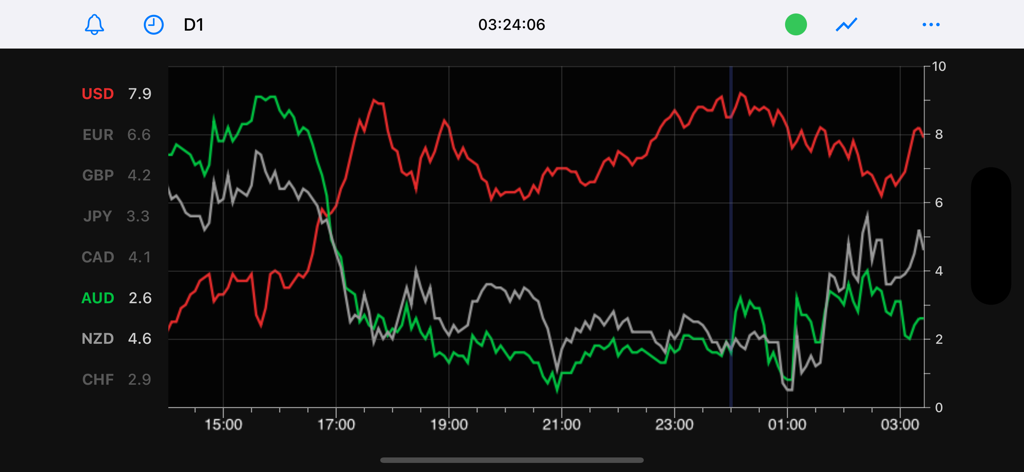
Forex Strength Meter - Pro - Real-time currency strength line chart for major Forex pairs on a dark theme interface
Real-time currency strength line chart for major Forex pairs on a dark theme interface

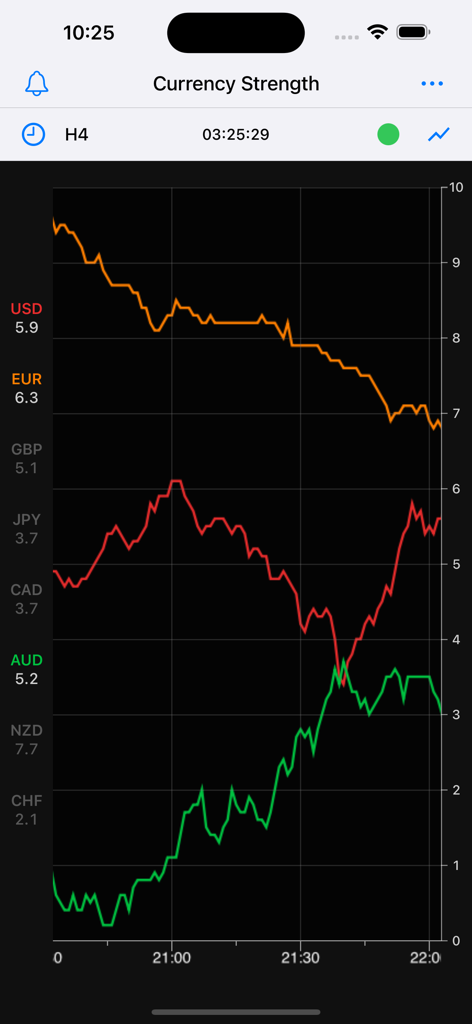
Forex Strength Meter - Pro - Forex Strength Meter Pro app line chart showing relative currency strength for major currencies on a dark interface
Forex Strength Meter Pro app line chart showing relative currency strength for major currencies on a dark interface

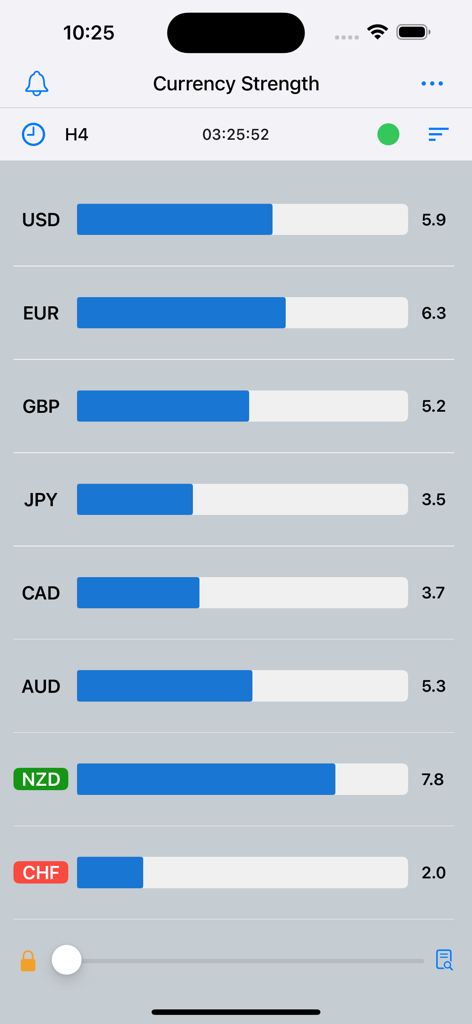
Forex Strength Meter - Pro - Currency strength meter showing relative strength bars for major forex pairs on the H4 timeframe

Currency strength meter showing relative strength bars for major forex pairs on the H4 timeframe
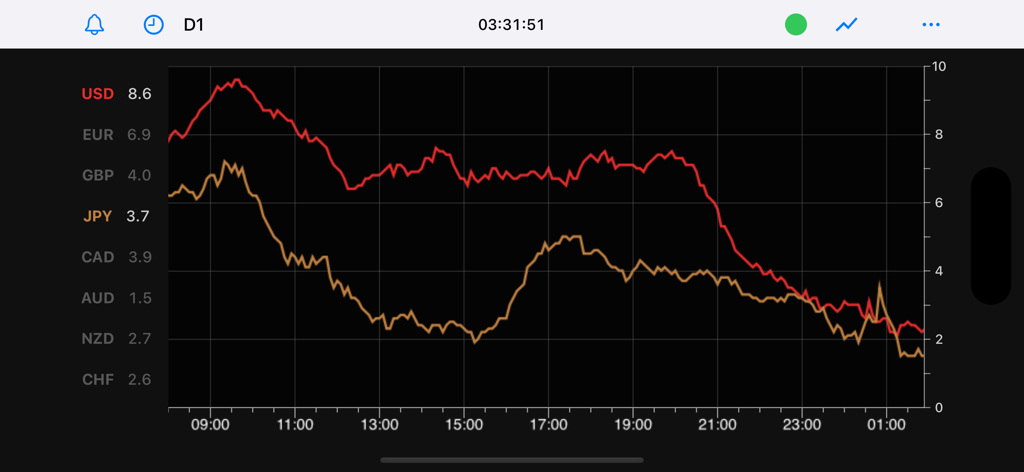
Forex Strength Meter - Pro - Line chart showing historical currency strength trends for USD and JPY
Line chart showing historical currency strength trends for USD and JPY

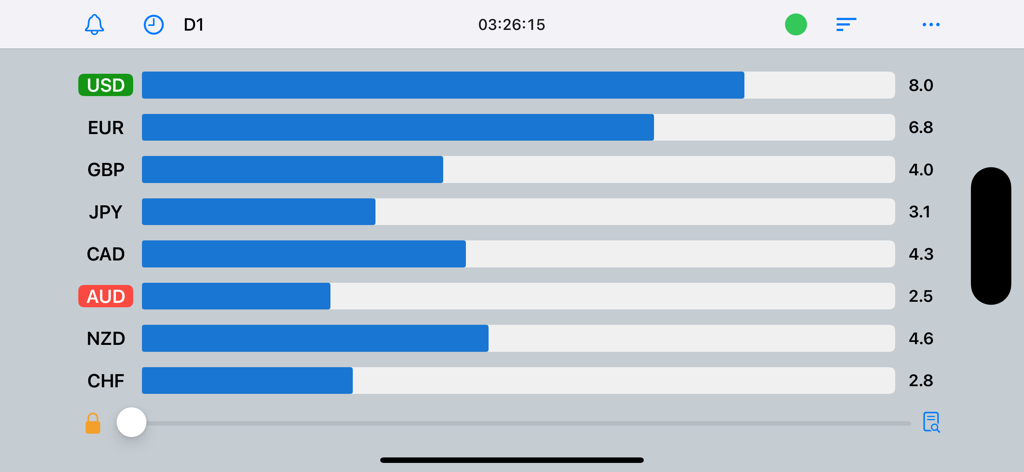
Forex Strength Meter - Pro - Bar chart display in the Forex Strength Meter Pro app showing the relative strength of major global currencies on a zero to ten scale
Bar chart display in the Forex Strength Meter Pro app showing the relative strength of major global currencies on a zero to ten scale

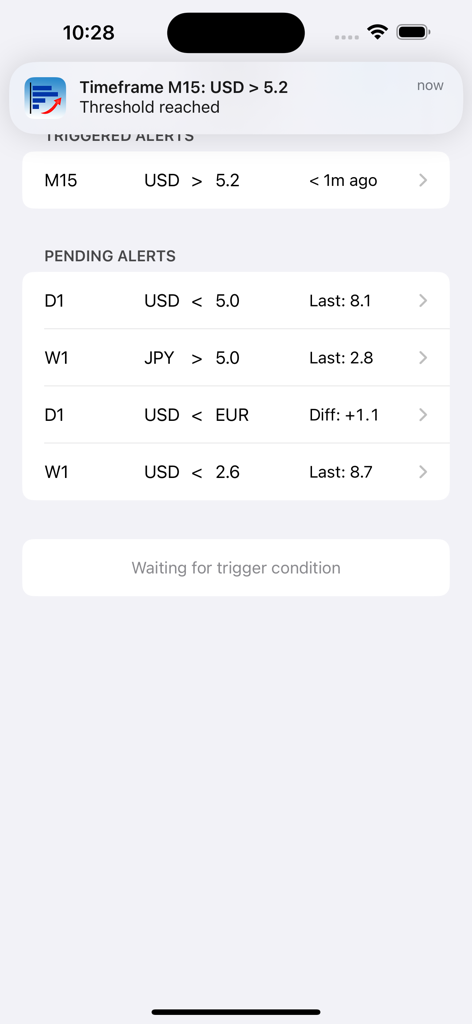
Forex Strength Meter - Pro - Forex Strength Meter Pro app interface showing triggered and pending currency alerts
Forex Strength Meter Pro app interface showing triggered and pending currency alerts

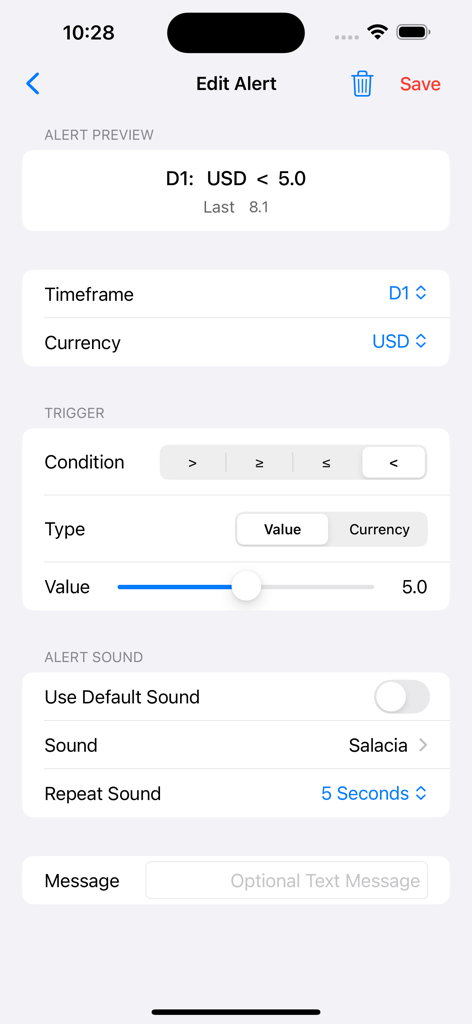
Forex Strength Meter - Pro - Screen for editing currency strength alerts in the Forex Strength Meter Pro app.
Screen for editing currency strength alerts in the Forex Strength Meter Pro app.

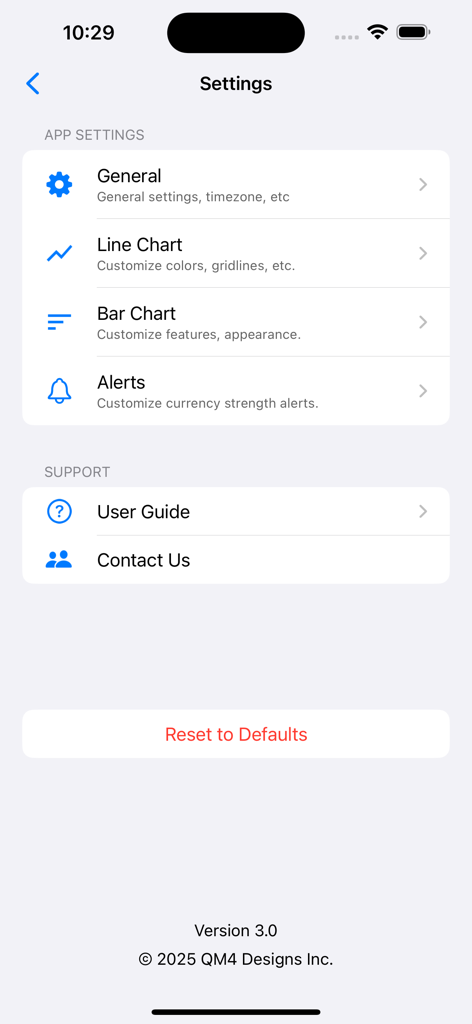
Forex Strength Meter - Pro - The settings screen of the Forex Strength Meter Pro app showing customization options for charts and alerts.
The settings screen of the Forex Strength Meter Pro app showing customization options for charts and alerts.

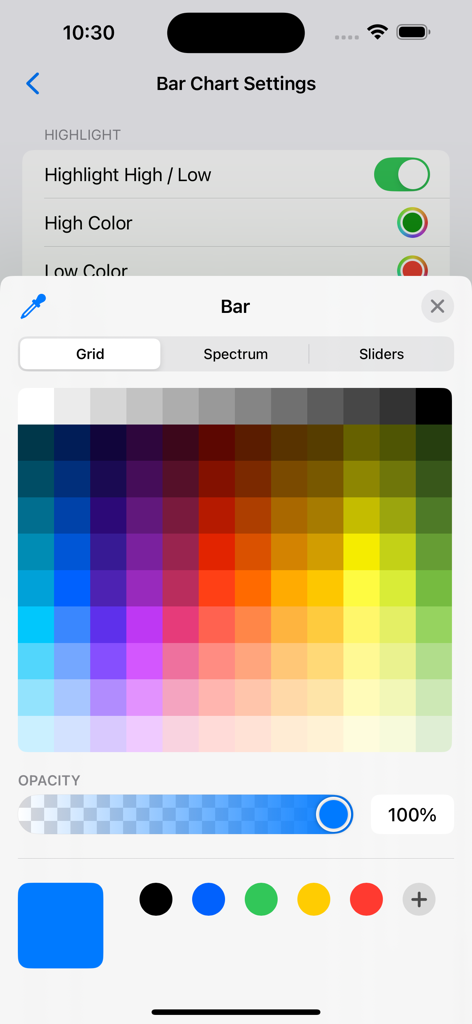
Forex Strength Meter - Pro - Color picker interface for customizing bar chart settings in the Forex Strength Meter Pro app
Color picker interface for customizing bar chart settings in the Forex Strength Meter Pro app

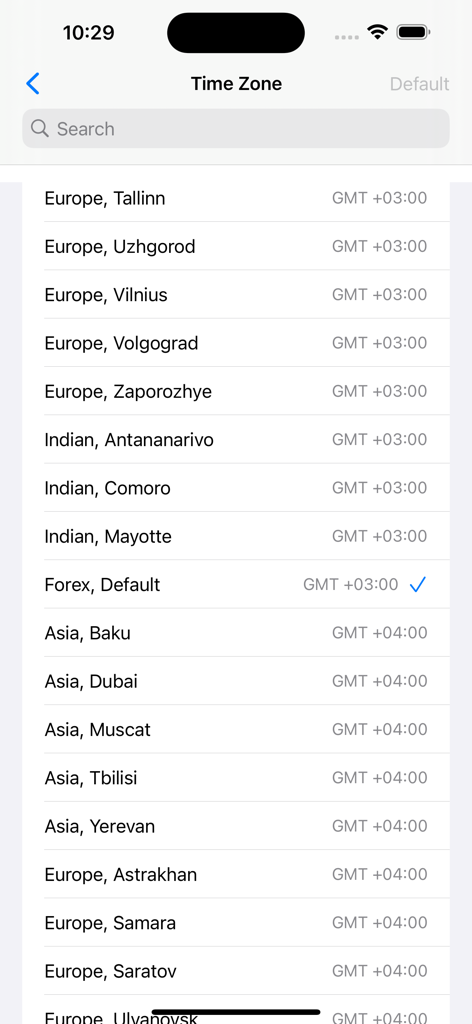
Forex Strength Meter - Pro - Forex Strength Meter app time zone selection screen with GMT offsets

Forex Strength Meter app time zone selection screen with GMT offsets

Description

Improve your Forex trading with this full featured Currency Strength Meter. Features a fast, accurate currency strength data feed, bar charting, line charting, currency strength alerts, multiple time-frames plus much more. 3-Day Free Trial This is a premium App, but we’re currently offering a free trial. The free trial gives you access to a full version of the App. There are no ads, or other limitations. You can cancel the trial at any time from your iTunes account. There'll be no charge if you cancel before the free trial ends. What is Currency Strength? Currency strength is a popular indicator used by Forex traders to make sense of price moves in the Forex market. It takes advantage of price correlation between various Forex pairs. Currency strength is measured for 8 currencies (USD, JPY, EUR, GBP, AUD, NZD, CHF & CAD) and is reported on a scale of 0 (weakest) to 10 (strongest). Currency strength data provides the trader with important insights into the forces at play causing a move on a particular Forex pair. For example, if GBP/USD suddenly trends upwards following an economic news announcement (e.g. US Non-Farm Payroll), the currency strength values would immediately indicate whether the move was due to generalized GBP strength or USD weakness. Features: Quality streaming data feed: fast updates, low latency, accurate currency strength data. 6 currency strength time-frames. Bar Charting: multiple time-frames, history look-back feature, real-time max/min highlighting. Line Charting: multiple time-frames, pinch & zoom, pan gestures. Customisable. Alerts: trigger on an absolute value or cross for any currency or time-frame. Extensive Settings e.g alerts sounds, colors, time-zone etc. Built-in Help / User Guide. Priority Support: contact us directly from within the App. Full portrait and landscape mode support. Works great on a wide range of screen sizes FAQ’s 1. Does this App Require an iTunes Subscription? Yes. We have multiple subscription options with different durations. Each subscription has a Free Trial Period. The idea is to give you time to decide whether the App will help you with your trading. You can easily cancel your subscription at any time directly from your iTunes account. 2. How do I cancel my subscription? Very easy.  To cancel your subscription open the App Store app on your device, click your profile icon, go to Manage Subscription and press Cancel on the subscription. Cancelling a subscription prevents all future payments, but you can still use the App for the remainder of the trial or subscription period. 3. How do I start a Free Trial? When you run the App for the first time you’ll be asked whether you want to start a free trial. Just follow the prompts. 4. If I cancel my subscription can I re-subscribe latter on? Yes. When you start the App again you’ll be asked if you want to re-subscribe. Just follow the prompts and the App will automatically reactivate. Privacy Policy: https://iphone.currencystrengthmeter.net/privacy/ Terms of Use: https://iphone.currencystrengthmeter.net/terms/

Download

Download on App Store

This page is not an official page of the app or its developer, but an independent editorial publication created for informational and commentary purposes. Unless expressly stated otherwise, neither the app nor its developer is affiliated with, endorsed by, sponsored by, authorized by, or otherwise officially connected with MWM, Apple, Google Play, the app publisher, or the app's developer, and nothing on this page implies that the app was developed using MWM's services. Any trademarks, logos, screenshots, and other content remain the property of their respective owners.








