
This page is not an official page of the app or its developer, but an independent editorial publication created for informational and commentary purposes. Unless expressly stated otherwise, neither the app nor its developer is affiliated with, endorsed by, sponsored by, authorized by, or otherwise officially connected with MWM, Apple, Google Play, the app publisher, or the app's developer, and nothing on this page implies that the app was developed using MWM's services. Any trademarks, logos, screenshots, and other content remain the property of their respective owners.

FreeCell (Classic Card Game)
Keep your mind sharp with our modern take on the classic. Designed for focus with easy-to-read cards, auto-save, and zero distractions—your daily dose of mental clarity awaits.
Downloads
617K+User Rating
Total Ratings
14K+Publisher
Category
GamesLocales
22Latest Version
2.9Size
69.3 MBFirst Released
Apr 9, 2020Sharpen Your Mind with Every Deal
A premium, distraction-free FreeCell experience crafted for focus, clarity, and daily mental stimulation.
Effortless Visibility
Large, easy-to-read cards and a minimalist layout ensure a comfortable gaming experience that is easy on the eyes.
Daily Cognitive Boost
Treat your brain to a daily dose of logic. Track your personal statistics and watch your mental skills improve over time.
Frequently Asked Questions
Everything you need to know about FreeCell (Classic Card Game)
What is the FreeCell (Classic Card Game) app?
The FreeCell (Classic Card Game) app is a modern take on the classic FreeCell card game. It features simple, intuitive gameplay and a minimalistic design to keep users engaged.
What features does the FreeCell (Classic Card Game) app offer?
The FreeCell app offers easy-to-read cards, intuitive tap-to-play, intelligent auto-complete, auto-save, unlimited undo, and statistics tracking. It aims for a smooth gameplay experience.
How do you win in the FreeCell (Classic Card Game) app?
To win in the FreeCell (Classic Card Game) app, move all 52 cards to the four foundations in the top left. Place them in sequential order, Ace to King, for each suit.
How do cards move to columns in FreeCell (Classic Card Game)?
Cards move to columns in the FreeCell (Classic Card Game) app by alternating colors and descending in card value. This rule applies to the bottom eight stacks.
How do cards move to foundations in FreeCell (Classic Card Game)?
Cards move to foundations in the FreeCell (Classic Card Game) app by matching suit and starting with Ace, then proceeding up to King. Foundations are located in the top left.
What is a FreeCell move in the FreeCell (Classic Card Game) app?
In the FreeCell (Classic Card Game) app, any single card can move to a FreeCell. FreeCells are temporary storage spots located at the top right of the game board.
How many cards can you move at once in FreeCell (Classic Card Game)?
You can move one card for each open FreeCell and double that number for each empty column in the FreeCell (Classic Card Game) app. This determines multi-card moves.
What happens if I get stuck in FreeCell (Classic Card Game)?
If you get stuck, tap on any card in the FreeCell (Classic Card Game) app. The app automatically makes a valid move if one exists, helping you continue play.
Does FreeCell (Classic Card Game) include an auto-save feature?
Yes, the FreeCell (Classic Card Game) app includes an auto-save feature. This ensures that users never lose their progress, allowing for seamless continuation of games.
Does FreeCell (Classic Card Game) offer unlimited undo options?
Yes, the FreeCell (Classic Card Game) app offers unlimited undo functionality. Users can reverse any number of moves without restriction to correct mistakes or explore options.
Are there game statistics available in FreeCell (Classic Card Game)?
Yes, the FreeCell (Classic Card Game) app provides statistics. This feature allows users to track their performance and progress over time, enhancing the gameplay experience.
The following screenshots and description are sourced directly from the app's official store listing and are the property of the app developer.
App Store
Screenshots
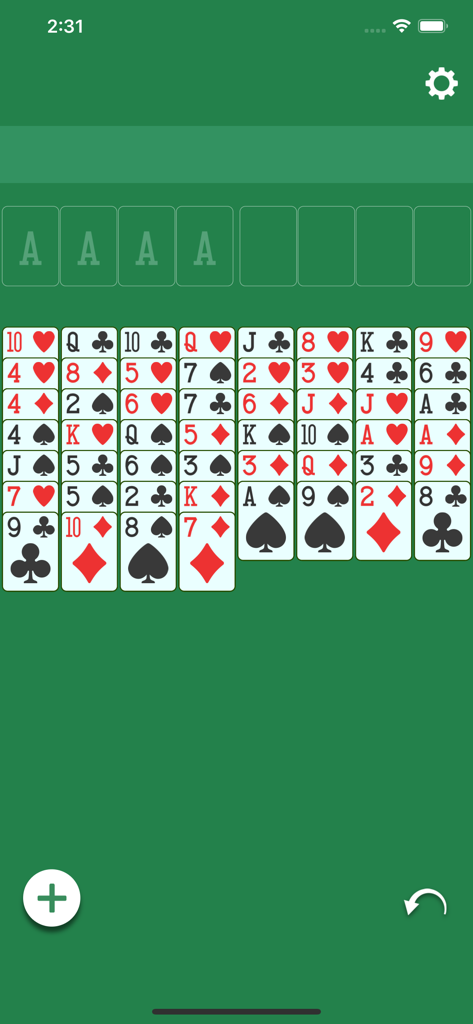
A minimalist FreeCell card game interface featuring easy-to-read cards on a green background with undo and new game buttons.
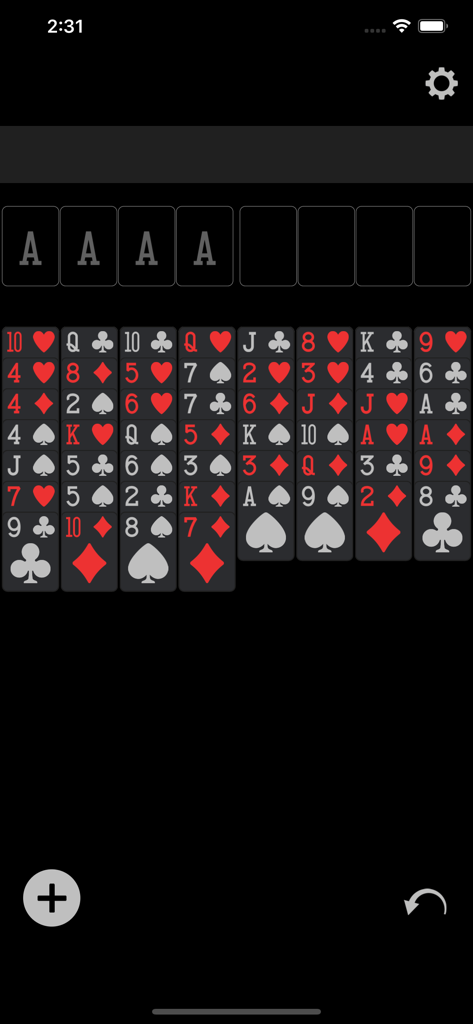
Minimalist dark mode gameplay of FreeCell classic card game showing clearly readable cards in columns.
Description
Download
More Like This
Top-ranked apps in the same category

Block Blast!
ARETIS LIMITED

Heartopia
XD Entertainment Co., Ltd.

Solitaire Associations Journey
Hitapps Games LTD

Roblox
Roblox Corporation

Gossip Harbor®: Merge & Story
Microfun Limited

Arrows – Puzzle Escape
Lessmore UG haftungsbeschraenkt

Township
PLR Worldwide Sales Limited

Last War:Survival
FUNFLY PTE. LTD.

Vita Mahjong
VITA STUDIO PTE. LTD.
This page is not an official page of the app or its developer, but an independent editorial publication created for informational and commentary purposes. Unless expressly stated otherwise, neither the app nor its developer is affiliated with, endorsed by, sponsored by, authorized by, or otherwise officially connected with MWM, Apple, Google Play, the app publisher, or the app's developer, and nothing on this page implies that the app was developed using MWM's services. Any trademarks, logos, screenshots, and other content remain the property of their respective owners.