This page is not an official page of the app or its developer, but an independent editorial publication created for informational and commentary purposes. Unless expressly stated otherwise, neither the app nor its developer is affiliated with, endorsed by, sponsored by, authorized by, or otherwise officially connected with MWM, Apple, Google Play, the app publisher, or the app's developer, and nothing on this page implies that the app was developed using MWM's services. Any trademarks, logos, screenshots, and other content remain the property of their respective owners.

Fulcrum GIS field data capture
Streamline inspections, asset tracking, and surveys with AI-powered mobile apps. Capture precise geospatial data anywhere—even offline—and sync seamlessly with Esri ArcGIS.
Key Figures
Downloads
41K+
User Rating
4.1/5
Total Ratings
100
Publisher
Spatial Networks, Inc.
Category
Business
Locales
30
Latest Version
2601.2.0
Size
162.7 MB
First Released
Oct 7, 2011
Features
Precision Field Data, Simplified
Empower your crew with a rugged mobile solution for digital inspections, real-time asset tracking, and professional-grade GIS mapping.
Reliable Offline Data Capture
Never let a dead zone stop your progress. Capture GPS-tagged data in remote locations and sync automatically once you return to coverage.
Hands-Free AI Voice Entry
Solve the 'dirty hands' problem with Audio FastFill. Dictate site notes and observations instantly while keeping your eyes on the job.
The following screenshots and description are sourced directly from the app's official store listing and are the property of the app developer.
App Store
Screenshots
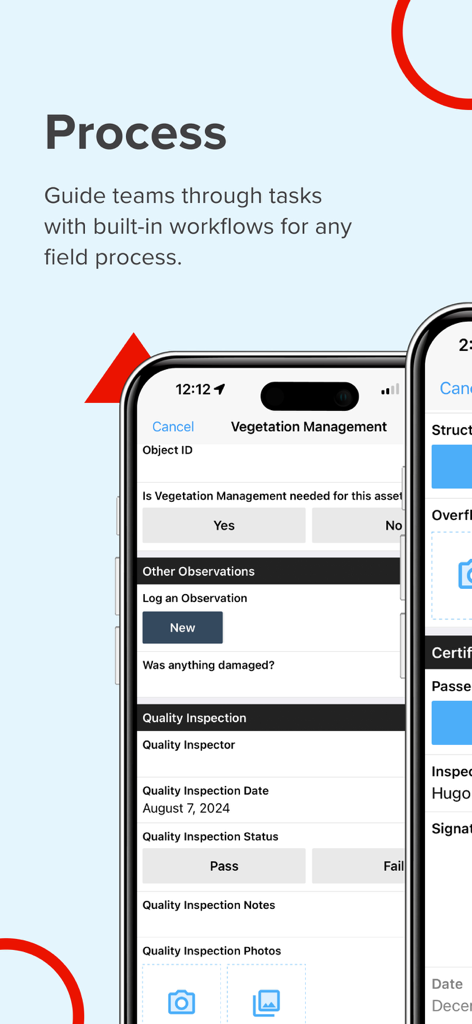
Fulcrum mobile app interface for managing field workflows and vegetation inspections
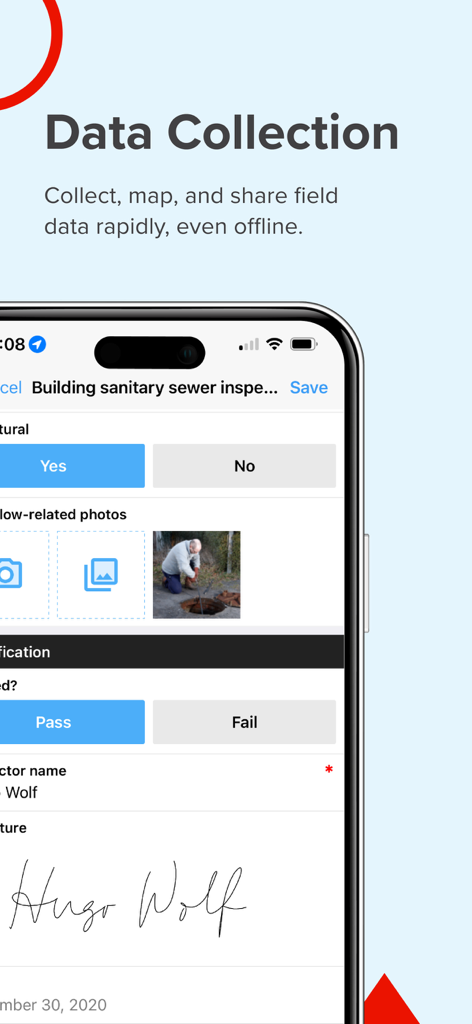
A mobile interface of the Fulcrum app showing a sanitary sewer inspection form with a field worker photo and digital signature.
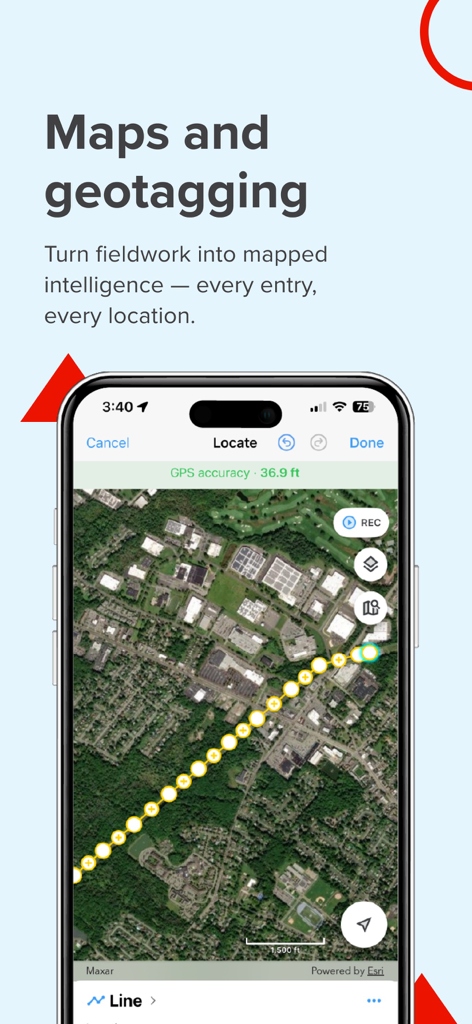
Fulcrum app screen demonstrating GIS mapping and geotagged field data collection on a satellite view.
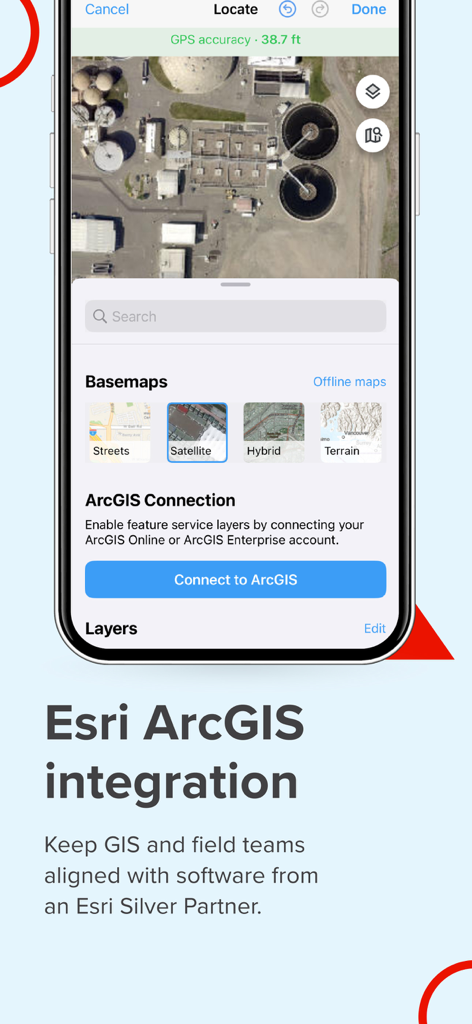
Fulcrum mobile app showing Esri ArcGIS integration and satellite mapping options for field professionals
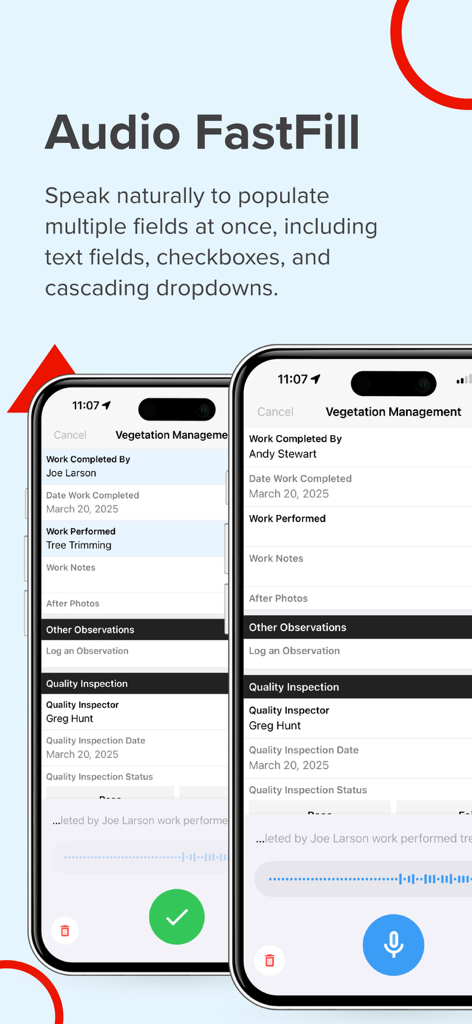
Screenshot of the Fulcrum app showcasing Audio FastFill for AI-powered voice data entry in field inspection forms.
Description
Field teams often struggle with inefficient tools that slow operations and compromise data accuracy. Fulcrum transforms field workflows with intuitive, AI-powered mobile GIS software for seamless data collection, geospatial mobile apps tracking, and process automation. Unlike traditional GIS mobile apps that require specialized training and are confined to the office, Fulcrum is a field-first solution that empowers both GIS experts and non-GIS team members to easily capture and share geospatial data. Fulcrum is built for teams that need powerful, flexible tools for field data collection, asset tracking, and process automation. It provides: - Field process management with real-time GIS mobile data collection for faster, more accurate data capture. - Mobile data collection applications to streamline surveys, inspections, and compliance tracking. - Asset data collection software mobile applications to track and manage infrastructure, utilities, and field equipment with precision. - Geospatial mobile apps for GPS-based field data collection to give teams accurate location data for mapping, reporting, and decision-making. Why choose Fulcrum? Fulcrum is trusted by nearly 3,000 companies and 50,000+ users worldwide to digitize inspections, surveys, field data collection, and asset management tasks for industries such as construction, utilities, and environmental services. As an Esri Silver Partner, Fulcrum integrates seamlessly with ArcGIS, helping teams connect field data with their GIS workflows. And as a purpose-built field processes platform, Fulcrum helps teams customize field processes, reduce manual workflows, and capture more accurate, actionable data. Key features - Drag-and-drop form builder – Create and customize inspection checklists, surveys, and asset tracking forms with no coding required. - AI-powered voice data entry – Use Audio FastFill for hands-free data collection, reducing manual input and speeding up fieldwork. - Integrated GIS capabilities – Sync with Esri ArcGIS, export geospatial data in GeoJSON or Shapefiles, and enhance mobile GIS data collection. - Real-time data sync – Instantly share collected data with your team and integrate with enterprise systems. - Offline data collection – Capture and store data without connectivity, then sync once back online. - Advanced security – Protect sensitive data with SOC 2 Type 2 compliance, SSO, SCIM to ease onboarding, and customizable user roles. - Native mobile apps – Access full functionality on iOS, built for serious field use. - Dedicated support – Get expert help via email, chat, or phone.. Built for the industries that rely on field data Fulcrum’s field-first design makes it the best app for land survey, field inspection, and asset management workflows. Teams across construction, utilities, and environmental services and more use Fulcrum to streamline field workflows and improve data accuracy. Industries and use cases include: - Land surveying & field inspections – Use Fulcrum GPS data collection software to capture precise location data and sync in real time. - Utility & infrastructure management – Improve asset tracking and maintenance with GIS mobile data collection and automated reporting. - Environmental monitoring & compliance – Conduct site assessments, collect location-based data, and generate reports with user-friendly GIS cloud mobile data collection apps. - Construction & engineering projects – Manage site audits, inspections, and progress tracking using mobile data collection applications designed for the field. Download now to create your own GIS mobile app and streamline field data collection and process management with Fulcrum. Privacy Policy https://www.fulcrumapp.com/privacy Terms of Service https://www.fulcrumapp.com/terms-of-service
This page is not an official page of the app or its developer, but an independent editorial publication created for informational and commentary purposes. Unless expressly stated otherwise, neither the app nor its developer is affiliated with, endorsed by, sponsored by, authorized by, or otherwise officially connected with MWM, Apple, Google Play, the app publisher, or the app's developer, and nothing on this page implies that the app was developed using MWM's services. Any trademarks, logos, screenshots, and other content remain the property of their respective owners.









