
This page is not an official page of the app or its developer, but an independent editorial publication created for informational and commentary purposes. Unless expressly stated otherwise, neither the app nor its developer is affiliated with, endorsed by, sponsored by, authorized by, or otherwise officially connected with MWM, Apple, Google Play, the app publisher, or the app's developer, and nothing on this page implies that the app was developed using MWM's services. Any trademarks, logos, screenshots, and other content remain the property of their respective owners.


Funny Voice Changer: AI Effect
Boring audio? Not anymore. This app gives users the power to twist words into auditory gold, instantly transforming the mundane into the memorable.
Downloads
250k+User Rating
Total Ratings
5.5KPublisher
Category
EntertainmentLocales
26Latest Version
2.2.0Size
115.6 MBFirst Released
Feb 13, 2024An Analytical Overview of Core Functionality and User Value
Key Features of Funny Voice Changer: AI Effect
Seamless Audio Sharing & Export
This tool features instant options to download generated audio or share it directly across social media platforms with a single tap, facilitating quick content distribution.
Diverse Voice Style Library
The app provides a constantly expanding selection of expressive voice styles, allowing users to choose the perfect tone for their content, from humorous to dramatic.
Social Media & Content Enhancement
It allows users to enrich videos, podcasts, and social media posts, offering a unique way to make content more engaging and entertaining for their audience.
Easy Text Input & Rapid Generation
It allows users to quickly input text by typing or pasting, generating custom speech in a matter of seconds, streamlining content creation.
Intuitive User Interface
The app presents a clean and user-friendly interface, ensuring that voice creation is fast and accessible for all users, regardless of technical skill.
Text-to-Speech Conversion
The app enables users to transform written text into natural-sounding speech, serving as the fundamental capability for voice generation.
Frequently Asked Questions
Everything you need to know about Funny Voice Changer: AI Effect
What is the Funny Voice Changer: AI Voices app?
The Funny Voice Changer: AI Voices app converts written text into natural-sounding speech using diverse AI voices. Users select a voice, type text, and generate, download, or share audio instantly.
How do I generate speech using Funny Voice Changer: AI Voices?
To generate speech, users paste or type text into the Funny Voice Changer: AI Voices app. Then, they select an AI voice from the library and tap to generate the audio in seconds.
Can I save or share audio from Funny Voice Changer: AI Voices?
Yes, the Funny Voice Changer: AI Voices app allows users to download or share generated audio with a single tap. "SHARE" and "SAVE" buttons are available after speech generation.
What kind of voices are available in Funny Voice Changer: AI Voices?
The Funny Voice Changer: AI Voices app offers a growing library of expressive AI voices. These range from playful and upbeat to deep and dramatic, featuring various character and avatar options.
Is the Funny Voice Changer: AI Voices app for professional content creation?
No, the Funny Voice Changer: AI Voices app is designed solely for personal and entertainment use. It advises against using generated voices for misleading purposes.
Does Funny Voice Changer: AI Voices include prank sound effects?
Yes, Funny Voice Changer: AI Voices features a dedicated "Prank Sounds" section. This offers various sound effects such as airhorns, farts, laughter, and scary noises for entertainment purposes.
How user-friendly is the Funny Voice Changer: AI Voices app?
The Funny Voice Changer: AI Voices app is user-friendly, featuring a clean and intuitive interface. It simplifies voice creation, making it fast and accessible without requiring special skills.
The following screenshots and description are sourced directly from the app's official store listing and are the property of the app developer.
App Store
Screenshots

This screen showcases the app's extensive library of voice styles, presented as a grid of diverse character icons, alongside a convenient search bar for quick navigation.
Diverse Voice Library
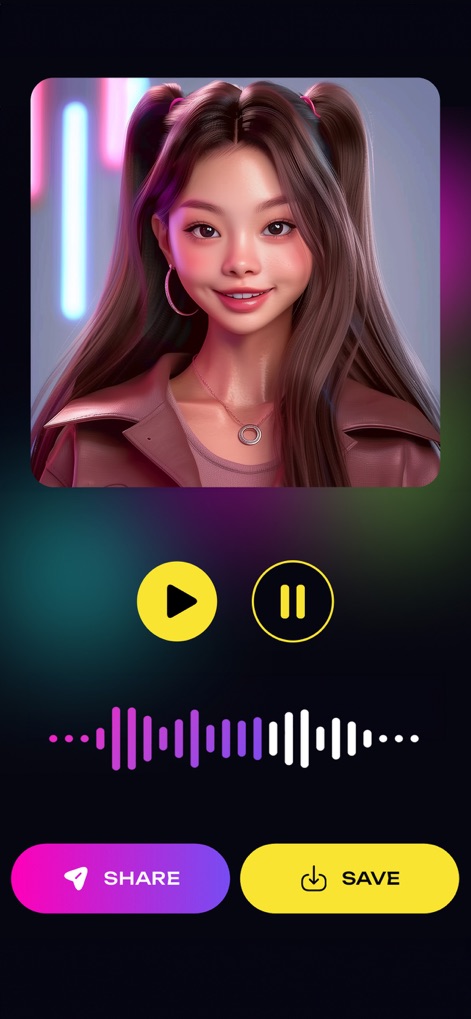
Users can easily manage generated speech through the clear audio waveform visualization and readily accessible share and save options.
Audio Generation Hub
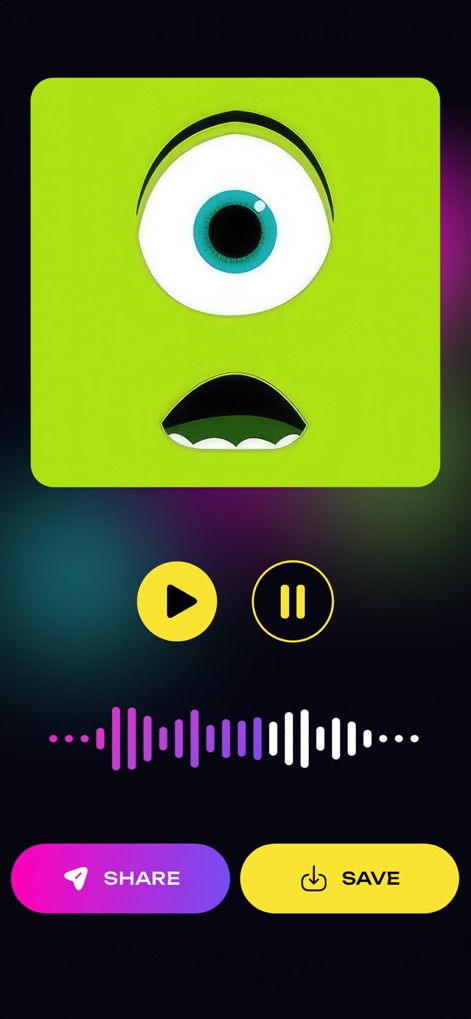
The app allows instant audio preview via intuitive playback controls and provides prominent share and save buttons for content distribution.
Preview & Polish
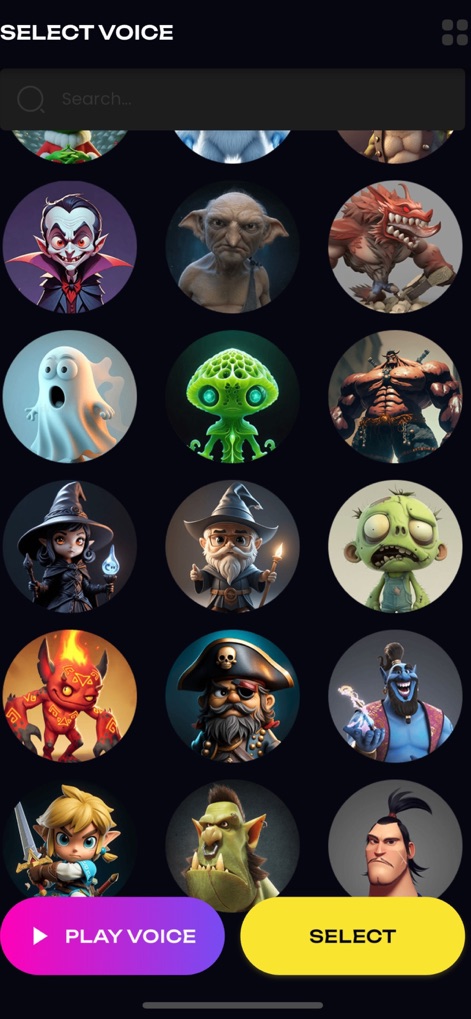
This section reveals an expanded character voice catalog, offering a wide array of options, and features dual action buttons for seamless previewing and selection.
Expanded Voice Catalog

Beyond voice modification, the app provides a dedicated Prank Sounds section, showcasing a variety of humorous sound effects for creative expression.
Prank Sound Collection
Description
Download
More Like This
Apps with similar features and user experience

万能变声器-游戏开黑聊天语音包变音器
文飞 黎
Voices AI: Change Your Voice
Fiedler Tech LLC

MixerBox AI
MixerBox Inc.

Voice changer with effects
Baviux Apps & Games SL.

Parrot: Voice Generator AI App
Lesto Labs LLC

Voice Changer - Audio Effects
One Pixel Studio s. r. o.
AI Voice Changer・Sound Effects
Vu Van Huy

千变语音变声器 - 万能游戏实时语音变声软件
静云 魏
变声器:实时游戏开黑聊天变声器&整蛊变声工具
俊毅 李
This page is not an official page of the app or its developer, but an independent editorial publication created for informational and commentary purposes. Unless expressly stated otherwise, neither the app nor its developer is affiliated with, endorsed by, sponsored by, authorized by, or otherwise officially connected with MWM, Apple, Google Play, the app publisher, or the app's developer, and nothing on this page implies that the app was developed using MWM's services. Any trademarks, logos, screenshots, and other content remain the property of their respective owners.