GeoTracker Lite

GeoTracker Lite

Download on App Store
Logo of GeoTracker Lite

GeoTracker Lite: Advanced GPS Tracking for Technical Hobbyists

Record G-force, altitude, and weather metrics with a professional-grade logger. No ads, no registration—just precision tracking and instant data exports for your next adventure.

Download on App Store

Publisher

Daniel Medeiros

Category

Navigation

Downloads

129K+

User Rating

4.5/5

Total Ratings

2K+

Locales

9

Precision at a Glance

Discover the interface used by 129K+ users.
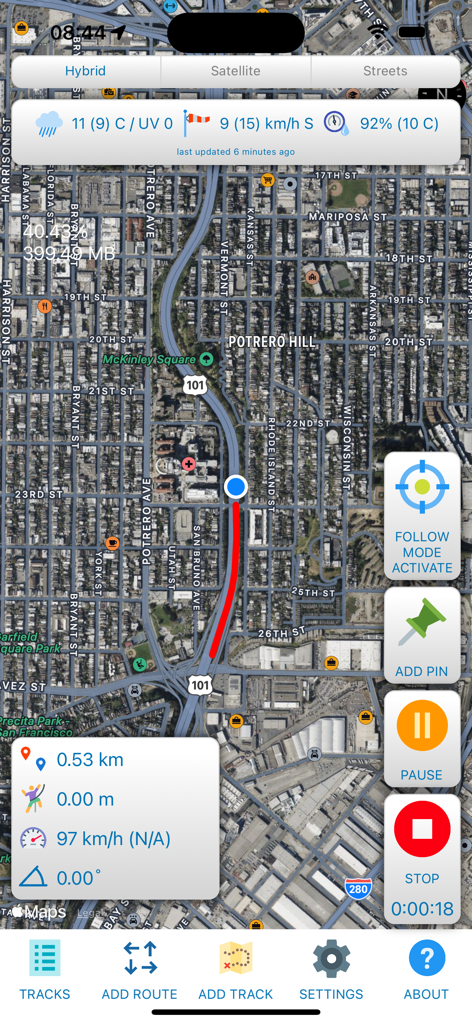
GPS tracking interface showing a red path on a satellite map with real-time speed and distance metrics

GPS tracking interface showing a red path on a satellite map with real-time speed and distance metrics

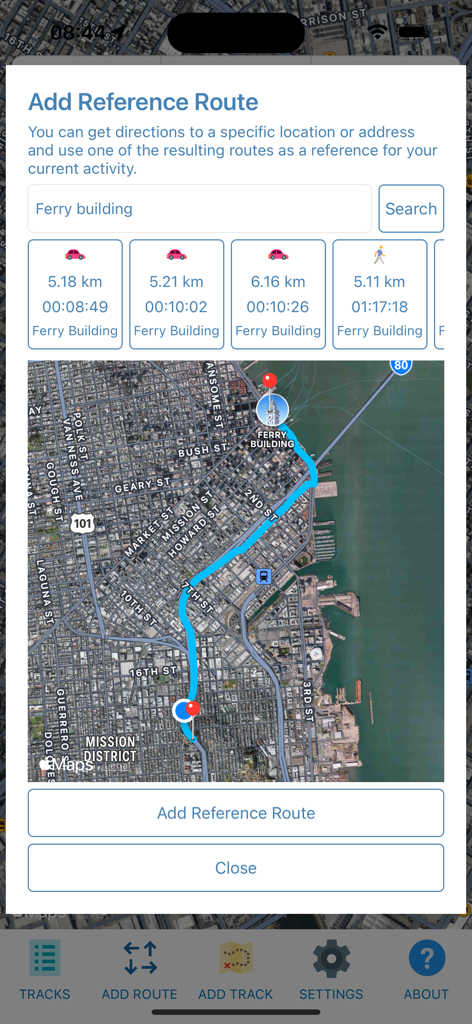
GeoTracker Lite app interface showing the Add Reference Route feature with a map and route options to the Ferry Building

GeoTracker Lite app interface showing the Add Reference Route feature with a map and route options to the Ferry Building

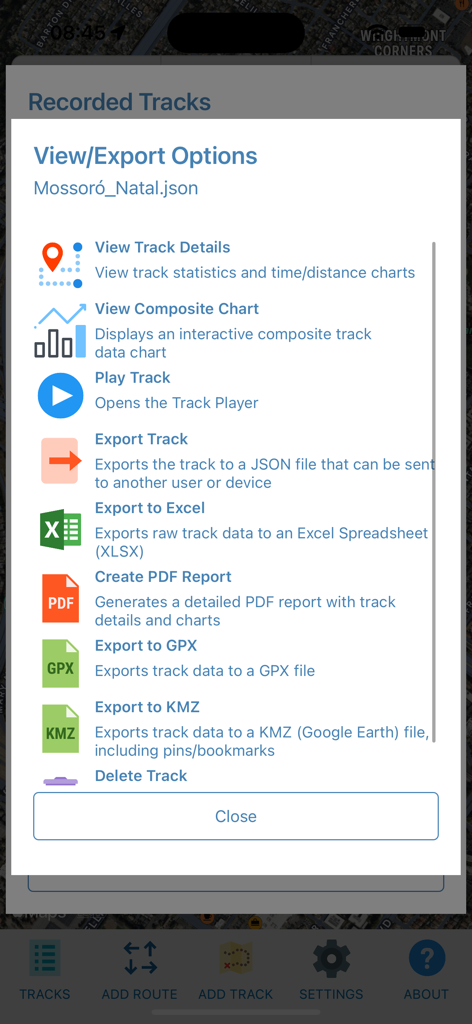
GeoTracker Lite app showing track view and export options for JSON, Excel, PDF, GPX, and KMZ formats.

GeoTracker Lite app showing track view and export options for JSON, Excel, PDF, GPX, and KMZ formats.

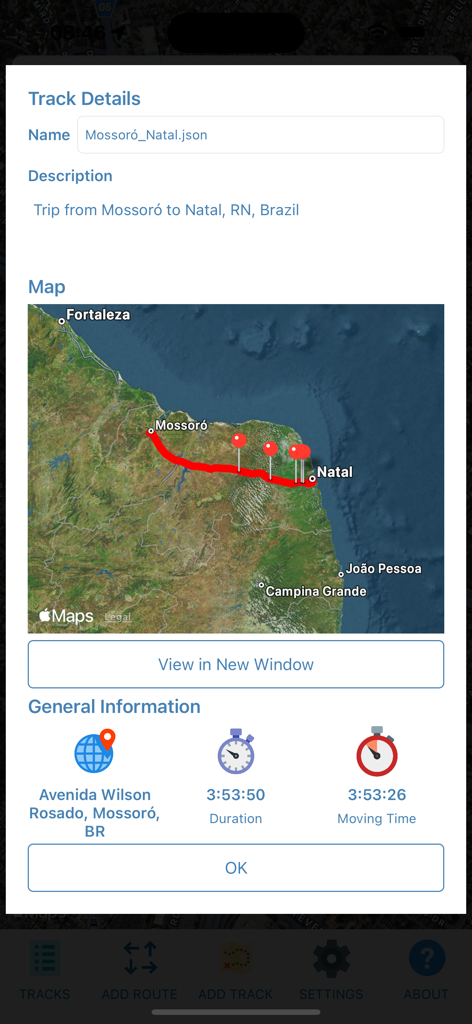
GeoTracker Lite app showing track details with a route map and trip duration stats

GeoTracker Lite app showing track details with a route map and trip duration stats

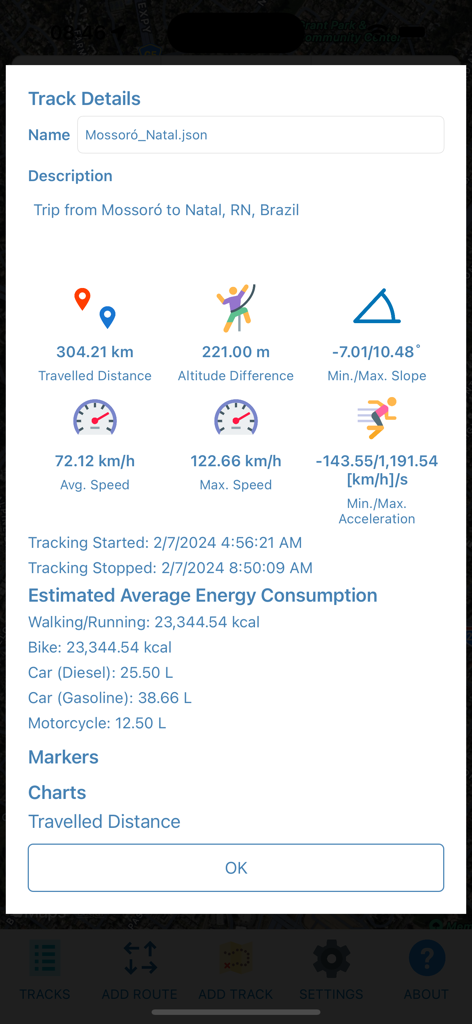
A detailed track summary in GeoTracker Lite showing distance, speed, altitude, and estimated energy consumption metrics.

A detailed track summary in GeoTracker Lite showing distance, speed, altitude, and estimated energy consumption metrics.

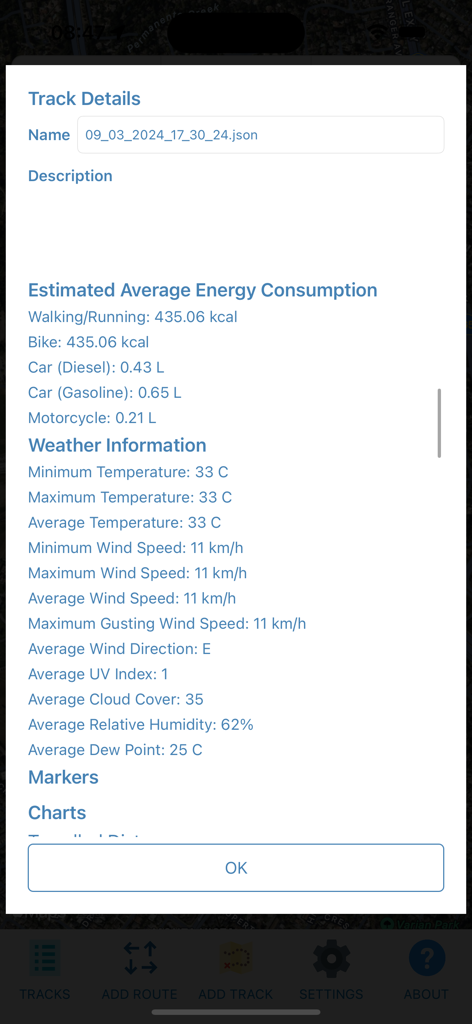
GeoTracker Lite track details screen showing energy consumption and detailed weather data summary

GeoTracker Lite track details screen showing energy consumption and detailed weather data summary

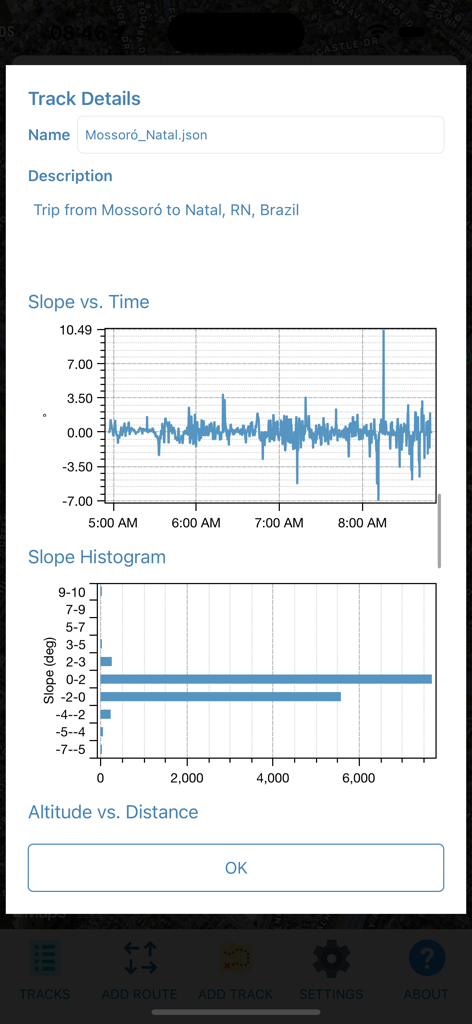
GeoTracker Lite app showing track details with slope versus time and slope histogram charts

GeoTracker Lite app showing track details with slope versus time and slope histogram charts

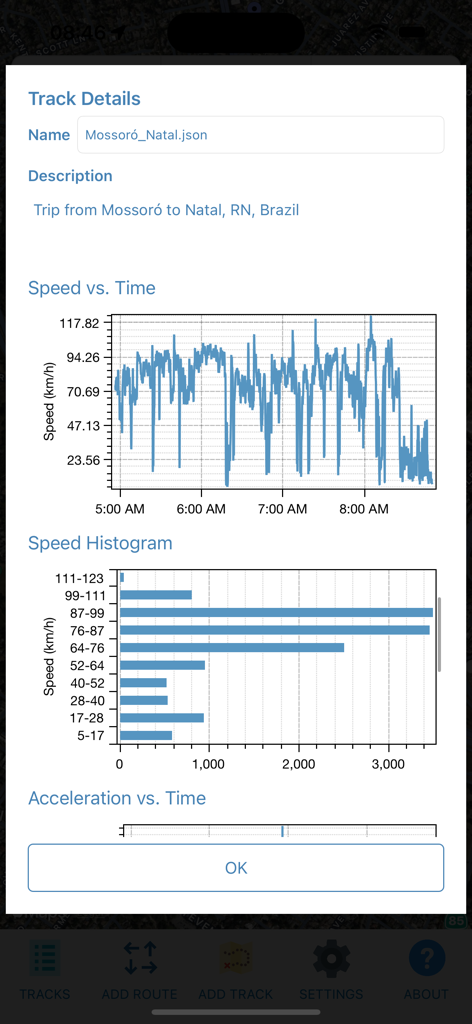
Detailed track statistics screen showing speed vs time graph and speed histogram

Detailed track statistics screen showing speed vs time graph and speed histogram

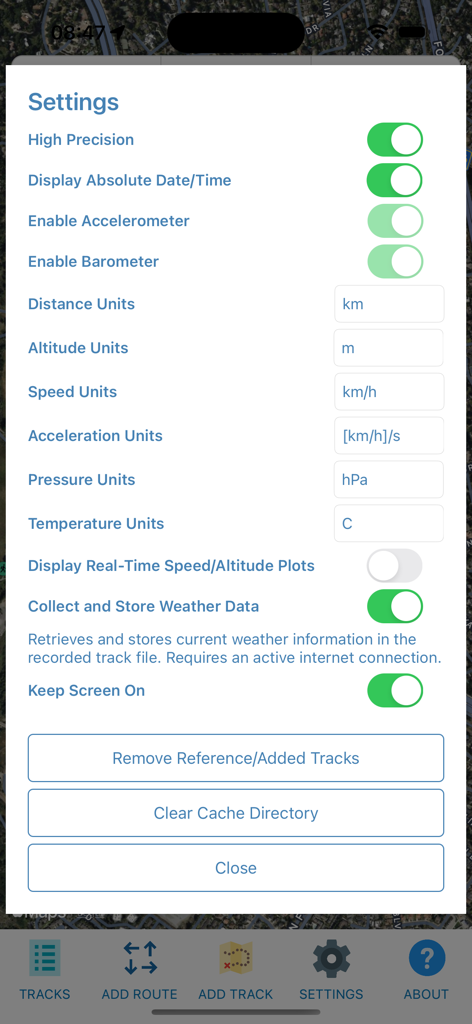
Settings screen of the GeoTracker Lite app showing options to enable sensors like the accelerometer and barometer and customize measurement units.

Settings screen of the GeoTracker Lite app showing options to enable sensors like the accelerometer and barometer and customize measurement units.

Precision Metrics for Power Users

The tools that make this app stand out, trusted by 129K+ users.

📈

Advanced Sensor Telemetry

Go beyond distance with real-time tracking of G-force, acceleration, and atmospheric pressure for technical performance analysis.

🔒

Instant, Private Access

Skip the signup. Enjoy an ad-free experience with no registration required—your data stays yours, from the trailhead to the finish line.

📂

Seamless Data Portability

Export your tracks to GPX, KMZ, or XLSX formats. Perfect for reviewing paths in Google Earth or performing deep dives in Excel.

About the app

Everything you need to know about GeoTracker Lite.

Description

*** This version of GeoTracker can record up to 10 minutes or 10 kilometers per track, whichever comes first. GeoTracker Lite is an ad-free, no-registration GPS+Weather Tracking App with many useful features: - Records your location, speed, altitude, heading, acceleration, g-force (if available) and atmospheric pressure (if available) - Retrieves, displays and records current weather information (internet connection required) - Plays recorded tracks at 1x, 2x, 4x, 8x and 16x speeds - Get suggested routes/directions and use them as reference paths for your current activity - Pause/Continue Tracking - Exports recorded track data to KMZ, GPX and XLSX files - Create PDF Reports with Track Statistics, Marker/Bookmark Details and Charts - Import tracks from external files - Import/Create tracks from GPX files - View recorded track details: Distance Travelled, Moving duration, Avg/Max Speeds, Min/Max Acceleration, Min/Max Slope and more - Time charts: Distance, Speed, Altitude, Acceleration, G-Force (if available), Pressure (if available) - Customize Distance, Speed, Acceleration, Altitude, Temperature and Pressure units - Import/Export Backups from/to ZIP files

Latest Version

4.3.2

Size

106.2 MB

First Released

Oct 24, 2021

Precision Tracking, Zero Friction

Capture raw GPS, G-force, and atmospheric data instantly. No accounts, no ads—just high-fidelity exports for the data-driven enthusiast.

Download on App Store

App information, icons, screenshots, and descriptions displayed on this page are sourced from the Apple App Store and are the property of their respective developers. Download estimates and rankings are based on MWM's proprietary models and may not reflect actual figures. This page is provided for informational and analytical purposes only.

Believe this page infringes your intellectual property? File a dispute