
This page is not an official page of the app or its developer, but an independent editorial publication created for informational and commentary purposes. Unless expressly stated otherwise, neither the app nor its developer is affiliated with, endorsed by, sponsored by, authorized by, or otherwise officially connected with MWM, Apple, Google Play, the app publisher, or the app's developer, and nothing on this page implies that the app was developed using MWM's services. Any trademarks, logos, screenshots, and other content remain the property of their respective owners.


GIO - AI Photoshoot Generator
No more bad profile pics: the app hands users instant control over their digital image, turning casual selfies into professional statements.
Downloads
5M+User Rating
Total Ratings
105.3KPublisher
Category
Photo & VideoLocales
11Latest Version
1.32.0Size
228.3 MBFirst Released
Aug 10, 2023An analytical overview of functionalities designed for enhancing digital personal branding and online presence.
Key Features of GIO - AI Photoshoot Generator
AI Photorealistic Portrait Generation
It allows users to generate high-quality, photorealistic portraits and headshots from a single uploaded photo, ideal for professional profiles and social media.
Virtual Outfit Customization
The app provides an AI-powered outfit generator that instantly updates looks with a variety of style options, suitable for different occasions and branding needs.
Dynamic Background Customization
This tool features an AI background changer, enabling users to seamlessly move their photos to any scene to match their desired professional or creative aesthetic.
Curated Style Library
It offers a regularly updated catalog of curated styles and looks on a Discover page, providing inspiration and easy application for professional results.
AI Hairstyle Transformation
The app includes an AI hairstyle tool, allowing users to explore and apply various sleek, office-ready, or bold hairstyles in a tap for enhanced digital appearance.
Streamlined User Experience
This tool features an intuitive and user-friendly editing interface, ensuring that applying any style or enhancement is easy and delivers polished results efficiently.
Frequently Asked Questions
Everything you need to know about GIO - AI Photoshoot Generator
What is GIO - AI Headshot Generator?
GIO is a pocket-sized AI photo studio that generates professional headshots. It uses gen AI to create photorealistic portraits, change outfits, swap backgrounds, and enhance images in seconds.
What are the main features of the GIO app?
GIO offers photorealistic portraits, an outfit generator, background changer, beauty toolkit, and hairstyle tool. It also includes an intuitive editing UI and a catalog of styles for photo alterations.
Who can use the GIO app for digital image enhancement?
GIO is for workspace professionals needing LinkedIn profiles, individuals seeking to shine on dating apps, and anyone aiming to elevate their digital image with studio-quality AI-generated headshots.
Can GIO change outfits in my photos?
Yes, GIO includes an outfit generator feature. This tool instantly updates your look in a picture, allowing you to explore various style possibilities for any occasion without a wardrobe change.
Does GIO allow users to change photo backgrounds?
Yes, GIO features an AI background generator. This tool enables your photo to be teleported to any scene, matching your professional and creative aspirations with different backdrops.
What beauty enhancement tools does GIO offer?
GIO's beauty toolkit provides features to smooth skin, perfect eyebrows and lips, whiten teeth, and remove eyebags. Every headshot receives star treatment for a rested, polished appearance.
Can I change my hairstyle using the GIO app?
Yes, GIO features an extensive hairstyle tool. This allows users to switch between various sleek, office-ready, or bold, statement-making styles with just a tap.
Does GIO generate videos from photos?
Yes, GIO can turn a selfie into a viral video. The app offers features to create dynamic content as seen in its capabilities to animate images into video sequences.
How does GIO Premium subscription work?
GIO Premium unlocks all features of the app. Subscriptions are billed monthly, weekly, or yearly, and the associated fee is charged to your Apple ID account upon purchase.
Is GIO free to use, or does it have subscription costs?
GIO offers a Premium subscription to unlock all features. This Premium access is available through monthly, weekly, or yearly billing cycles, charged to the user's Apple ID.
Can GIO create professional photos suitable for business use?
Yes, GIO generates studio-quality professional headshots, including business looks. It caters to professionals needing perfect LinkedIn profiles and other corporate imaging needs.
How do users generate photos within the GIO app?
Users tap the 'Photoshoot' button to access generation options like 'Studio' or 'Business'. After selecting a style, they generate a new photo from an original image using GIO's AI.
The following screenshots and description are sourced directly from the app's official store listing and are the property of the app developer.
App Store
Screenshots

This app presents a visually rich catalog of AI-generated styles and diverse photorealistic portraits, showcasing the breadth of professional looks available to users.
AI Studio Showcase
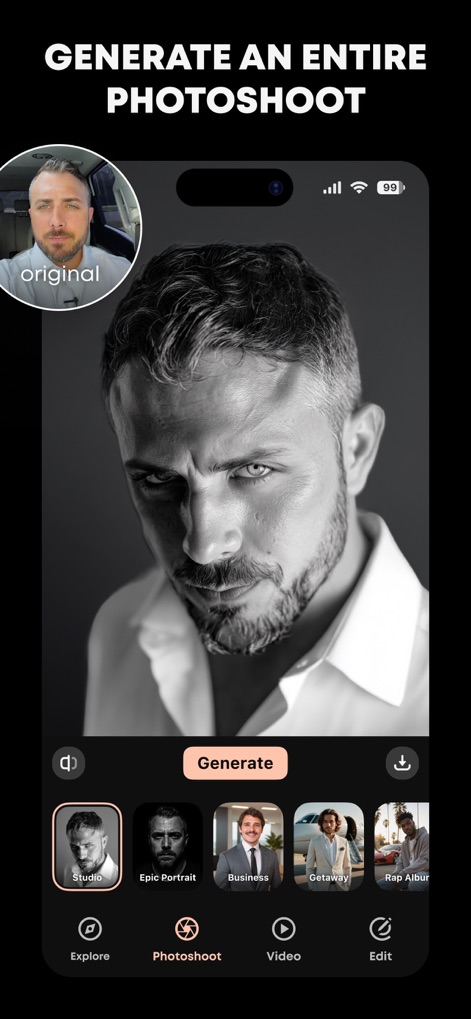
This tool allows users to generate an entire photoshoot by selecting diverse style options like 'Studio' or 'Business' and viewing their AI-transformed portrait.
Instant Photoshoot Creation
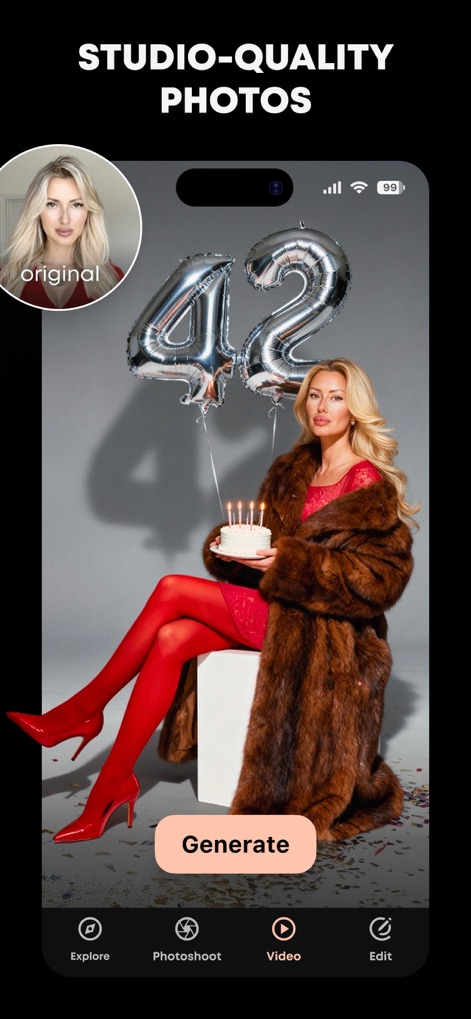
This app delivers studio-quality photos, transforming an original image into a glamorous composition complete with detailed props and a polished subject.
Studio Grade Results

Users can easily transform an original selfie into an engaging video, with the app presenting a filmstrip of generated frames and a prominent 'Create a video' button.
Dynamic Video Creation
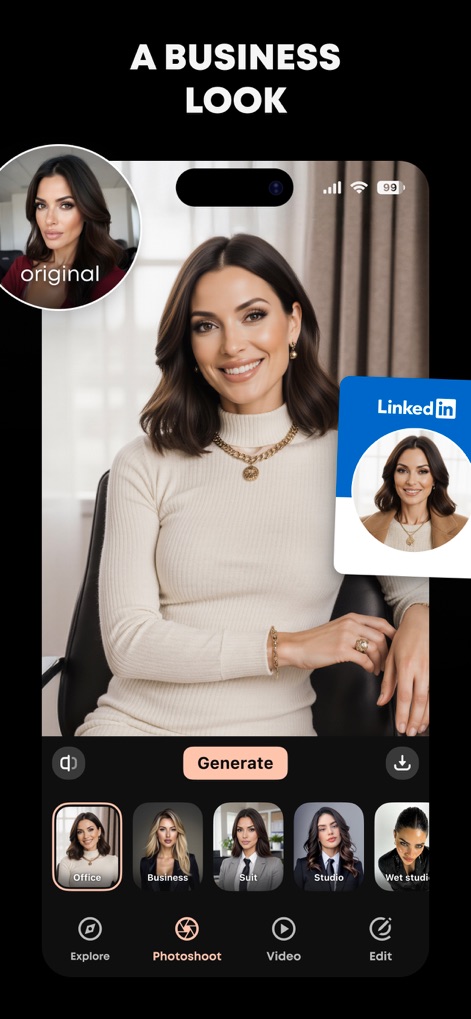
This tool offers specialized style options for a business look, generating professional headshots and showing a seamless integration with platforms like LinkedIn.
Professional Profile Boost
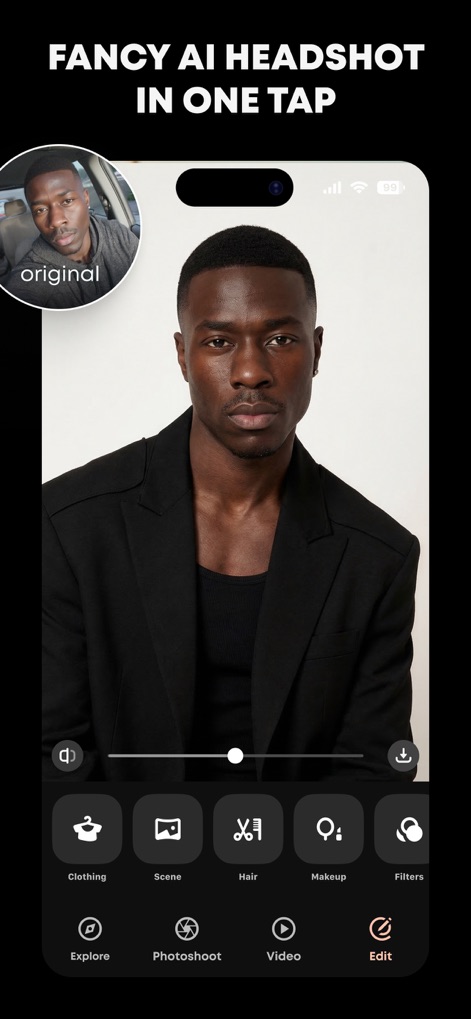
The intuitive editing UI empowers users to refine their fancy AI headshot using dedicated tools for clothing adjustments and hair styling.
Intuitive Editing Suite
Description
Download
More Like This
Apps with similar features and user experience

Portraiz AI Headshot Generator
vimage app Szolgaltato Korlatolt Felelossegu Tarsasag
醒蓝AI照相馆- 形象照 职业照 证件职业拍摄 合拍 换脸
Shanghai Huijing Network Technology Co., Ltd
New Profile Pic Avatar Maker
Informe Laboratories, Inc.

Toon Avatar Generator: AiShots
Turgay Saba
AI Photo Editor: ShotX Creator
Sota Labs Technology Joint Stock Company
Portrait - AI Photo Generator
TorchUp LLC

Lumvio ai - ai photo generator
Ad Venture Internet Ve Pazarlama Anonim Sirketi

Version AI: AI Photo Creator
Apptribe Dijital Hizmetler Limited Sirketi
AI Photo Generator - ReCrea.ai
STARSPLAY LTD., CHK
This page is not an official page of the app or its developer, but an independent editorial publication created for informational and commentary purposes. Unless expressly stated otherwise, neither the app nor its developer is affiliated with, endorsed by, sponsored by, authorized by, or otherwise officially connected with MWM, Apple, Google Play, the app publisher, or the app's developer, and nothing on this page implies that the app was developed using MWM's services. Any trademarks, logos, screenshots, and other content remain the property of their respective owners.