GlucoJoy
GlucoJoy
Download on App Store

This page is not an official page of the app or its developer, but an independent editorial publication created for informational and commentary purposes. Unless expressly stated otherwise, neither the app nor its developer is affiliated with, endorsed by, sponsored by, authorized by, or otherwise officially connected with MWM, Apple, Google Play, the app publisher, or the app's developer, and nothing on this page implies that the app was developed using MWM's services. Any trademarks, logos, screenshots, and other content remain the property of their respective owners.


Logo of GlucoJoy
Download on App Store

GlucoJoy

Take the stress out of diabetes management with an easy-to-use interface designed for seniors. Effortlessly track your glucose, diet, and medication in one place.

Key Figures

Downloads

300

User Rating

1.0/5

Total Ratings

0

Publisher

Sejoy Biomedical Co., Ltd.

Category

Health & Fitness

Locales

7

Latest Version

1.3.4

Size

28.0 MB

First Released

Jul 13, 2022
Features

Everything You Need to Manage Diabetes with Confidence

Designed for simplicity and ease of use, GlucoJoy helps you track your health data effortlessly so you can focus on what matters most.

Automatic Bluetooth Sync

Skip the manual typing. Connect your Sejoy meter to instantly upload your glucose readings with total accuracy and zero effort.

Clear Visual Progress

Stay prepared for doctor visits with easy-to-read charts and estimated HbA1c tracking that show your health trends at a glance.

The following screenshots and description are sourced directly from the app's official store listing and are the property of the app developer.

App Store

Screenshots
GlucoJoy - GlucoJoy app splash screen with logo and tagline
GlucoJoy app splash screen with logo and tagline

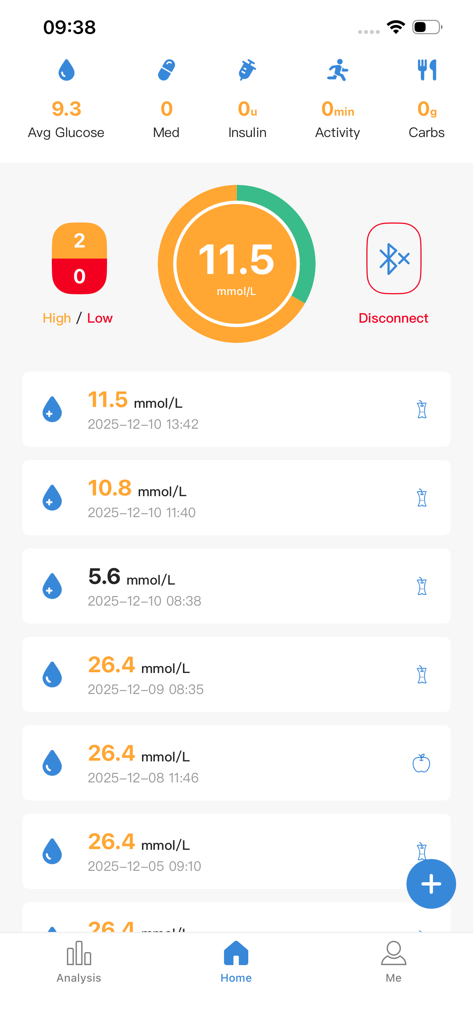
GlucoJoy - GlucoJoy mobile app home screen showing current blood glucose levels and tracking history
GlucoJoy mobile app home screen showing current blood glucose levels and tracking history

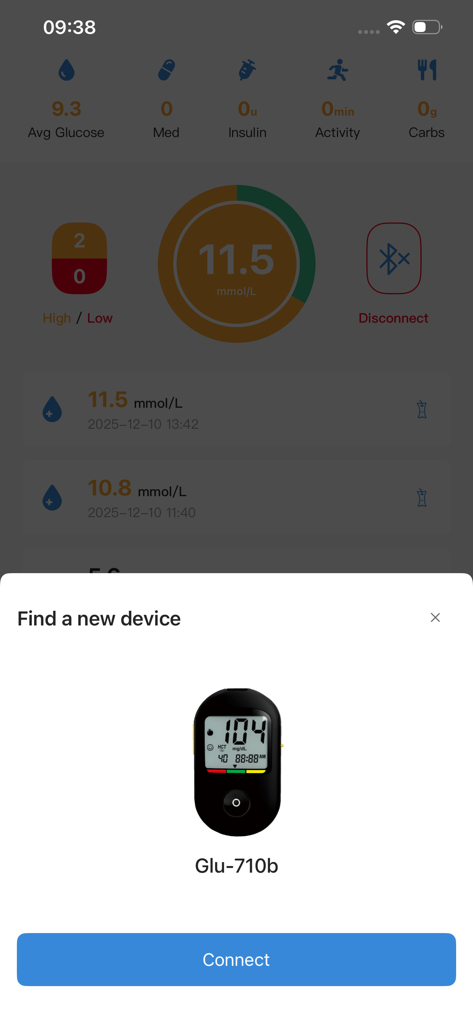
GlucoJoy - GlucoJoy app interface showing a popup to connect a Gluco-710b blood glucose meter via Bluetooth
GlucoJoy app interface showing a popup to connect a Gluco-710b blood glucose meter via Bluetooth

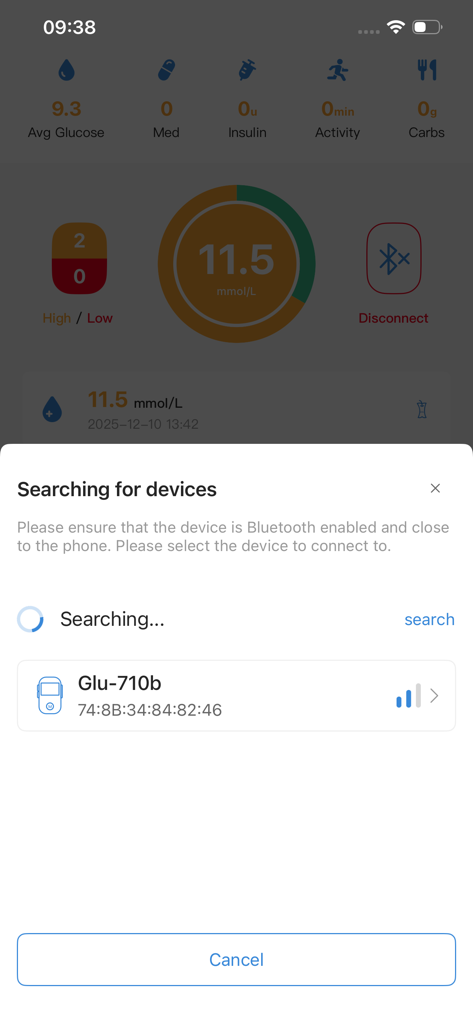
GlucoJoy - GlucoJoy app interface showing the Bluetooth device search for a glucose meter.
GlucoJoy app interface showing the Bluetooth device search for a glucose meter.

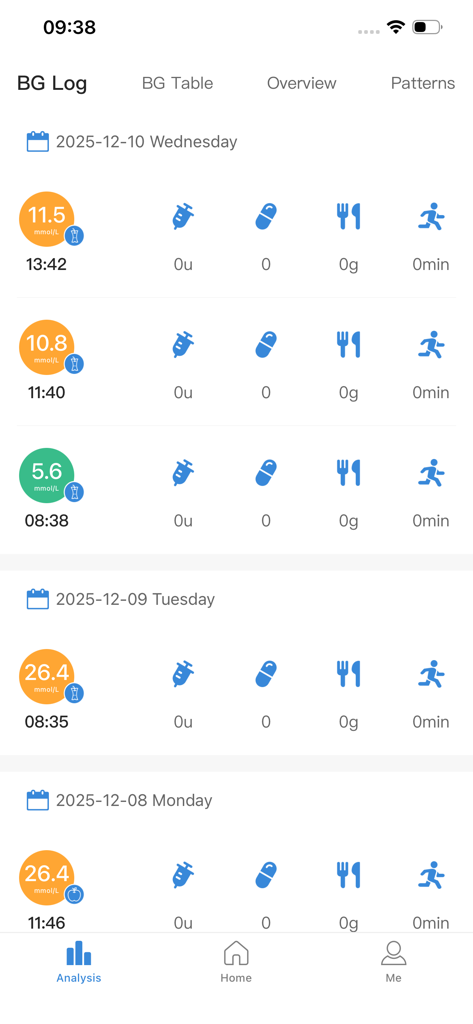
GlucoJoy - Daily blood glucose log in the GlucoJoy app displaying sugar levels, medication, diet, and exercise tracking.
Daily blood glucose log in the GlucoJoy app displaying sugar levels, medication, diet, and exercise tracking.

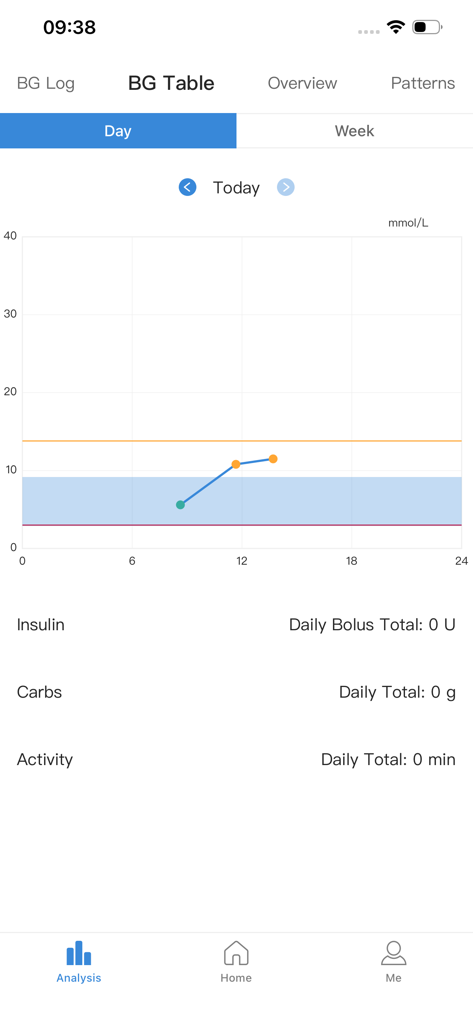
GlucoJoy - GlucoJoy app analysis screen showing a daily blood glucose level trend chart.
GlucoJoy app analysis screen showing a daily blood glucose level trend chart.

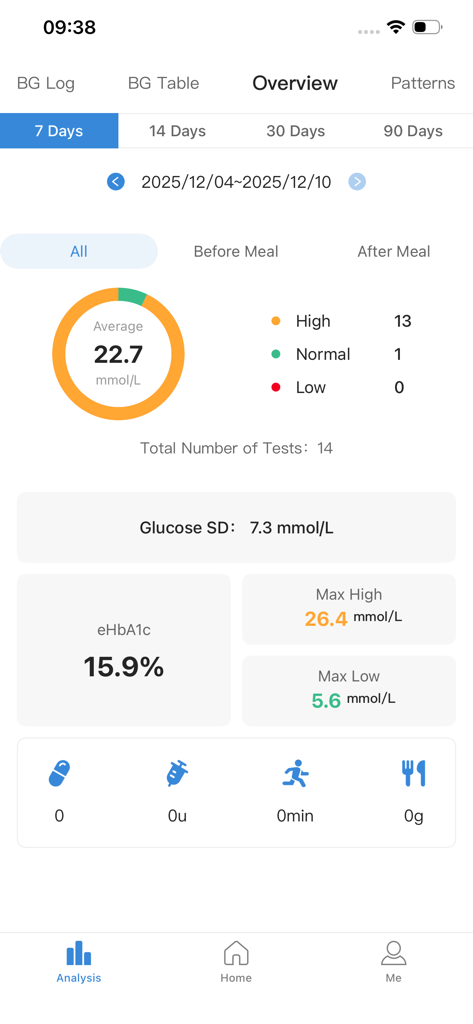
GlucoJoy - GlucoJoy app overview screen displaying blood glucose statistics and estimated HbA1c levels
GlucoJoy app overview screen displaying blood glucose statistics and estimated HbA1c levels

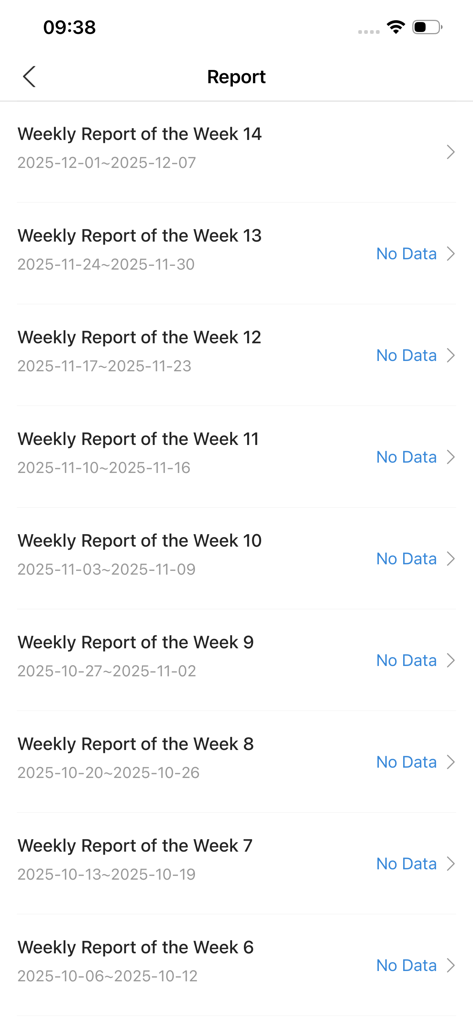
GlucoJoy - A list of weekly health reports in the GlucoJoy diabetes tracking app
A list of weekly health reports in the GlucoJoy diabetes tracking app

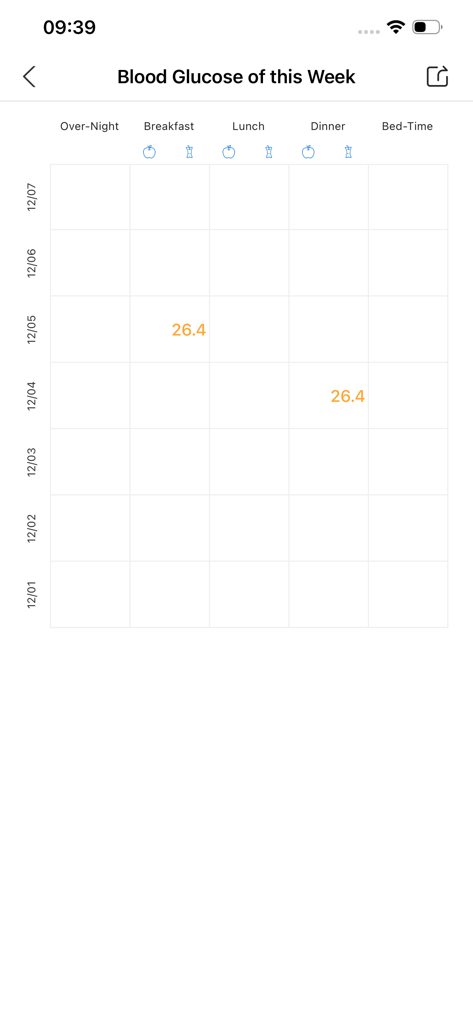
GlucoJoy - Weekly blood sugar tracking table in GlucoJoy
Weekly blood sugar tracking table in GlucoJoy

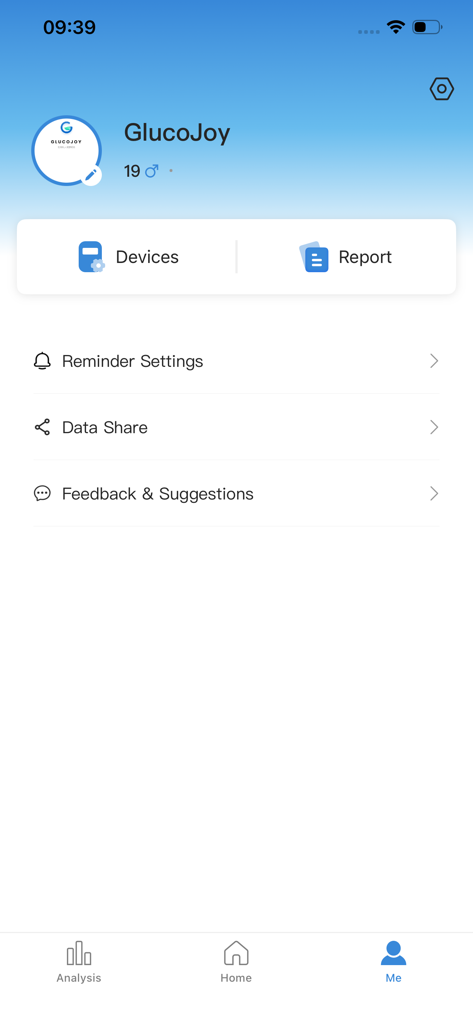
GlucoJoy - GlucoJoy app profile screen showing options for device management health reports and reminder settings

GlucoJoy app profile screen showing options for device management health reports and reminder settings

Description

GlucoJoy helps you track your blood sugar and provides you with immediate care for diabetes A simple user interface allows you to easily record blood sugar, diet, exercise, medication, and insulin information, making it easy for seniors to get started. GlucoJoy will help you monitor your blood sugar and other health data in real-time, using easy to understand charts to keep you informed of your health status. Download now, it's easy to fight against diabetes! Introduction to GlucoJoy Features: --Record blood sugar levels-- Entering blood glucose records is both convenient and fast. You can also use this application to record medication usage, diet, exercise, and insulin injection records. If you have purchased a compatible blood glucose meter product, you can also directly connect your blood glucose meter through Bluetooth on your phone and upload multiple blood glucose values at once. --Record diet-- You can use GlucoJoy to record your diet. You can choose your meals, carbohydrate intake, intake time, and note information to complete the dietary record. --Record Sports-- You can use GlucoJoy to record your physical activity. You can choose the exercise intensity, exercise duration, recording time, and note information to complete the exercise recording. --Record medication use-- You can use GlucoJoy to record medication usage. You can choose the drug name, administration time, and remarks information to complete the medication record.. --Record insulin-- You can use GlucoJoy to record insulin injection status. You can choose the type of insulin, injection dose, injection time, and note information to complete the insulin record. --Estimated glycated hemoglobin (eHbA1c) record-- Estimated glycated hemoglobin (eHbA1c) is a long-term blood glucose control indicator. You can also track your eHbA1c history and long-term viewing trends through GlucoJoy. We know that it is not easy to fight against diabetes and continuously measure blood glucose. We hope our service can make you feel that blood glucose measurement is meaningful. To learn more about GlucoJoy App or blood glucose meter products, please visit our official website: https://www.sejoy.com Important Notes: - GlucoJoy is a data recording and management tool and does not provide medical diagnosis, treatment advice, or health intervention plans. - All glucose data is for reference only and should not replace professional medical advice. Always consult a doctor or qualified healthcare provider for health-related decisions. - This app is not directly associated with any medical institution and is not intended for use in emergency medical situations. Compatibility Tip: - Please check whether your glucose meter model is on the supported list. Some older or non-listed devices may not be compatible. Permission Clarification: - The app requires Bluetooth permission to connect to glucose meters and storage permission for optional local backups. We respect your privacy and will not upload any personal health data without your consent.

Download

Download on App Store

This page is not an official page of the app or its developer, but an independent editorial publication created for informational and commentary purposes. Unless expressly stated otherwise, neither the app nor its developer is affiliated with, endorsed by, sponsored by, authorized by, or otherwise officially connected with MWM, Apple, Google Play, the app publisher, or the app's developer, and nothing on this page implies that the app was developed using MWM's services. Any trademarks, logos, screenshots, and other content remain the property of their respective owners.








