Gluroo Diabetes Logger
Download on App Store

This page is not an official page of the app or its developer, but an independent editorial publication created for informational and commentary purposes. Unless expressly stated otherwise, neither the app nor its developer is affiliated with, endorsed by, sponsored by, authorized by, or otherwise officially connected with MWM, Apple, Google Play, the app publisher, or the app's developer, and nothing on this page implies that the app was developed using MWM's services. Any trademarks, logos, screenshots, and other content remain the property of their respective owners.


Logo of Gluroo Diabetes Logger
Download on App Store

Gluroo Diabetes Logger

Sync your Dexcom, Omnipod, and Apple Health into one seamless dashboard. Empower your GluCrew with smart notifications, effortless photo-based logging, and the peace of mind you deserve.

Key Figures

Downloads

13K+

User Rating

4.8/5

Total Ratings

1K+

Publisher

Gluroo Imaginations Inc.

Category

Health & Fitness

Locales

1

Latest Version

1.5.178

Size

97.6 MB

First Released

Aug 10, 2022
Features

Take the Stress Out of Diabetes Management

Gluroo acts as your central command center, integrating your CGM, pump, and care team into one streamlined dashboard to reduce the mental load of T1D.

Smart Collaborative Care

Connect your 'GluCrew' of family and doctors. Our tiered notifications alert the patient first, then the team, reducing alarm fatigue while ensuring safety.

Universal Sync & Integration

Stop app-switching. Gluroo seamlessly merges data from Dexcom, Libre, Omnipod, and Apple Health into one unified view of your health.

The following screenshots and description are sourced directly from the app's official store listing and are the property of the app developer.

App Store

Screenshots
Gluroo Diabetes Logger - Gluroo app splash screen with the slogan Simplify diabetes Together.
Gluroo app splash screen with the slogan Simplify diabetes Together.

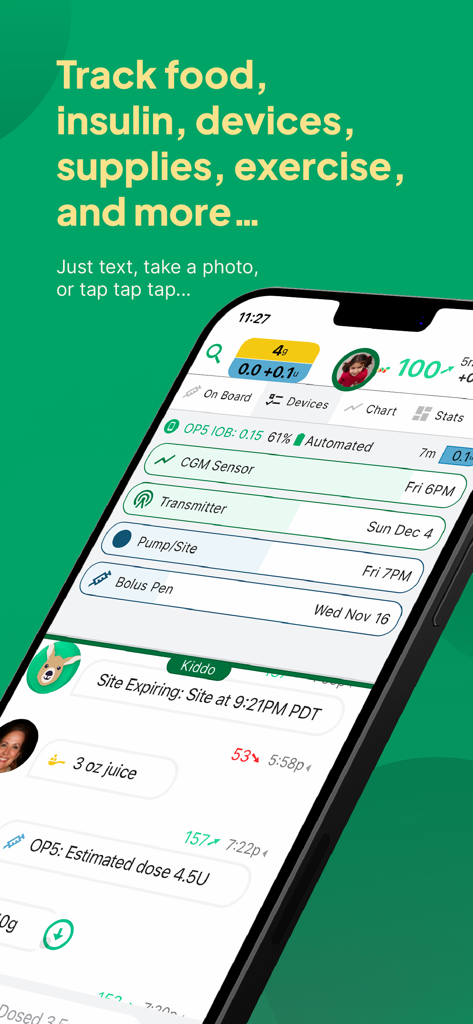
Gluroo Diabetes Logger - iPhone screen displaying Gluroo app interface with options to track food, insulin, and medical devices for diabetes management
iPhone screen displaying Gluroo app interface with options to track food, insulin, and medical devices for diabetes management

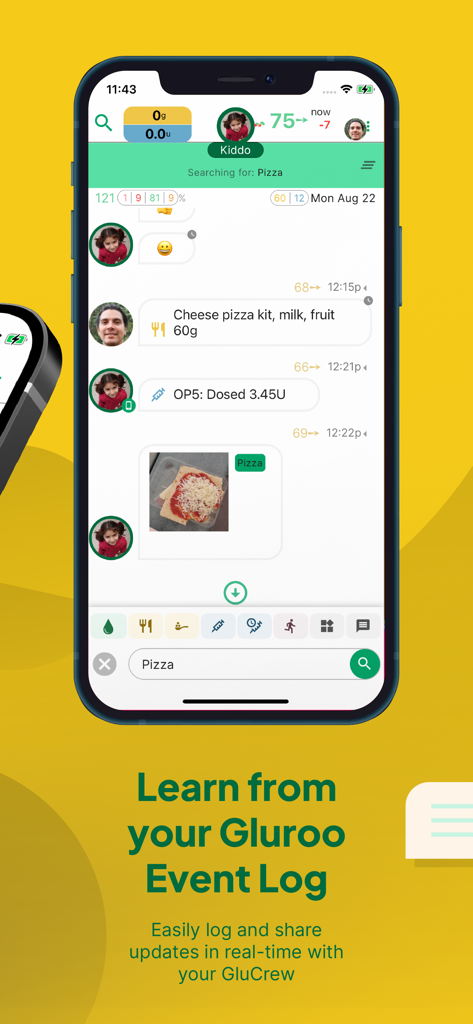
Gluroo Diabetes Logger - Gluroo diabetes event log showing real time updates and meal tracking
Gluroo diabetes event log showing real time updates and meal tracking

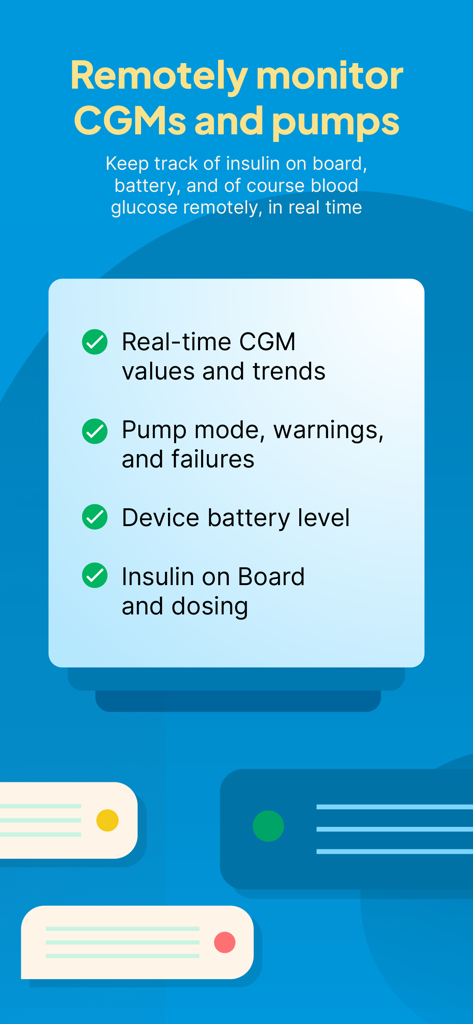
Gluroo Diabetes Logger - Gluroo app features for remote monitoring of CGMs and insulin pumps
Gluroo app features for remote monitoring of CGMs and insulin pumps

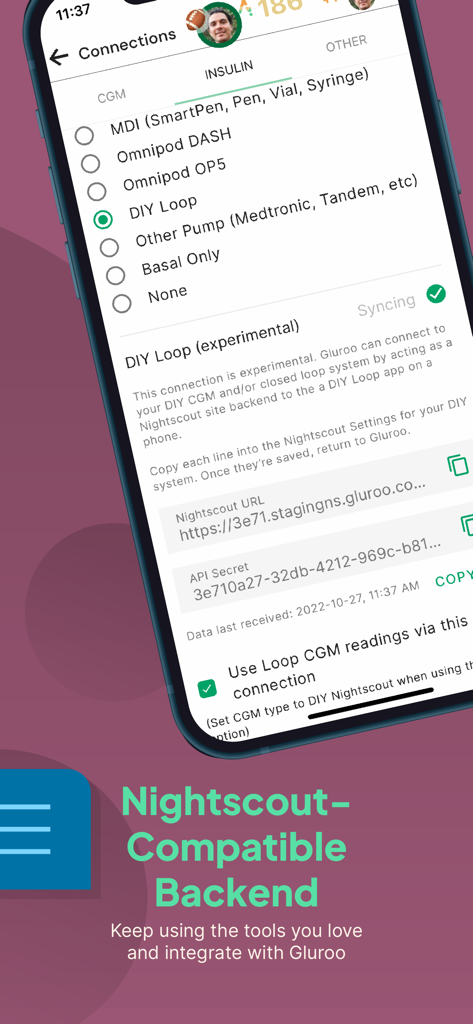
Gluroo Diabetes Logger - Interface of Gluroo app showing the Nightscout compatible backend and DIY Loop integration settings for insulin pumps.
Interface of Gluroo app showing the Nightscout compatible backend and DIY Loop integration settings for insulin pumps.

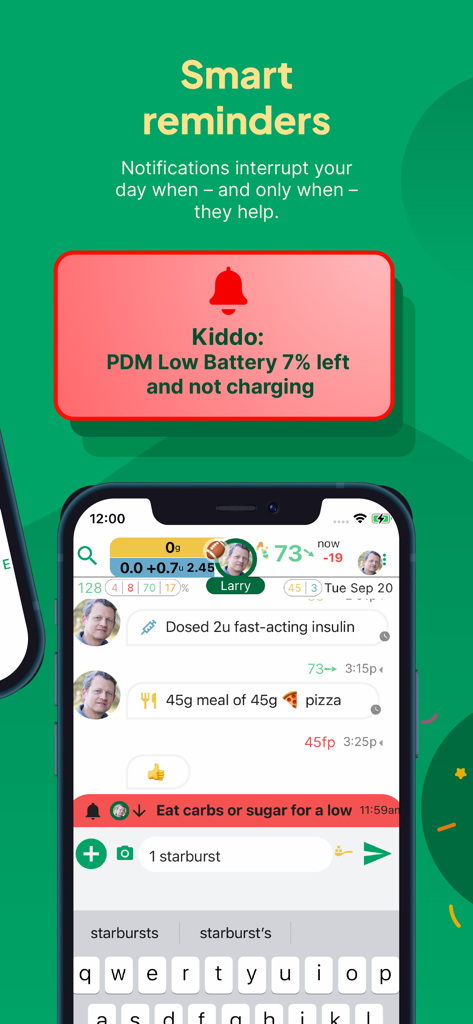
Gluroo Diabetes Logger - Gluroo app interface displaying smart reminders and shared diabetes logging for caregivers
Gluroo app interface displaying smart reminders and shared diabetes logging for caregivers

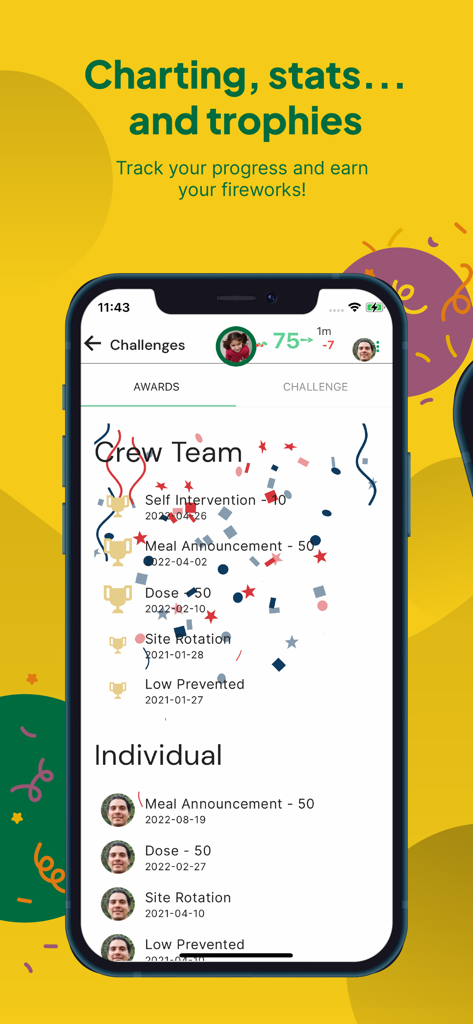
Gluroo Diabetes Logger - Mobile screen showing diabetes management awards and trophies for individuals and the GluCrew team in the Gluroo app
Mobile screen showing diabetes management awards and trophies for individuals and the GluCrew team in the Gluroo app

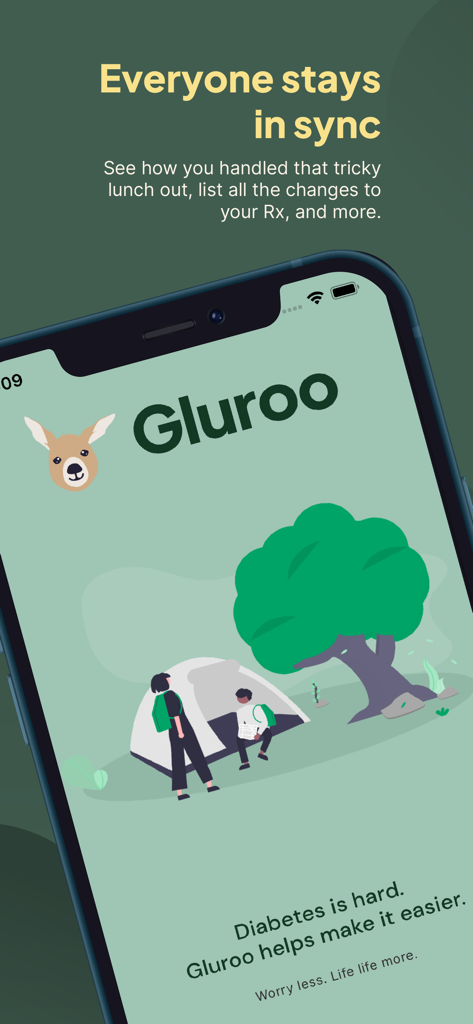
Gluroo Diabetes Logger - Gluroo app splash screen with people camping and text about staying in sync for diabetes management
Gluroo app splash screen with people camping and text about staying in sync for diabetes management

Gluroo Diabetes Logger - Promotional banner for the Gluroo Diabetes Logger app with a download button and the slogan Built by people who live it Every day

Promotional banner for the Gluroo Diabetes Logger app with a download button and the slogan Built by people who live it Every day

Description

“The simplest yet most comprehensive diabetes tool you may ever need.” - DiabetesMine “The best app out there... I've had diabetes for 26 years and tried a lot of apps and I've never seen one done as good as Gluroo.” - Ashley M., April 2025 Integrates with Dexcom and Libre CGMs, Omnipod 5 and other pumps. Imports your exercise data from Apple Health Kit. Amazing meal nutrition information from a photo -- you have to try it to believe it! STREAMLINED WORKFLOW FOR DIABETES MANAGEMENT Manage your diabetes–or help a loved one–with Gluroo, the leading health logging solution used by over 120,000 people worldwide! LOGGING: COMPREHENSIVE AND EASY! Gluroo gives you a fast way to log and track everything related to diabetes: * Food - a quick photo estimates carbs, calories, sugar, and more * CGM readings and manual finger pricks - just connect your Dexcom (G7, G6, G5) or Freestyle Libre sensor * Insulin doses - entered manually for MDI, imported from a smart pen, or automatically from DIY Loop, iAPS, or other supported systems * Exercise - including auto-imports from Apple Health Kit * Adding a new pump site, CGM sensor, or transmitter - just scan the QR code on the packaging to track their expiration dates and get reminders when you need to change them SHARE WITH YOUR CARE TEAMS Gluroo makes it easy to share with your clinic, endocrinologist, dietitian, school nurse, or any health care provider so that they see all the relevant health information you're logging. They can join your GluCrew or securely access the data you share from the convenience of a companion web application at https://app.gluroo.com. You're in control! NOTIFICATIONS: SMARTER, FEWER Alerts and notifications invade our lives and can be distracting and overwhelming. Gluroo uses a new method of coordinated smart notifications which makes sure the right set of people get alerted at the right times. Every alert is actionable. For example, if the person with diabetes (PWD) has low blood sugar, Gluroo will alert them first and give them a chance to address the low. If they don’t address it within a few minutes, the alert will roll over to the rest of the GluCrew. This lets the PWD develop responsibility and confidence while always having someone else ready to back them up - and reducing alarm fatigue in the process! SEARCH AND INSIGHTS As you log meals, doses, exercise and more, you build up a valuable data source. Look back at how you handled a tricky sushi lunch or your favorite pizza joint in the past, expand an inline chart of your blood glucose readings during that period, and use that information to help you handle it better in the future. INTEGRATIONS: Gluroo integrates with CGM and Insulin Pumps so that you have everything you need in one place - the only app you'll ever need to manage type 1 diabetes. Continuous Glucose Monitors (CGM) - Dexcom (G7, G6, G5), Freestyle Libre, blood glucose meters, and more planned! Insulin Delivery Types - Gluroo supports pumps like Omnipod DASH, Omnipod OP5, DIY Loop, and Nightscout instances with more planned! You can also easily log your daily injections with SmartPens, pens, vials, syringes, and more. — More Information — Caution: Dosing decisions should not be made based on this device. The user should follow instructions on the continuous glucose monitoring system. This device is not intended to replace self-monitoring practices as advised by a physician. Not available for patient use. Gluroo is neither reviewed by nor approved by the FDA and is free to use. For more about Gluroo, see also: https://www.gluroo.com Privacy policy: https://www.gluroo.com/privacy.html EULA: https://www.gluroo.com/eula.html Dexcom, Freestyle Libre, Omnipod, DIY Loop, and Nightscout are trademarks of their respective owners. Gluroo is not affiliated with Dexcom, Abbott, Insulet, DIY Loop, nor Nightscout.

Download

Download on App Store

This page is not an official page of the app or its developer, but an independent editorial publication created for informational and commentary purposes. Unless expressly stated otherwise, neither the app nor its developer is affiliated with, endorsed by, sponsored by, authorized by, or otherwise officially connected with MWM, Apple, Google Play, the app publisher, or the app's developer, and nothing on this page implies that the app was developed using MWM's services. Any trademarks, logos, screenshots, and other content remain the property of their respective owners.