Golfboy:Launch Monitor
Download on App Store

This page is not an official page of the app or its developer, but an independent editorial publication created for informational and commentary purposes. Unless expressly stated otherwise, neither the app nor its developer is affiliated with, endorsed by, sponsored by, authorized by, or otherwise officially connected with MWM, Apple, Google Play, the app publisher, or the app's developer, and nothing on this page implies that the app was developed using MWM's services. Any trademarks, logos, screenshots, and other content remain the property of their respective owners.


Logo of Golfboy:Launch Monitor
Download on App Store

Golfboy:Launch Monitor

Stop guessing and start measuring. Get pro-grade ball speed, distance, and launch angle data using only your iPhone camera. Ditch the expensive hardware and master your swing with real-time feedback and automatic video analysis.

Key Figures

Downloads

219K+

User Rating

4.6/5

Total Ratings

2K+

Publisher

Qoncept, Inc.

Category

Sports

Locales

2

Latest Version

19.4.5

Size

169.2 MB

First Released

Jan 21, 2022
Features

Master Your Game with Precision Data

Transform your iPhone into a professional-grade launch monitor. Track every drive, analyze your swing, and play virtual rounds to lower your handicap faster.

Real-Time Shot Tracking

Get instant feedback on ball speed, launch angle, and carry distance using just your iPhone—no expensive hardware required.

Smart Swing Recording

Analyze your form with automatic video capture and data overlays to sync your feel with real-world performance.

The following screenshots and description are sourced directly from the app's official store listing and are the property of the app developer.

App Store

Screenshots
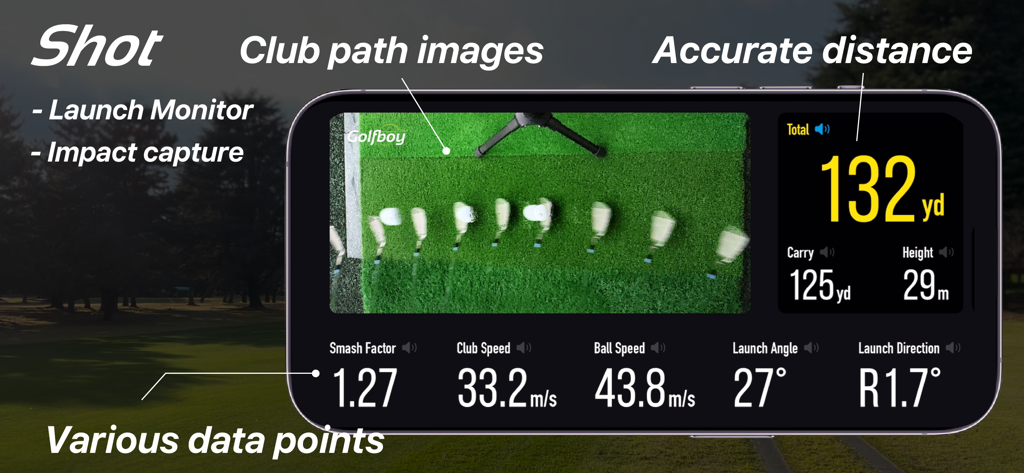
Golfboy:Launch Monitor - Golfboy app launch monitor interface showing club path analysis and shot metrics like distance and ball speed
Golfboy app launch monitor interface showing club path analysis and shot metrics like distance and ball speed

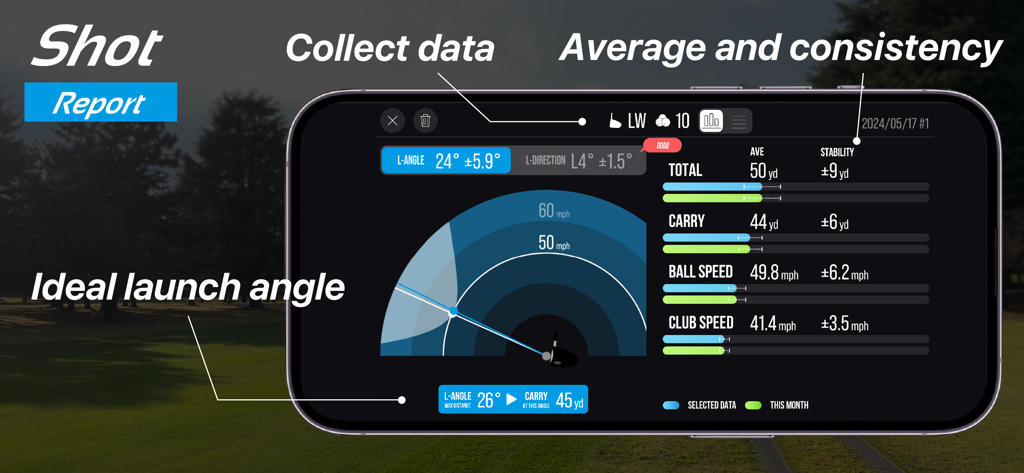
Golfboy:Launch Monitor - Golfboy app shot report displaying launch angle, ball speed, and distance metrics on a smartphone.

Golfboy app shot report displaying launch angle, ball speed, and distance metrics on a smartphone.
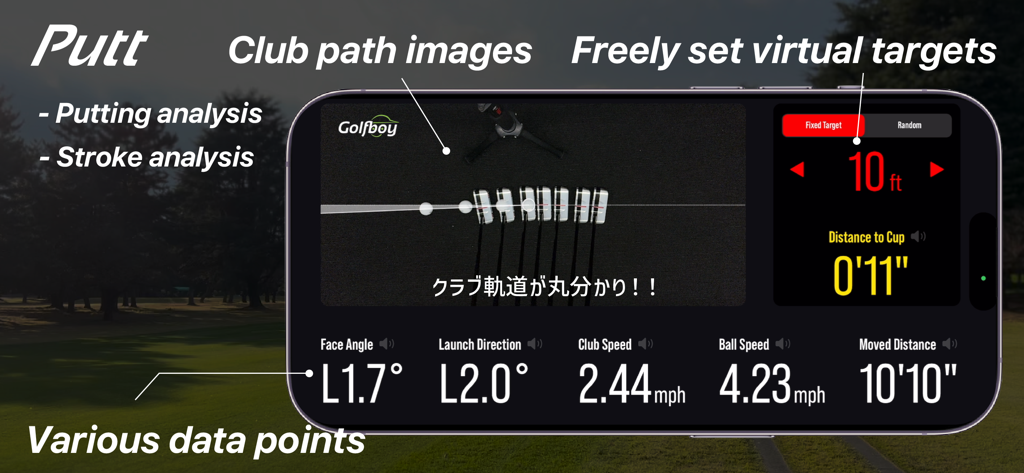
Golfboy:Launch Monitor - Golfboy app screenshot showing putting stroke analysis with club path images and shot data
Golfboy app screenshot showing putting stroke analysis with club path images and shot data

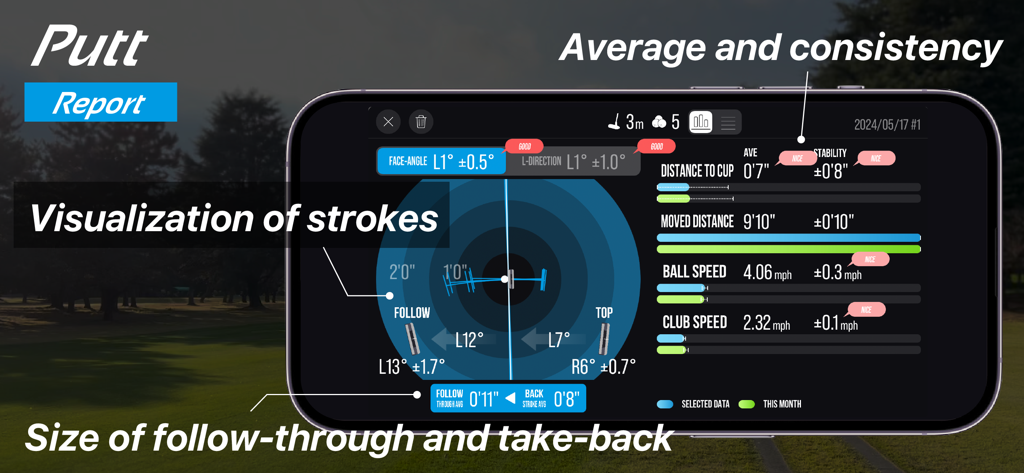
Golfboy:Launch Monitor - Golfboy app screen showing a detailed putt report with putting data and stroke visualization.
Golfboy app screen showing a detailed putt report with putting data and stroke visualization.

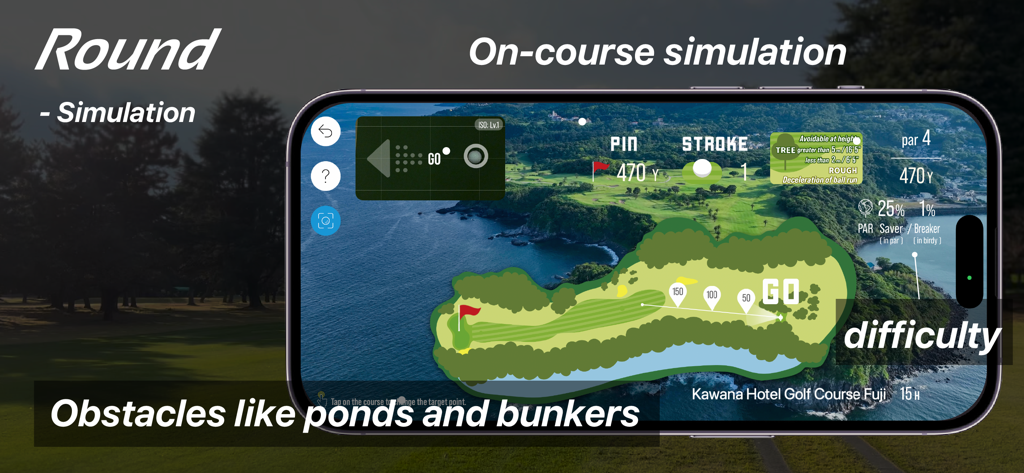
Golfboy:Launch Monitor - Golfboy app round mode interface showing an on-course simulation with a virtual map of a golf hole including ponds and bunkers.
Golfboy app round mode interface showing an on-course simulation with a virtual map of a golf hole including ponds and bunkers.

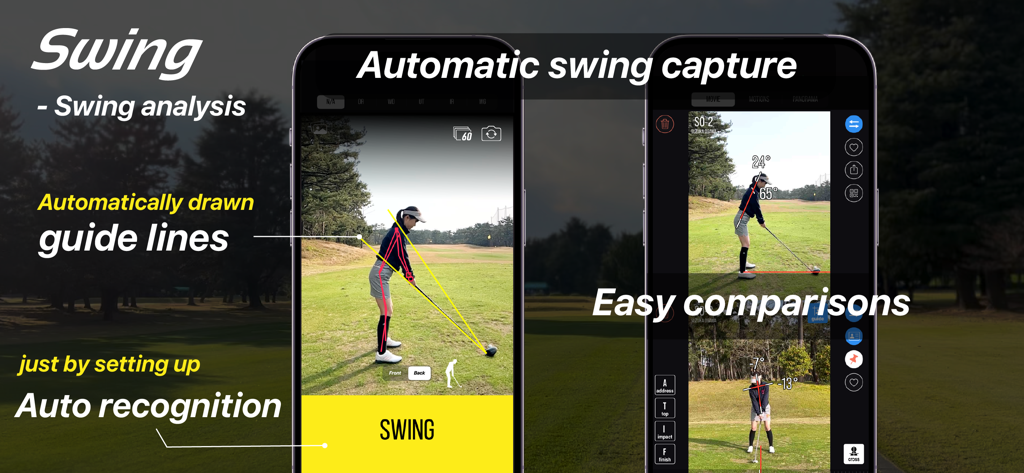
Golfboy:Launch Monitor - Golfboy app interface for automatic swing analysis with guide lines and side by side comparison
Golfboy app interface for automatic swing analysis with guide lines and side by side comparison

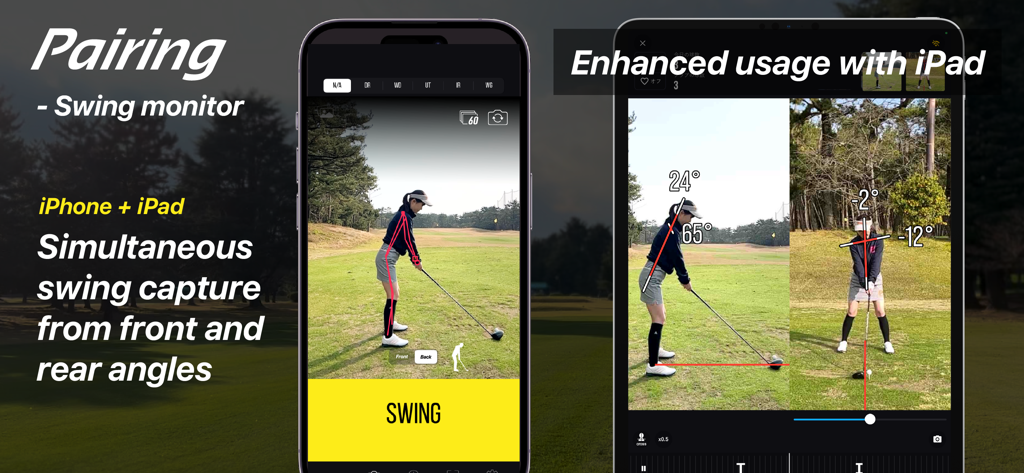
Golfboy:Launch Monitor - Golfboy app demonstrating simultaneous front and rear angle golf swing capture using paired iPhone and iPad
Golfboy app demonstrating simultaneous front and rear angle golf swing capture using paired iPhone and iPad

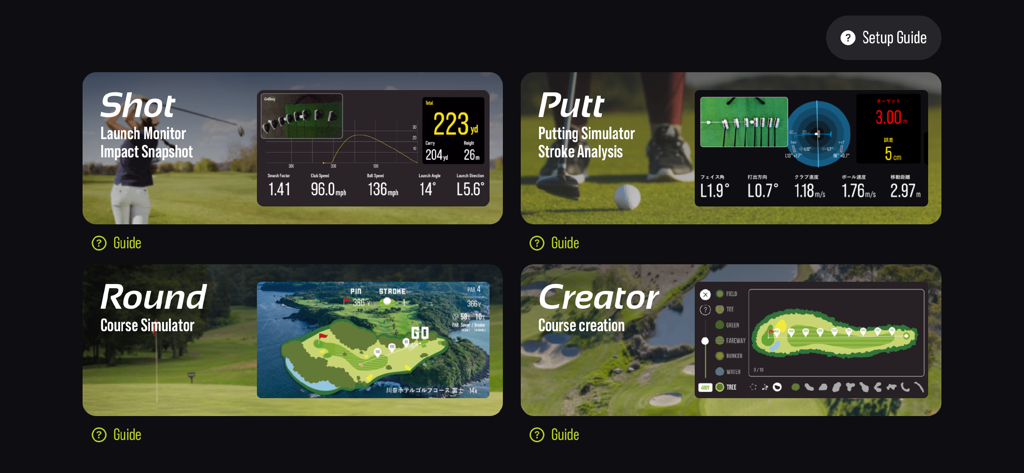
Golfboy:Launch Monitor - Golfboy app interface showing Shot Putt Round and Creator feature modes with data analysis

Golfboy app interface showing Shot Putt Round and Creator feature modes with data analysis

Description

Golfboy is a golf shot measurement app designed for iPhone users. Since it works with just an iPhone, anyone can use it easily with a simple tripod setup. Using advanced image analysis technology, the app provides real-time measurements for distance, ball speed, launch angle, and club speed. It also features a course simulation function, allowing users to practice in realistic scenarios. Additional features include a putting mode and automatic swing video recording, offering comprehensive support for various golf training needs. Leveraging our expertise in professional sports analysis, we developed Golfboy to make golf practice easier, more enjoyable, and more efficient for everyone. We’ve conducted numerous accuracy comparison tests against existing laser-based distance measuring devices, refining the app’s precision to meet real-world demands. Use Golfboy to take your game to the next level! ■ Key Features: + Real-time feedback on shot data allows for precise adjustments after every swing. + Practice while visualizing the distance and trajectory of your ideal shot. + Usable both indoors and outdoors, including at golf courses. + If you have a second iPhone, pair it to automatically record swing videos with shot data when practicing with friends. + In Round Mode, experience simulated practice on original Golfboy courses for more realistic training. + Putter Mode lets you specify target distances and quantify your putting shots. ■ Supported Devices: iPhone 8, iPhone SE (2nd generation) or later Note: Form analysis features are available on iPhone SE2, iPhone 11, and later models. ■ Measurable Distances: The maximum measurable distance varies depending on your iPhone’s lens: - iPhones with ultra-wide lenses (using a tripod at 1.2m height): Up to 280 yards - iPhones without ultra-wide lenses (using a tripod at 1.2m height): Up to 220 yards Raising the tripod height can extend the measurement range. Measurements may be inaccurate in low-light environments or when the ball blends into the background. Please test the app in your environment during the free trial period. ■ Subscription Plans: Golfboy is free to download, but a subscription is required to access measurement features. Start with a free trial, then continue with a subscription based on rates set for your country. Subscriptions automatically renew unless canceled at least 24 hours before the current period ends. Charges for the next period will be billed 24 hours before the current subscription expires. ・Available Plans: 1)Basic Plan (Monthly) Unlocks shot, putting, swing functions, and device-pairing features. 2)Premium Plan (Monthly/Yearly) Includes all Basic Plan features plus access to all in-app purchases during the subscription period. 3)Business [Commercial] Plan (Monthly) Grants a commercial license for business use (e.g., lessons, rentals). Includes the Basic Plan features, as well as operational support tools like Data Auto-Deletion and Settings Lock. *Commercial use refers to using the app for profit-driven purposes such as lessons, rentals, or business operations. ■ Free Features Without Subscription: Trial versions of Round Mode, Creator Mode, and Swing Mode are available for free. ■ One-Time Paid Features: These are available for purchase alongside the Basic or Business plans: - Shot Cast – Displays measurement results in various modes on a external display. - Putter Cast – Displays putting results on a external display. - Swing Cast – Displays camera and swing videos in various modes. - Round Cast - Play 3D courses on a external display or on a iPad display. - Customization Skins – Personalize the app’s appearance. ■ Terms of Use & Privacy Policy: You can review both directly within the app. ■ Contact & Support golfboy@qoncept.co.jp

Download

Download on App Store

This page is not an official page of the app or its developer, but an independent editorial publication created for informational and commentary purposes. Unless expressly stated otherwise, neither the app nor its developer is affiliated with, endorsed by, sponsored by, authorized by, or otherwise officially connected with MWM, Apple, Google Play, the app publisher, or the app's developer, and nothing on this page implies that the app was developed using MWM's services. Any trademarks, logos, screenshots, and other content remain the property of their respective owners.