GolfTrak: Phone Launch Monitor
Download on App Store

This page is not an official page of the app or its developer, but an independent editorial publication created for informational and commentary purposes. Unless expressly stated otherwise, neither the app nor its developer is affiliated with, endorsed by, sponsored by, authorized by, or otherwise officially connected with MWM, Apple, Google Play, the app publisher, or the app's developer, and nothing on this page implies that the app was developed using MWM's services. Any trademarks, logos, screenshots, and other content remain the property of their respective owners.

Logo of GolfTrak: Phone Launch Monitor
Download on App Store

GolfTrak: Phone Launch Monitor

Stop guessing your distances. Get precision ball data and real-time Apple Watch integration for the range or your home net, all without the expensive hardware.

Key Figures

Downloads

20K+

User Rating

3.5/5

Total Ratings

100

Publisher

Golftrak, Inc.

Category

Sports

Locales

1

Latest Version

2.2.24

Size

794.1 MB

First Released

Aug 16, 2022
Features

Pro-Level Insights, Minus the Heavy Hardware

Stop guessing and start improving with a full-scale launch monitor that fits in your pocket. GolfTrak delivers the precision data you need to master your distance control and lower your handicap.

Elite Data Accuracy

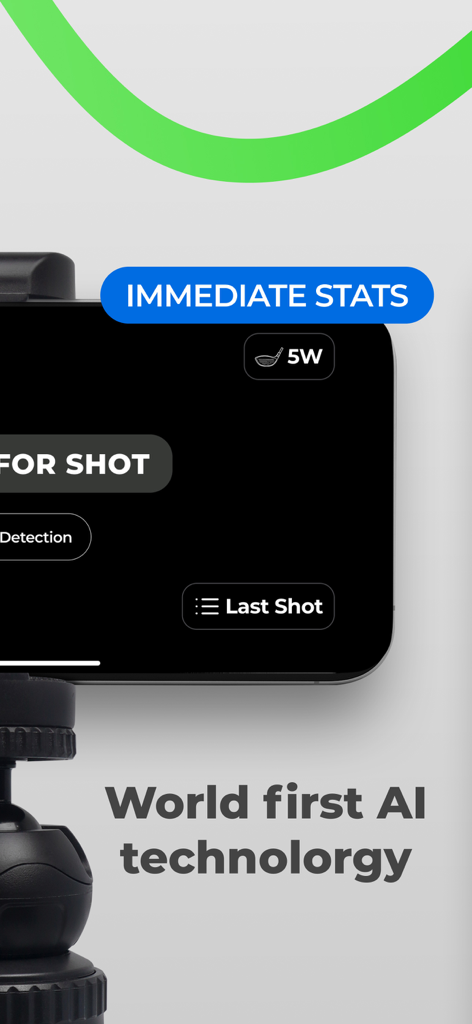
Track ball speed, launch angle, and spin using advanced AI algorithms. Get the same metrics as professional hardware at a fraction of the cost.

Apple Watch Integration

Check your numbers instantly on your wrist. Keep your rhythm and stay focused on your swing without ever having to walk back to your phone.

The following screenshots and description are sourced directly from the app's official store listing and are the property of the app developer.

App Store

Screenshots
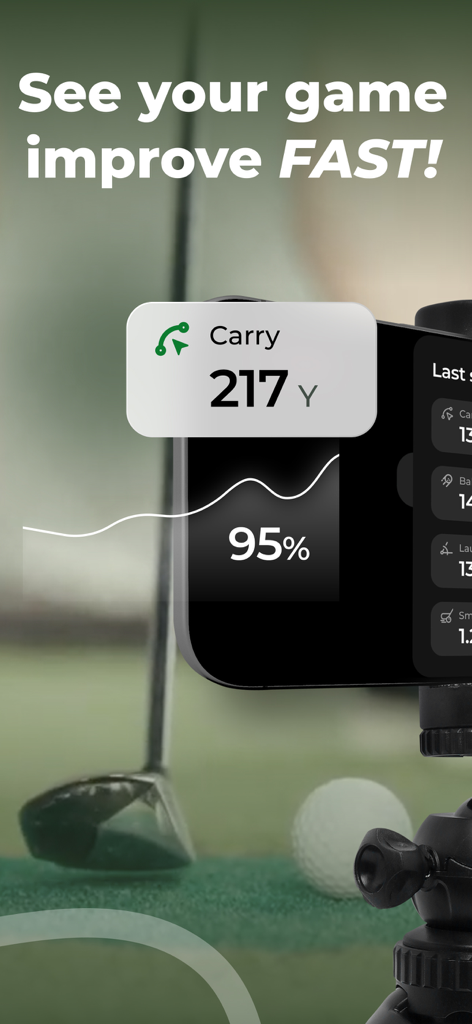
GolfTrak: Phone Launch Monitor - Smartphone using GolfTrak to track shot carry distance and game improvement
Smartphone using GolfTrak to track shot carry distance and game improvement

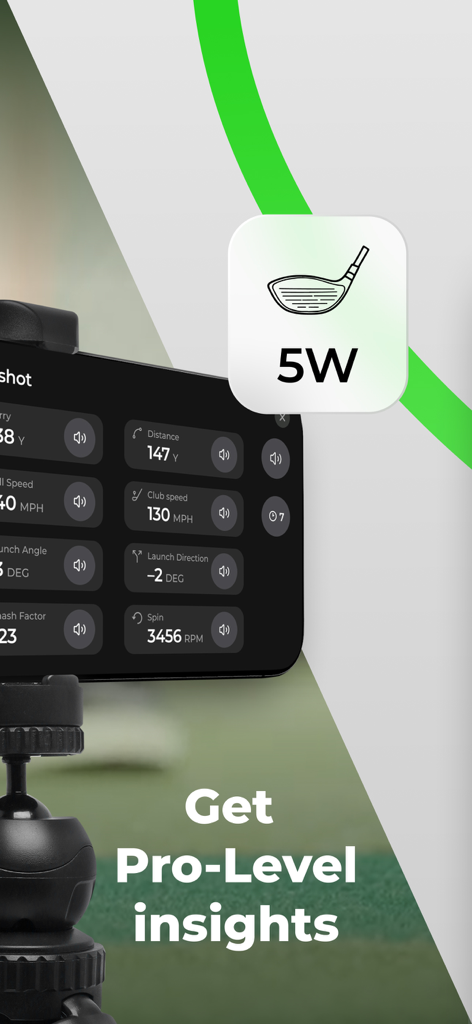
GolfTrak: Phone Launch Monitor - GolfTrak app on a tripod showing real-time shot data including distance, club speed, and spin
GolfTrak app on a tripod showing real-time shot data including distance, club speed, and spin

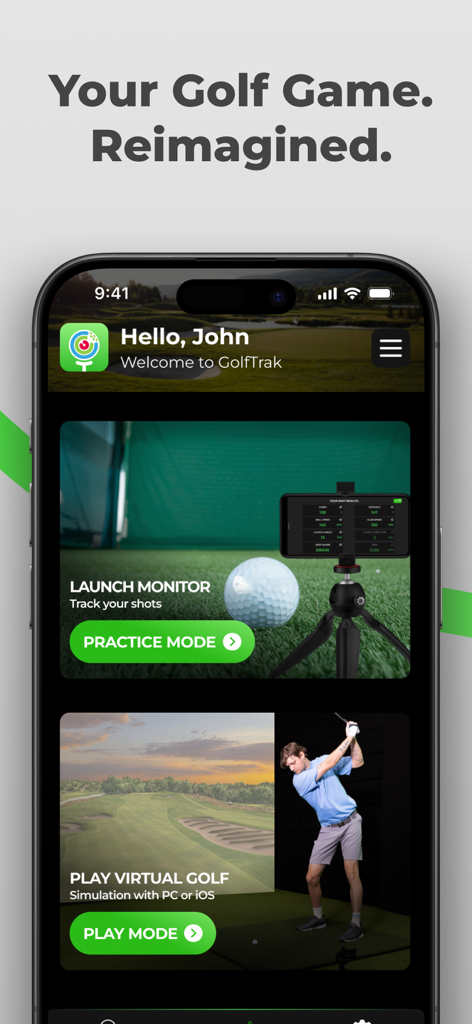
GolfTrak: Phone Launch Monitor - GolfTrak mobile app screen displaying options for practice mode launch monitor and virtual golf simulation mode.
GolfTrak mobile app screen displaying options for practice mode launch monitor and virtual golf simulation mode.

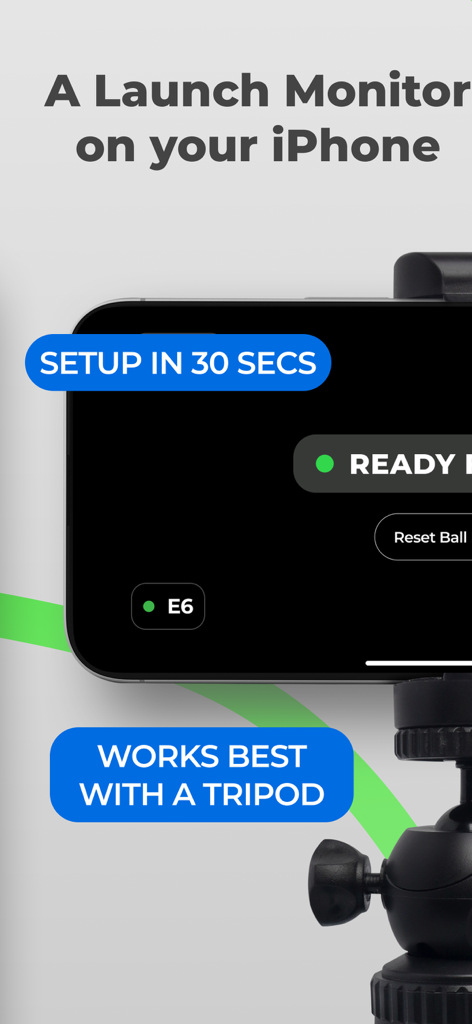
GolfTrak: Phone Launch Monitor - GolfTrak app on an iPhone mounted on a tripod showing quick setup for use as a golf launch monitor.
GolfTrak app on an iPhone mounted on a tripod showing quick setup for use as a golf launch monitor.

GolfTrak: Phone Launch Monitor - GolfTrak app on an iPhone using AI technology to provide immediate golf stats
GolfTrak app on an iPhone using AI technology to provide immediate golf stats

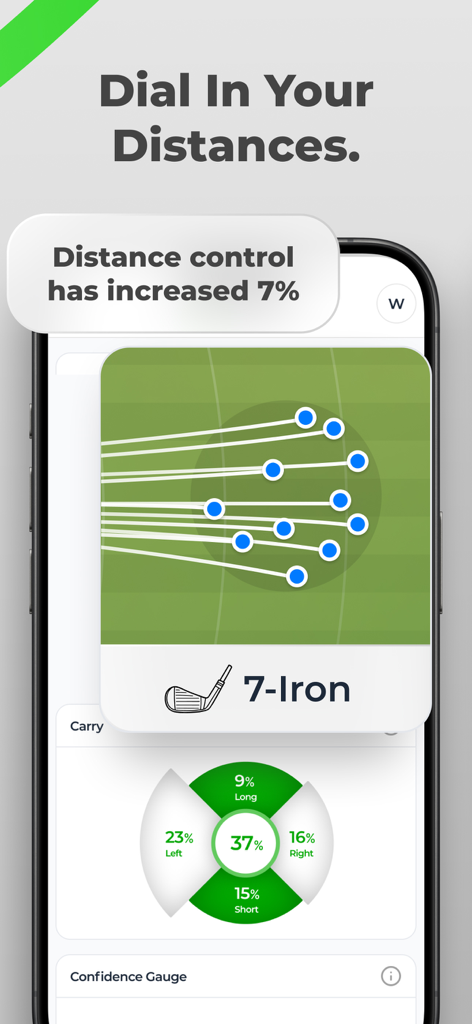
GolfTrak: Phone Launch Monitor - GolfTrak app interface showing shot dispersion and accuracy statistics for a 7-iron on an iPhone.

GolfTrak app interface showing shot dispersion and accuracy statistics for a 7-iron on an iPhone.
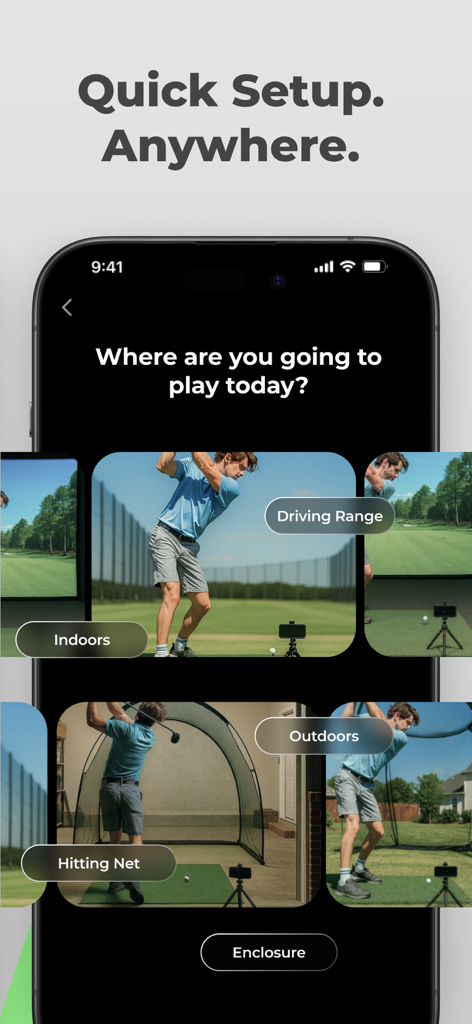
GolfTrak: Phone Launch Monitor - GolfTrak app interface showing setup options for driving range hitting net and indoor golf practice
GolfTrak app interface showing setup options for driving range hitting net and indoor golf practice

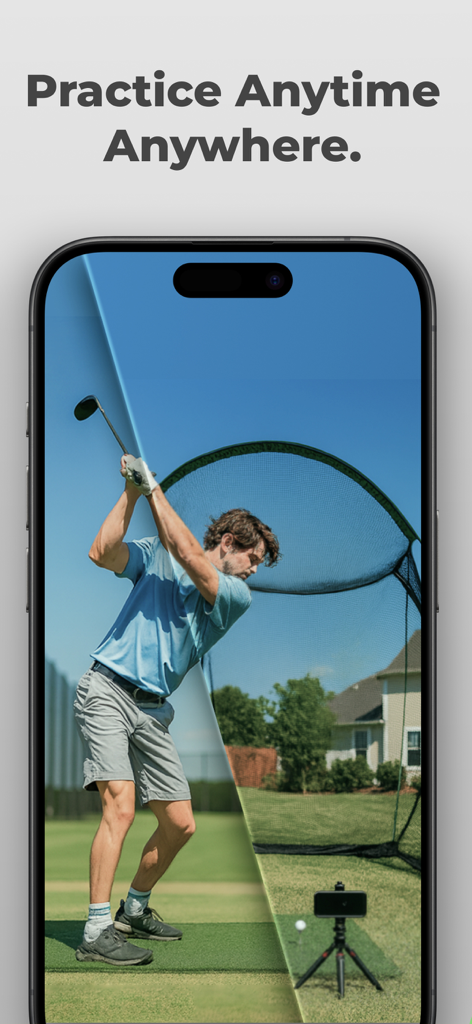
GolfTrak: Phone Launch Monitor - Split screen of a golfer practicing at a driving range and in a backyard with a hitting net using the GolfTrak phone launch monitor
Split screen of a golfer practicing at a driving range and in a backyard with a hitting net using the GolfTrak phone launch monitor

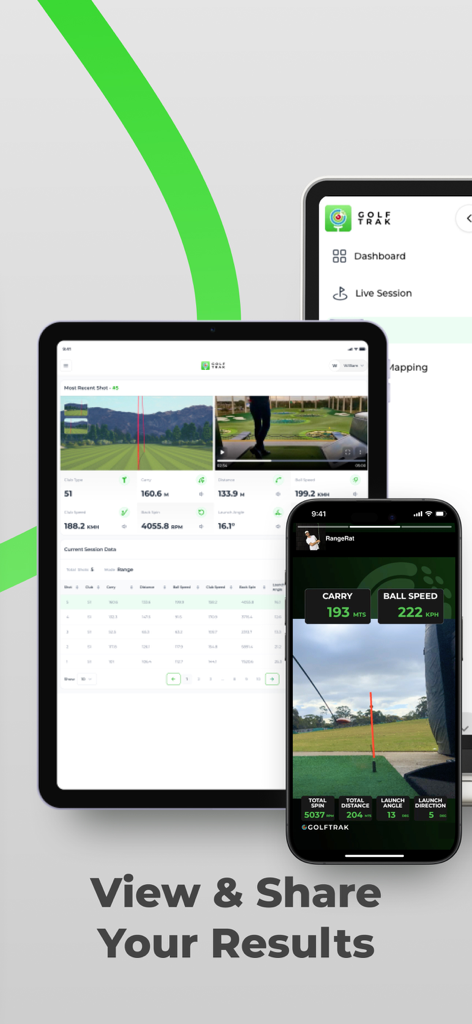
GolfTrak: Phone Launch Monitor - GolfTrak mobile app displaying shot tracking results and a live session dashboard on a smartphone and tablet
GolfTrak mobile app displaying shot tracking results and a live session dashboard on a smartphone and tablet

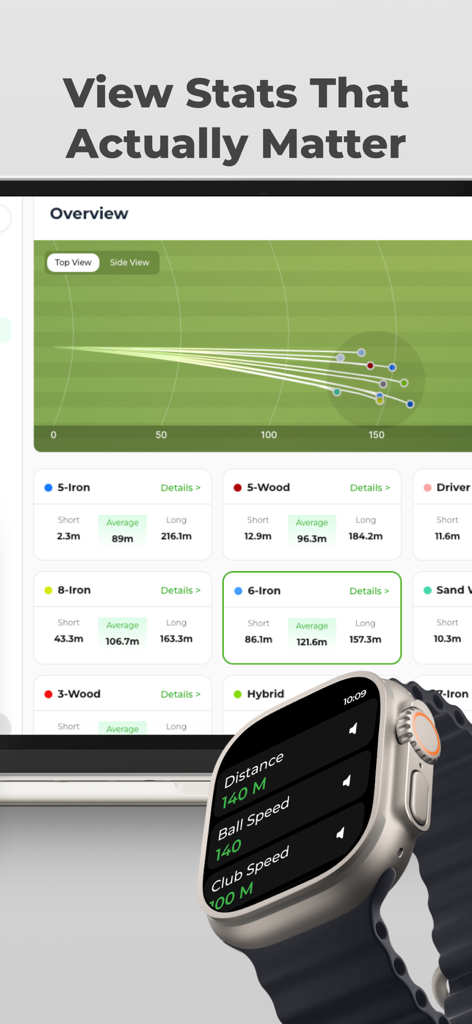
GolfTrak: Phone Launch Monitor - GolfTrak app interface on iPad and Apple Watch displaying shot tracking trajectories and club performance statistics

GolfTrak app interface on iPad and Apple Watch displaying shot tracking trajectories and club performance statistics

Description

GolfTrak: Stop Guessing, Start Improving What is the #1 thing that separates an amateur from a pro? Distance Control. In other words, pros know exactly how far each club goes. Up to now, you’ve had a very valid reason for not knowing how far you hit it: cost. Enter GolfTrak. A launch monitor in your pocket, powered by your phone and 7+ years of refined, proprietary algorithms. Gone are the days of spending thousands of dollars on launch monitor hardware that quickly goes out of date and into the trash. **We’re not mad at you, launch monitor industry - we’re just disappointed.** Welcome to the future of game improvement, welcome to GolfTrak. WHY GolfTrak? - TRUST YOUR DISTANCES: Our advanced camera-based tracking technology gives you remarkably precise shot data using only your iPhone. Plus, our tech is getting better every day. - IMPROVE YOUR GAME: Is your best club actually your 7-iron? Now you know. Track your shot data over time to understand your strengths and weaknesses with each club in your bag. - AT HOME OR ON THE RANGE: Whether you’re hitting into a net or on the range, GolfTrak’s got you covered. No more excuses. - ADVANCED DATA FOR MORE ACCURACY: Carry & Total distance powered by ball speed, launch angle, direction, spin, & clubhead speed. - PERFECT FOR ALL AGES & SKILL LEVELS:
Whether you’re 8 or 80, a scratch golfer or a total beginner, GolfTrak is designed to meet you wherever you are in your golfing journey. KEY FEATURES at a Glance * Launch Monitor – Calculate launch angle, spin rate, and club speed right from your phone. No clunky hardware or sensors required. * Shot Tracking – Keep a detailed record of each shot, including distance and accuracy over time. * Apple Watch Integration - Shot info is displayed on your watch in real time, letting you stay in the flow during your session * Net and Range Mode - no matter where your practice brings you, GolfTrak can give you the data you need HOW TO GET SET UP: Simply follow the Quick Start Guide in the app. The average time from setup to your first shot is less than 3 minutes. We suggest you snag yourself a small tripod, one that can go as low as 6 inches. That way, you’ll have the best results when practicing. Don’t have one and want to get cracking? A stack of books could work in a pinch. *Remember, the better you get set up, the more accurate GolfTrak will be. BONUS: Bring the Golf Simulator Home * Play Indoors or Outdoors: Transform a small space or your backyard into a virtual golf range. No need to buy a dedicated launch monitor—GolfTrak has you covered. * Virtual Course Connectivity: Seamlessly sync with major simulator platforms like e6 Connect and GSPro, letting you tee off on thousands of courses around the globe. * Virtual Course Play:
Connect with your favorite simulator platforms to access realistic renditions of legendary courses—anytime, anywhere. FAQ: * Is GolfTrak free?
Yes! You can download and start using GolfTrak at no cost AND try our advanced features completely FREE for 7 days! * Do I need special hardware?
Absolutely not—GolfTrak uses just your iPhone’s camera and our advanced algorithms to track shots with impressive accuracy. * Where can I practice?
Anywhere you have space to swing and can safely hit a golf ball. Connect to a simulator platform for virtual rounds whenever you like. Support & Contact * Live Chat: Get expert help easily. * Email: support@golftrak.app. Having trouble setting up your phone or capturing shots? Check out our in-app tutorial or reach out via chat. We value your privacy and adhere to data protection best practices. Please review our Terms of Use at https://golftrak.app/pages/terms-and-conditions and Privacy Policy at https://golftrak.app/pages/privacy-policy for full details on data handling and user rights.

Download

Download on App Store

This page is not an official page of the app or its developer, but an independent editorial publication created for informational and commentary purposes. Unless expressly stated otherwise, neither the app nor its developer is affiliated with, endorsed by, sponsored by, authorized by, or otherwise officially connected with MWM, Apple, Google Play, the app publisher, or the app's developer, and nothing on this page implies that the app was developed using MWM's services. Any trademarks, logos, screenshots, and other content remain the property of their respective owners.








