GPS Logger Plus

GPS Logger Plus

Download on App Store
Logo of GPS Logger Plus

GPS Logger Plus: High-Precision Tracking for Data-Driven Explorers

Record coordinates, altitude, and speed with extreme battery efficiency. A lightweight, privacy-focused utility built for long-distance hikers, OSM editors, and professionals who need raw data without the bloat.

Download on App Store

Publisher

Heng Jia Liang

Category

Navigation

Downloads

18K+

User Rating

1.0/5

Total Ratings

0

Locales

1

Precision Visualized

Discover the interface used by 18K+ users.
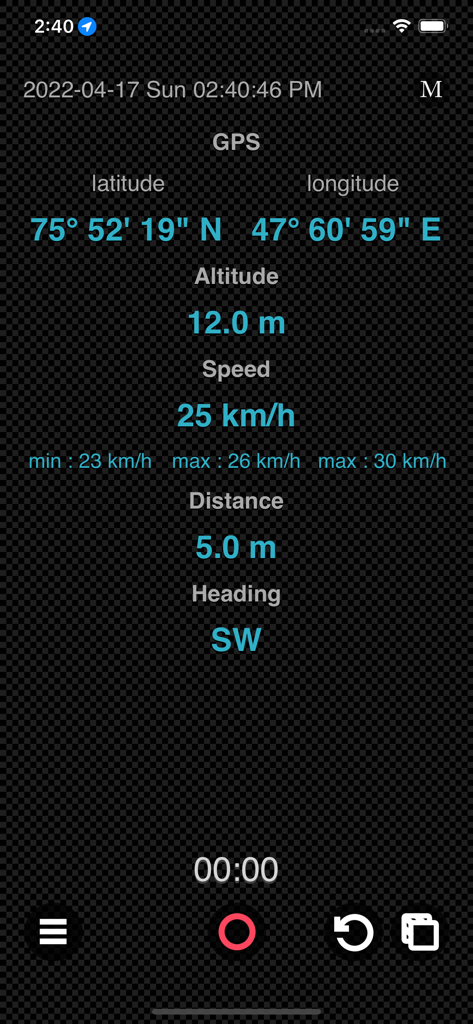
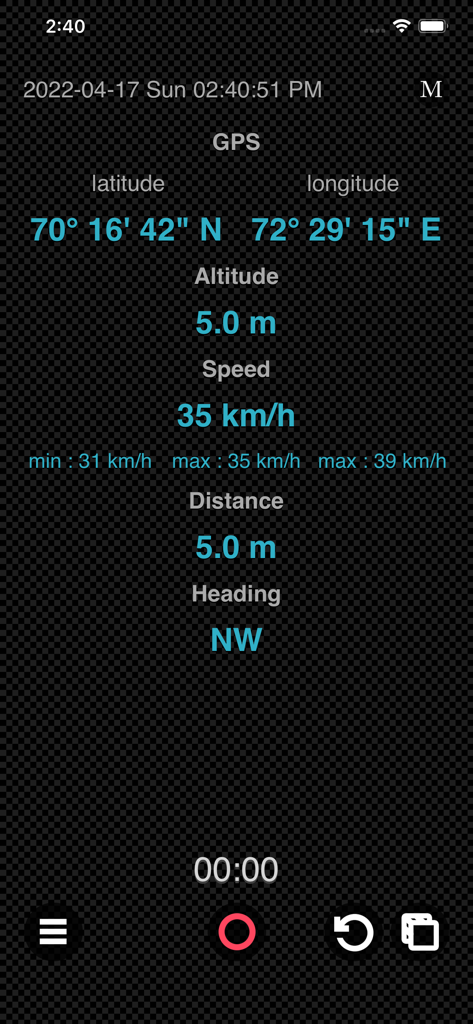
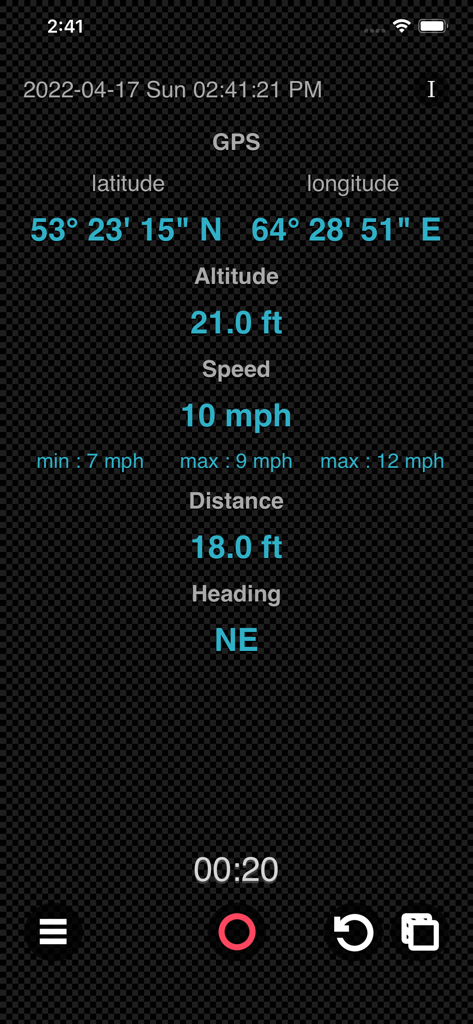
GPS Logger Plus mobile app interface displaying real-time GPS coordinates, altitude, speed, distance, and heading

GPS Logger Plus mobile app interface displaying real-time GPS coordinates, altitude, speed, distance, and heading

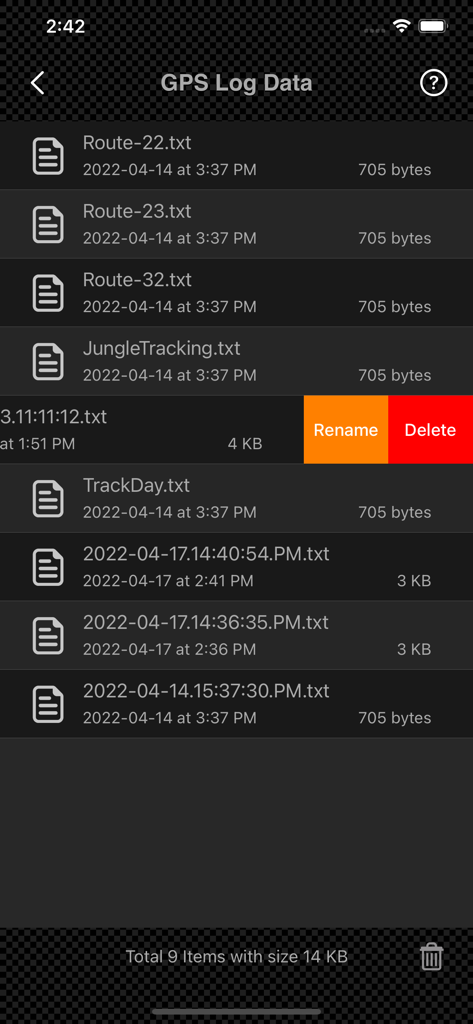
Interface showing a list of saved GPS log text files with options to rename and delete.

Interface showing a list of saved GPS log text files with options to rename and delete.

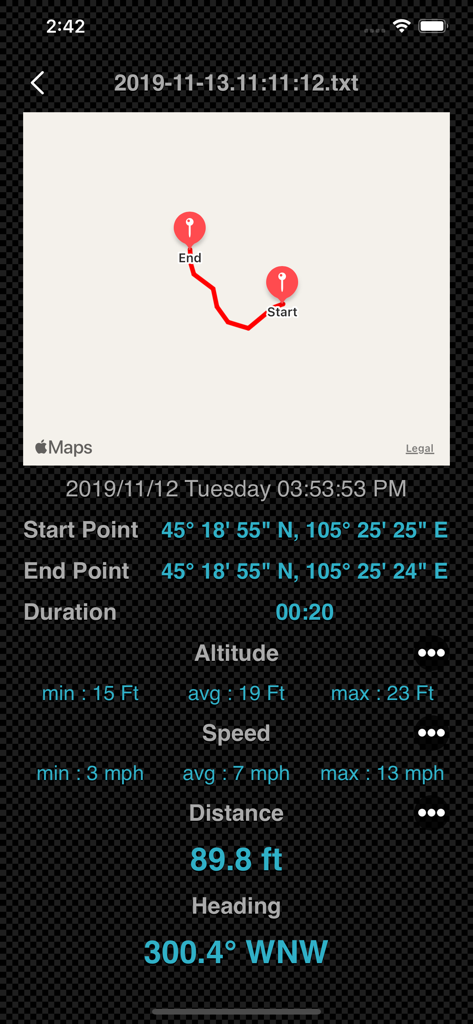
Detailed GPS track data screen showing route map and trip statistics.

Detailed GPS track data screen showing route map and trip statistics.

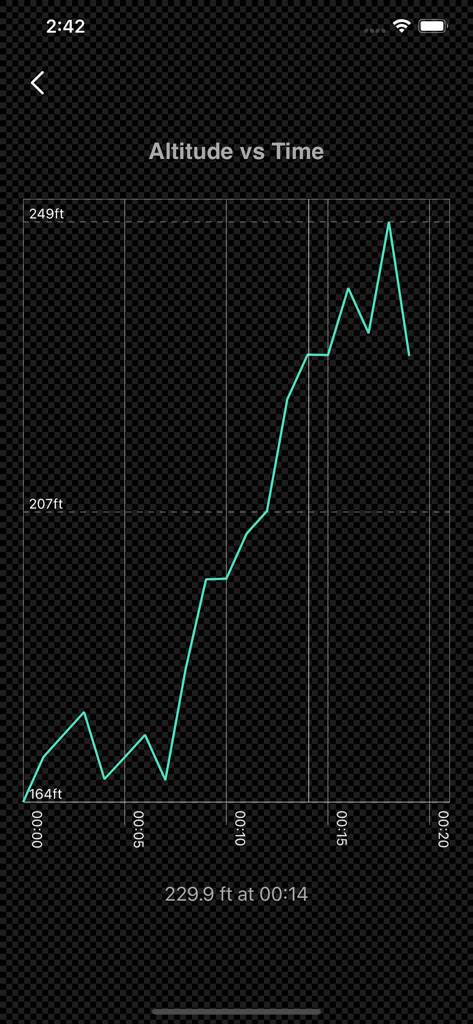
A line graph showing altitude versus time data within the GPS Logger Plus app

A line graph showing altitude versus time data within the GPS Logger Plus app

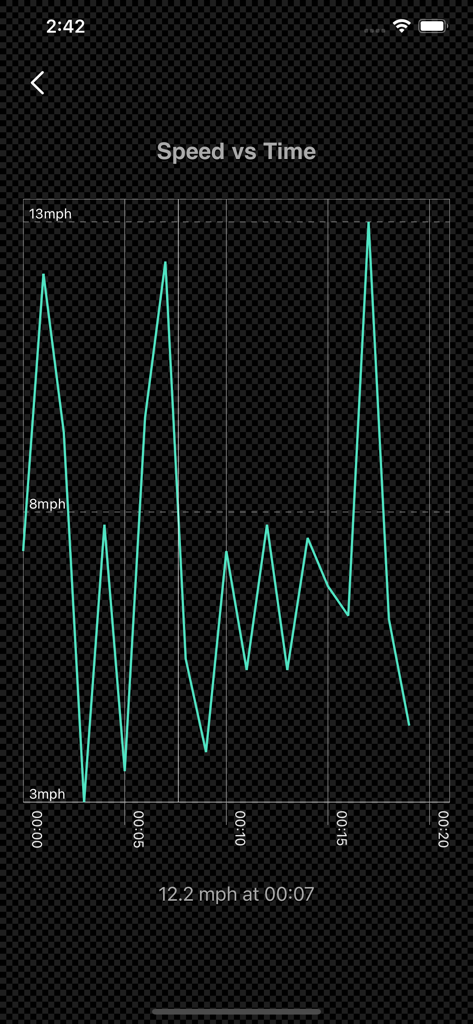
A line graph showing speed vs time data tracking in the GPS Logger Plus app

A line graph showing speed vs time data tracking in the GPS Logger Plus app

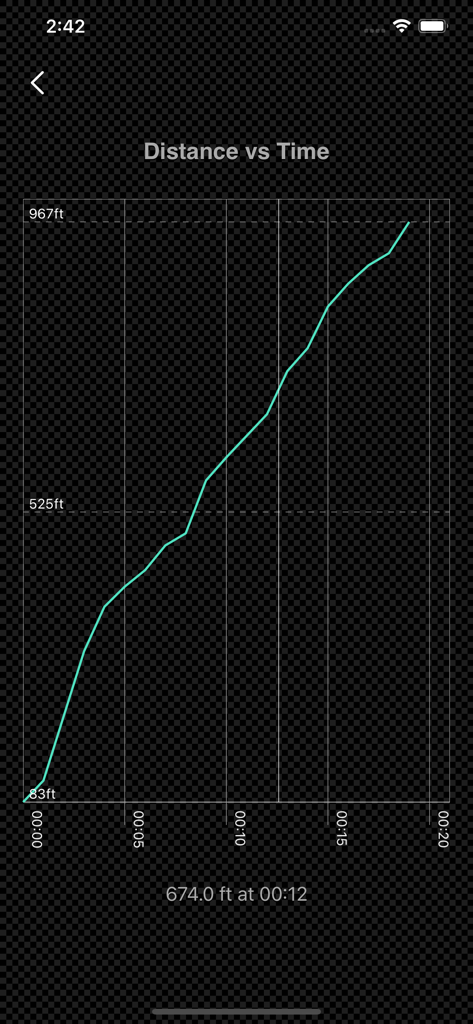
Distance vs time graph showing recorded GPS data path

Distance vs time graph showing recorded GPS data path

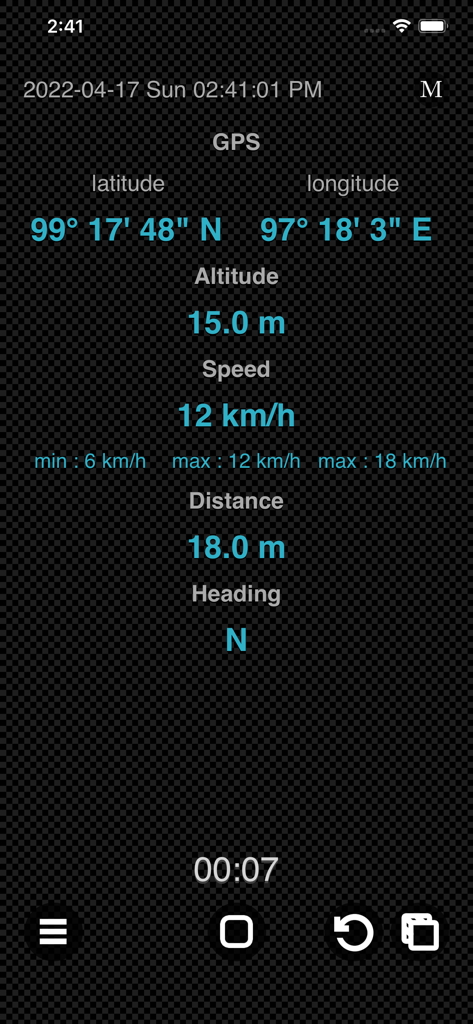
GPS Logger Plus mobile interface displaying real-time coordinates altitude speed and heading data

GPS Logger Plus mobile interface displaying real-time coordinates altitude speed and heading data

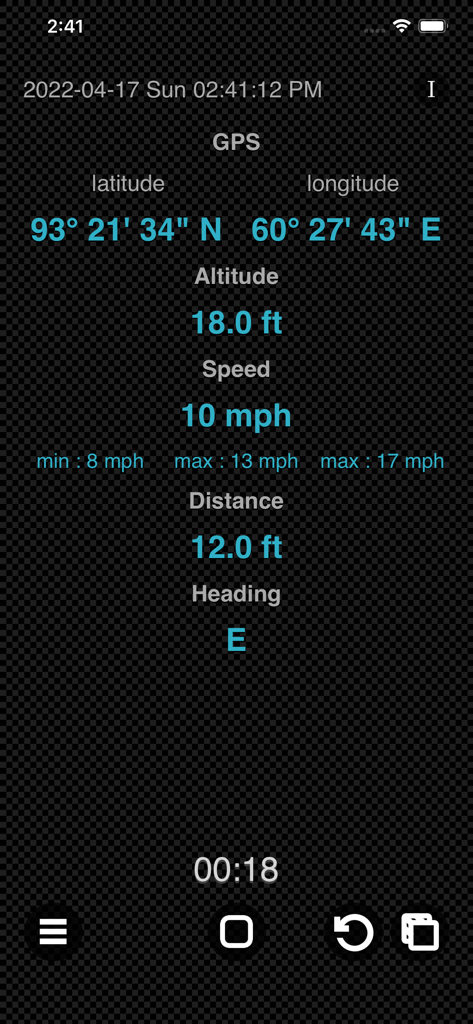
Interface of GPS Logger Plus showing real-time GPS coordinates speed altitude and distance tracking

Interface of GPS Logger Plus showing real-time GPS coordinates speed altitude and distance tracking

GPS Logger Plus interface showing real-time latitude longitude altitude and speed tracking data

GPS Logger Plus interface showing real-time latitude longitude altitude and speed tracking data

GPS Logger Plus interface showing real time coordinates altitude speed and heading data

GPS Logger Plus interface showing real time coordinates altitude speed and heading data

Precision Logging Without the Drain

The tools that make this app stand out, trusted by 18K+ users.

🔋

Ultra-Efficient Performance

Go further with screen-off recording and map-free processing, specifically engineered to minimize battery consumption on long-distance hikes and flights.

📂

Total Data Sovereignty

Access raw GPS logs directly through the iOS Files app. Export 1-second interval data for professional analysis, mapping, or personal archives without cloud interference.

🛡️

Privacy-First Utility

No accounts, no ads, and no tracking. Enjoy a lightweight, offline-capable tool that puts your data privacy and device performance above all else.

About the app

Everything you need to know about GPS Logger Plus.

Description

GPS Logger is device sensor log tool that enables you to record your position and your path. The data record includes GPS coordinates, attitude, speed, distance and device heading. You are able to preview the GPS Log data after recording. Features : • Record the GPS coordinate data of your iOS Devices, which are: -- Device GPS coordinate. -- Device Orientation to North. -- Device Altitude. -- Device Speed. -- Device Distance traveled. -- Plus the Time and Date of recording start. • Show Altitude Stats such as minimum altitude, average altitude and maximum altitude. • Show Speed Stats such as minimum speed, average speed and maximum speed. • Able to set Metric or Imperial units. • Lightweight, battery efficient GPS Logger. • No integrated maps while recording for power saving. • Ability to turn off screen while recording for power saving. • Rename/Delete GPS log file. • Preview recorded GPS data in detail, including map plotting and graph mode. • Works seamlessly on both iPhone and iPad. • Lightweight, compact app optimized for everyday use. • Ad-free and built with privacy in mind. GPS Log Files : • All the GPS log files can be accessed in [Files] app, [GPS Logger] Folder. • The GPS log files can be open via normal text editor. • The data array includes altitude [in Meter], compass orientation [0-360 Degree], distance traveled [in Meter], GPS Coordinates and Speed [in Meter/Second]. • The GPS data are recorded with 1.0 sec interval. • You can share GPS log files to another device via Airdrop, Messages or Mail. • To load GPS log files that share by others, simply place the GPS log files into [GPS Logger] Folder via [Files] app. Usage: • Record the track of your walking or running. • Remember the best places you've seen. • Use for long walk, hike or flight ride. • Record the trips while riding and analyse the speed, altitude or distance. • Share your tracks with your family and friends. • For OpenStreetMap map editing. • And many more depend on your imagination. Note: Turn off screen while recording for power saving, tap on the same location again to bring the screen back. Thanks for your support and do visit nitrio.com for more apps for your iOS devices.

Latest Version

1.1

Size

1.7 MB

First Released

Apr 28, 2022

Start Tracking with Professional Precision

Join 18,000+ explorers and professionals using the most battery-efficient, privacy-focused GPS logger on the App Store. No ads, no bloat—just pure data.

Download on App Store

App information, icons, screenshots, and descriptions displayed on this page are sourced from the Apple App Store and are the property of their respective developers. Download estimates and rankings are based on MWM's proprietary models and may not reflect actual figures. This page is provided for informational and analytical purposes only.

Believe this page infringes your intellectual property? File a dispute