
This page is not an official page of the app or its developer, but an independent editorial publication created for informational and commentary purposes. Unless expressly stated otherwise, neither the app nor its developer is affiliated with, endorsed by, sponsored by, authorized by, or otherwise officially connected with MWM, Apple, Google Play, the app publisher, or the app's developer, and nothing on this page implies that the app was developed using MWM's services. Any trademarks, logos, screenshots, and other content remain the property of their respective owners.

Guitar Tuner!
Master your sound with sub-second response and accuracy within one cent. Whether you are playing in Standard E or exploring Open C, experience the intuitive visual way to tune your guitar with confidence.
Downloads
224K+User Rating
Total Ratings
2K+Publisher
Category
MusicLocales
1Latest Version
2.4Size
13.3 MBFirst Released
Nov 2, 2010Tune with Professional Precision
Designed for guitarists who value accuracy and simplicity. Experience the authentic Austin-made tool that makes tuning faster and easier than ever.
Pro-Level Accuracy
Stay within 1 cent of every note with sub-second response times for a flawless sound during every practice session.
Versatile Tuning Options
Switch effortlessly between Standard E, Drop D, or Open C. Customize your reference pitch from 400 to 480 Hz with ease.
Frequently Asked Questions
Everything you need to know about Guitar Tuner!
How accurate is the Guitar Tuner! app?
Guitar Tuner! provides extremely accurate tuning within 1 cent (1/100th of a semitone) of each note with sub-second response time.
Does Guitar Tuner! support multiple tuning types?
Yes, Guitar Tuner! supports standard E-A-D-G-B-E, regular tunings like Minor Third, special tunings like Drop D, open tunings, lower, and higher tunings.
Can I adjust the pitch reference in Guitar Tuner!?
Yes, users can adjust the pitch reference incrementally from 400 to 480 Hz or up/down a half/full step from the standard A440 Hz in Guitar Tuner!.
How does Guitar Tuner! provide visual feedback for tuning?
Guitar Tuner! uses a simple visual interface to show if a string's pitch is low or high. It displays exactly how many cents the note is out-of-tune.
Is there an auto-string detect feature in Guitar Tuner!?
Yes, Guitar Tuner! includes an Auto-string-detect feature. This function can be enabled or disabled, but it is not recommended for use in noisy environments.
Can Guitar Tuner! assist with tuning by ear?
Yes, Guitar Tuner! allows users to tap to hear an accurate note. This feature enables tuning by ear as an alternative to the visual tuning display.
The following screenshots and description are sourced directly from the app's official store listing and are the property of the app developer.
App Store
Screenshots
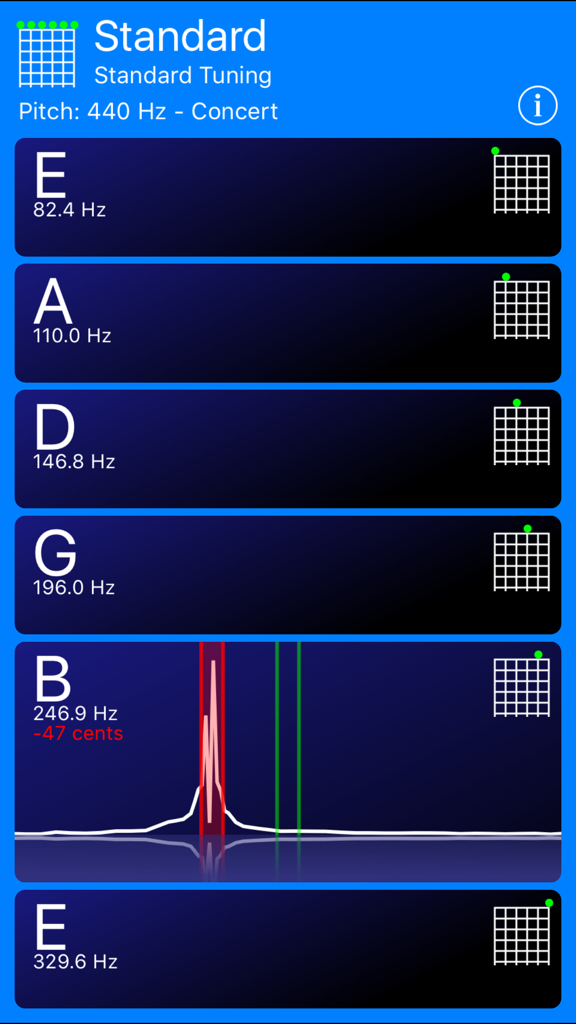
Interface of the Guitar Tuner app displaying standard tuning notes and a real-time frequency visualizer.
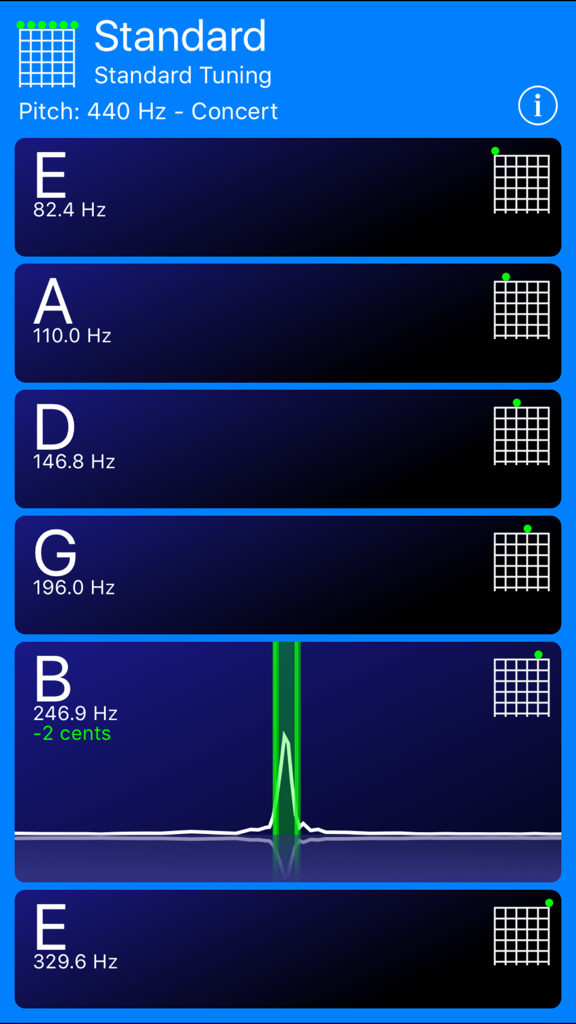
A mobile guitar tuner app interface showing standard tuning notes and a visual frequency waveform for the B string
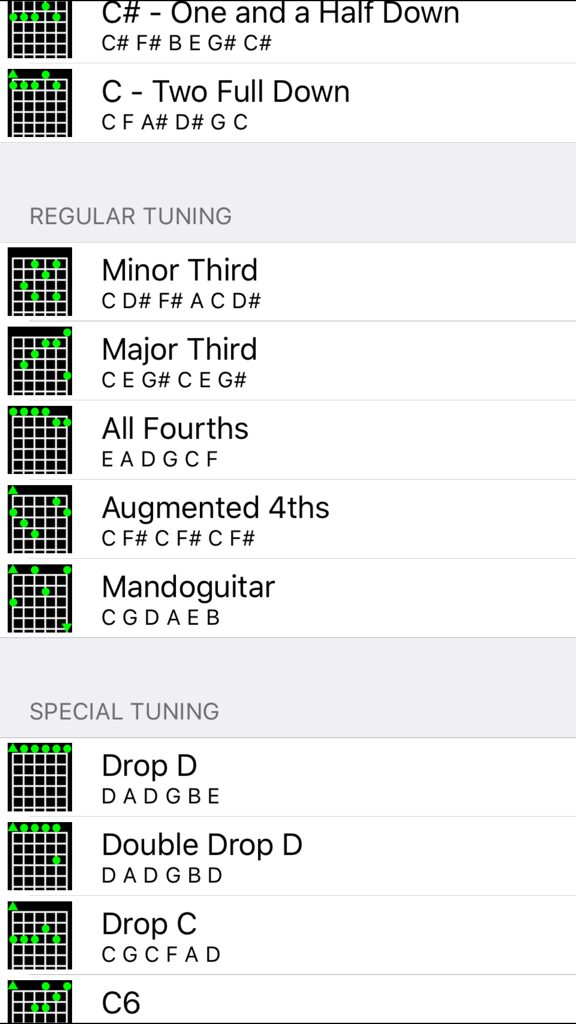
Interface showing regular and special guitar tuning options including Drop D and Minor Third
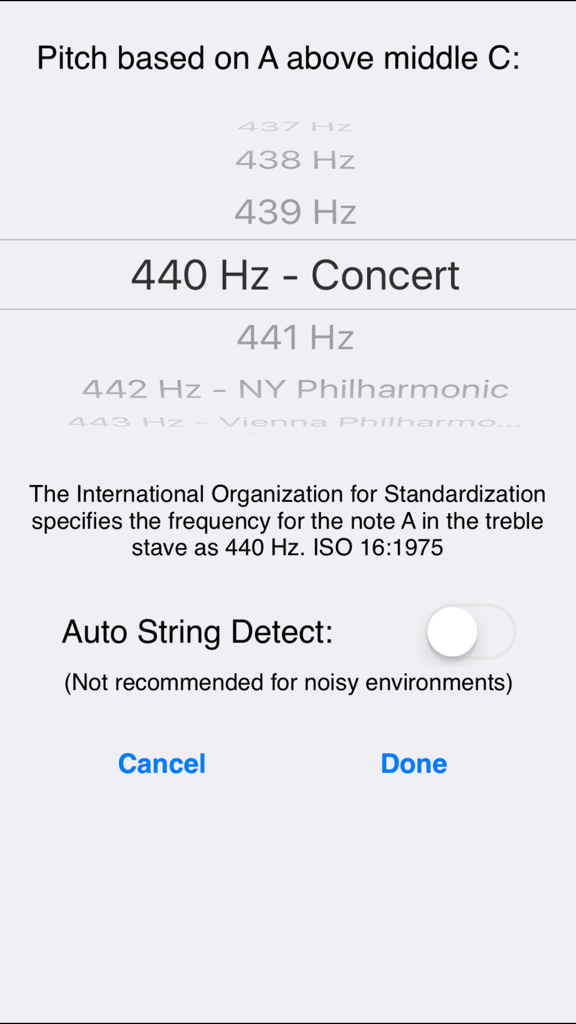
The settings screen of the Guitar Tuner app showing pitch frequency adjustment and the auto string detect toggle
Description
Download
More Like This
Top-ranked apps in the same category

Spotify: Music and Podcasts
Spotify

YouTube Music
Google LLC

Shazam: Find Music & Concerts
Apple Inc.

SoundCloud: The Music You Love
SoundCloud Global Limited & Co KG

Suno - AI Songs & Music
Suno Inc.

QQ音乐 - 听我想听
Tencent Technology (Shenzhen) Company Limited

Audiomack - Play Music Offline
Audiomack, Inc.

GuitarTuna: Tune & Play Guitar
Yousician Ltd

BandLab – Music Maker & Beats
BandLab Singapore Pte Ltd
This page is not an official page of the app or its developer, but an independent editorial publication created for informational and commentary purposes. Unless expressly stated otherwise, neither the app nor its developer is affiliated with, endorsed by, sponsored by, authorized by, or otherwise officially connected with MWM, Apple, Google Play, the app publisher, or the app's developer, and nothing on this page implies that the app was developed using MWM's services. Any trademarks, logos, screenshots, and other content remain the property of their respective owners.