Handwriting to Text Converter

Handwriting to Text Converter

Download on App Store
Logo of Handwriting to Text Converter

Handwriting to Text Converter: From Paper to Digital with AI Precision

Instantly transform messy cursive notes and PDFs into editable text. Scan, summarize with AI, and export to Word or PDF—the ultimate tool for students and professionals to digitize their workflow.

Download on App Store

Publisher

ECLIXTECH UK LTD

Category

Education

Downloads

1K+

User Rating

4.7/5

Total Ratings

200

Locales

69

From Paper to Screen

Discover the interface used by 1K+ users.
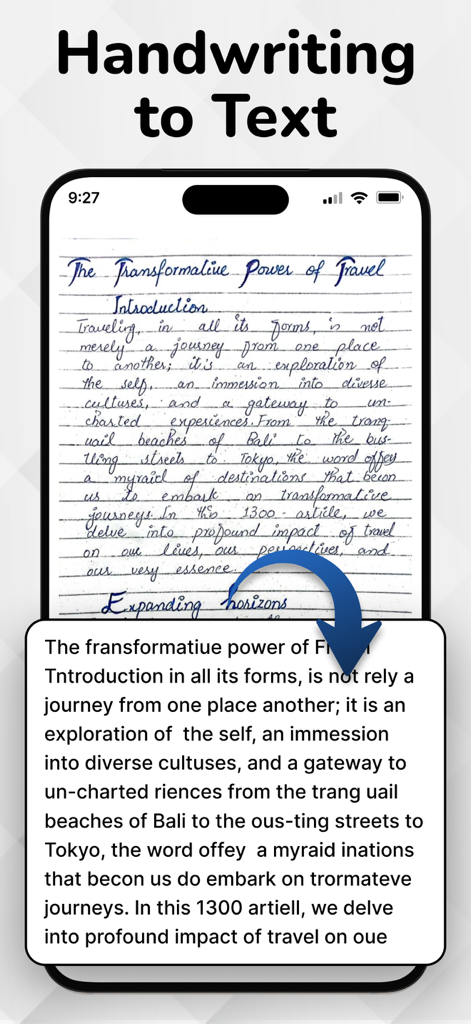
A smartphone displaying a handwritten journal entry being converted into digital text through an OCR app

A smartphone displaying a handwritten journal entry being converted into digital text through an OCR app

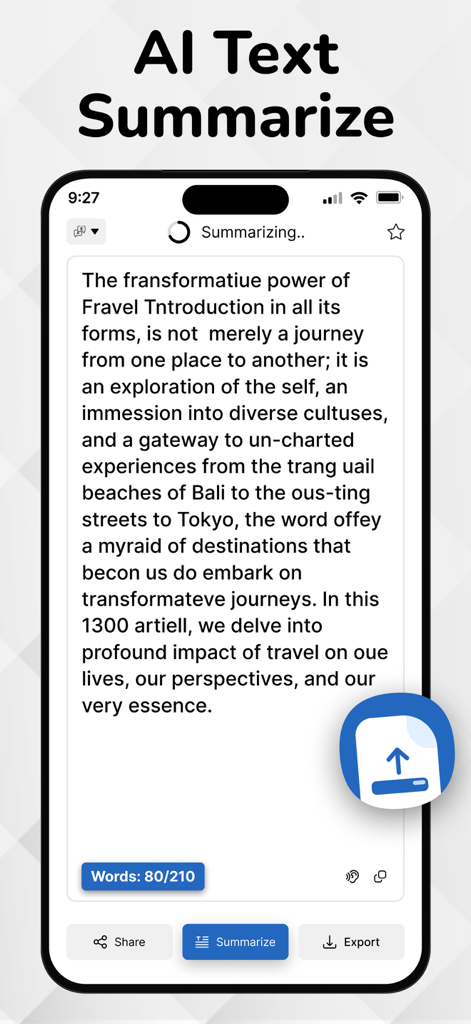
iPhone screen showing AI text summarization feature within the handwriting to text converter app

iPhone screen showing AI text summarization feature within the handwriting to text converter app

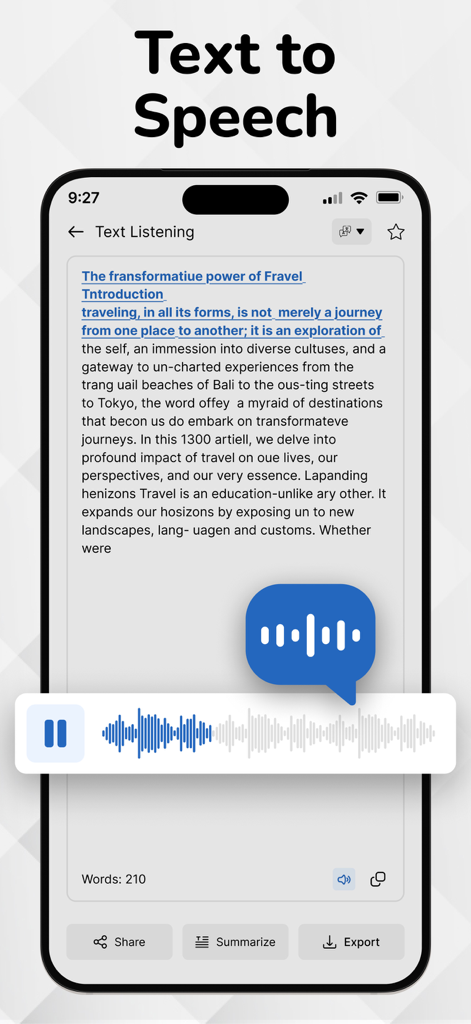
The text to speech feature of the Handwriting to Text Converter app showing a voice output player

The text to speech feature of the Handwriting to Text Converter app showing a voice output player

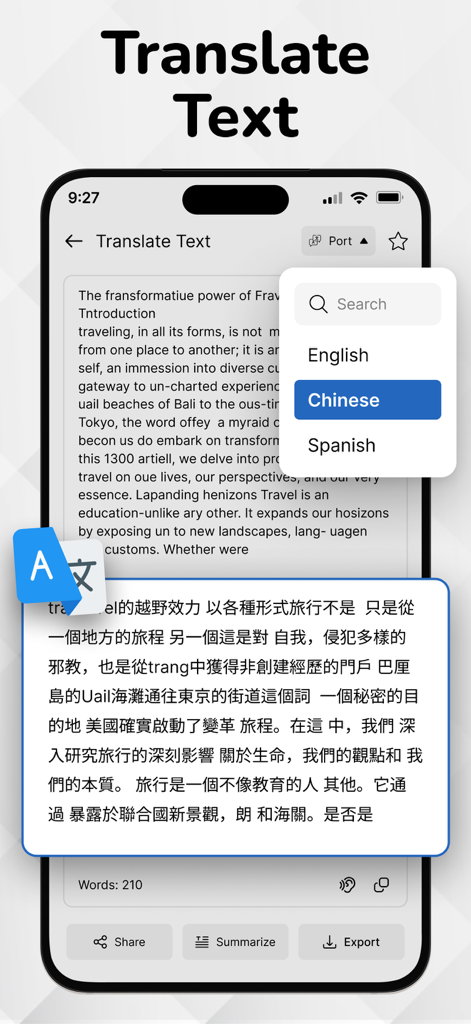
Handwriting to Text Converter app screen showing text translation from English to Chinese.

Handwriting to Text Converter app screen showing text translation from English to Chinese.

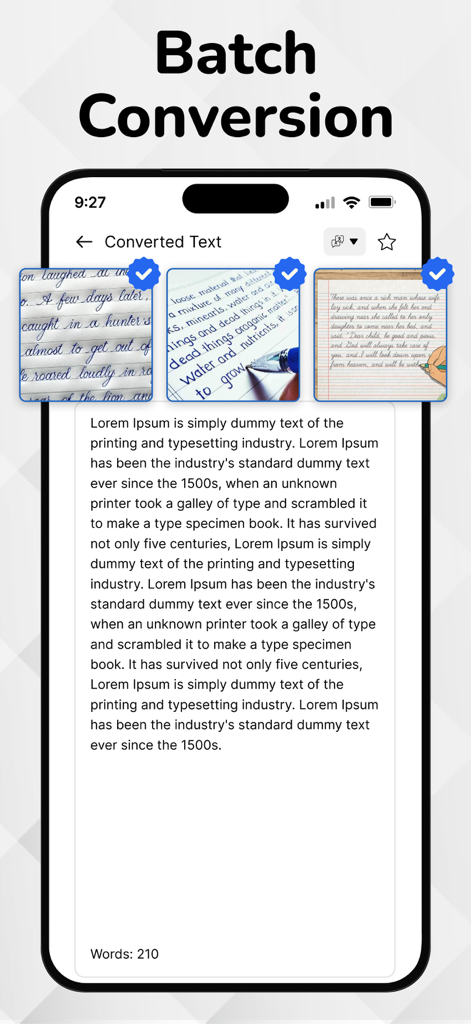
Mobile app interface showing the batch conversion feature for turning multiple handwritten notes into editable digital text.

Mobile app interface showing the batch conversion feature for turning multiple handwritten notes into editable digital text.

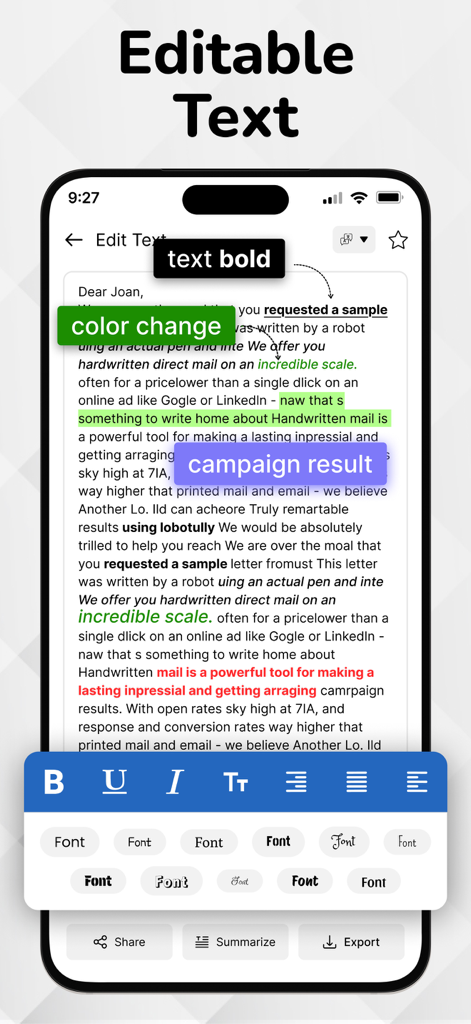
Mobile app screen showing editable text with formatting tools including bold styles, color highlighting, and font selection.

Mobile app screen showing editable text with formatting tools including bold styles, color highlighting, and font selection.

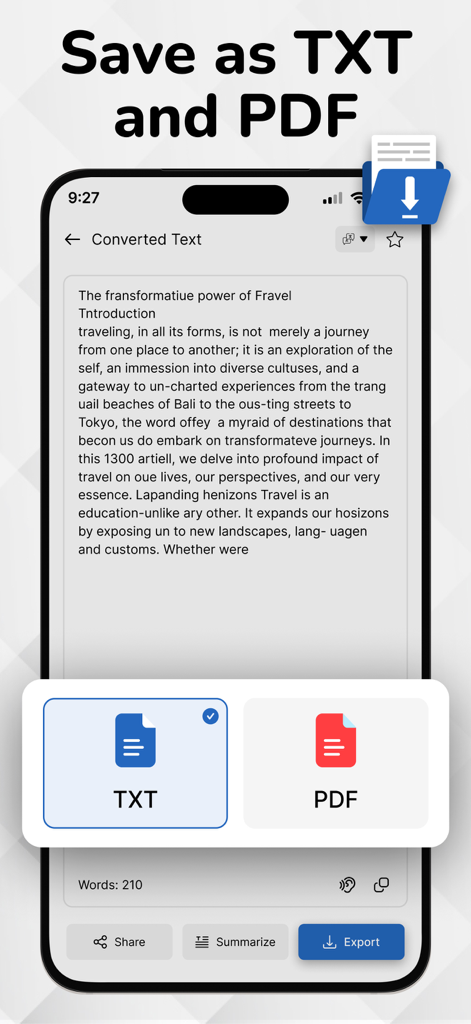
Interface showing options to save converted handwritten text as TXT or PDF documents.

Interface showing options to save converted handwritten text as TXT or PDF documents.

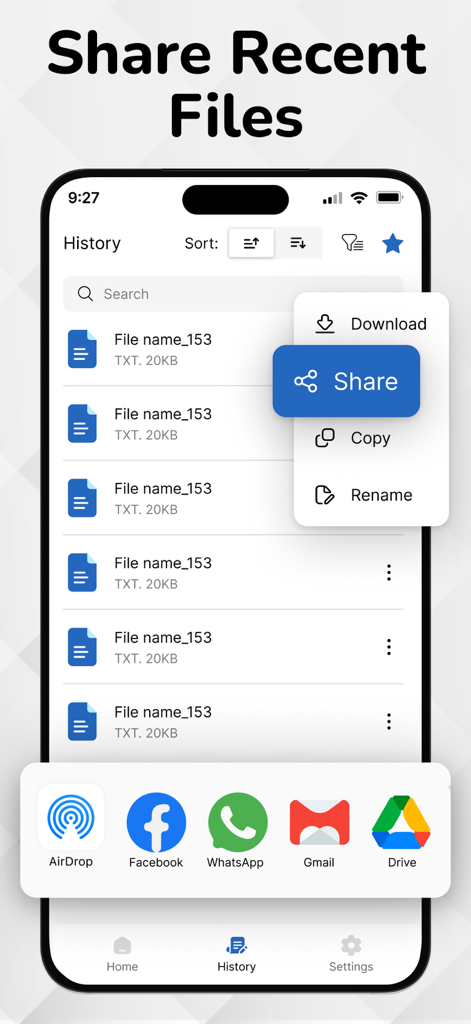
A mobile app interface showing a list of recent files and a sharing menu with options like AirDrop and Gmail

A mobile app interface showing a list of recent files and a sharing menu with options like AirDrop and Gmail

From Hand-Written to Hyper-Productive

The tools that make this app stand out, trusted by 1K+ users.

✍️

Decodes Cursive & Messy Writing

Specifically trained for the 'Hybrid' thinker, our engine handles fast-paced meeting notes and complex cursive that standard scanners miss.

🧠

AI Summaries for Instant Insights

Turn pages of lecture notes into concise bullet points. Our AI distills your handwriting into key takeaways so you can focus on learning, not just logging.

📄

Professional Export & Workflow

Seamlessly export to Word, PDF, or Slack. Move your ideas from paper to your professional workspace instantly without ever touching a keyboard.

About the app

Everything you need to know about Handwriting to Text Converter.

Description

Easily convert handwritten notes into editable digital text with our handwriting to text converter app. Scan notes, recognize cursive writing, and export text instantly—perfect for students and professionals. Convert your PDF files into editable, searchable text in seconds. Easily extract content from scanned PDFs or documents and copy, share, or edit without retyping. Fast, accurate, and user-friendly. Customize your app experience with language options, theme settings, and privacy controls. Enable offline mode, adjust text output formats, and set preferences your way. Advanced handwriting to text scanner OCR (Optical Character Recognition) engine accurately extracts handwritten content from scanned paper notes and converts it into editable digital text. Unlike typical OCR Handwriting to text apps, it’s purpose-built to recognize handwriting — even cursive or messy styles — making it ideal for converting images of handwritten notes into clear, readable text. OCR is the core of image to text apps and document scanners. Key Features of Handwriting to Text Converter app: Image to Text Conversion: Accurately convert handwritten notes into editable and searchable digital text. Image-Based Scanning: Capture handwritten content using your phone’s camera or upload existing images for instant conversion. PDF to Text Converter: Easily convert PDF documents into editable text in seconds. Extract content from scanned or digital PDFs with accuracy and use it for notes, editing, or sharing—fast, simple, and reliable. Ai Summarize Text: AI text summarization uses artificial intelligence to shorten long texts by extracting key points. It helps users quickly grasp important information from articles, emails, or documents using natural language processing for clear, concise summaries. Advanced OCR Engine: Powered by smart OCR specifically trained to recognize cursive, messy, and printed handwriting styles. History Management: Automatically saves converted texts so you can revisit, copy, or delete them anytime. Multi-Language Support: Supports handwriting recognition in English, Hindi, and several other regional languages. Voice Outputs: Hear your handwritten notes aloud with voice output. Great for quick reviews and accessibility. Clean & Simple UI: User-friendly interface with a distraction-free design for smooth usage. Export & Share: Easily export your converted text to Notepad, Word, email, or share via social media and messaging apps. How to use Handwriting to Text Converter app...? 1. Open the App Launch the app from your home screen. 2. Scan or Upload a Handwritten Note Tap the Camera icon to take a picture of your handwritten text OR Tap the Gallery icon to upload an image from your phone 3. Adjust and Crop (Optional) Select the handwritten area. You can rotate, crop, or enhance the image for better accuracy. 4. Tap 'Convert' or 'Extract Text' The OCR engine will process the image and extract the handwritten text into editable digital format. 5. Edit or Copy the Text Make quick edits if needed. You can now copy, share, or save the text. 6. Export or Save Export the converted text as a .txt, .pdf, or send it directly via email, or other apps. 7. View History All your conversions are saved in the History section so you can access them anytime. Download Now! Image to text converter, Handwriting to Text Converter and text scanner app and start handwritten notes to editable digital text. If Handwriting to Text Converter is helpful, please rate us 5 stars If you have any questions, please contact us: eclix.suport@gmail.com. Disclaimer: Handwriting recognition may not always be accurate. Review and correct converted text before use. We are not responsible for errors or data loss during conversion. Privacy Policy https://www.cardscanner.co/privacy Terms of Service https://www.cardscanner.co/privacy

Latest Version

1.0.8

Size

70.4 MB

First Released

Jul 18, 2025

Turn Your Handwriting Into Action

Stop retyping and start doing. Join thousands of students and professionals using our AI-powered OCR to instantly convert, summarize, and export handwritten notes. Download now and reclaim your time.

Download on App Store

App information, icons, screenshots, and descriptions displayed on this page are sourced from the Apple App Store and are the property of their respective developers. Download estimates and rankings are based on MWM's proprietary models and may not reflect actual figures. This page is provided for informational and analytical purposes only.

Believe this page infringes your intellectual property? File a dispute