Happy Match for Watch
Download on App Store

This page is not an official page of the app or its developer, but an independent editorial publication created for informational and commentary purposes. Unless expressly stated otherwise, neither the app nor its developer is affiliated with, endorsed by, sponsored by, authorized by, or otherwise officially connected with MWM, Apple, Google Play, the app publisher, or the app's developer, and nothing on this page implies that the app was developed using MWM's services. Any trademarks, logos, screenshots, and other content remain the property of their respective owners.

Logo of Happy Match for Watch
Download on App Store

Happy Match for Watch

Experience the ultimate distraction-free puzzle game designed specifically for your wrist. Enjoy instant, battery-efficient fun with no ads and no in-app purchases—perfect for your daily commute or coffee break.

Key Figures

Downloads

0

User Rating

3.6/5

Total Ratings

0

Publisher

太宇 左

Category

Entertainment

Locales

1

Latest Version

1.0.6

Size

3.1 MB

First Released

Jan 13, 2025
Features

Elevate Your Micro-Breaks

The most engaging, ad-free puzzle game designed exclusively for your Apple Watch. Perfect for quick mental resets without the distraction of your phone.

Instant Wrist-Based Fun

No need to reach for your phone. Start a 90-second fruit-matching challenge directly from your watch face during any short wait.

100% Ad-Free Experience

Enjoy pure, uninterrupted gameplay. No in-app purchases, no video ads, and no data tracking—just high-quality entertainment.

The following screenshots and description are sourced directly from the app's official store listing and are the property of the app developer.

App Store

Screenshots
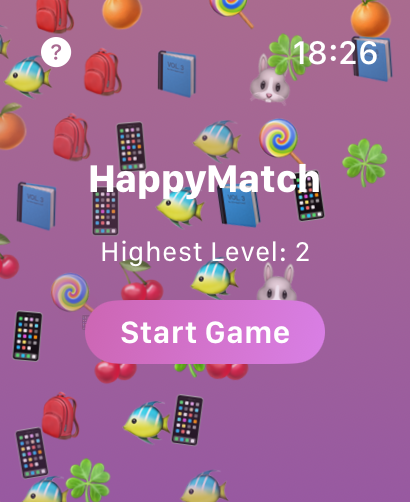
Happy Match for Watch - The main menu of Happy Match for Watch game featuring a start button and colorful emojis
The main menu of Happy Match for Watch game featuring a start button and colorful emojis

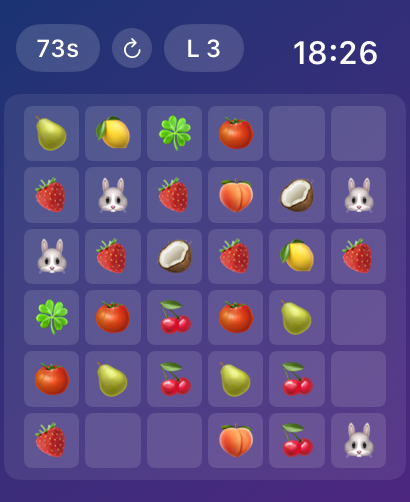
Happy Match for Watch - Happy Match for Watch gameplay screen showing a grid of fruit and animal emojis with a 90 second timer
Happy Match for Watch gameplay screen showing a grid of fruit and animal emojis with a 90 second timer

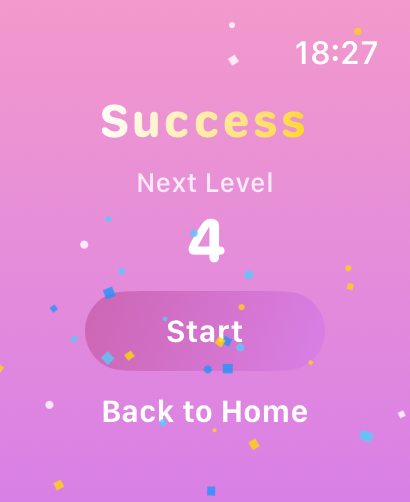
Happy Match for Watch - The success screen of Happy Match for Watch showing the transition to next level 4 with a start button

The success screen of Happy Match for Watch showing the transition to next level 4 with a start button

Description

Important Note: This app can only be downloaded from the App Store on Apple Watch. Here's how: 1. Press the Digital Crown on your watch to open the app list 2. Find and open the App Store 3. Scroll to the bottom and tap [Account] 4. Find [Purchased] to download the app Experience the most engaging fruit-matching puzzle game on Apple Watch! Fruit Pop combines classic elimination gameplay with exciting challenges, bringing you a delightful casual gaming experience right on your wrist. Game Highlights - Lightweight casual game designed specifically for Apple Watch - Intuitive tap-to-eliminate gameplay - 28 delightful emojis including fruits, flowers, and animals - 90-second time challenge testing reflexes and strategy - Progressive difficulty with increasing fruit varieties - Play anywhere, no internet connection required Gameplay - Tap matching fruits to eliminate pairs - 90-second countdown per level - Increasing fruit varieties as levels progress - Clear all fruits to advance - Perfect for quick gaming sessions Game Features - Simple and intuitive controls - Engaging elimination mechanics - Rich variety of game elements - Carefully designed difficulty curve - Quick to start, instant fun Perfect For - Casual puzzle enthusiasts - Users seeking quick entertainment - Apple Watch wearers - Gamers of all ages Technical Advantages - Optimized for watchOS - Compatible with all Apple Watch series - Smooth gaming experience - Battery-efficient operation - No ads, no in-app purchases [FAQ] Q: How do I download or update after purchase? A: Follow these steps: 1. Open App Store on your Apple Watch 2. Scroll to the bottom of the page 3. Tap your account avatar 4. Select "Purchased" to restore download or update Q: What if the game won't launch? A: Try these solutions: 1. Ensure watchOS 9.0 or above 2. Restart your Apple Watch 3. Reinstall the game 4. Check for sufficient storage space Q: How do I recover lost progress? A: Game progress saves automatically. If lost: 1. Verify app data hasn't been manually cleared 2. Check for watchOS updates 3. Try restarting your device and reopening the game Q: How to fix game lag? A: Try these methods: 1. Close background apps 2. Restart your Apple Watch 3. Ensure sufficient battery level (above 30% recommended) 4. Check available storage space Q: How to improve gameplay performance? A: Useful tips: 1. Prioritize fruits that are about to disappear 2. Start eliminating from the bottom 3. Quickly scan for matching fruits 4. Watch for new potential pairs Q: Battery draining too fast? A: Try these measures: 1. Reduce watch screen brightness 2. Exit game when not playing 3. Avoid extended play on low battery 4. Keep watchOS updated Q: Can't find matching fruits? A: The game ensures matches are always available: 1. Carefully examine all fruits 2. Look for matching fruits at a distance 3. Use the shuffle feature 4. Restart level if stuck (might be a rare bug) Download Fruit Pop now and experience the fun of fruit matching! Whether during a short break or while waiting, enjoy a delightful gaming moment on your Apple Watch.

Download

Download on App Store

This page is not an official page of the app or its developer, but an independent editorial publication created for informational and commentary purposes. Unless expressly stated otherwise, neither the app nor its developer is affiliated with, endorsed by, sponsored by, authorized by, or otherwise officially connected with MWM, Apple, Google Play, the app publisher, or the app's developer, and nothing on this page implies that the app was developed using MWM's services. Any trademarks, logos, screenshots, and other content remain the property of their respective owners.