
This page is not an official page of the app or its developer, but an independent editorial publication created for informational and commentary purposes. Unless expressly stated otherwise, neither the app nor its developer is affiliated with, endorsed by, sponsored by, authorized by, or otherwise officially connected with MWM, Apple, Google Play, the app publisher, or the app's developer, and nothing on this page implies that the app was developed using MWM's services. Any trademarks, logos, screenshots, and other content remain the property of their respective owners.


Have a safe delivery
Focus on your labor, not the interface. An intuitive, ad-free contraction timer designed to guide you through every stage with one-tap simplicity and expert reassurance.
Downloads
416K+User Rating
Total Ratings
8K+Publisher
Category
MedicalLocales
4Latest Version
2.9Size
13.5 MBFirst Released
Aug 27, 2017Timing Your Journey to Parenthood
Designed for the third trimester, our intuitive timer helps you track labor progress with zero stress and total precision, ensuring you know exactly when it's time to head to the hospital.
One-Button Simplicity
Start and stop the timer with a single tap. We've removed every unnecessary function so you can focus on your delivery without a steep learning curve.
Smart Hospital Alerts
Receive an automatic alarm when your contraction cycle reaches the 5-minute mark, giving you a clear, data-driven signal to head to the hospital.
Frequently Asked Questions
Everything you need to know about Have a safe delivery
What is the "Have a safe delivery" app?
The "Have a safe delivery" app is a contraction cycle timer designed for pregnant individuals. It helps users track contraction frequency and duration with a simple interface, providing alerts for hospital visits.
How do I record contractions using the "Have a safe delivery" app?
To record contractions in "Have a safe delivery," touch the "Contraction Started" button when a contraction begins. When it stops, touch the "Contraction Stopped" button. The app then logs the cycle.
Does the "Have a safe delivery" app contain ads?
No, the "Have a safe delivery" app does not display pop-up advertisements. It only includes an ad bar situated at the bottom of the main screen to prevent inconvenience.
How does "Have a safe delivery" indicate when to go to the hospital?
The "Have a safe delivery" app provides an alarm when your average contraction cycle is less than 5 minutes. This serves as an indicator that it is time to go to the hospital.
Can I delete incorrect contraction records in "Have a safe delivery"?
Yes, you can delete incorrect contraction records in "Have a safe delivery." To do so, touch and slide the specific record to the left, and the app will remove it.
Does "Have a safe delivery" provide medical advice?
No, "Have a safe delivery" is not a medical device and does not provide medical advice. It offers recommendations based on standard indicators, but users must consult a doctor.
How do I clear all contraction data in the "Have a safe delivery" app?
To clear all data in the "Have a safe delivery" app, touch the arrow button, identified as the initialization button, located on the upper right side of the screen.
The following screenshots and description are sourced directly from the app's official store listing and are the property of the app developer.
App Store
Screenshots
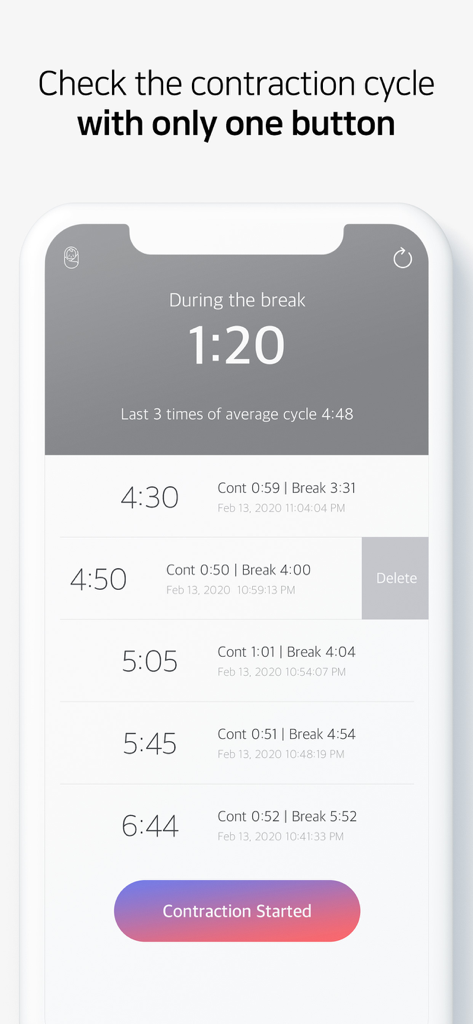
Interface of the Have a safe delivery app showing a labor contraction timer and a list of recorded cycles.
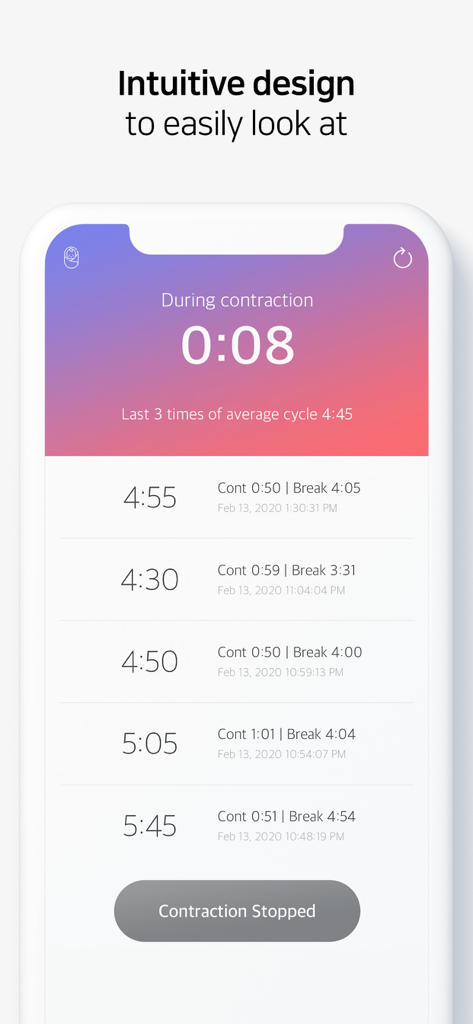
A mobile app screen showing a contraction timer with a simple interface for tracking labor cycles and history.
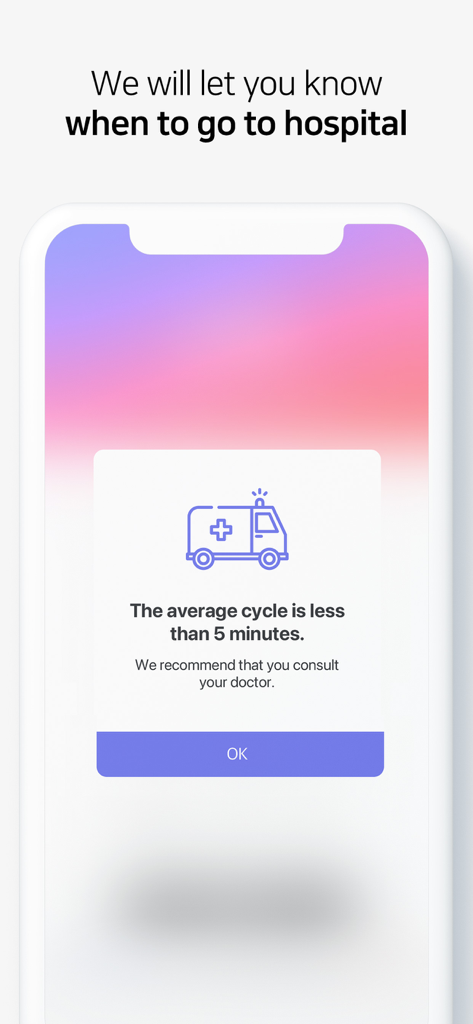
Contraction timer app notification recommending a hospital visit when the cycle is less than five minutes.
Description
Download
More Like This
Apps with similar features and user experience

Contraction Timer & Counter 9m
Aleksei Neiman

Contraction Timer +
David Hendren

Contraction Timer & Trackerㅤ
Sophia Chen

Contraction timer, counter
Viktoriia Sergeeva

Freya • Surge Timer
The Positive Birth Company Ltd.

Storky - Contraction Timer
TappyTaps s.r.o.

Contraction Timer & Tracker
Going Merry LLC
This page is not an official page of the app or its developer, but an independent editorial publication created for informational and commentary purposes. Unless expressly stated otherwise, neither the app nor its developer is affiliated with, endorsed by, sponsored by, authorized by, or otherwise officially connected with MWM, Apple, Google Play, the app publisher, or the app's developer, and nothing on this page implies that the app was developed using MWM's services. Any trademarks, logos, screenshots, and other content remain the property of their respective owners.