
This page is not an official page of the app or its developer, but an independent editorial publication created for informational and commentary purposes. Unless expressly stated otherwise, neither the app nor its developer is affiliated with, endorsed by, sponsored by, authorized by, or otherwise officially connected with MWM, Apple, Google Play, the app publisher, or the app's developer, and nothing on this page implies that the app was developed using MWM's services. Any trademarks, logos, screenshots, and other content remain the property of their respective owners.


Health Keeper: Pulse Monitor
Monitor your heart rate instantly using just your camera, track blood pressure trends, and master your daily health goals with smart hydration and activity reminders.
Downloads
820K+User Rating
Total Ratings
5K+Publisher
Category
Health & FitnessLocales
16Latest Version
1.2.8Size
71.8 MBFirst Released
Jun 26, 2024Your Complete Health Hub in One Simple App
Monitor your vitals, track your activity, and build lasting wellness habits without the need for expensive wearables.
Instant Heart Rate Monitoring
Use your iPhone camera to measure your pulse in seconds and gain immediate insights into your cardiovascular health anytime, anywhere.
Smart Blood Pressure Logging
Easily record and track your readings over time to visualize long-term trends and share accurate history with your physician.
Frequently Asked Questions
Everything you need to know about Health Keeper: Pulse Monitor
How does Health Keeper: Pulse Monitor measure heart rate?
Health Keeper: Pulse Monitor measures heart rate using your device's camera. Users place a finger over the camera lens for real-time cardiovascular health insights.
Can Health Keeper: Pulse Monitor record blood pressure?
Yes, Health Keeper: Pulse Monitor allows users to log and track blood pressure readings over time. This helps identify trends and detect potential abnormalities early.
Does Health Keeper: Pulse Monitor track blood sugar levels?
Yes, Health Keeper: Pulse Monitor includes a feature to record and monitor blood sugar levels. Users can input fasting and postprandial readings to track their glucose over time.
Is Health Keeper: Pulse Monitor compatible with Apple Watch for step tracking?
Yes, Health Keeper: Pulse Monitor can sync with Apple Watch to automatically track daily steps. It provides insightful activity reports to encourage consistent movement.
What types of reminders does Health Keeper offer?
Health Keeper offers customizable alerts for hydration, exercise, medication, and other wellness tasks. This intelligent system helps users manage self-care effectively.
Where can I find the privacy policy for Health Keeper: Pulse Monitor?
The privacy policy for Health Keeper: Pulse Monitor is available at https://erqitech.com/privacy. This link ensures users can review data handling practices.
Does Health Keeper: Pulse Monitor provide detailed health reports?
Yes, Health Keeper: Pulse Monitor generates detailed reports for heart rate, HRV analysis, and overall heart score. These reports offer insights into user health trends.
Can Health Keeper: Pulse Monitor help me track my water intake?
Yes, Health Keeper: Pulse Monitor includes a water intake tracker with smart reminders. Users can set custom daily targets and log consumption to stay hydrated.
The following screenshots and description are sourced directly from the app's official store listing and are the property of the app developer.
App Store
Screenshots
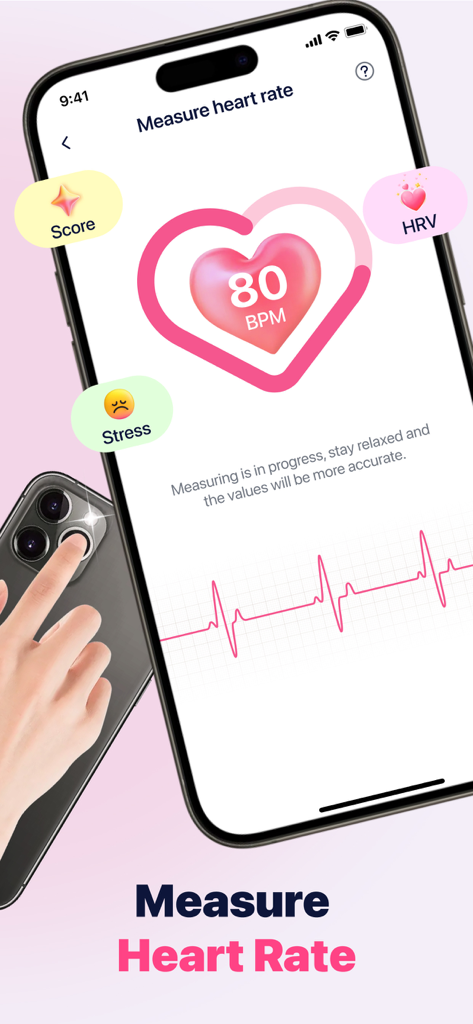
Interface of the Health Keeper app showing heart rate measurement using a smartphone camera lens
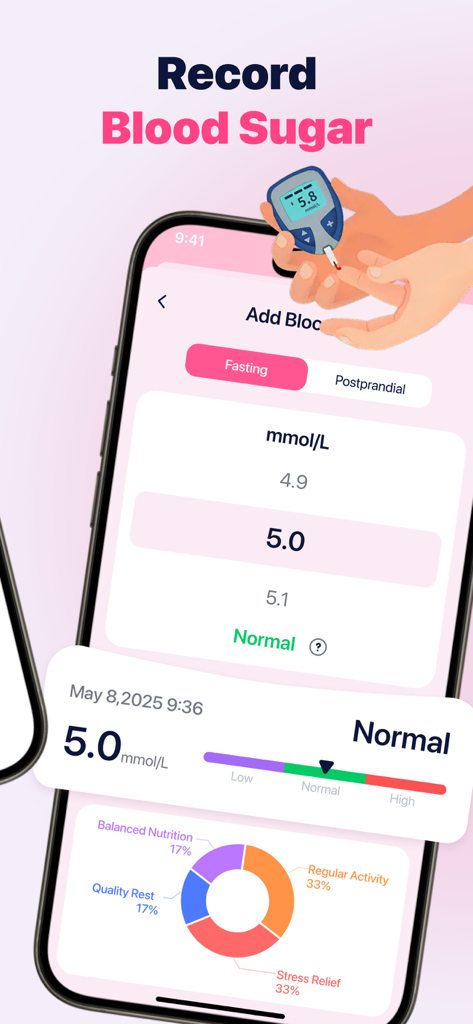
Health Keeper app screen showing blood sugar measurement input and daily health activity chart
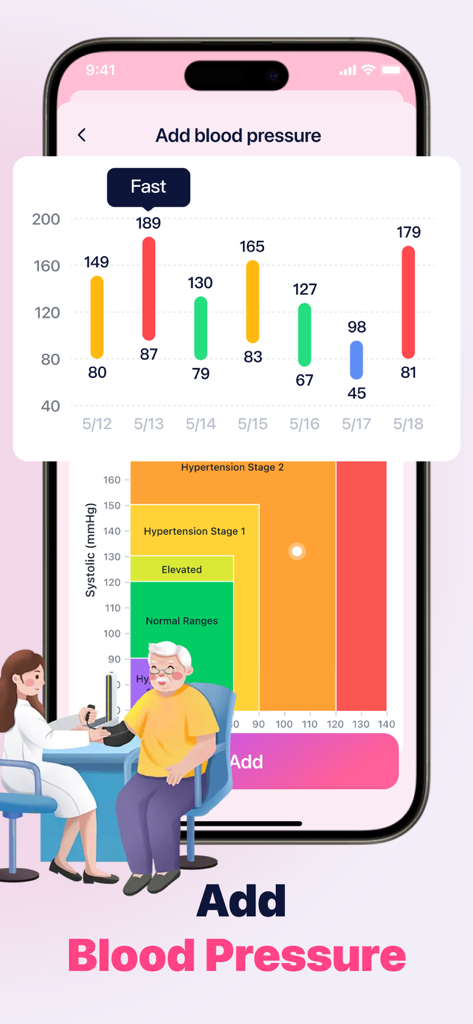
Mobile app interface showing a bar chart of weekly blood pressure readings and classification stages
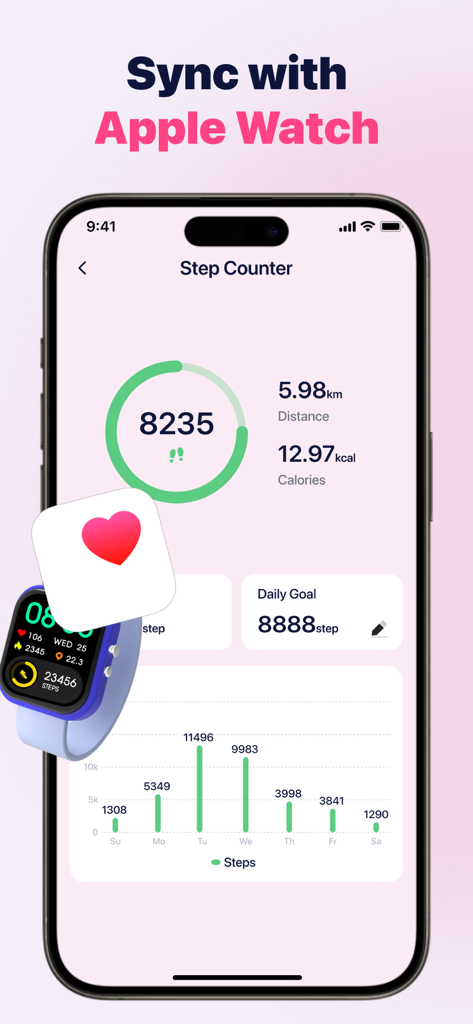
Health Keeper app interface displaying step count progress daily goal and activity reports with Apple Watch synchronization feature
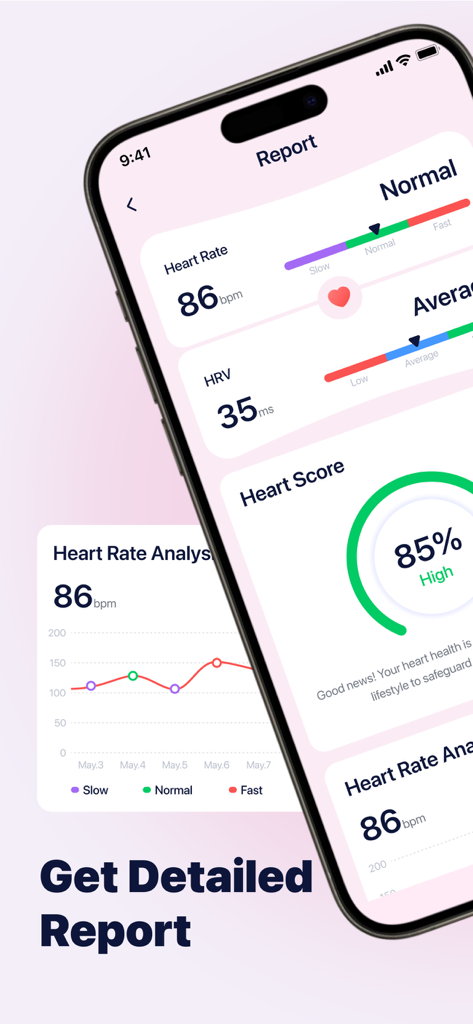
iPhone screen displaying a detailed heart rate and HRV analysis report with a trend graph
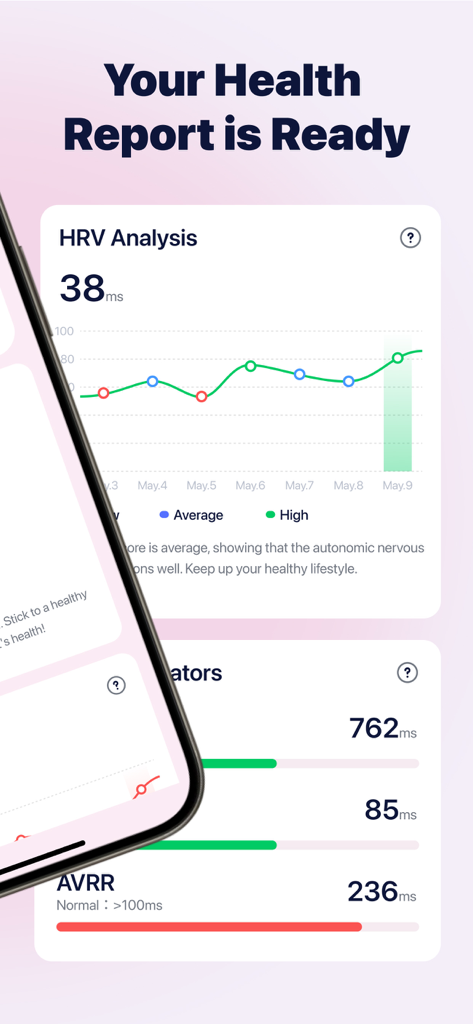
Health report dashboard in Health Keeper app showing HRV analysis graph and heart health indicators.
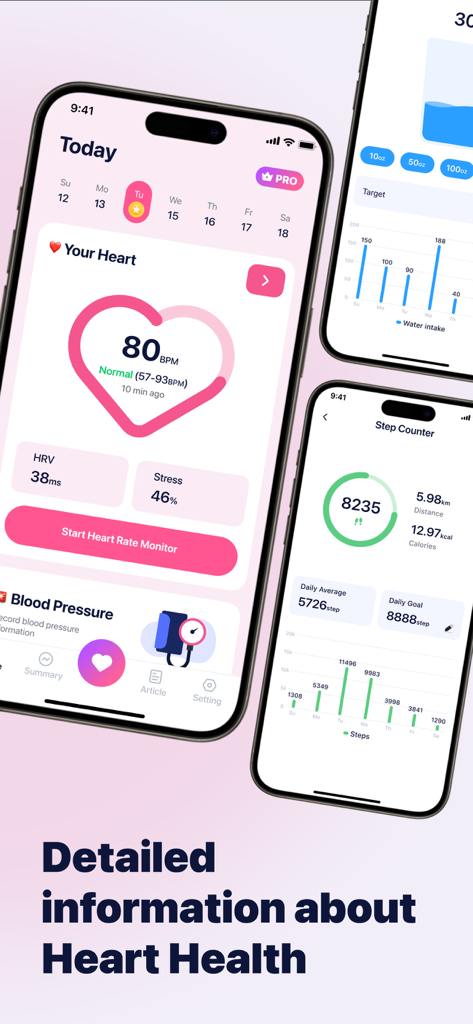
Health Keeper app screenshots showing heart rate monitor step counter and activity reports.
Description
Download
More Like This
Apps with similar features and user experience
CardiaLink-Heart rate&Health
Hunan Anpai Information Technology Co., Ltd.

PulseWarden
月 黄
HeaBP Blood Pressure & Pulse
Imageview Technology Co., Limited

Heart Rate: Pulse Monitor & BP
Imageview Technology Co., Limited

HeartMe: Mental Health
长珠 谷
KeepBP - blood pressure app
志强 王

VitalWise AI: Heart & Pulse
Hunan Caidingke Network Information Technology Co., Ltd.

iHeart-Pulse Rate Monitor App.
REMHO PTE. LTD

Heartwell: Track Health
AURALIS NOVA TECHNOLOGY PTE. LTD.
This page is not an official page of the app or its developer, but an independent editorial publication created for informational and commentary purposes. Unless expressly stated otherwise, neither the app nor its developer is affiliated with, endorsed by, sponsored by, authorized by, or otherwise officially connected with MWM, Apple, Google Play, the app publisher, or the app's developer, and nothing on this page implies that the app was developed using MWM's services. Any trademarks, logos, screenshots, and other content remain the property of their respective owners.