
This page is not an official page of the app or its developer, but an independent editorial publication created for informational and commentary purposes. Unless expressly stated otherwise, neither the app nor its developer is affiliated with, endorsed by, sponsored by, authorized by, or otherwise officially connected with MWM, Apple, Google Play, the app publisher, or the app's developer, and nothing on this page implies that the app was developed using MWM's services. Any trademarks, logos, screenshots, and other content remain the property of their respective owners.

Heart Rate Monitor · Pulse App
Monitor your heart health with clinical-grade accuracy using just your phone's camera. Get in-depth waveform analysis, export CSV reports for your doctor, and sync seamlessly with Apple Health for a complete view of your cardiovascular wellness.
Downloads
294K+User Rating
Total Ratings
2K+Publisher
Category
Health & FitnessLocales
17Latest Version
1.4.8Size
104.9 MBFirst Released
Mar 31, 2022Your Heart Health, Decoded
Professional-grade pulse monitoring and in-depth health insights designed for your daily wellness journey.
Zero Hardware Required
Measure your pulse instantly using only your phone's camera—no expensive smartwatches or chest straps needed.
Advanced Waveform Analysis
Visualize your heartbeat in real-time with clinical-style graphs to monitor stress, recovery, and fitness trends.
Frequently Asked Questions
Everything you need to know about Heart Rate Monitor · Pulse App
How does the Heart Rate Monitor app measure heart rate?
The Heart Rate Monitor app uses your phone's camera to capture images and algorithms to recognize your heartbeat. This method allows it to measure your pulse accurately without dedicated medical devices.
Is the Heart Rate Monitor app accurate for checking heart rate?
Yes, the Heart Rate Monitor app is accurate. It uses advanced algorithms and your phone's camera, with its accuracy ensured by comprehensive and professional experiments.
Can I export my heart rate data from the Heart Rate Monitor app?
Yes, the Heart Rate Monitor app allows you to export your health data. It provides a CSV export option and supports syncing data with Apple Health.
Does Heart Rate Monitor app integrate with Apple Health?
Yes, the Heart Rate Monitor app integrates with Apple Health. It allows you to sync your heart rate data directly with Apple Health for comprehensive health tracking.
How do I use the Heart Rate Monitor app to check my pulse?
To use the Heart Rate Monitor app, gently cover your phone's back camera lens with one fingertip and stay still. You will get your heart rate within seconds. For accuracy, use it in a bright place or turn on the flashlight.
What other health metrics can the Heart Rate Monitor app track?
In addition to heart rate, the Heart Rate Monitor app can track blood pressure, blood sugar, weight, and BMI. It offers comprehensive health data tracking and analysis.
Is the Heart Rate Monitor app a medical device for diagnosing heart conditions?
No, the Heart Rate Monitor - Pulse App is not a medical device. It should not be used for diagnosing heart diseases or for medical emergencies. Consult a primary care physician for medical help.
How often should I check my heart rate with the Heart Rate Monitor app?
For accurate measurement, you should use the Heart Rate Monitor app several times a day. It is recommended, especially upon waking, before bed, and after workouts.
What is a normal heart rate range for adults?
According to American Heart Association and Mayo Clinic, a normal resting heartbeat for adults ranges from 60 to 100 bpm. Many factors can affect this range.
Does the Heart Rate Monitor app provide health insights from experts?
Yes, the Heart Rate Monitor app provides health knowledge and insights from experts. It offers articles on various topics like normal heart rate ranges and factors affecting heart rate.
How does the Heart Rate Monitor app protect user privacy?
The Heart Rate Monitor app protects user privacy by allowing data to be stored locally, on iCloud, or synced with Apple Health. This ensures secure management of personal health information.
How do I manage subscriptions for the Heart Rate Monitor app?
You can manage your Heart Rate Monitor app subscription and turn off auto-renewal by going to your Account Settings after purchase. This ensures control over recurring payments.
The following screenshots and description are sourced directly from the app's official store listing and are the property of the app developer.
App Store
Screenshots
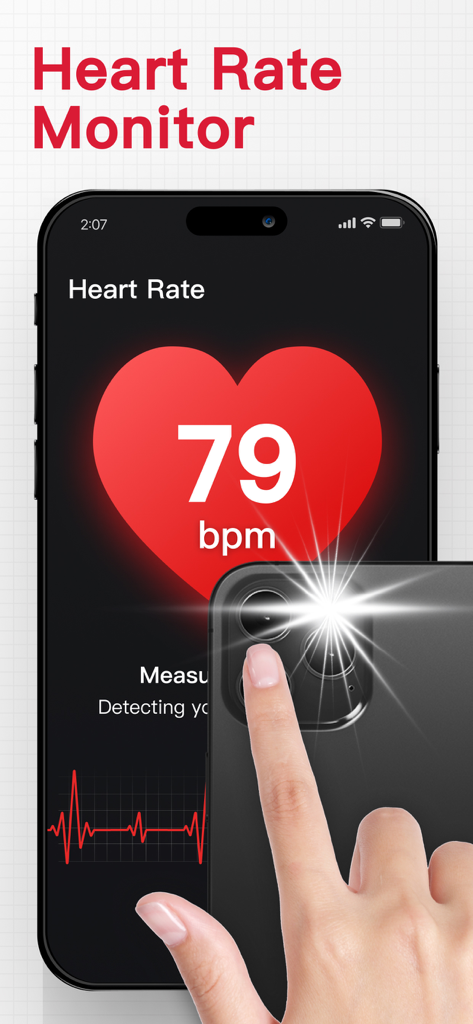
A smartphone displaying a heart rate of 79 bpm and a hand placing a fingertip over the camera lens for measurement
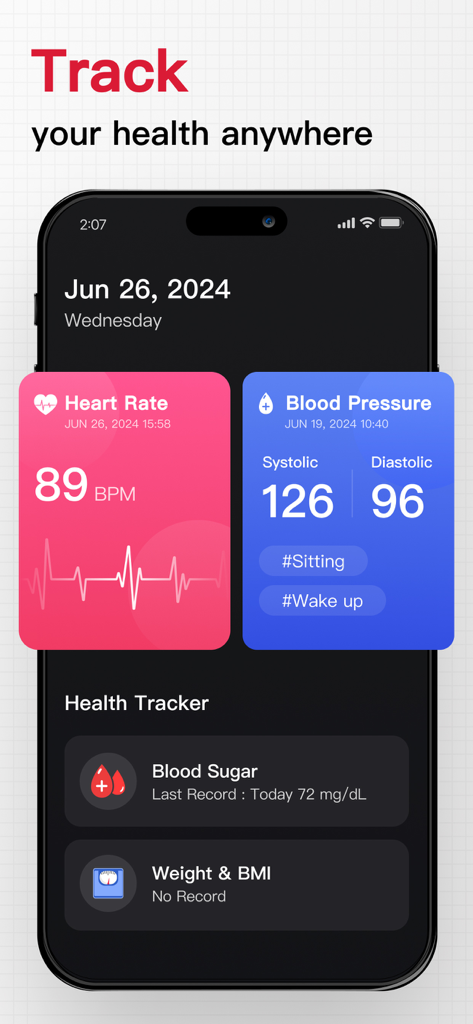
Mobile app interface showing heart rate blood pressure and blood sugar measurements
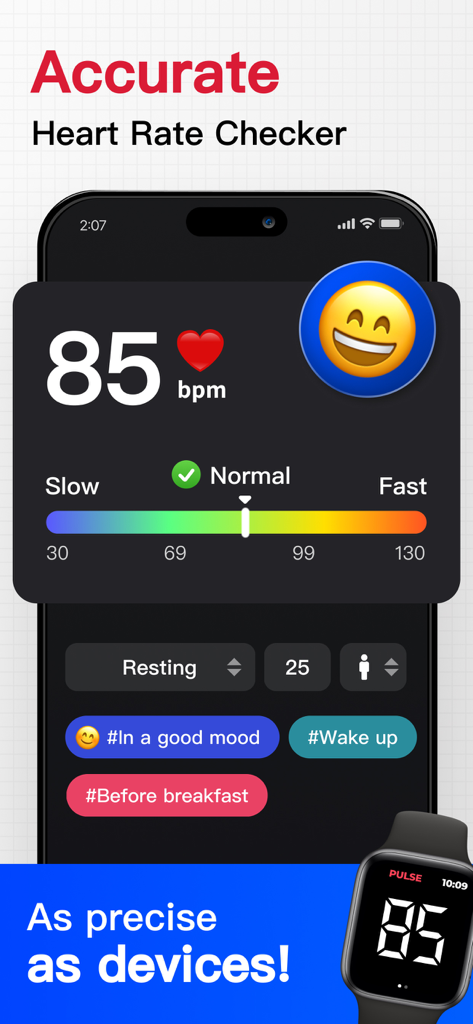
Smartphone app screen showing a heart rate measurement of 85 bpm classified as normal with a color coded scale
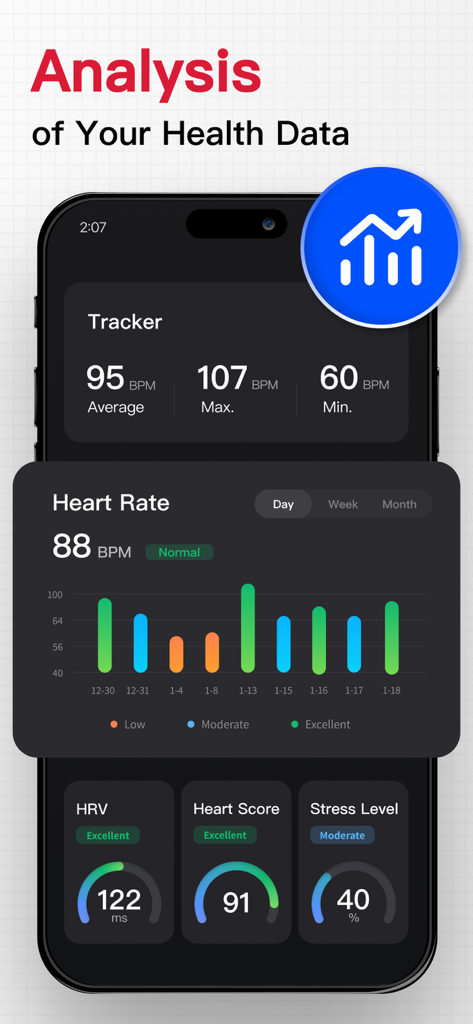
Heart Rate Monitor app dashboard showing pulse analysis heart rate variability and stress level metrics
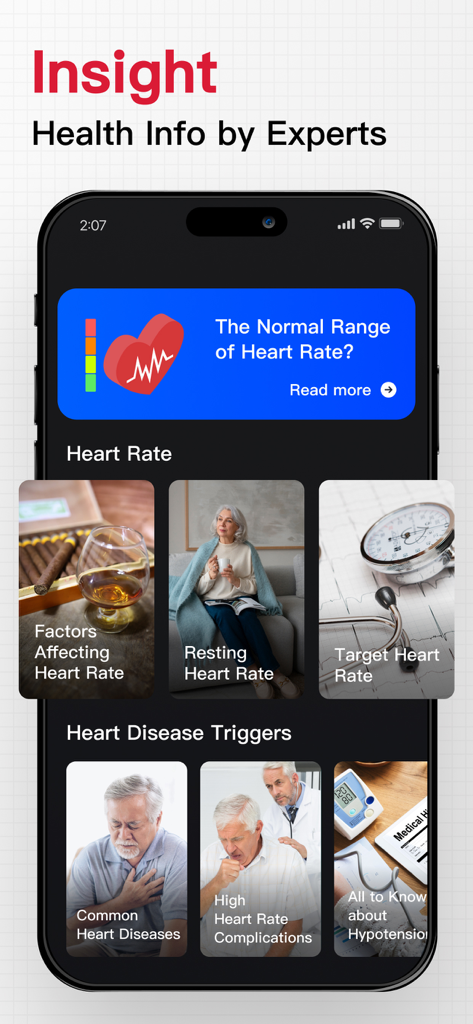
Heart Rate Monitor app screen displaying health insights and expert heart info
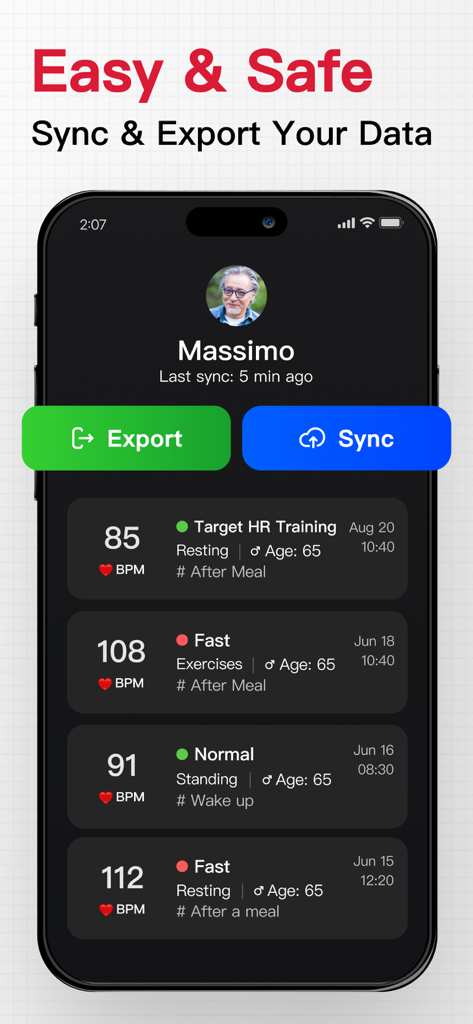
Interface of the pulse monitor app showing data sync and export buttons with a history log of heart rate measurements
Description
Download
More Like This
Apps with similar features and user experience
Instant Heart Rate: HR Monitor
Bodymatter, Inc.
Instant Heart Rate+ HR Monitor
Bodymatter, Inc.

Cardiograph Classic
MacroPinch ltd.

AccuRate Heart Rate Monitor
Oxford Fitness Ltd
Heart Rate Monitor-Plus1Health
Shenzhen Plus1Health Technology Co., Ltd

MyPulse - Measure Your Pulse
SKADEX MOBILE LIMITED

Heart Rate-HR Monitor Tracker
Vadim Akhmerov

Heart Rate Monitor & Tracker!
Anatolii Avramenko

VitalPulse: Heart Rate Monitor
maria gray
This page is not an official page of the app or its developer, but an independent editorial publication created for informational and commentary purposes. Unless expressly stated otherwise, neither the app nor its developer is affiliated with, endorsed by, sponsored by, authorized by, or otherwise officially connected with MWM, Apple, Google Play, the app publisher, or the app's developer, and nothing on this page implies that the app was developed using MWM's services. Any trademarks, logos, screenshots, and other content remain the property of their respective owners.