
This page is not an official page of the app or its developer, but an independent editorial publication created for informational and commentary purposes. Unless expressly stated otherwise, neither the app nor its developer is affiliated with, endorsed by, sponsored by, authorized by, or otherwise officially connected with MWM, Apple, Google Play, the app publisher, or the app's developer, and nothing on this page implies that the app was developed using MWM's services. Any trademarks, logos, screenshots, and other content remain the property of their respective owners.


Hobnob Invitation Maker
Design professional-quality flyers in seconds with Zazzle-powered creativity. Get lightning-fast RSVPs via text—no app download required for your guests.
Downloads
3M+User Rating
Total Ratings
104K+Publisher
Category
LifestyleLocales
12Latest Version
6.6.4Size
182.2 MBFirst Released
Jan 4, 2022Everything You Need to Be the Perfect Host
Skip the coordination chaos with high-end designer invites, instant text-based RSVPs, and automated event logistics.
Zero-Friction Text RSVPs
Your guests can RSVP with a simple text reply—no app download or account setup required for them.
Designer Quality in Seconds
Access stunning video and photo flyers powered by Zazzle to give your event a professional, curated look.
Frequently Asked Questions
Everything you need to know about Hobnob Invitation Maker
What is Hobnob Invitation Maker?
Hobnob Invitation Maker is an app designed to create and share personalized video or photo invitations quickly. It also provides tools for stress-free event planning, including RSVPs, reminders, and group chat.
How can I send invitations using Hobnob?
Hobnob Invitation Maker allows users to send invitations via text, email, or social media. Guests can respond to texts to RSVP without needing the app.
What types of events can I create invitations for with Hobnob?
Hobnob offers designs for numerous occasions including Birthdays, BBQs, Baby Showers, Bridal Showers, Weddings, Graduations, Halloween, Thanksgiving, and Christmas. It also supports business events like seminars.
Does Hobnob Invitation Maker have a group chat feature?
Yes, Hobnob Invitation Maker includes an event chat feature that hosts can turn on or off. This allows guests to share excitement, coordinate, and react in one place.
Can guests RSVP without downloading the Hobnob app?
Yes, guests can RSVP to Hobnob invitations by simply replying to a text message. An app download is not required for guests to respond.
Does Hobnob help collect photos from an event?
Yes, Hobnob automatically asks guests to share their photos after an event. This collects all event pictures in one central location for the host. Hobnob also offers a disposable camera-style App Clip.
Can I sell tickets for my event through Hobnob?
Yes, Hobnob Invitation Maker provides a ticketing feature. Hosts can collect money for adults, kids, or various ticket types directly from their invite.
Does Hobnob offer tools for organizing event logistics like sign-up lists or time polls?
Yes, Hobnob provides powerful tools for hosts and organizers. These include sign-up lists for potlucks or wish lists, and time polls to help find the best event time.
Can Hobnob Invitation Maker be used for business events?
Yes, Hobnob is suitable for business use. Organizations like seminars, clubs, and event planners utilize Hobnob for professional, on-brand event presentations without needing extra tools.
Does Hobnob integrate with Zazzle for design quality?
Yes, Hobnob has partnered with Zazzle, a leader in design and custom products. This collaboration brings Zazzle's creativity into Hobnob events and provides access to Premium Flyers.
Does Hobnob help with group organization outside of specific events?
Yes, Hobnob allows users to organize and chat with their groups effortlessly. Users can also turn any group into a guest list with one tap for easy invitations.
How quickly can invitations be created with Hobnob Invitation Maker?
Hobnob enables users to design and share personalized video or photo invitations in seconds. The app assists by suggesting on-theme flyers.
The following screenshots and description are sourced directly from the app's official store listing and are the property of the app developer.
App Store
Screenshots
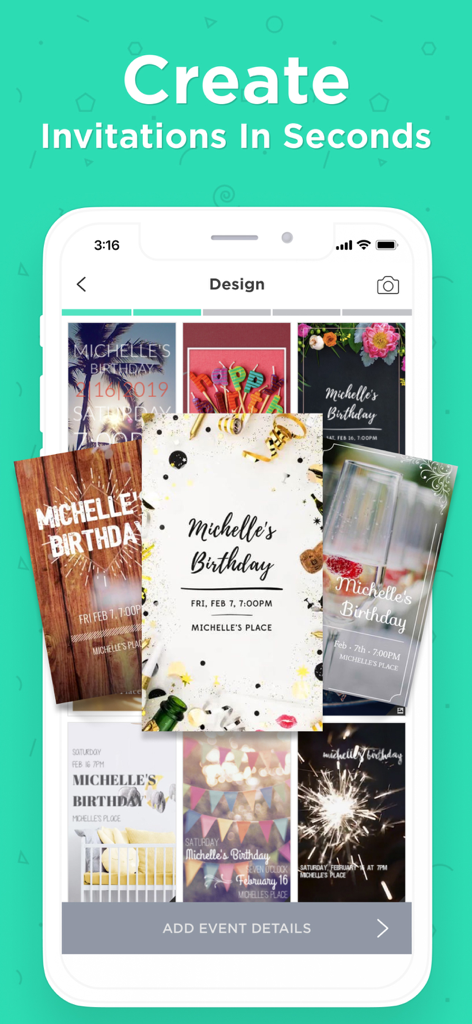
Hobnob Invitation Maker app interface showing various digital invitation templates for social events
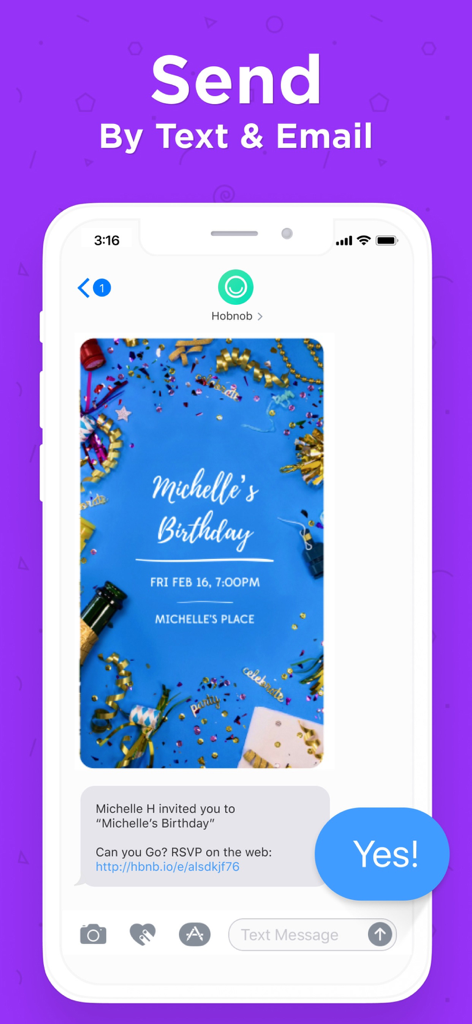
A birthday party invitation sent via text message with an RSVP link from the Hobnob app
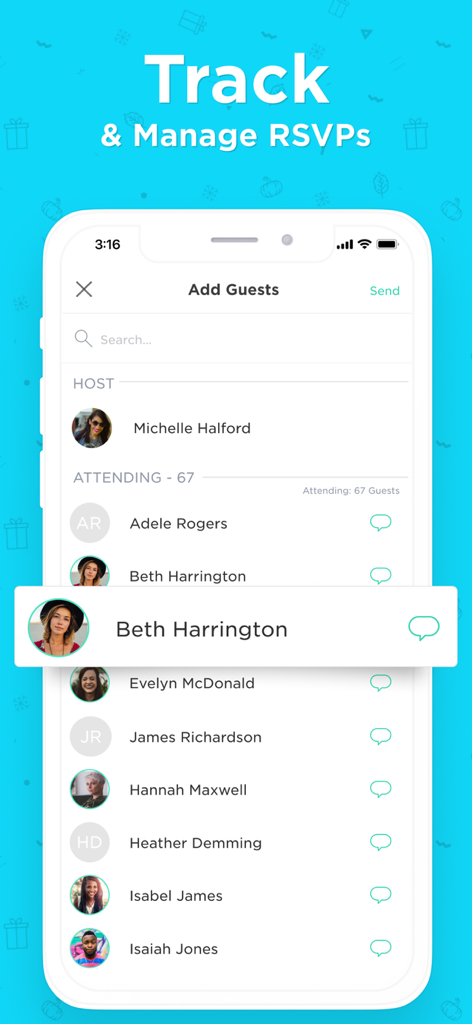
A smartphone screen displaying the Hobnob app guest list with RSVP status and chat options.
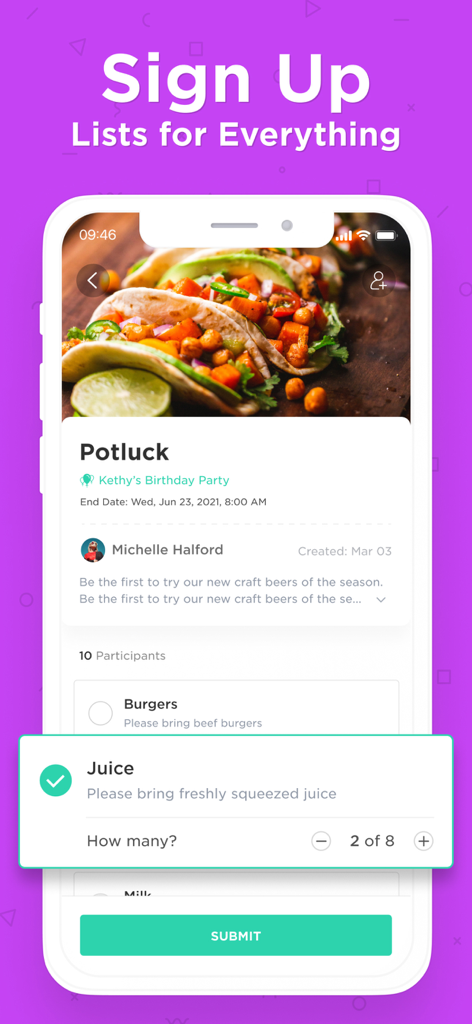
Mobile app interface showing a potluck sign-up list for an event with guest item tracking.
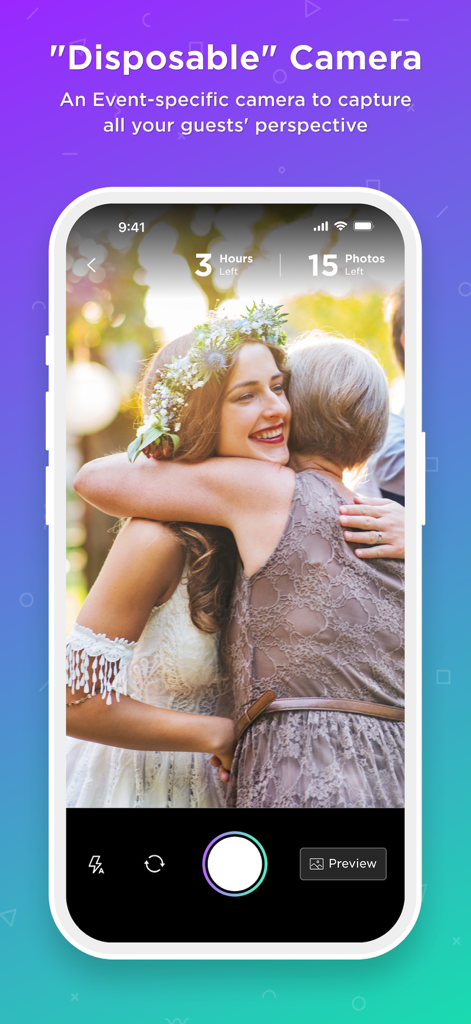
Hobnob app interface showing the disposable camera feature used to capture event photos from guests
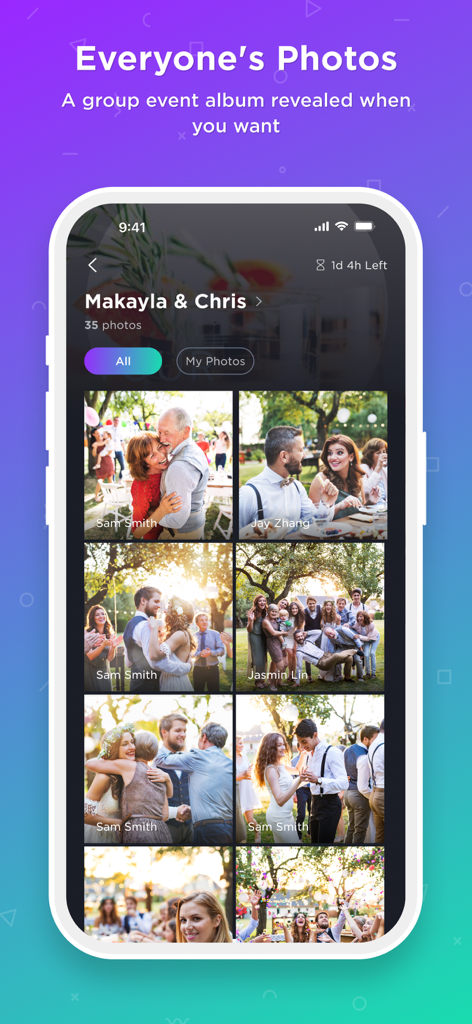
Shared wedding photo album in the Hobnob invitation app
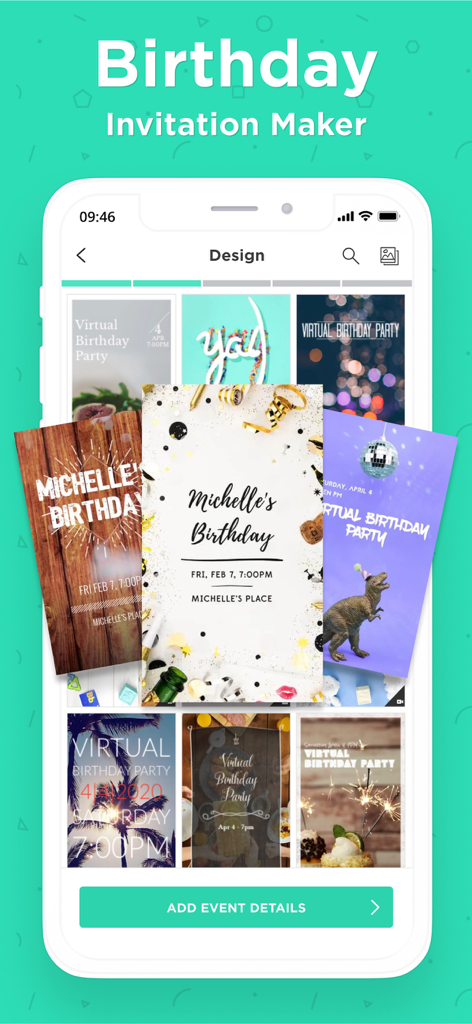
The Hobnob app design screen showing a variety of birthday invitation templates on a mobile device
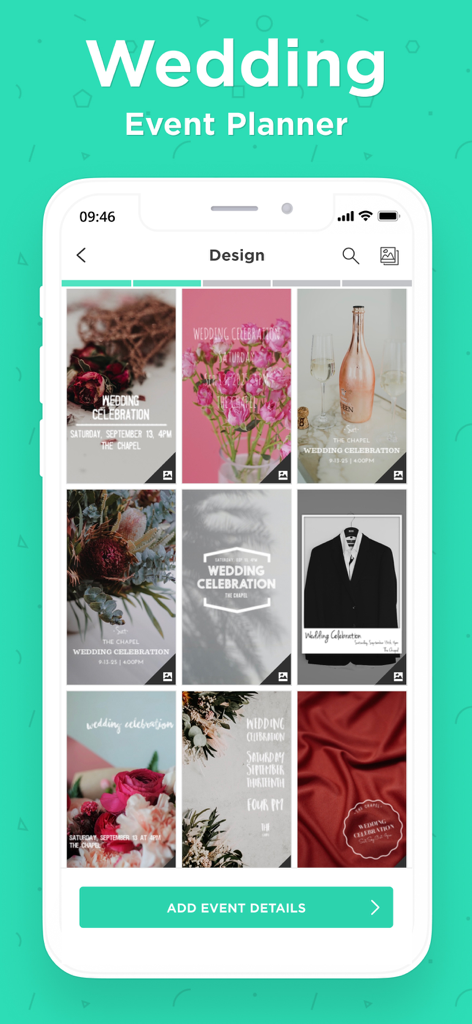
Hobnob app screen showing professional wedding invitation design templates
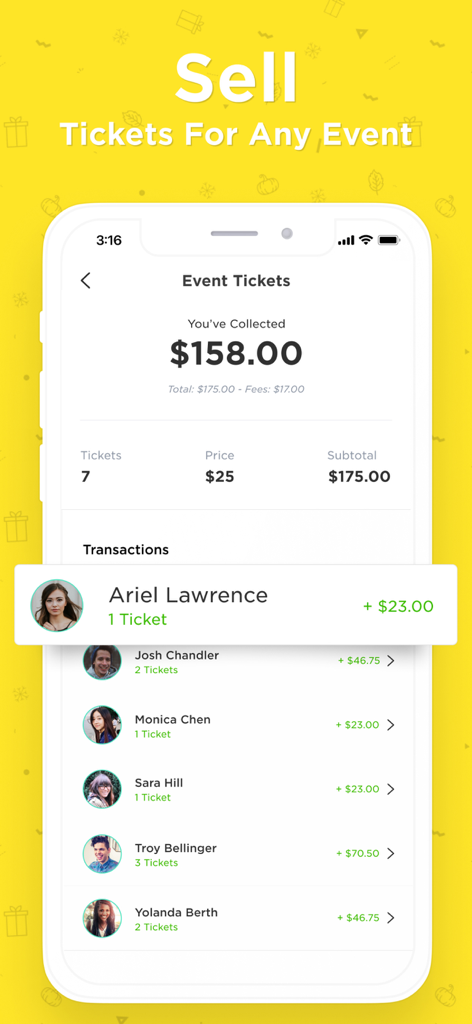
A screen from the Hobnob app showing a list of guest ticket purchases and the total amount of money collected for an event.
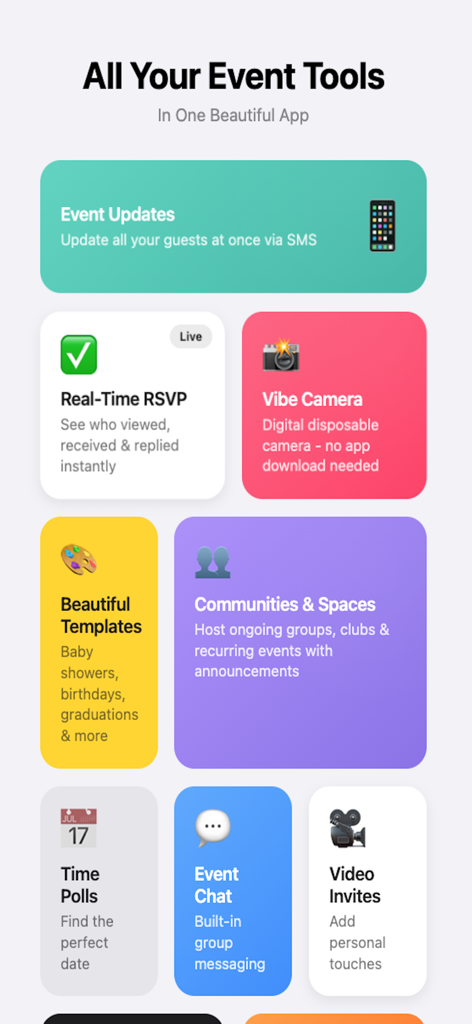
A grid display of Hobnob app features including real time RSVP event chat and beautiful templates
Description
Download
More Like This
Apps with similar features and user experience

Partiful Invites
Partiful Co.

婚贝请柬-电子请帖结婚宝宝相册视频制作
Qingdao hunbei technology Co., Ltd.

Invitation Maker: Cards & RSVP
Greetings Island Ltd

Evite: Party Invitation Maker
Evite, Inc

Paperless Post: Invitations
Paperless Inc.

Punchbowl: Invitations & Cards
Punchbowl, Inc.

Invitation Maker Greeting Card
Hangzhou Lemi Network Technology Co., Ltd

Vivipic - Invitation Maker
Printage inc.

Invitation Maker, Event RSVP
Bhavesh Gabani
This page is not an official page of the app or its developer, but an independent editorial publication created for informational and commentary purposes. Unless expressly stated otherwise, neither the app nor its developer is affiliated with, endorsed by, sponsored by, authorized by, or otherwise officially connected with MWM, Apple, Google Play, the app publisher, or the app's developer, and nothing on this page implies that the app was developed using MWM's services. Any trademarks, logos, screenshots, and other content remain the property of their respective owners.