HomeKeep: Maintenance Tracker

HomeKeep: Maintenance Tracker

Logo of HomeKeep: Maintenance Tracker

HomeKeep: Maintenance Tracker – The Smarter Way to Protect Your Home

Master your home upkeep with 39 pre-loaded tasks and smart reminders. No subscriptions, no ads, and total privacy—just a one-time purchase for lifelong peace of mind.

Publisher

Pedro Silva

Category

Lifestyle

Downloads

0

User Rating

1.0/5

Total Ratings

0

Locales

1

Your Home at a Glance

Discover the interface used by 0 users.

HomeKeep app dashboard showing a list of overdue home maintenance tasks including plumbing and HVAC services

HomeKeep app dashboard showing a list of overdue home maintenance tasks including plumbing and HVAC services

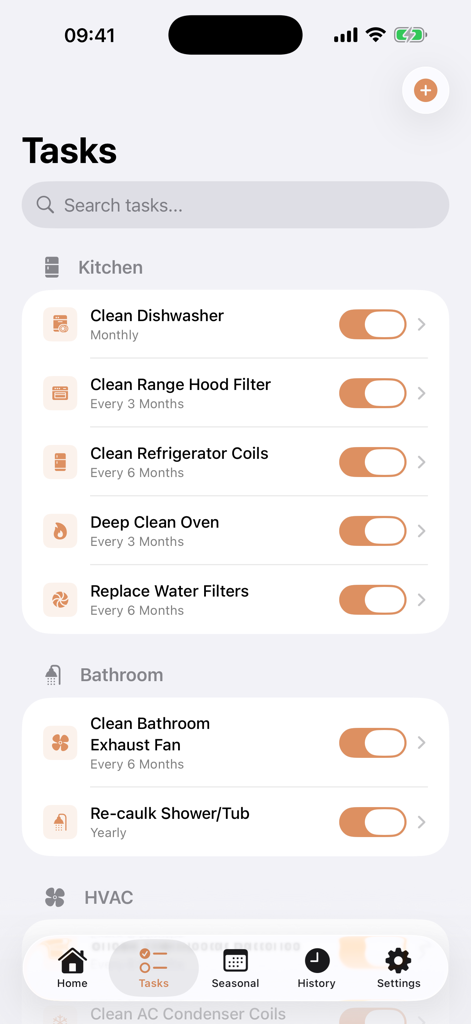
HomeKeep app interface displaying a list of pre-loaded maintenance tasks for different rooms with frequency settings

HomeKeep app interface displaying a list of pre-loaded maintenance tasks for different rooms with frequency settings

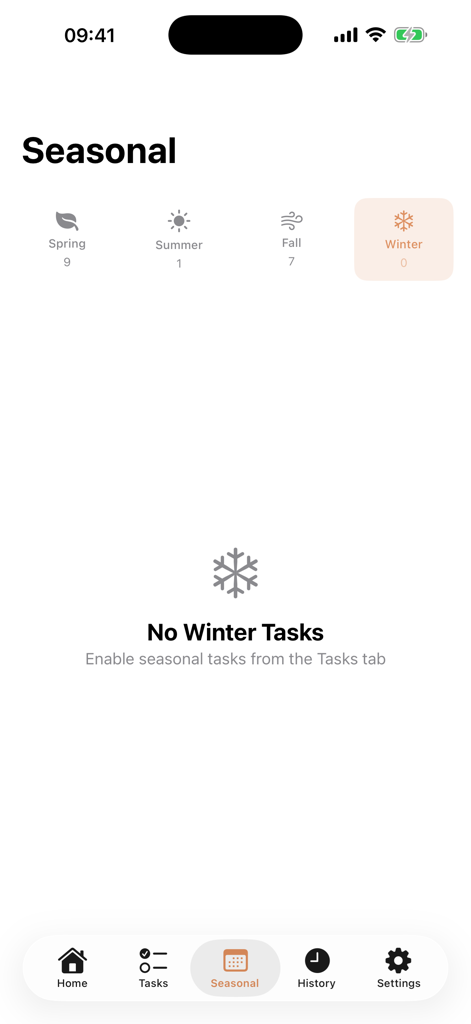
Screenshot of the seasonal dashboard in the HomeKeep app showing task counts for Spring Summer Fall and Winter

Screenshot of the seasonal dashboard in the HomeKeep app showing task counts for Spring Summer Fall and Winter

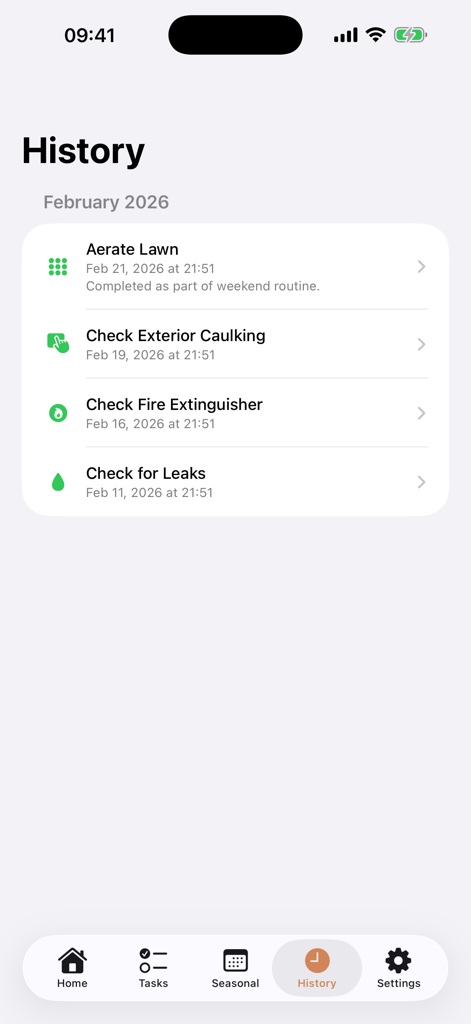
History screen of the HomeKeep app showing a list of completed home maintenance tasks with dates and notes

History screen of the HomeKeep app showing a list of completed home maintenance tasks with dates and notes

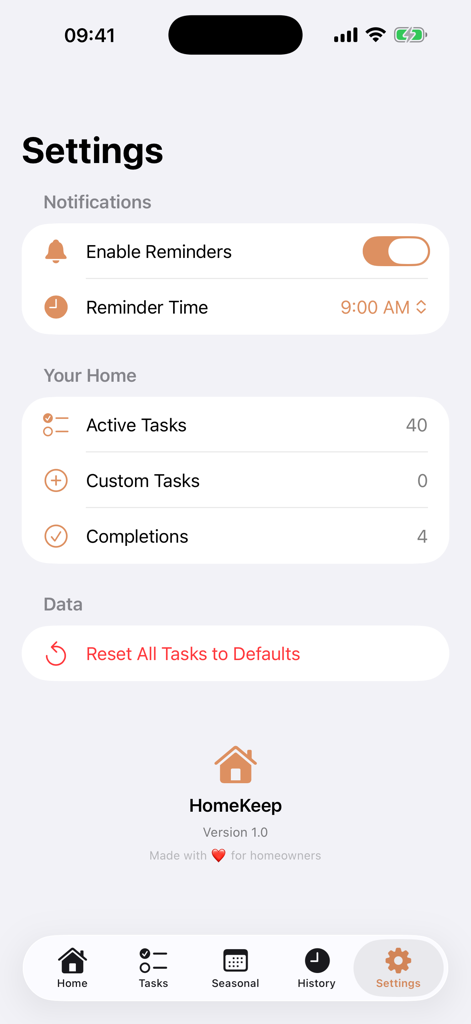
Settings menu of the HomeKeep app showing reminder options and task statistics

Settings menu of the HomeKeep app showing reminder options and task statistics

Maintain Your Home Like a Pro

The tools that make this app stand out, trusted by 0 users.

📋

Ready-to-Use Checklists

Start in minutes with 39 pre-loaded tasks across 12 zones, from HVAC to plumbing, organized by season.

🏷️

No Subscriptions, Ever

Stop paying monthly fees. Get lifetime access for a single one-time purchase with no ads and no hidden costs.

🛡️

Privacy-First Design

Your data stays on your device. We never see your maintenance history or sell your information to third parties.

About the app

Everything you need to know about HomeKeep: Maintenance Tracker.

Description

HomeKeep: Home Maintenance — Track Tasks & Get Reminders Stop Googling "home maintenance checklist" every season. HomeKeep comes pre-loaded with 39 common maintenance tasks so you can start tracking immediately. READY OUT OF THE BOX • 39 pre-loaded home maintenance tasks with recommended frequencies • 12 zones: Kitchen, HVAC, Exterior, Plumbing, Electrical & more • Seasonal dashboard shows what's due for Spring, Summer, Fall & Winter • Just toggle which tasks apply to your home — done in minutes NEVER FORGET MAINTENANCE AGAIN • Smart push notification reminders: day of, day before, or week before • Mark tasks complete with a date stamp • Full completion history — know exactly when you last changed that furnace filter • Overdue tasks highlighted so nothing falls through the cracks ADD YOUR OWN TASKS • Create custom tasks with any recurrence: weekly, monthly, quarterly, seasonal, or annual • Organize by room or zone • Add notes to any task WHY HOMEKEEP? Every other home app tries to be a full management platform — inventory, renovation projects, contractor contacts, insurance tracking. HomeKeep does one thing perfectly: your home maintenance checklist with smart reminders. Buy once, own forever. $3.99. No subscription. No ads. Your data stays on your device. We never see it.

Latest Version

1.0

Size

1.6 MB

First Released

Feb 24, 2026

Protect Your Home’s Value Without the Mental Load

Get your seasonal maintenance checklist today. No subscriptions, no ads—just a one-time $3.99 purchase to own it forever.

App information, icons, screenshots, and descriptions displayed on this page are sourced from the Apple App Store and are the property of their respective developers. Download estimates and rankings are based on MWM's proprietary models and may not reflect actual figures. This page is provided for informational and analytical purposes only.

Believe this page infringes your intellectual property? File a dispute