I'm here

I'm here

Download on App Store
Logo of I'm here

I'm here: The Simple, Smart Way to Navigate Your City

No more map clutter or 'which way' confusion. Get precise walking and driving directions with automatic voice guidance that works even while your phone is in your pocket.

Download on App Store

Publisher

Masashi Sasaoka

Category

Navigation

Downloads

0

User Rating

1.0/5

Total Ratings

0

Locales

9

Navigate at a Glance

Discover the interface used by 0 users.
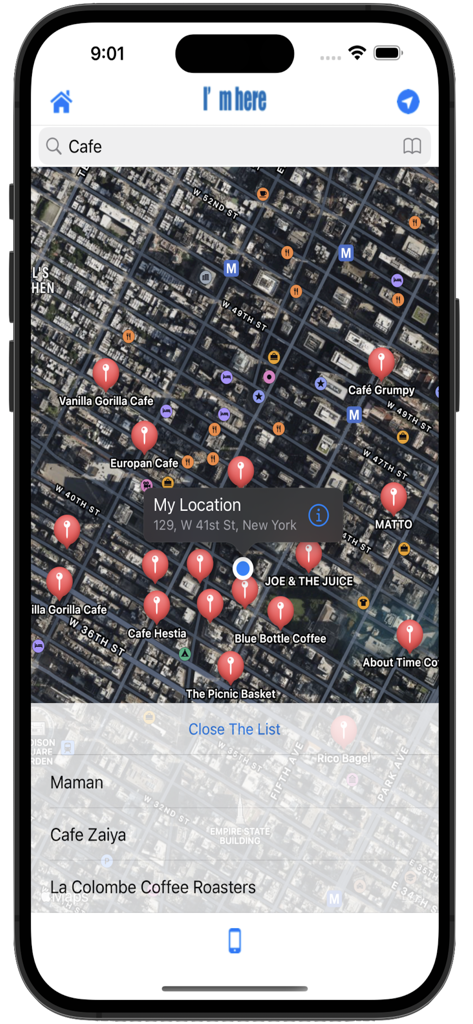
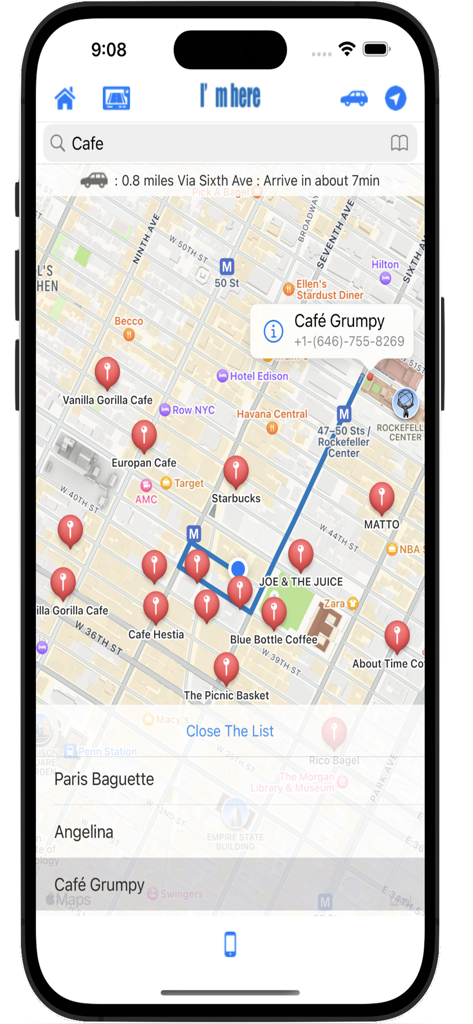
Satellite map view showing cafe search results in New York City on the Im here app.

Satellite map view showing cafe search results in New York City on the Im here app.

I'm here app displaying a map of NYC with search results for local cafes

I'm here app displaying a map of NYC with search results for local cafes

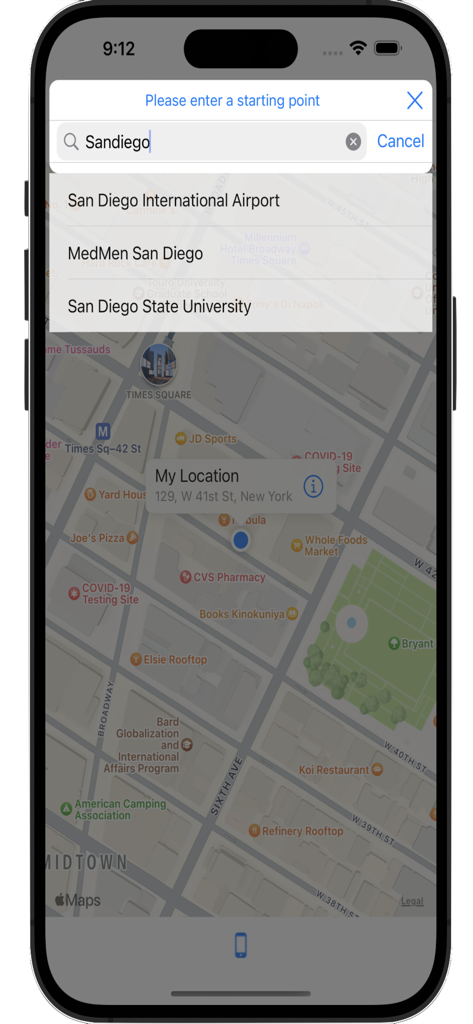
Screenshot of the Im here app showing search autocomplete suggestions for a starting point on a city map

Screenshot of the Im here app showing search autocomplete suggestions for a starting point on a city map

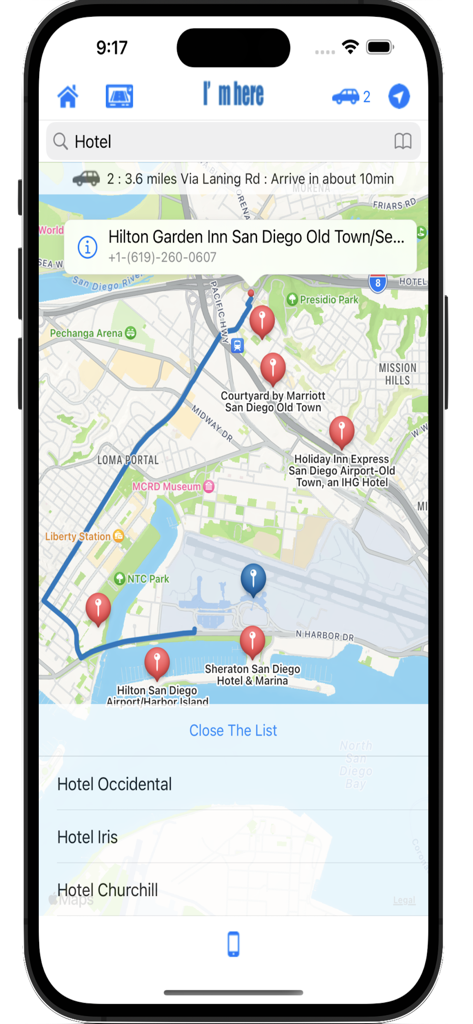
Screenshot of I'm here app showing a map with hotel locations and a navigation route

Screenshot of I'm here app showing a map with hotel locations and a navigation route

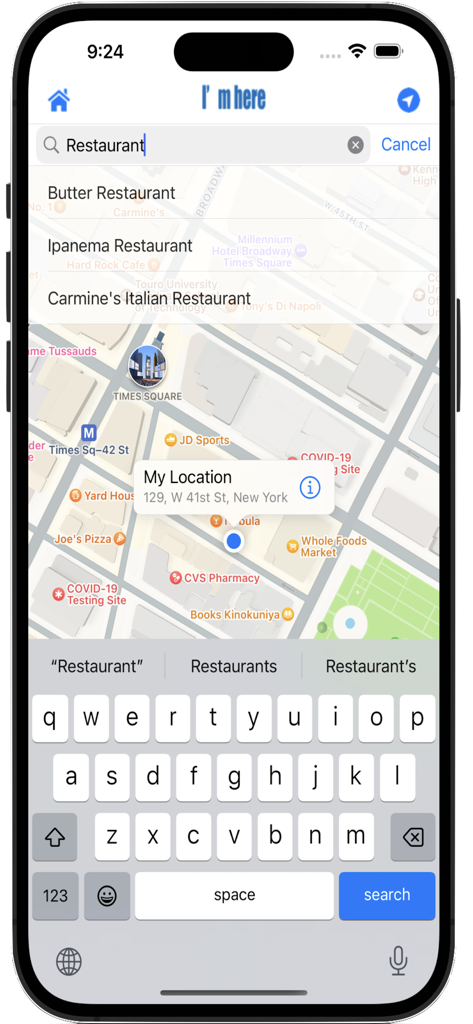
I'm here app screenshot showing a restaurant search on a New York City map with location marker and keyboard

I'm here app screenshot showing a restaurant search on a New York City map with location marker and keyboard

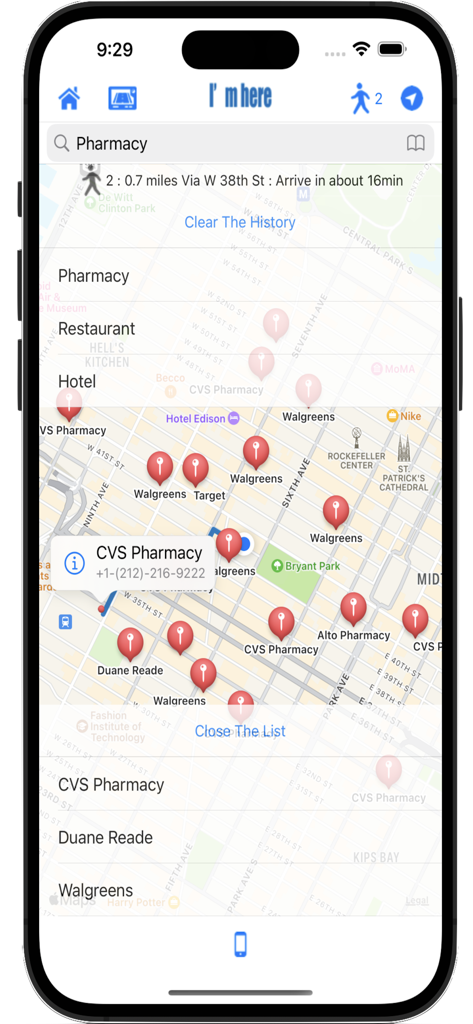
Smartphone screen showing the Im here navigation app with a map of New York City and pharmacy search results.

Smartphone screen showing the Im here navigation app with a map of New York City and pharmacy search results.

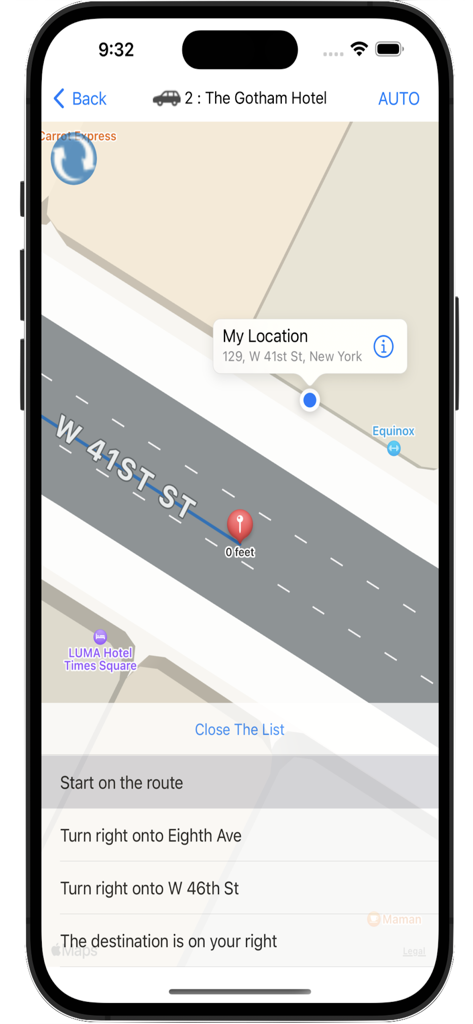
Navigation screen showing map and directions to the Gotham Hotel in the Im here app

Navigation screen showing map and directions to the Gotham Hotel in the Im here app

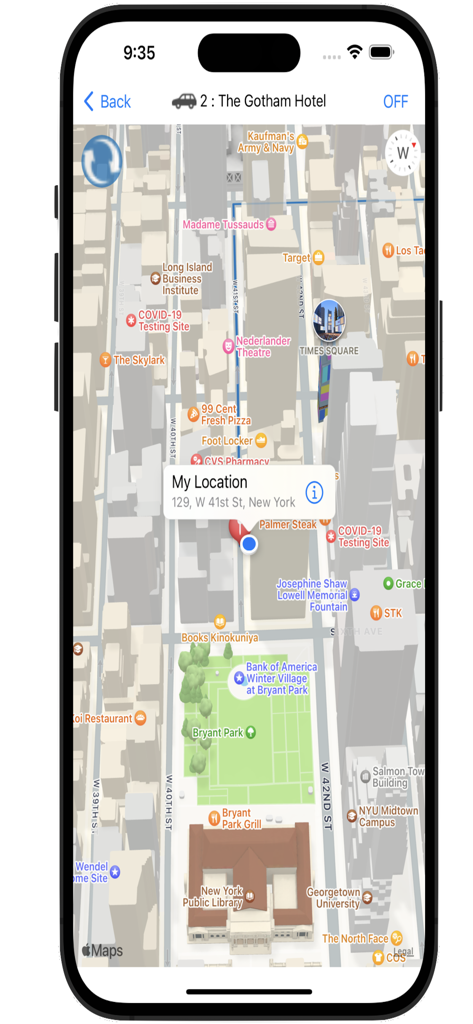
Im here app navigation map showing a route in New York City

Im here app navigation map showing a route in New York City

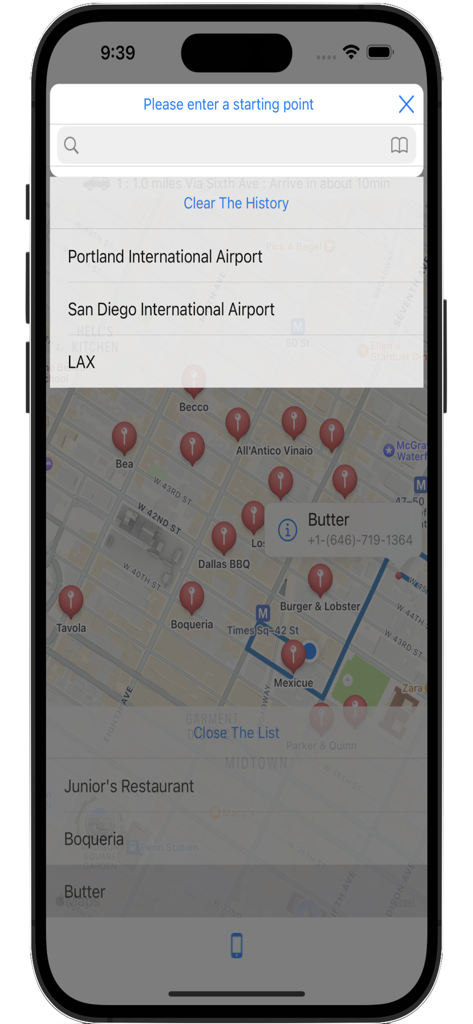
Interface of the I'm here navigation app showing search history and a map with business location pins.

Interface of the I'm here navigation app showing search history and a map with business location pins.

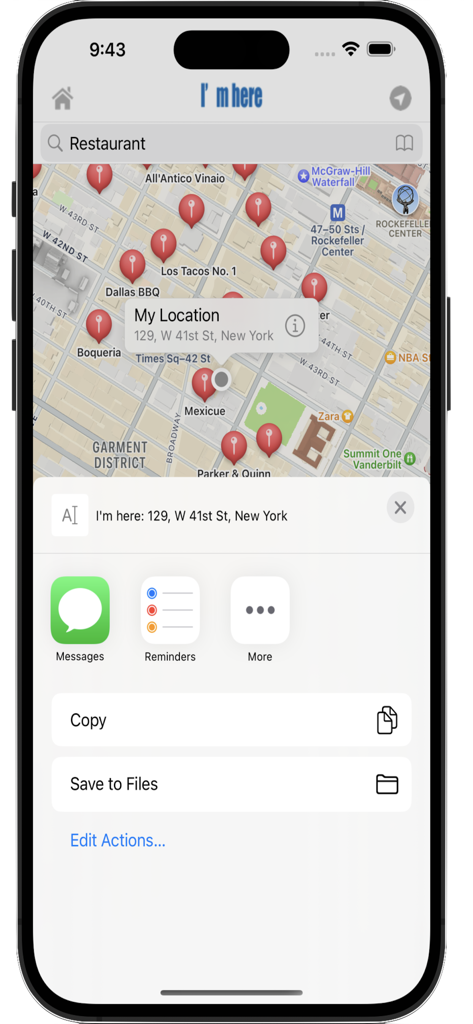
I'm here app showing a location sharing menu over a map of New York City

I'm here app showing a location sharing menu over a map of New York City

Effortless Navigation for Every Journey

The tools that make this app stand out, trusted by 0 users.

🎧

Eyes-Free Voice Guidance

Navigate safely with your phone in your pocket. Receive precise voice announcements at every corner, even while using other apps or when your screen is turned off.

🧭

Smart Directional Sync

Stop guessing which way to start walking. The map automatically rotates to match your physical direction, ensuring you're always heading the right way from the first step.

📞

One-Tap Action Hub

Save time by calling businesses directly from your search results or instantly sharing your precise location with friends via your favorite social apps.

About the app

Everything you need to know about I'm here.

Description

"I'm here" is a free map application with easy operation. Equipped with a navigation function to the destination from the current location or the input start point. With a simple operation, you can check not only the route from your current location, but also the detailed route from the input start point to the destination in advance, so it is very convenient! Only iPad version can be displayed horizontally. ◆ Route for each means of transportation can be selected: · By tapping the transportation mode display button or the place name of the list, the route of each transportation method (walking, car etc) is displayed in order. ◆ Navigation function installed: - You can also transition to the navigation screen by tapping the navigation button or by long pressing the place name in the search result list. · The navigation function is displayed in list form at the point where the direction changes, and you can check the way from the current location by tapping that point. · During navigation, tap the update button on the upper left to update the route from the current location you are moving. ◆ Automatic navigation function installation: After transitioning to the navigation screen, when you tap the "AUTO" button in the upper right corner, automatic navigation with instruction indication popup at the corner and voice announcement (earphone OK) starts. Tap "OFF" to exit the automatic navigation mode. As the map scrolls in rotation according to the direction in which you are walking, depending on the way you are walking, it will not be said "Which way are you heading?", You can go smoothly to your destination . Also, in the case of the automatic navigation mode, even if you are using other applications, even if you turn off the screen, you are updating your location information so you will announce with an announcement when you reach the corner. In other words, if you are walking with earphones inserted, the iPhone will tell you which way you can go next, even if it is in your pocket. ※Caution Since the automatic navigation mode is always functioning to update the current location information, the battery consumption increases. If you do not use it, turn it off, please close the application and be careful not to waste the battery. ◆ Direct calling to the search result phone number: · Equipped with call function from search result annotation. You can call the store directly from this application. ◆ SNS / memo posting function: You can post to SNS (Twitter, LINE, Facebook, etc.) and memos from the current location button. Depending on the app, you can also post images. ◆ With search word history function: · When you tap the BookMark button on the search bar, the history of the word searched up to now is displayed in list form below the search bar. It is now possible to search by selecting the word selected from the list. · The history data can be deleted all in the history by tapping "clear history" button displayed in the list. You can also delete any word individually by swiping each history word to the left. ※ The maximum number of history words saved is 30 cases. If it exceeds 30, the oldest search word will be deleted. ◆ Search word complementing function (Available for iOS 9.3 and above): · As you enter the search word, data close to the word you are entering is displayed in list format under the search bar. It is now possible to search by selecting the word selected from the list. ◆ Note: Ads will be hidden if you pay.

Latest Version

17.1

Size

22.4 MB

First Released

Jun 24, 2016

Never Guess Which Way to Turn Again

Download "I'm here" for simple, automatic navigation that guides you via voice while your phone stays safely in your pocket. Start your stress-free journey today.

Download on App Store

App information, icons, screenshots, and descriptions displayed on this page are sourced from the Apple App Store and are the property of their respective developers. Download estimates and rankings are based on MWM's proprietary models and may not reflect actual figures. This page is provided for informational and analytical purposes only.

Believe this page infringes your intellectual property? File a dispute