i-PRO Mobile APP
i-PRO Mobile APP
Download on App Store

This page is not an official page of the app or its developer, but an independent editorial publication created for informational and commentary purposes. Unless expressly stated otherwise, neither the app nor its developer is affiliated with, endorsed by, sponsored by, authorized by, or otherwise officially connected with MWM, Apple, Google Play, the app publisher, or the app's developer, and nothing on this page implies that the app was developed using MWM's services. Any trademarks, logos, screenshots, and other content remain the property of their respective owners.


Logo of i-PRO Mobile APP
Download on App Store

i-PRO Mobile APP

Take full command of your surveillance network. Monitor live feeds, manage PTZ controls, and access actionable business intelligence from anywhere with enterprise-grade reliability.

Key Figures

Downloads

0

User Rating

4.3/5

Total Ratings

0

Publisher

i-PRO Co., Ltd.

Category

Business

Locales

3

Latest Version

12.8.0

Size

88.8 MB

First Released

May 22, 2013
Features

Enterprise-Grade Surveillance Management

Empower your security operations with high-performance remote monitoring, precision camera control, and data-driven insights designed for professionals.

Precision Remote Control

Take full command of your site with PTZ, zoom, and dewarping capabilities for professional-grade oversight from anywhere.

Proactive Incident Response

Stay ahead of security threats with instant push notifications that link directly to live video the moment an alarm is triggered.

The following screenshots and description are sourced directly from the app's official store listing and are the property of the app developer.

App Store

Screenshots
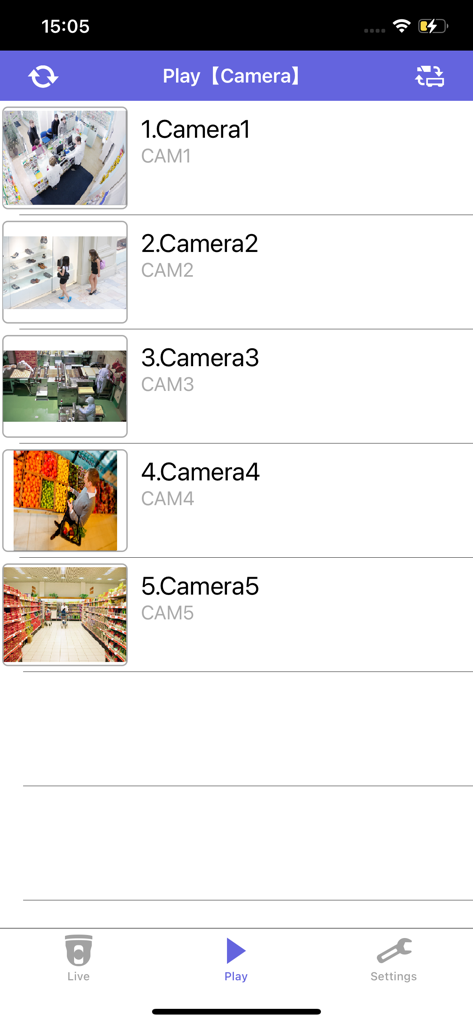
i-PRO Mobile APP - A list of five security camera feeds within the i-PRO Mobile APP showing various retail and business environments for playback selection.
A list of five security camera feeds within the i-PRO Mobile APP showing various retail and business environments for playback selection.

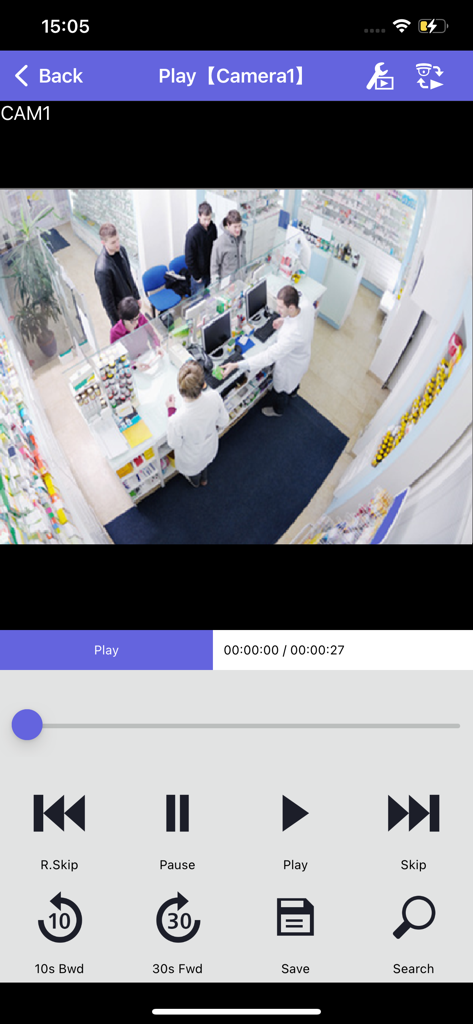
i-PRO Mobile APP - Video playback screen in the i-PRO Mobile APP showing a business surveillance feed with playback controls.
Video playback screen in the i-PRO Mobile APP showing a business surveillance feed with playback controls.

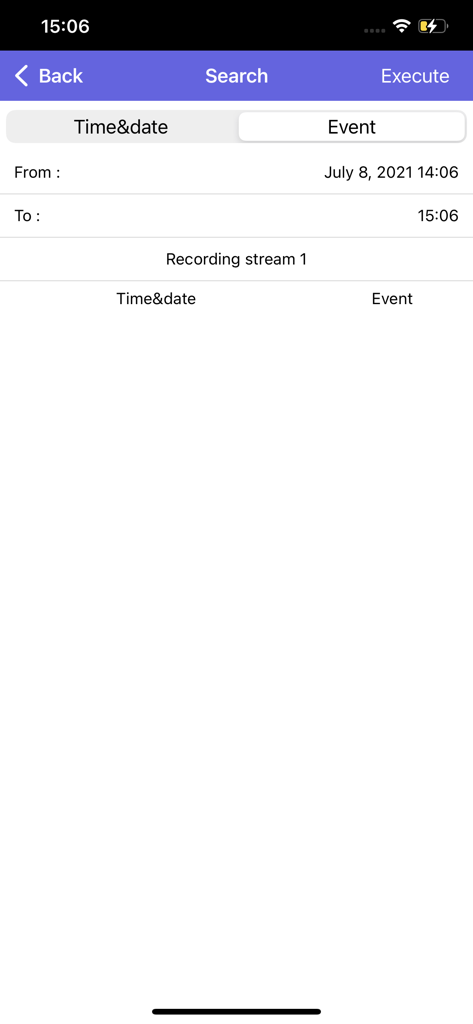
i-PRO Mobile APP - Search interface of the i-PRO Mobile APP for looking up recorded security footage by date and event.
Search interface of the i-PRO Mobile APP for looking up recorded security footage by date and event.

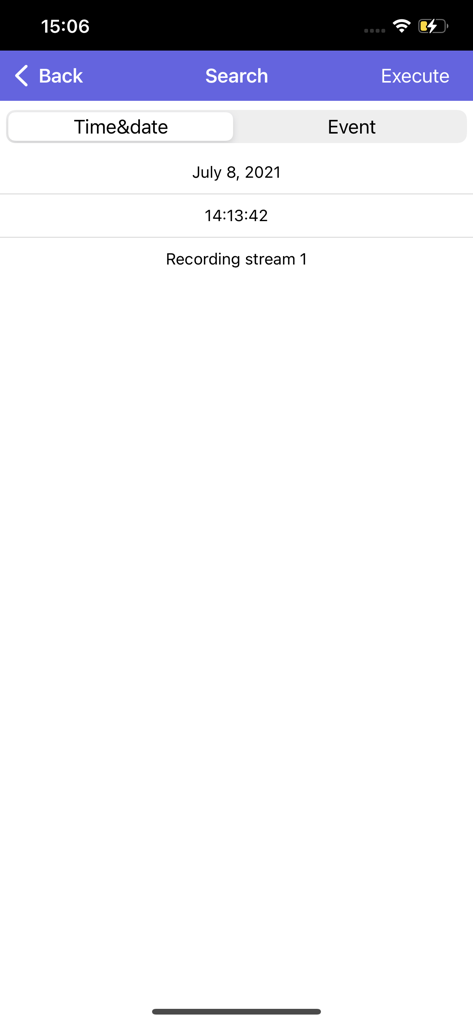
i-PRO Mobile APP - i-PRO Mobile APP search screen for finding recorded surveillance footage by date and time

i-PRO Mobile APP search screen for finding recorded surveillance footage by date and time

Description

- Outline i-PRO Mobile APP is a smartphone application that makes possible to view videos from/in the following i-PRO devices. (Hereinafter referred to as this app) ・ Network Camera (Hereinafter referred to as camera) ・ Network Interface Unit (Hereinafter referred to as encoder) ・Digital Disk Recorder (Hereinafter referred to as recorder) ・Network Disk Recorder For further information about compatible devices, refer to the website of this app. “i-PRO Mobile APP” https://i-pro.com/products_and_solutions/en/surveillance/products/nvr-system/i-pro-mobile-app Camera images taken with Remote Monitoring as a cloud service for P2P functions can be displayed by this app. For further information about Remote monitoring, refer to our website below. https://i-pro.com/products_and_solutions/en/RemoteMonitoring/en/html/RemoteMonitoring_ webguide_en/index.html Viewing of live video from a camera or playback of video in a recorder will become available by connecting with 3G/4G/5G/LTE line or wireless LAN (Wi-Fi). When using via the Internet, set the port forwarding function of the router. Refer to the manuals provided with the router for further information. Automatic setting with the router is possible by setting the UPnp (auto port forwarding) of the camera to “On”. (Only when a router supporting UPnp is in use) For how to configure, refer to the manual of the camera in use that is available to downloaded from the URL below. https://i-pro.com/products_and_solutions/en/surveillance/documentation-database#network_cameras Please use the DDNS service below. https://www.viewnetcam.com/ip_ddns/ - Features Check live video Check live video from an independent camera, a camera connected to a recorder, and cameras via Remote Monitoring. To check live video, switch between the camera list screen and the live screen. Control live video Perform PanTilt/ Zoom/ Preset/ Resolution/ Focus Dewarp operation. Play recorded video Play videos recorded in the SD memory card (SD recording) on the camera or videos recorded in a recorder (recorder recording) with the device type as camera, recorder, or Remote Monitoring. Search recorded video by date, time or event and play.(The event search is available only at the time of SD recording playback.) Download playback video Download video recorded in an SD memory card on the camera (SD recording) or video recorded in a recorder (recorder recording) to the smartphone in MP4 format. Check the statistics in a graph Check the person count information including the number of visiting and staying persons with graphs when the extension software is installed on the camera in use. Alarm notification function Alarms from the cameras and recorders are displayed in a pop-up display. By tapping the pop-up display, you can check the live video of the camera where the alarm occurred. - Website introduction i-PRO website https://i-pro.com/products_and_solutions/en/surveillance -Note Direct reply will not be sent even if you connect to the developer’s e-mail address.

Download

Download on App Store

This page is not an official page of the app or its developer, but an independent editorial publication created for informational and commentary purposes. Unless expressly stated otherwise, neither the app nor its developer is affiliated with, endorsed by, sponsored by, authorized by, or otherwise officially connected with MWM, Apple, Google Play, the app publisher, or the app's developer, and nothing on this page implies that the app was developed using MWM's services. Any trademarks, logos, screenshots, and other content remain the property of their respective owners.