
This page is not an official page of the app or its developer, but an independent editorial publication created for informational and commentary purposes. Unless expressly stated otherwise, neither the app nor its developer is affiliated with, endorsed by, sponsored by, authorized by, or otherwise officially connected with MWM, Apple, Google Play, the app publisher, or the app's developer, and nothing on this page implies that the app was developed using MWM's services. Any trademarks, logos, screenshots, and other content remain the property of their respective owners.


iClicker Student
No more classroom crickets. This app turns your device into a direct pipeline for participation, ensuring your voice is heard and grades reflect it.
Downloads
2.5M+User Rating
Total Ratings
37.0KPublisher
Category
EducationLocales
1Latest Version
7.7.1Size
49.9 MBFirst Released
Jul 31, 2014An analysis of key features driving student engagement and learning outcomes.
iClicker Student: Core Functionality and Academic Impact
Real-time Participation
The app allows users to answer instructor questions instantly during class sessions, fostering active engagement.
Post-Class Study & Review
This tool enables students to access saved poll questions, answers, and session history after class for comprehensive study and exam preparation.
Instant Feedback & Comparison
It provides instant feedback on answers and allows students to compare their responses with the class results, fostering self-assessment.
Graded Performance Feedback
The app provides correct/incorrect feedback once the instructor grades the questions, offering clear insight into performance.
Cloud-Based Accessibility
The app stores all session history in the cloud, ensuring students can access their data from any device, anywhere, for continuous learning.
Diverse Question Formats
It supports a variety of question formats, including Multiple Choice, Short Answer, Numeric, and Target types, accommodating different teaching methodologies.
Clear Question Display
It allows users to view instructor's questions as high-resolution screenshots, ensuring clarity and readability during participation.
Free Trial Access
The app offers a free trial subscription upon account creation, enabling new users to experience its features without immediate commitment.
Frequently Asked Questions
Everything you need to know about iClicker Student
What is the iClicker Student app used for?
The iClicker Student app enables students to answer instructor questions, receive instant feedback, compare responses to the class, and access saved poll questions for studying using Apple devices.
Which devices are compatible with the iClicker Student app?
The iClicker Student app is compatible with iPhone, iPad, and iPod Touch. It also works seamlessly with all iClicker remotes, integrating physical clickers with the app functionality.
Does the iClicker Student app store data in the cloud?
Yes, the iClicker Student app stores all user data, including session history, securely in the cloud. This cloud storage ensures accessibility from any device at any time.
Does the iClicker Student app offer a free trial?
Yes, the iClicker Student app offers a free trial subscription. Users gain access to this trial immediately upon creating an account within the app.
What question types does the iClicker Student app support?
The iClicker Student app supports various question types, including Multiple Choice, Short Answer, Numeric, and Target questions. It also displays instructor questions as high-resolution screenshots.
Can students track their performance and attendance in the iClicker Student app?
Yes, iClicker Student allows students to track important course statistics. This includes performance scores and attendance records, which are displayed in the app's 'Statistics' tab.
How can I review past sessions in the iClicker Student app?
Students can review past sessions in the iClicker Student app by accessing the 'Course History' tab. This section provides details on quizzes, polls, and check-ins, stored in the cloud.
Does the iClicker Student app provide study tools?
Yes, the iClicker Student app includes built-in 'Study Tools'. These features offer Flashcards and Practice Tests to assist students in preparing for upcoming tests and quizzes.
Does iClicker Student provide feedback on answers?
Yes, the iClicker Student app provides instant feedback on answers. Students receive immediate correct/incorrect feedback when instructors grade questions, aiding real-time learning.
How does iClicker Student display class results after a question?
The iClicker Student app displays class results by showing 'Your Answer', the 'Correct Answer', and 'All Results' with percentage breakdowns for each option. This allows for comparative analysis.
The following screenshots and description are sourced directly from the app's official store listing and are the property of the app developer.
App Store
Screenshots
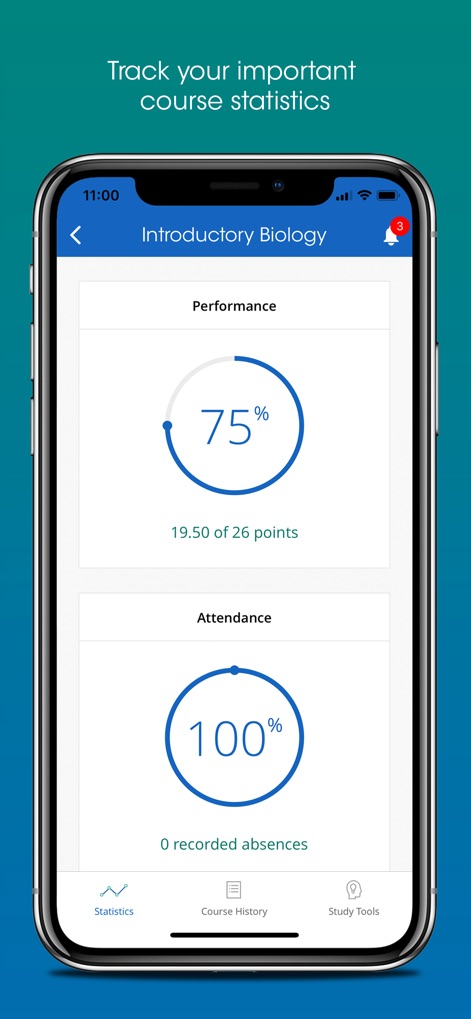
Users can monitor their academic standing through detailed performance percentages and consistent attendance records, all within a single interface.
Academic Tracking
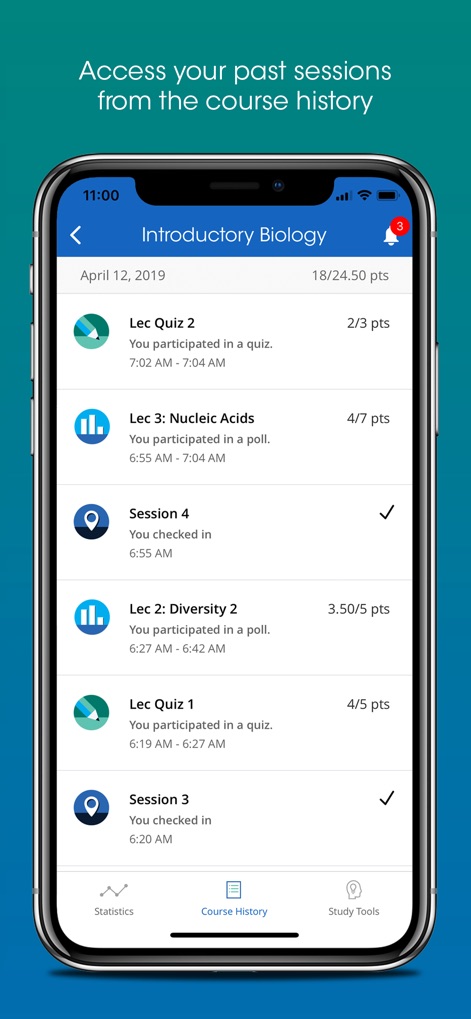
The app provides a comprehensive log of past sessions, detailing participation points for quizzes and clear records of check-in attendance.
Session Activity Log
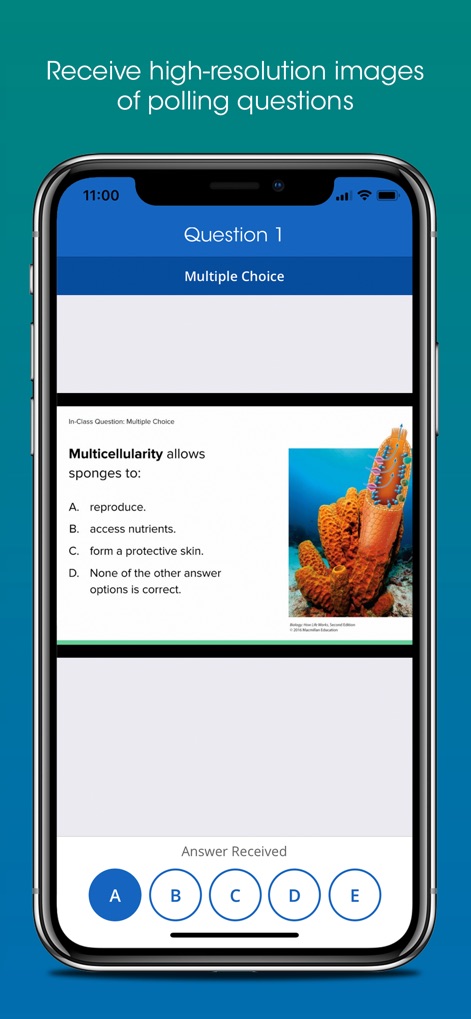
This tool displays instructor questions as high-resolution screenshots, enabling users to submit answers efficiently using interactive multiple-choice buttons.
Dynamic Questioning
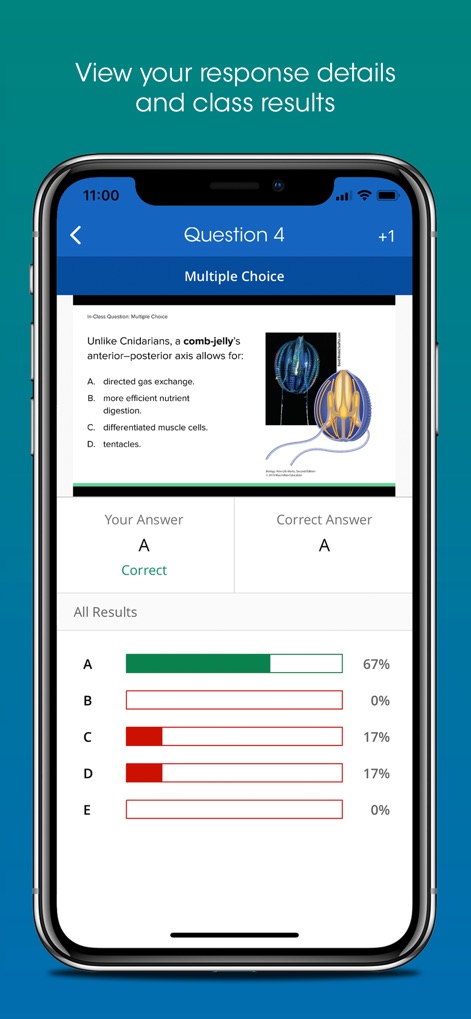
Users receive immediate feedback on their individual responses and can instantly compare their selection against the aggregate class results visualized in a bar graph.
Feedback & Insights
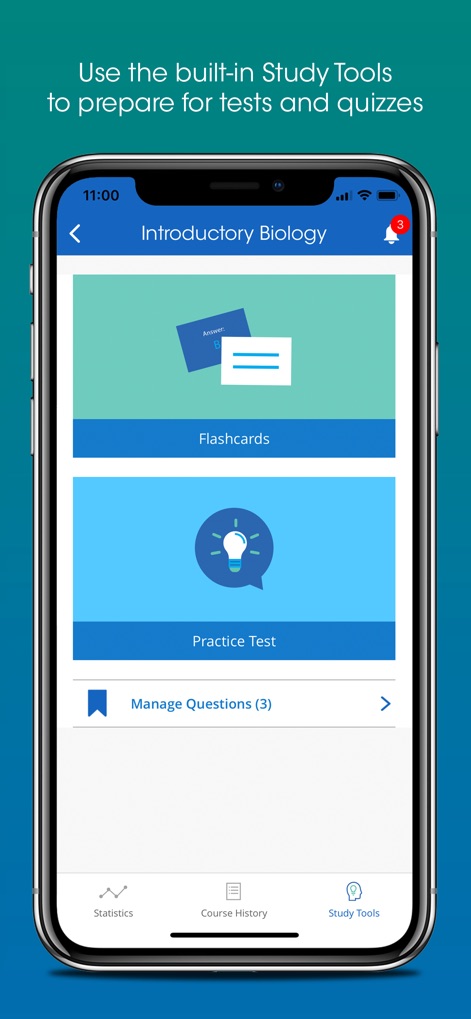
The app integrates powerful study features including digital flashcards and customizable practice tests to facilitate comprehensive exam preparation.
Enhanced Study Tools
Description
Download
More Like This
Apps with similar features and user experience

wePix arena
FREDERIC GIRY

Stadium FX
CUE Audio, LLC

CrowdFX
Jamie Severns

Top Hat - Better Learning
TopHatMonocle Corp

Poll Everywhere
Poll Everywhere, Inc.
TXT Official Light Stick Ver.2
HYBE Co., Ltd

&TEAM Official Light Stick V1
HYBE Co., Ltd

PointSolutions
Turning Technologies, LLC

Budweiser Sports App
Fandom Connect Operating Pty Ltd
This page is not an official page of the app or its developer, but an independent editorial publication created for informational and commentary purposes. Unless expressly stated otherwise, neither the app nor its developer is affiliated with, endorsed by, sponsored by, authorized by, or otherwise officially connected with MWM, Apple, Google Play, the app publisher, or the app's developer, and nothing on this page implies that the app was developed using MWM's services. Any trademarks, logos, screenshots, and other content remain the property of their respective owners.