Photo Cut: Cutout pro & paste

Photo Cut: Cutout pro & paste

Download on App Store
Logo of Photo Cut: Cutout pro & paste

PhotoCut: Cutout pro & paste – Create Professional Product Shots in Seconds

The ultimate AI-powered background remover and design studio for resellers and creators. Transform your photos into high-converting listings and stunning social posts with no design experience required.

Publisher

IMAGIX AI Private Limited

Category

Graphics & Design

Downloads

527K+

User Rating

4.7/5

Total Ratings

6K+

Locales

17

Design Superpowers Unlocked

Discover the interface used by 527K+ users.
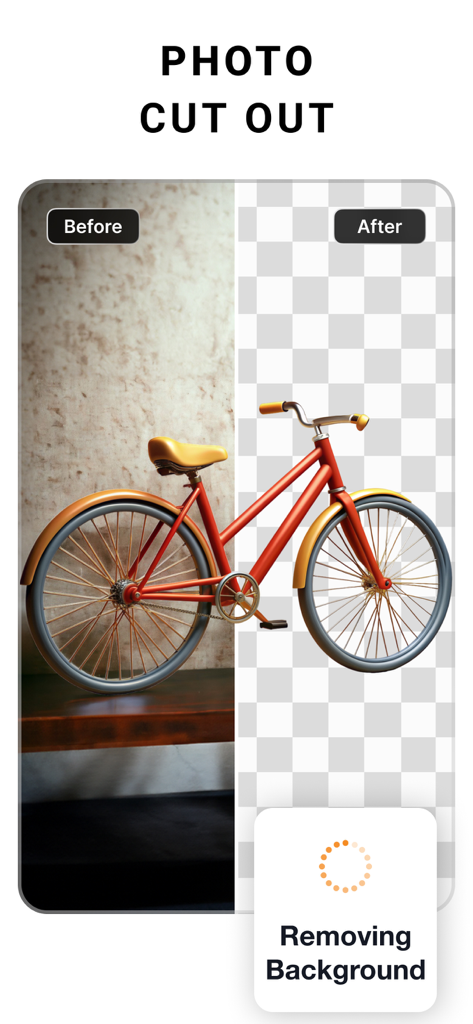
Before and after comparison of background removal for a red bicycle using the PhotoCut app

Before and after comparison of background removal for a red bicycle using the PhotoCut app

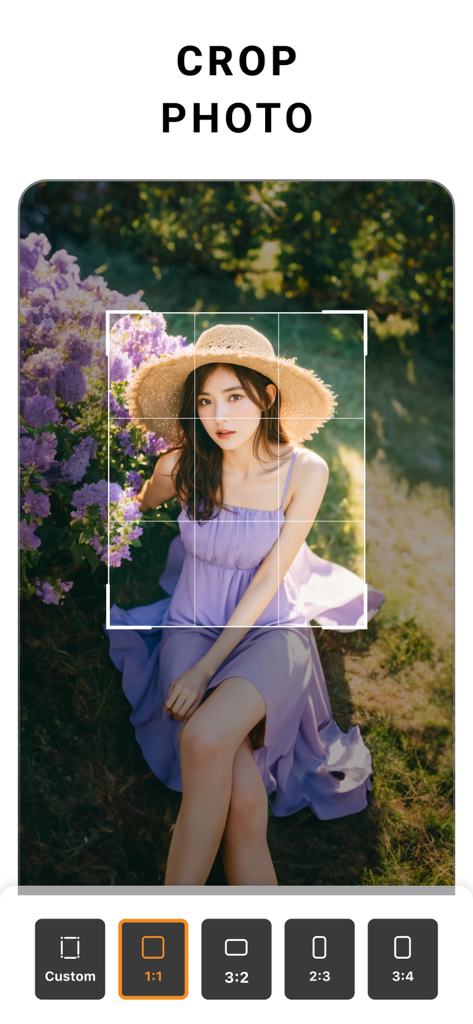
PhotoCut mobile app interface showing a crop tool with aspect ratio options and a portrait of a woman

PhotoCut mobile app interface showing a crop tool with aspect ratio options and a portrait of a woman

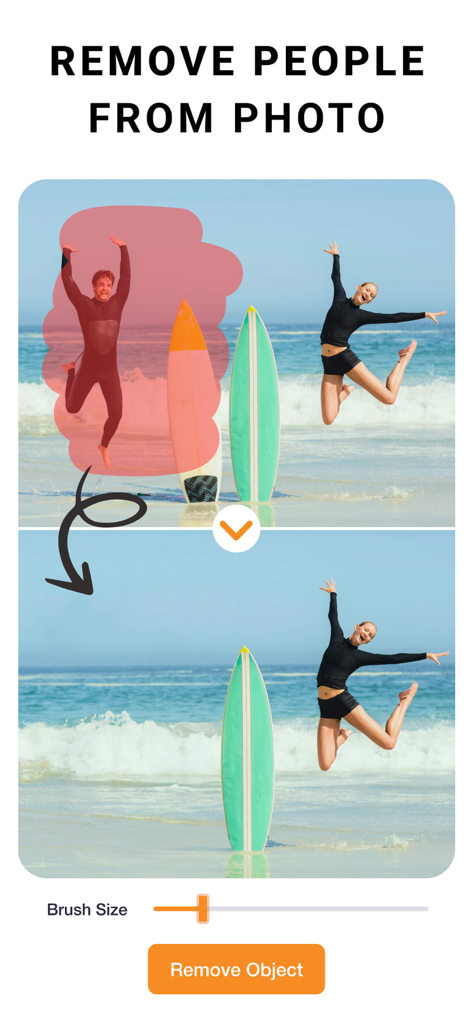
Interface of PhotoCut app demonstrating how to remove a person from a beach photo using the object removal tool

Interface of PhotoCut app demonstrating how to remove a person from a beach photo using the object removal tool

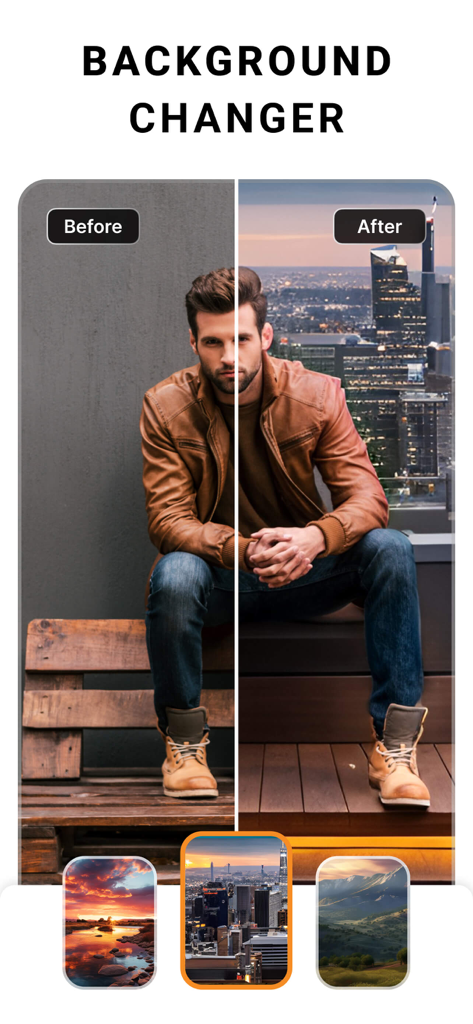
Before and after demonstration of the PhotoCut background changer feature with a man in front of a city skyline

Before and after demonstration of the PhotoCut background changer feature with a man in front of a city skyline

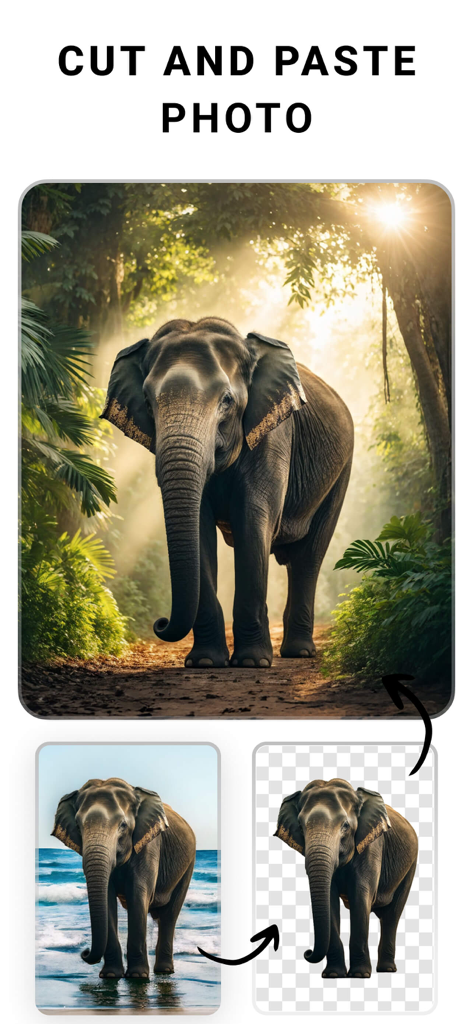
A demonstration showing an elephant cutout being moved from a beach background to a jungle scene using the PhotoCut app

A demonstration showing an elephant cutout being moved from a beach background to a jungle scene using the PhotoCut app

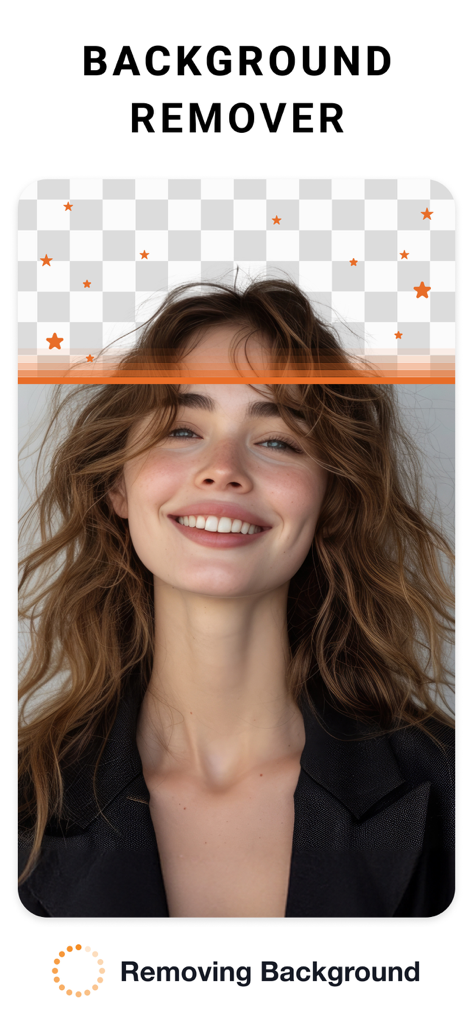
A woman portrait being edited with the background remover tool showing a transparent checkerboard pattern.

A woman portrait being edited with the background remover tool showing a transparent checkerboard pattern.

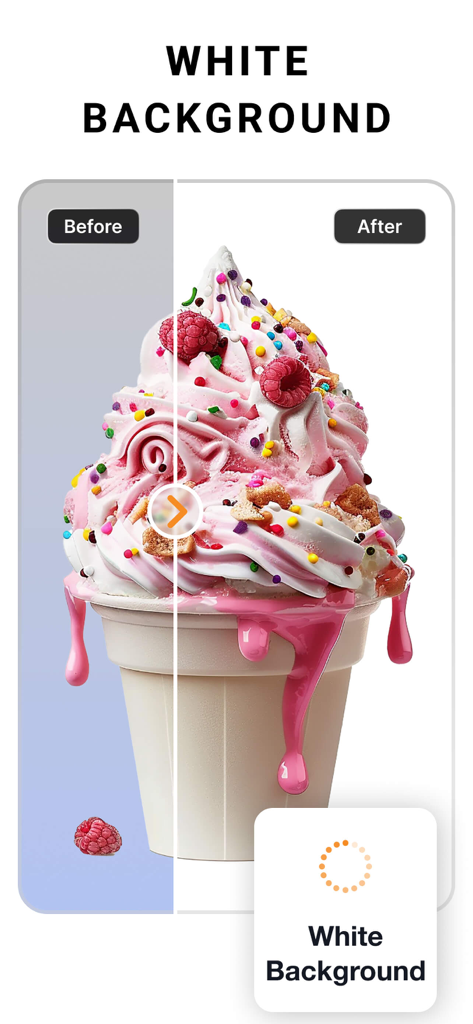
Before and after comparison of an ice cream photo showing background removal replaced with a clean white background

Before and after comparison of an ice cream photo showing background removal replaced with a clean white background

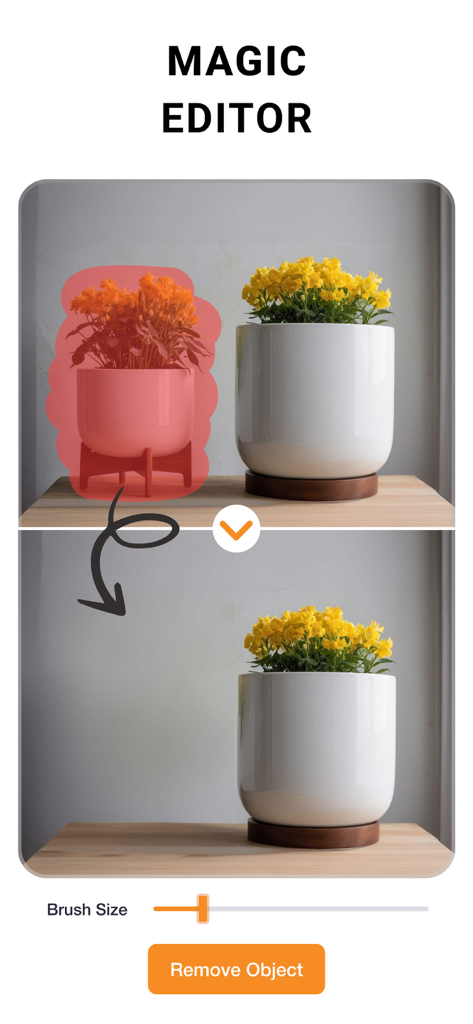
Before and after demonstration of the Magic Editor feature removing a potted plant from a photo.

Before and after demonstration of the Magic Editor feature removing a potted plant from a photo.

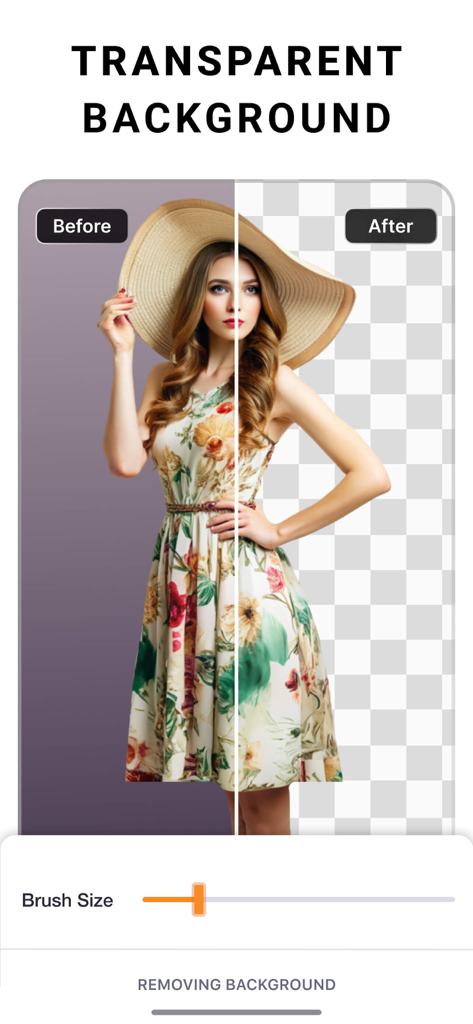
A before and after comparison showing the transparent background removal feature in the PhotoCut app.

A before and after comparison showing the transparent background removal feature in the PhotoCut app.

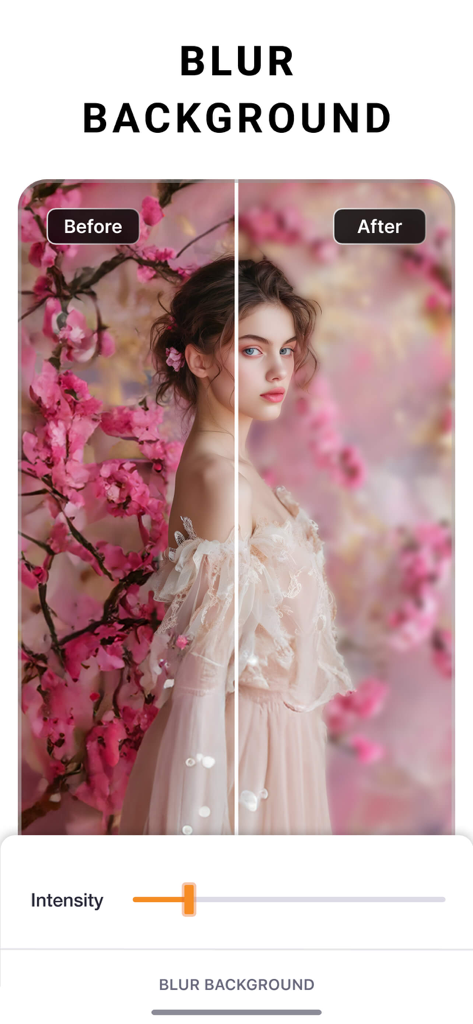
Before and after comparison of the background blur effect on a portrait photo in the PhotoCut app.

Before and after comparison of the background blur effect on a portrait photo in the PhotoCut app.

Design Like a Pro, Sell Like a Brand

The tools that make this app stand out, trusted by 527K+ users.

📸

Instant Studio Backgrounds

Remove messy backgrounds in one tap to create clean, professional product shots for Etsy, Poshmark, or Shopify.

Bulk Edit in Seconds

Save hours by applying the same professional edits and background swaps to your entire product catalog at once.

Eye-Catching Marketing Assets

Create stunning flyers, social posts, and logos with curved text and custom shadows—no design degree required.

Review Analysis

Insights from user reviews.

Sentiment Score

31%
Negative

Summary

This app receives widely mixed feedback, with a notable decline in user satisfaction following recent updates that many users report have ruined core functionality and complicated the user interface. While some praise its effective photo cutout capabilities and general ease of use, particularly in older versions, a significant number of complaints focus on an aggressive payment model that restricts essential features like saving photos without a subscription. Users also frequently highlight issues such as inconsistent background removal, the removal of previously available features like custom backgrounds, and general bugs related to saving edits and project management.

Common Themes

Core Functionality(16)
Payment Model(4)
Ad Experience(1)

About the app

Everything you need to know about Photo Cut: Cutout pro & paste.

Description

PhotoCut is an easy-to-use design studio and photo editor. No design experience required. From online selling to digital marketing to social media posting, PhotoCut is here to help. Get your design superpowers today! Seamlessly create, edit, and manage perfect product shots with just a few taps. Get Creative Create flyers, posters, invitations, cards, collages, logos, memes, profile pics, product photography, and stickers. Powerful Editing & Design Tools • Remove the background from photos. • Remove people & objects from any photo. • Change backgrounds behind models. Create various looks and scenes without a reshoot. • Swap backgrounds behind products for creating high-quality, professional product images. • Change the background of your photo with a quick touch. • Effortlessly cut out images like a pro using select, eraser and cutout tools. • Create professional-looking social media posts, flyers or posters for your business. • Save time by instantly editing multiple photos. Image Correction & More • Adjust and Customize Photos: Change contrast, exposure, saturation, fade, sharpness, vibrance, warmth, tint, shadows, highlights, and blur. • Apply stunning filters to your photos to add a “wow” effect. • Add special effects to the edges of your photos using outline and shadow tools. • Perfectly align photos, text, and any element with guided positioning, or auto alignment. • Create custom edge styles for photos with the outline and shadow tools. • Curve your text to match an arc or a circle. • Edit and modify text with alignment, letter and line spacing. • Position elements precisely with the nudge tool. Upgrade to PhotoCut Plus Create professional looking designs in seconds with Plus! Try PhotoCut Plus with a free trial! You’ll only be charged if you decide to keep it after the trial. Cancel anytime before the trial ends to avoid any charges. PhotoCut Plus subscriptions are charged annually to your iTunes Account after your 7 day trial ends. Subscriptions will then auto-renew every month or year unless turned off at least 24 hours before the end of the current period. Your iTunes account will be charged for renewal within 24 hours prior to the end of the current period. To stop auto-renewal, visit Account Settings in iTunes after purchase. - Terms of use: https://imagixai.com/terms.html - Privacy policy: https://imagixai.com/privacy_policy.html Please write to us at support.photocut@imagixai.com for any support queries.

Latest Version

1.4.4

Size

182.6 MB

First Released

May 17, 2019

Ready to Give Your Business the Professional Edge?

Join over 527,000 entrepreneurs and creators who use PhotoCut to transform everyday photos into high-converting assets. Start your free trial today and get your design superpowers.

Download on App Store

App information, icons, screenshots, and descriptions displayed on this page are sourced from the Apple App Store and are the property of their respective developers. Download estimates and rankings are based on MWM's proprietary models and may not reflect actual figures. This page is provided for informational and analytical purposes only.

Believe this page infringes your intellectual property? File a dispute