
This page is not an official page of the app or its developer, but an independent editorial publication created for informational and commentary purposes. Unless expressly stated otherwise, neither the app nor its developer is affiliated with, endorsed by, sponsored by, authorized by, or otherwise officially connected with MWM, Apple, Google Play, the app publisher, or the app's developer, and nothing on this page implies that the app was developed using MWM's services. Any trademarks, logos, screenshots, and other content remain the property of their respective owners.


Photoroom: AI Photo Editor
The app redefines product photography. It grants any user an unfair advantage in online sales.
Downloads
50M+User Rating
Total Ratings
1.3MPublisher
Category
Photo & VideoLocales
29Latest Version
2026.13.02Size
274.5 MBFirst Released
Mar 26, 2019Key Features Analysis of Photoroom: AI Photo Editor
An evaluation of core functionalities tailored for small businesses and e-commerce professionals.
AI Background Removal & Generation
It allows users to effortlessly remove, replace, or generate custom backgrounds for product images, ensuring a clean and professional look without needing a studio.
Batch Editing
This tool features batch editing capabilities, enabling users to process and apply edits to hundreds of product photos simultaneously, significantly saving time for e-commerce operations.
Virtual Mannequin & Model
The app provides ghost mannequin and virtual model features, allowing users to present clothing items professionally on lifelike models without the need for traditional photoshoots.
E-commerce Optimized Resizing
It allows users to automatically resize and optimize product images for various e-commerce platforms like Shopify, Amazon, and Instagram, ensuring compliance and optimal display across different marketplaces.
AI Product Recolor
This tool features AI-powered recoloring, enabling users to quickly change product and clothing colors in images, which is ideal for showcasing multiple variations without additional photography.
AI-Powered Text Prompts
The app provides AI editing capabilities that allow users to make sophisticated image modifications using simple text prompts, making advanced edits accessible without specialized design skills.
Realistic AI Shadows
It allows users to add realistic shadows to product images using AI, enhancing depth and professionalism in visuals for online listings.
Direct Shopify Integration
This tool features direct integration with Shopify, allowing users to create SEO-optimized listings and sync product images seamlessly to their online store, streamlining the sales process.
Brand Kit Management
The app provides a Brand Kit feature where users can save and apply brand-specific colors, fonts, and logos, ensuring consistent branding across all their product visuals.
E-commerce Templates
It features a library of editable e-commerce templates, offering professional design starting points for users to create compelling product visuals quickly.
Frequently Asked Questions
Everything you need to know about Photoroom: AI Photo Editor
What is Photoroom: AI Photo Editor?
Photoroom is an AI-powered photo editing app that allows users to create studio-quality product photos, remove backgrounds, generate AI visuals, and enhance images. It serves over 300 million users.
Does Photoroom offer AI background removal?
Yes, Photoroom features one-tap AI background removal, allowing users to easily remove or replace backgrounds for polished and professional images. This functionality is a core feature of the app.
Can I create custom AI backgrounds with Photoroom?
Yes, Photoroom allows users to create custom AI backgrounds. You can describe your idea, and the AI generates custom scenes, logos, and more in seconds to stage products.
Can Photoroom generate virtual models for clothing?
Yes, Photoroom offers virtual models. Users can showcase clothing on AI-generated models without the need for a physical photoshoot, providing a versatile solution for e-commerce.
Does Photoroom support batch editing for photos?
Yes, Photoroom supports batch editing. This feature allows users to edit multiple photos at once, which is ideal for e-commerce businesses managing many product images.
How does Photoroom handle subscription renewals and cancellations?
Photoroom subscriptions automatically renew unless cancelled at least 24 hours before the current period ends. Payment is charged to your Apple ID, and you can manage or cancel it in your App Store account settings.
Can Photoroom resize images for social media and e-commerce platforms?
Yes, Photoroom optimizes images for social media and marketplaces. It can resize photos for platforms like Instagram, YouTube, Amazon, Shopify, Etsy, Depop, and Poshmark.
What kind of businesses or users benefit from Photoroom: AI Photo Editor?
Photoroom is designed for e-commerce sellers, content creators, and social media managers who need to produce high-quality visuals. It also caters to anyone seeking professional photo editing capabilities.
Does Photoroom offer tools for product beautification?
Yes, Photoroom provides AI-powered product beautification. This feature enhances shots with improved lighting and detail, helping products achieve a professional studio look.
Can I animate my designs using Photoroom?
Yes, Photoroom includes video generation capabilities. Users can turn any image into an animation, adding dynamic elements to their designs within the app.
The following screenshots and description are sourced directly from the app's official store listing and are the property of the app developer.
App Store
Screenshots
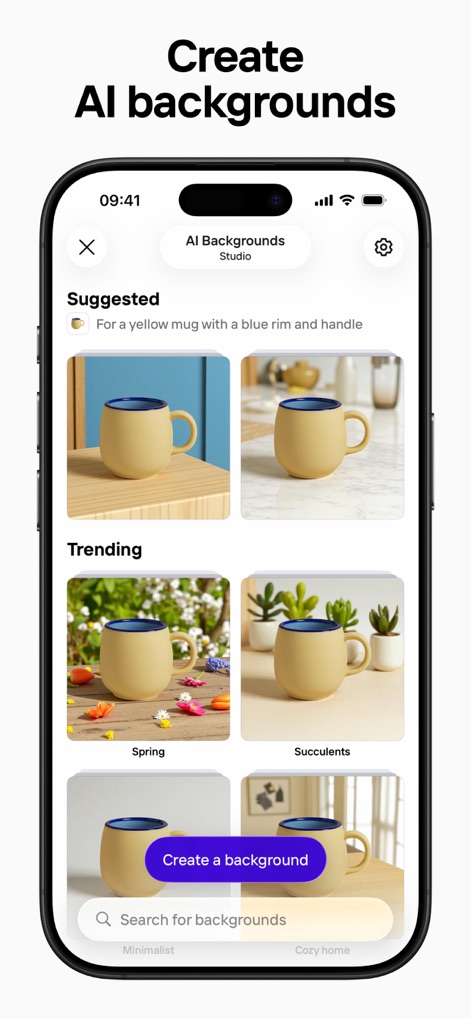
AI Background Generation
Explore diverse AI-generated backgrounds, from "Suggested" options to custom creations using the "Create a background" feature, to instantly elevate product visuals.
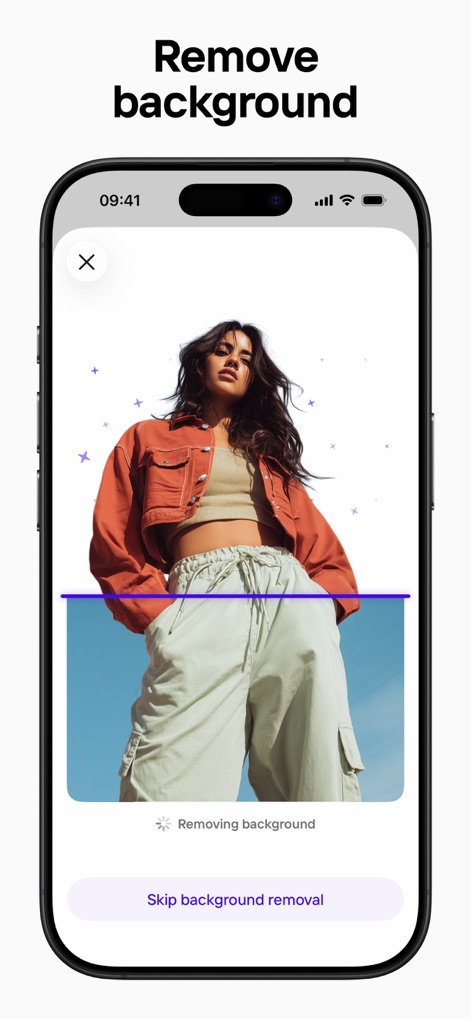
Instant Background Removal
Witness the app's precise background removal, depicted by the dynamic purple processing line, and the option to "Skip background removal" for fine-tuning.
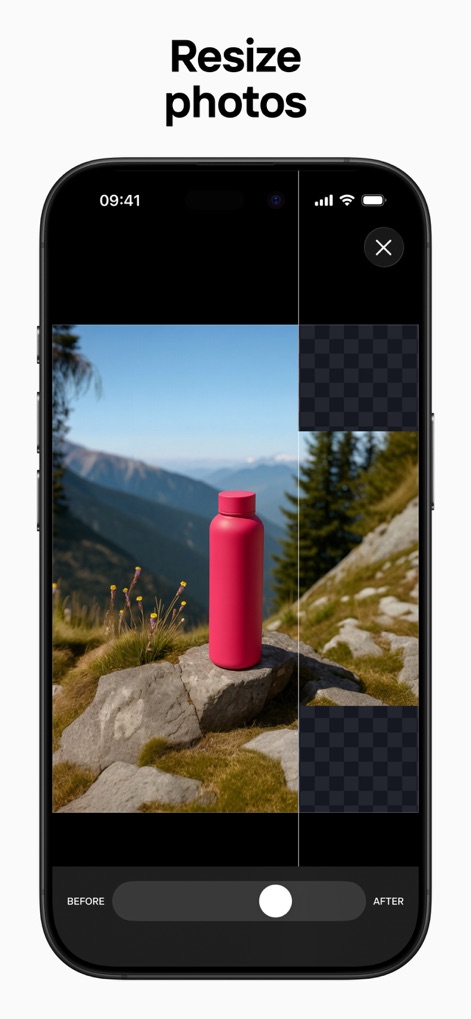
Seamless Photo Resizing
Observe the intuitive "Before/After" slider that demonstrates photo resizing, seamlessly adjusting images while maintaining quality against a checkered transparency pattern.
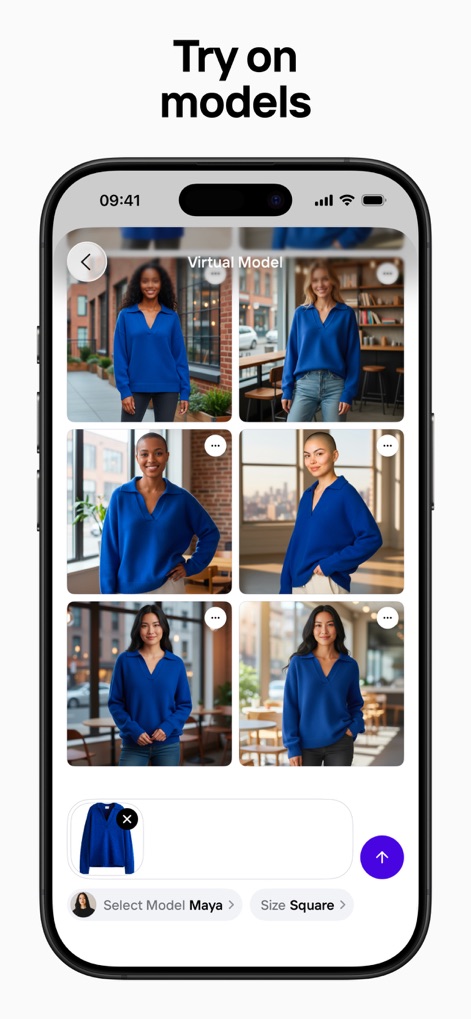
Virtual Model Showcases
Discover how users can effortlessly showcase products with a variety of "Virtual Model" options, enhanced by the convenient "Select Model" feature.

Studio-Quality Aesthetics
Achieve professional "Studio" quality visuals through the "Product Beautifier" interface, presenting a grid of enhanced products ready for e-commerce.
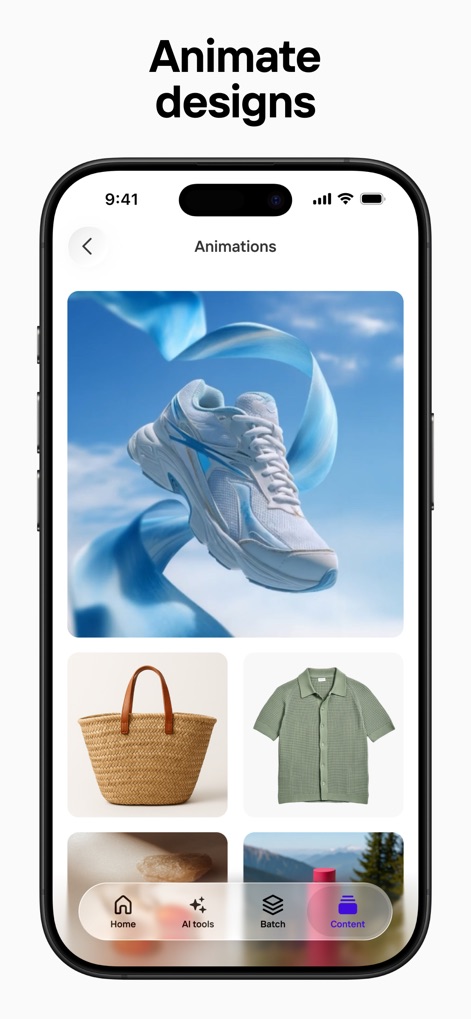
Dynamic Product Animations
Bring products to life with engaging "Animations," transforming static images into dynamic clips, as seen with the flying shoe example.
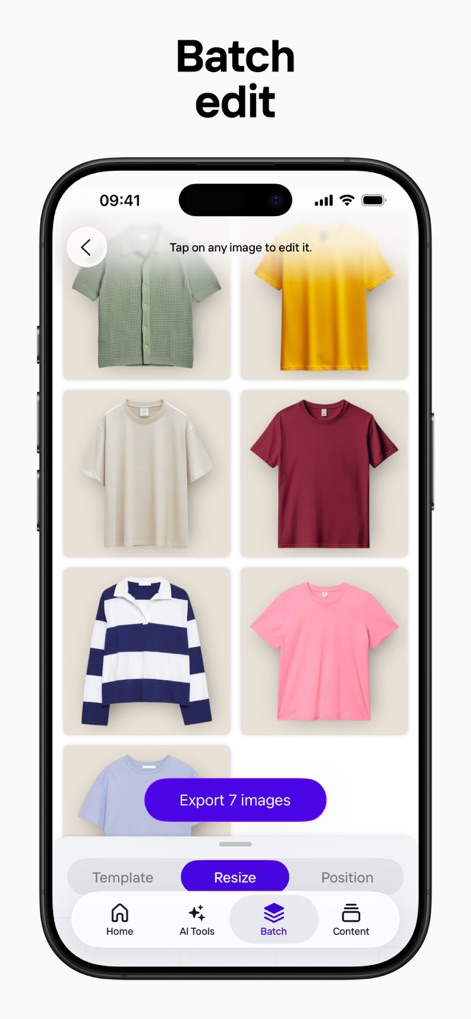
Efficient Batch Editing
Streamline workflow with robust "Batch edit" capabilities, allowing users to efficiently process a grid of multiple products and export them simultaneously with the "Export 7 images" button.
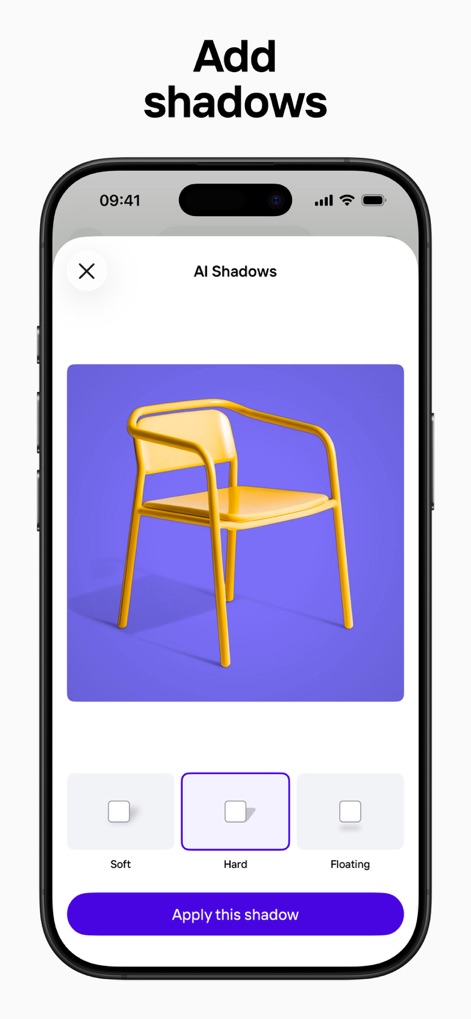
Realistic Shadow Effects
Enhance product realism by applying various shadow styles, including "Soft," "Hard," and "Floating" options, with a simple click of the "Apply this shadow" button.

Pristine White Backgrounds
Instantly create a clean, professional look by replacing existing backdrops with a pristine white background, visualized effectively with the "Before/After" slider.
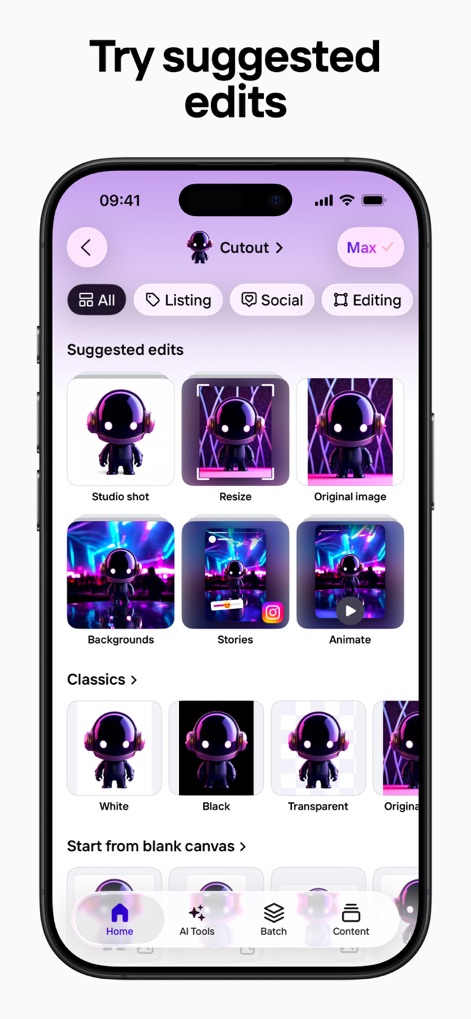
Smart Edit Suggestions
Optimize product presentation with intelligent "Suggested edits," categorised for different needs like "Listing" or "Social" media, simplifying the editing process.
Description
Download
More Like This
Apps with similar features and user experience

Blend: AI Models Logos Videos
Blendit Studios Private Limited

AI Background - Pokecut Studio
Guangzhou Guangzhuiyuan Information Technology Co., Ltd.

微脉水印相机,私域、微商必备运营工具
Beijing Help Dream Works Technology Inc.

Background Remover - PNG Maker
TAPUNIVERSE LLC

Frameit:Framed Art &Video edit
Guangzhou Jiahua Information Technology Co., Ltd.

Background Eraser AI
Yalex FZC LLC

Artrooms: Superimpose Wall Art
Art Rooms LLC

ArtStage: Preview your Artwork
ArtStage LLC

Superimpose+:Background Eraser
KALEIDOSCOPE Inc.
This page is not an official page of the app or its developer, but an independent editorial publication created for informational and commentary purposes. Unless expressly stated otherwise, neither the app nor its developer is affiliated with, endorsed by, sponsored by, authorized by, or otherwise officially connected with MWM, Apple, Google Play, the app publisher, or the app's developer, and nothing on this page implies that the app was developed using MWM's services. Any trademarks, logos, screenshots, and other content remain the property of their respective owners.