
This page is not an official page of the app or its developer, but an independent editorial publication created for informational and commentary purposes. Unless expressly stated otherwise, neither the app nor its developer is affiliated with, endorsed by, sponsored by, authorized by, or otherwise officially connected with MWM, Apple, Google Play, the app publisher, or the app's developer, and nothing on this page implies that the app was developed using MWM's services. Any trademarks, logos, screenshots, and other content remain the property of their respective owners.


iFlyZED
Stop guessing at the gate. Get instant seat counts for 233+ airlines to avoid overbooked flights, find the best routes, and secure your non-rev journey with ease.
Downloads
145K+User Rating
Total Ratings
100Publisher
Category
TravelLocales
1Latest Version
1.10Size
3.4 MBFirst Released
Mar 27, 2012Fly with Confidence, Never Get Stranded
The essential tool for non-rev travelers and frequent flyers to navigate flight loads, avoid overbooked gates, and optimize ZED benefits.
Accurate Load Visibility
See total seats for sale across all cabins—Economy to First Class—to predict your boarding priority with real-time data.
Smart Route Planning
Identify convenient routes and avoid unwanted stopovers by choosing flights with the highest seat availability instantly.
Frequently Asked Questions
Everything you need to know about iFlyZED
What is the primary function of the iFlyZED app?
The iFlyZED app provides a seat availability search for scheduled airline employees flying on standby. It assists in avoiding overbooked flights and finding optimal travel routes.
Can non-airline employees use iFlyZED for seat availability?
Yes, non-airline employees can use iFlyZED. Airline passengers with frequent flyer cards use it to check seat availability and avoid overbooked flights when planning to use their miles.
What kind of seat information does iFlyZED display?
iFlyZED displays the total number of seats available for sale across Economy, Comfort, Business, and First Classes. It includes a "Seat Estimator" for flight routes, aircraft, and flight numbers.
Which airlines and flights are not shown in iFlyZED search results?
iFlyZED does not show British Airways, Copa Airlines, Southwest Airlines, Lufthansa City Line, or certain low-cost/charter flights. It also excludes all San Diego departure and arrival flights.
Is an internet connection always necessary to use the iFlyZED app?
No, an internet connection is not always necessary. It is specifically required for the Seat Availability Search feature. Other sections, like Airports or Airlines lists, function without internet access.
How do I reset the iFlyZED app if I encounter issues?
To reset iFlyZED, delete the application, search for "iflyzed" on the App Store, redownload it, and then restart your device. This process typically resolves connectivity errors.
Does iFlyZED require a user password or account?
No, iFlyZED does not require a password or account for usage. Users can access the application's features directly after installation without providing credentials.
Is iFlyZED compatible with Apple iPad devices?
Yes, iFlyZED is compatible with iPads. To install, search "iFlyZED" on the iPad App Store, apply the "iPhone only" filter, and proceed with the download.
What is the ZED Fares Table in iFlyZED used for?
The ZED Fares Table in iFlyZED provides fare details for employees of ZED member airlines. It outlines pricing tiers based on mileage or zone, assisting with ZED ticket planning.
Is iFlyZED officially endorsed by airlines or travel organizations?
No, iFlyZED is an independent source. It is not prepared, approved, authorized, or endorsed by any airline or travel organization. It provides information for user reference.
The following screenshots and description are sourced directly from the app's official store listing and are the property of the app developer.
App Store
Screenshots
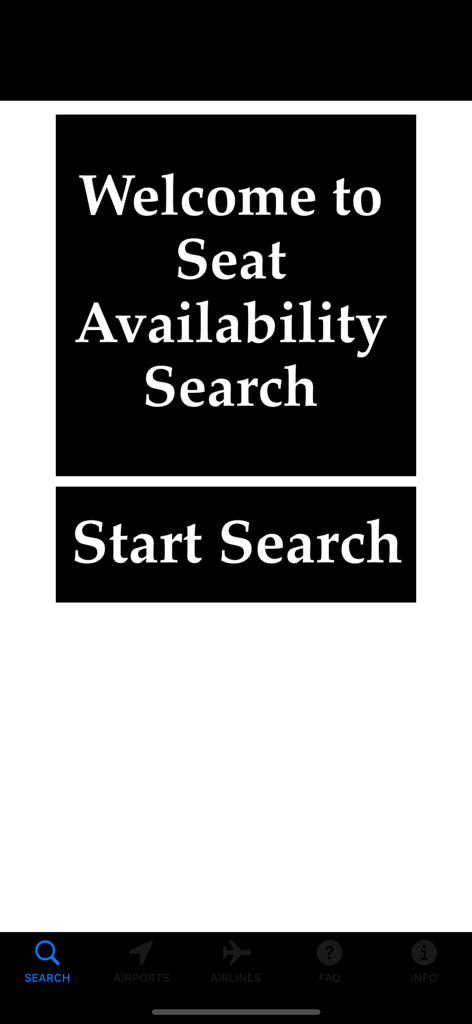
The home screen of the iFlyZED app showing a welcome message and a start search button for airline seat availability
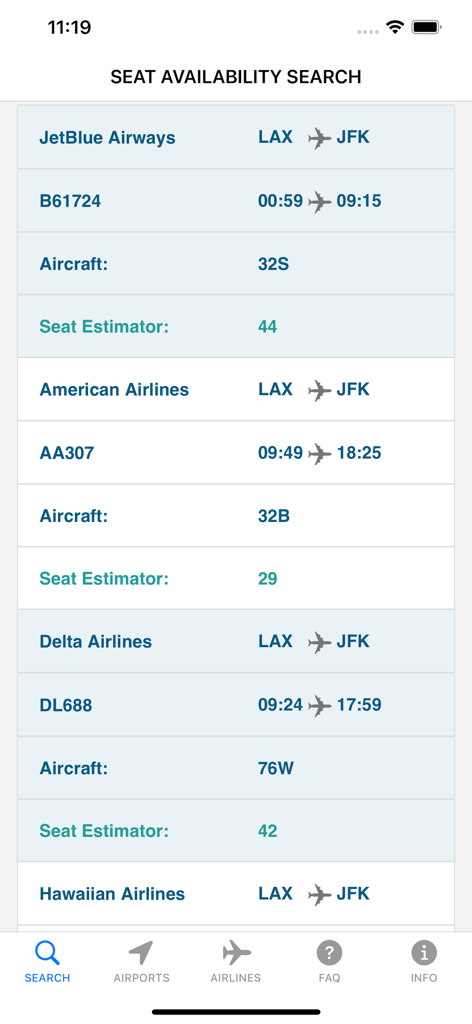
Search results in the iFlyZED app displaying flight seat availability estimates for standby travelers from LAX to JFK
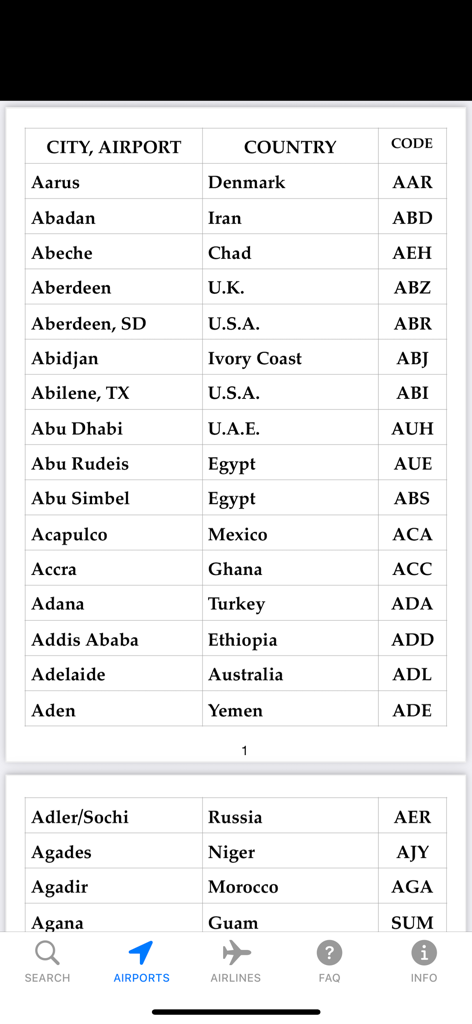
A list of cities and international airports with their respective countries and IATA codes within the iFlyZED app.
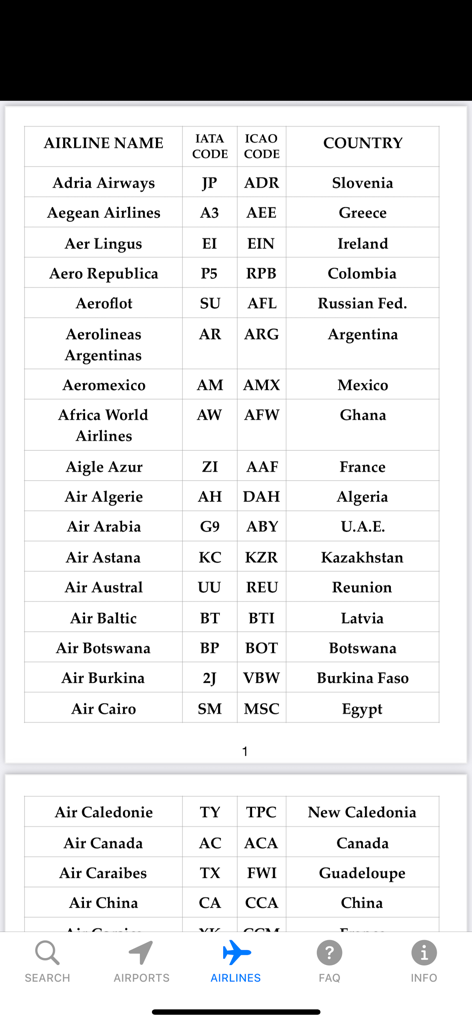
Table showing a list of airlines with IATA and ICAO codes in the iFlyZED app
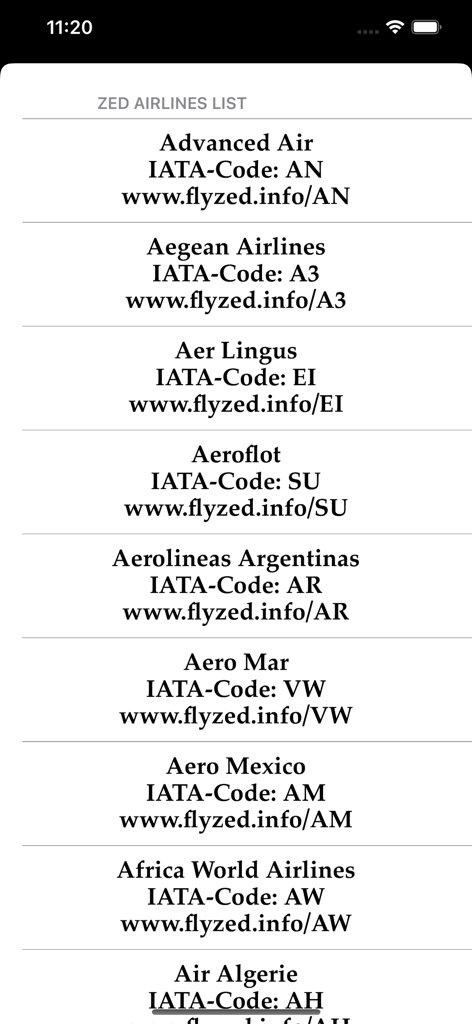
A screenshot of the iFlyZED app showing an alphabetical list of ZED member airlines with their IATA codes and official flyzed links.
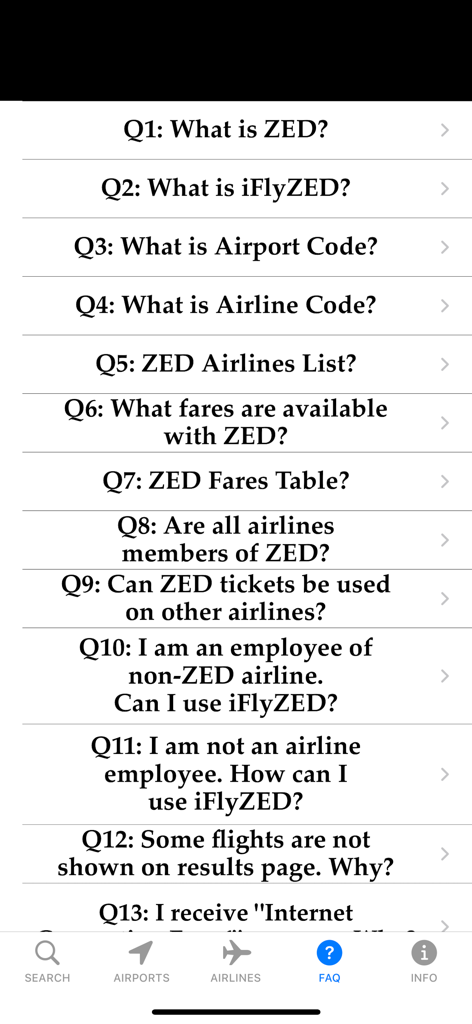
Frequently Asked Questions page in the iFlyZED app for airline employees.
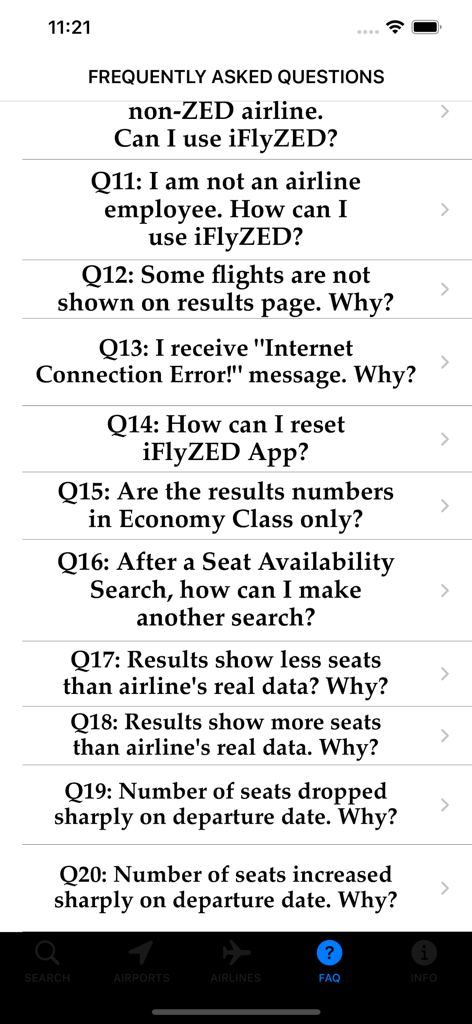
Screenshot of the Frequently Asked Questions section in the iFlyZED app
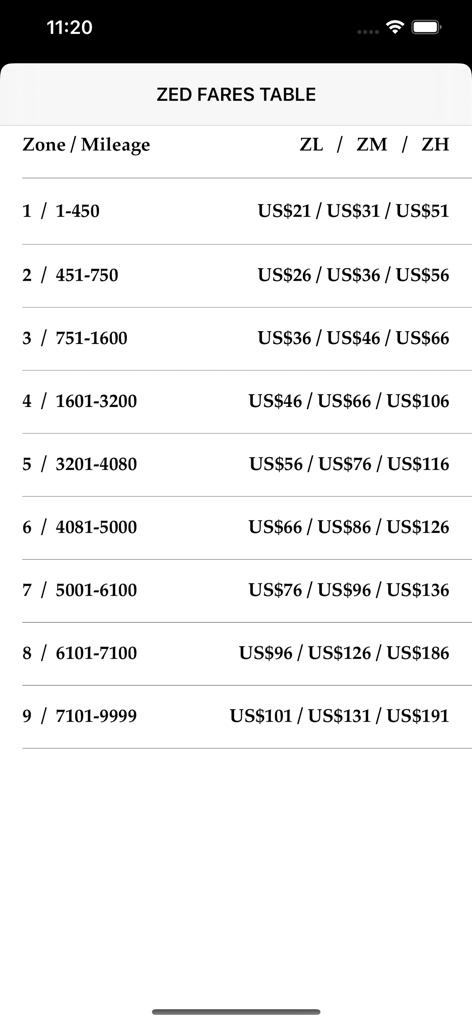
A table showing Zonal Employee Discount ZED fares organized by mileage zones and pricing levels.
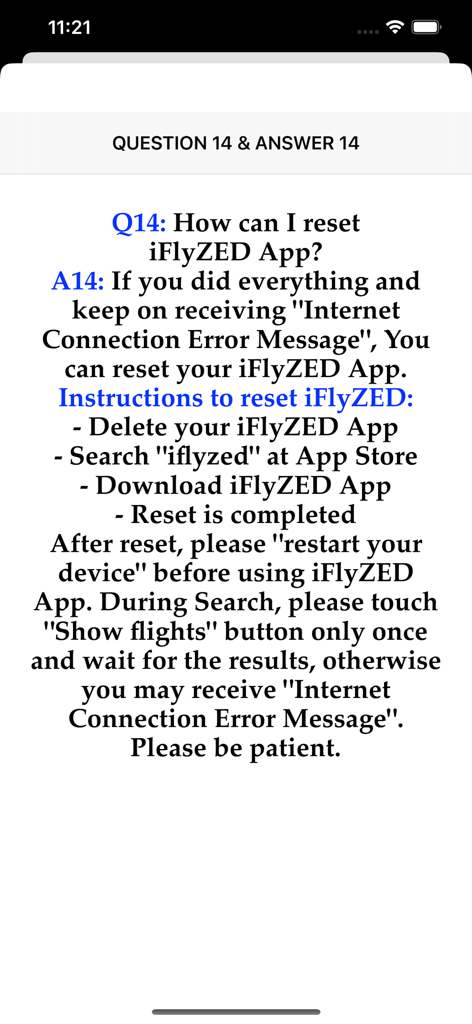
iFlyZED app reset instructions for troubleshooting connection errors.
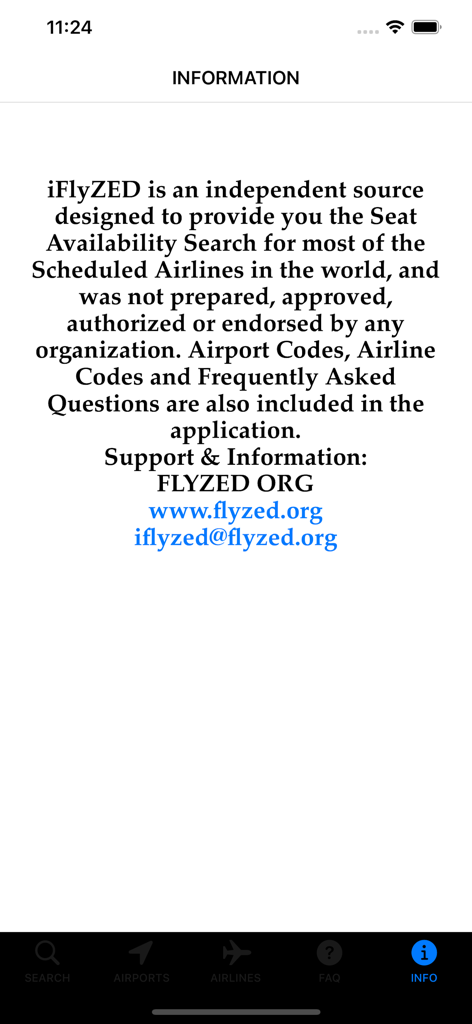
iFlyZED app information screen providing details about seat availability search and support contact information
Description
Download
More Like This
Top-ranked apps in the same category

Uber - Request a ride
Uber Technologies, Inc.

Airbnb
Airbnb, Inc.

铁路12306
ACADEMY OF RAILWAY SCIENCES CO., ltd.

Booking.com: Hotels & Travel
Booking.com B.V.

Grab: Taxi Ride, Food Delivery
GRABTAXI HOLDINGS PTE. LTD.

Trip.com: Book Flights, Hotels
Trip.com Travel Singapore Pte. Ltd.

DiDi China: Ride Hailing
Didi Chuxing (Beijing) Network Platform Technology Co., Ltd

去哪儿旅行-订酒店机票火车票
Beijing Qunar Information Technology Company Limit

Bolt: Request a Ride
BOLT TECHNOLOGY OU
This page is not an official page of the app or its developer, but an independent editorial publication created for informational and commentary purposes. Unless expressly stated otherwise, neither the app nor its developer is affiliated with, endorsed by, sponsored by, authorized by, or otherwise officially connected with MWM, Apple, Google Play, the app publisher, or the app's developer, and nothing on this page implies that the app was developed using MWM's services. Any trademarks, logos, screenshots, and other content remain the property of their respective owners.