
This page is not an official page of the app or its developer, but an independent editorial publication created for informational and commentary purposes. Unless expressly stated otherwise, neither the app nor its developer is affiliated with, endorsed by, sponsored by, authorized by, or otherwise officially connected with MWM, Apple, Google Play, the app publisher, or the app's developer, and nothing on this page implies that the app was developed using MWM's services. Any trademarks, logos, screenshots, and other content remain the property of their respective owners.


Infinite Painter
Unleash professional-grade artistry on the go. This app turns your device into a powerhouse studio.
Downloads
10M+User Rating
Total Ratings
22.9KPublisher
Category
Graphics & DesignLocales
14Latest Version
7.2.4Size
104.2 MBFirst Released
Aug 26, 2016An analytical overview of core functionalities tailored for professional digital artists.
Key Features of Infinite Painter
Advanced Brush Engine
The app provides a vast collection of built-in brushes with over 100 customizable settings per brush, supporting realistic brush-to-canvas interaction and real-time color adjustments, making it adaptable for diverse artistic styles.
Optimized Apple Pencil Support
It offers full pressure and tilt support for the Apple Pencil, ensuring a natural and responsive drawing experience, crucial for nuanced control and artistic expression.
Robust Layer System
It features comprehensive layer support including 30 blend modes, masks for layers and groups, clipping masks, and Photoshop®-like smart layers, enabling complex and non-destructive artwork creation.
Precision Drawing Tools
This tool features innovative guides for perspective drawing (including 3D cityscapes), symmetry with Radial or Kaleidoscope options, and smart shape detection, facilitating precise and complex compositions.
Industry-Leading Transformations
The app provides a powerful selection workspace with various tools (Lasso, Path, Wand, etc.) and industry-leading transformation capabilities, including the ability to transform multiple layers simultaneously for efficient editing.
Versatile Import & Export
It allows users to import from various sources (Photos, Clipboard, Image Search) and export artwork in multiple formats, including JPG, PNG, and layered PSD files, ensuring compatibility with professional workflows.
Advanced Color & Filter Options
The app includes 64-bit color depth, industry-leading color correction, Gradient map, Color Curves, and over 40 live filters, empowering artists with extensive control over their artwork's aesthetic.
Customizable & Intuitive Interface
The app features a minimal and customizable interface, allowing users to pin tools, dock brushes, and assign finger functions separately, optimizing workflow for maximum canvas space and quick access to essential tools.
Frequently Asked Questions
Everything you need to know about Infinite Painter
Is Infinite Painter available on iPad and iPhone?
Yes, Infinite Painter is a painting, sketching, and drawing app created for both iPad and iPhone. It brings a powerful feature set to artists of all levels.
Does Infinite Painter offer a free trial?
Yes, Infinite Painter provides a 7-day trial to experience all its features. This trial includes 5 layers, basic transform, symmetry, and all built-in brushes.
How can users customize brushes in Infinite Painter?
Infinite Painter allows customizing over 100 settings for every brush. Users can also organize, share, and import or export custom brushes and sets.
Does Infinite Painter support the Apple Pencil?
Yes, Infinite Painter is designed for the Apple Pencil, providing full pressure and tilt support. This ensures a natural and responsive drawing experience on compatible devices.
What layer management features does Infinite Painter provide?
Infinite Painter offers layer support with 30 blend modes, masks for layers, adjustments, groups, and clipping masks. Users can easily group, expand, and collapse layers.
What file formats can Infinite Painter export artwork to?
Infinite Painter exports images as JPG, PNG, ZIP, layered PSD files, or Painter projects. This supports integration with various other platforms and workflows.
What features are available for free in Infinite Painter?
The free version of Infinite Painter includes a 7-day trial, 5 layers, Solid Fill, Lasso selection, Basic Transform, Symmetry, seamless pattern projects, and all built-in brushes with editing.
What are the advantages of the Infinite Painter Pro version?
Infinite Painter Pro provides HD canvas sizes, more layers, adjustments, live Filter layers, layer groups, layer masks, and over 40 powerful, professional tools for advanced artistry.
Does Infinite Painter include tools for perspective drawing?
Yes, Infinite Painter offers five different perspective guides for 3D cityscapes or a standard 2D grid. Users can also drag Rectangle and Circle shapes in perspective.
How does Infinite Painter support seamless pattern creation?
Infinite Painter supports seamless pattern projects as a core feature. This allows users to design and create intricate repeating patterns directly within the application.
The following screenshots and description are sourced directly from the app's official store listing and are the property of the app developer.
App Store
Screenshots

Experience the app's natural and responsive sketching feel, highlighted by its precise brush rendering and minimal on-screen tools.
Natural Sketching Feel
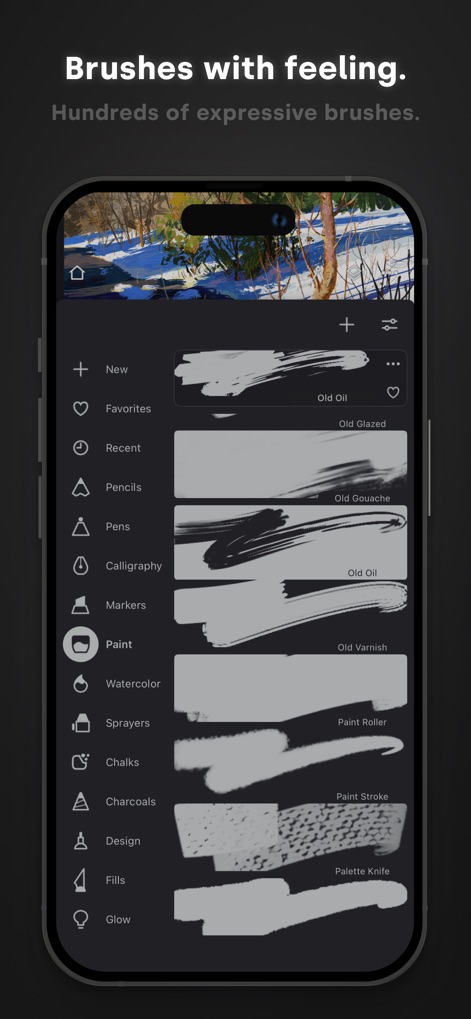
Explore the app's extensive collection of hundreds of expressive brushes, neatly categorized from Pencils to Watercolors, for diverse artistic styles.
Expressive Brush Library

Witness the power of non-destructive editing through the app's intuitive layer panel and versatile masking capabilities, allowing intricate compositional control.
Advanced Layer Control
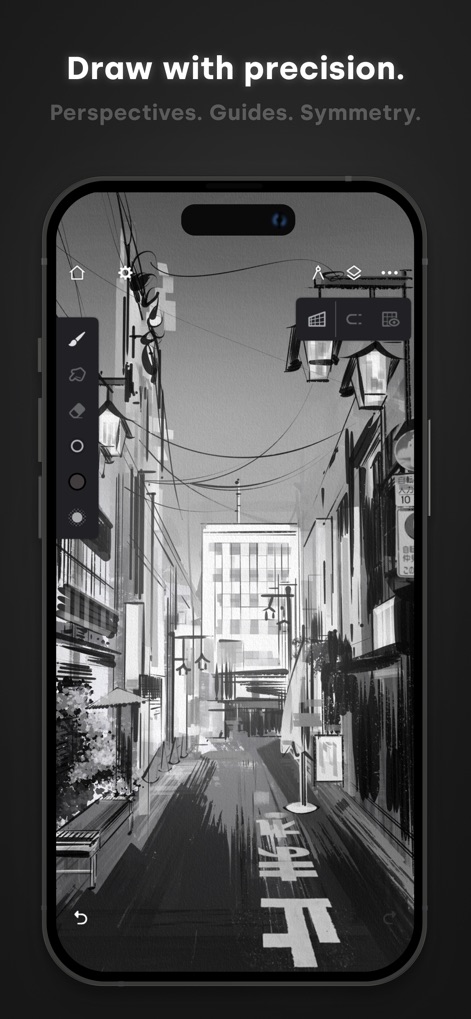
Achieve architectural accuracy with the app's dynamic perspective guides and robust symmetry tools, ensuring balanced and precise compositions.
Precision Drawing Aids
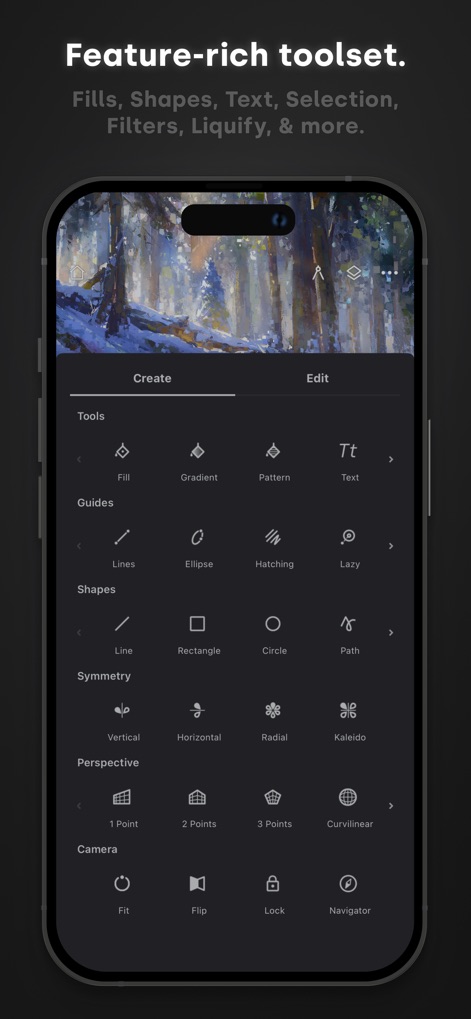
Discover the app's extensive toolkit, featuring dedicated sections for precise Guides and versatile Symmetry options, empowering diverse creative workflows.
Comprehensive Tool Palette
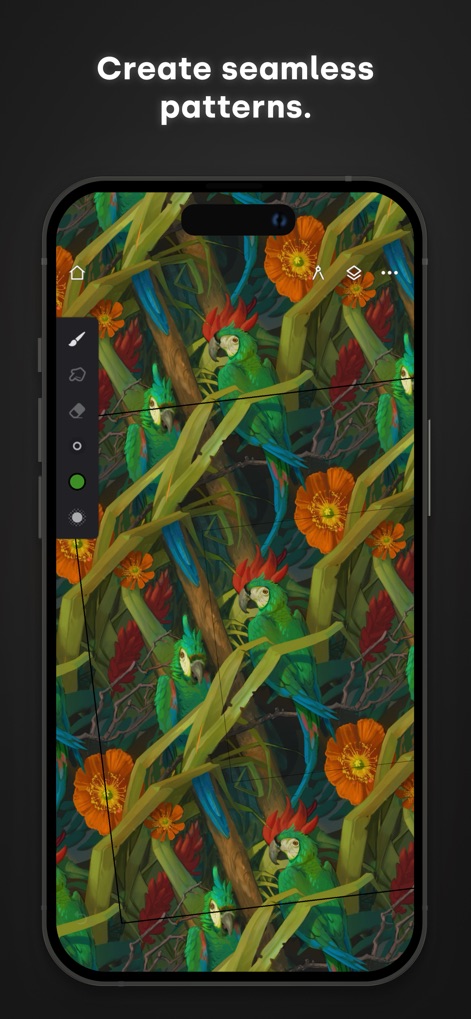
Unlock boundless creativity with the app's dedicated tools for seamless pattern projects, allowing users to effortlessly design intricate repeating visuals.
Infinite Pattern Design

Master every shade with the app's precise on-canvas color wheel and the grayscale Canvas Navigator, ensuring accurate color and value relationships.
Expert Color Management

Enhance illustrations with customizable text, utilizing dynamic font options and precise spacing controls for professional-grade typographic elements.
Seamless Text Integration
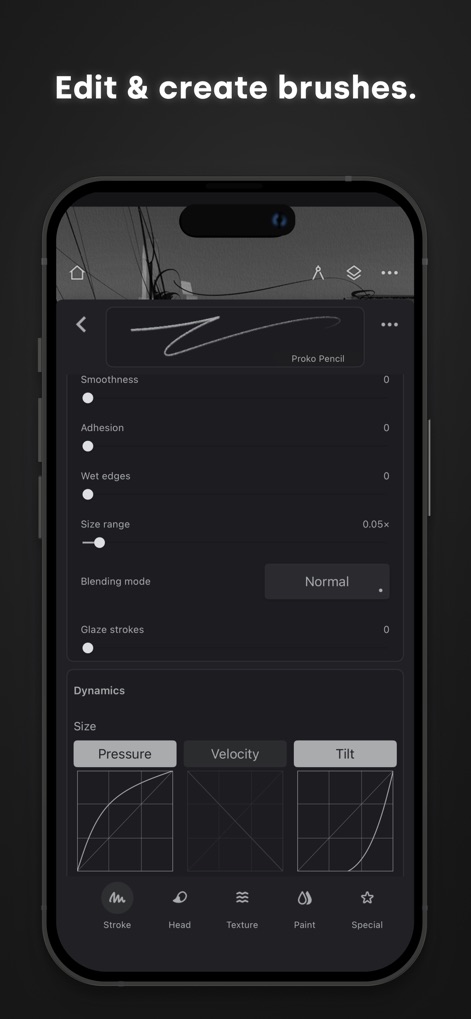
Unleash artistic versatility with the app's advanced brush editor, offering over 100 customizable settings and dynamic control over pressure and tilt responses.
Custom Brush Creator

Witness the high-fidelity artistic output possible with this tool, demonstrating its capacity for creating stunning digital paintings with a minimal, unobtrusive interface.
Visualize Your Vision
Description
Download
More Like This
Apps with similar features and user experience

Sketchbook®
Sketchbook, Inc.

Mental Canvas Draw
Mental Canvas, Inc.

ibis Paint
ibis inc.

ibis Paint X
ibis inc.

Paper: Sketch, Draw & Create
Evernote Corporation

Adobe Fresco: Draw & Paint App
Adobe Inc.

Art Set 4
Lofopi Ltd

MediBang Paint – Drawing & Art
MediBang inc.

Tayasui Sketches
SKETCHES SRL
This page is not an official page of the app or its developer, but an independent editorial publication created for informational and commentary purposes. Unless expressly stated otherwise, neither the app nor its developer is affiliated with, endorsed by, sponsored by, authorized by, or otherwise officially connected with MWM, Apple, Google Play, the app publisher, or the app's developer, and nothing on this page implies that the app was developed using MWM's services. Any trademarks, logos, screenshots, and other content remain the property of their respective owners.