
This page is not an official page of the app or its developer, but an independent editorial publication created for informational and commentary purposes. Unless expressly stated otherwise, neither the app nor its developer is affiliated with, endorsed by, sponsored by, authorized by, or otherwise officially connected with MWM, Apple, Google Play, the app publisher, or the app's developer, and nothing on this page implies that the app was developed using MWM's services. Any trademarks, logos, screenshots, and other content remain the property of their respective owners.


Invictus
Skip the reception, unlock your locker with a single tap, and get straight to your workout. Elevate your performance with our seamless, tech-first approach to fitness.
Downloads
221K+User Rating
Total Ratings
400Publisher
Category
SportsLocales
4Latest Version
3.21.0Size
135.2 MBFirst Released
Jan 13, 2022The Future of Frictionless Fitness
Stop waiting and start training. Our app is designed for the tech-forward urbanite who values efficiency, eliminating every bottleneck between you and your workout.
Instant QR Entry
Bypass the front desk reception entirely. Scan your personalized QR code at the entrance and step into the gym in seconds.
Smart Locker Access
No more carrying physical keys or remembering combinations. Secure an open locker with a single tap directly from your iPhone.
Frequently Asked Questions
Everything you need to know about Invictus
How does the Invictus app streamline gym entry?
The Invictus app simplifies gym entry. Users scan a QR code at the entrance to gain access without needing to check in at reception, speeding up the process.
What key features does the Invictus app provide for gym members?
The Invictus app allows QR code entry, digital locker management, tracking visit history, viewing club news, and signing up for group classes directly from the user's phone.
Can users manage their lockers directly through the Invictus app?
Yes, the Invictus app allows users to manage their personal lockers. Members can occupy a locker in one click after entering the gym and have options to change or return it.
How can I view my past gym visits using the Invictus app?
The Invictus app provides a dedicated 'Visit history' section. Users can track their attendance, including the number of visits and group programs attended, for different months.
Is it possible to book group fitness classes with the Invictus app?
Yes, the Invictus app allows users to sign up for group classes. The 'Расписание' (Schedule) section displays available classes, times, and club locations like Invictus Sadu.
Does the Invictus app replace physical gym membership cards?
Yes, the Invictus app replaces physical gym membership cards. The user's subscription is stored digitally within the phone, eliminating the need for bracelets or physical access cards.
The following screenshots and description are sourced directly from the app's official store listing and are the property of the app developer.
App Store
Screenshots
A woman performing lunges in a modern gym with Invictus GO branding
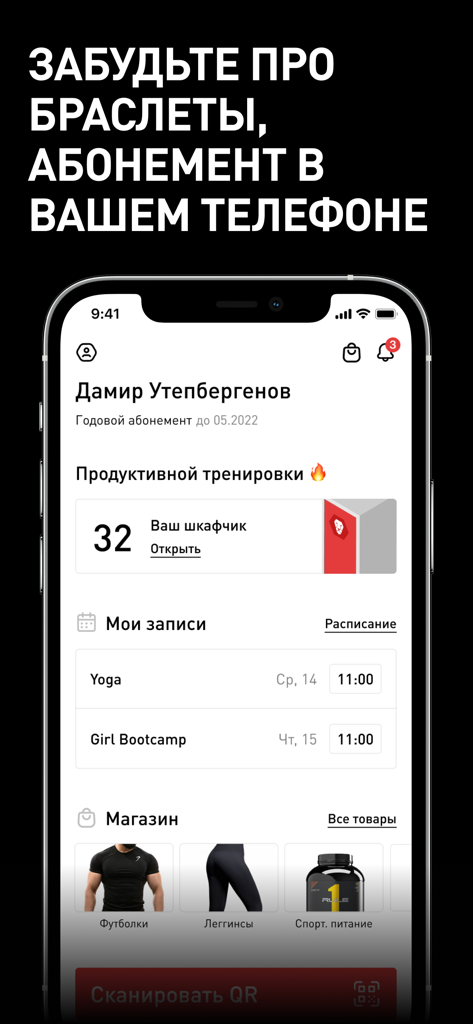
Invictus fitness app dashboard showing digital gym membership, locker management, and class scheduling.
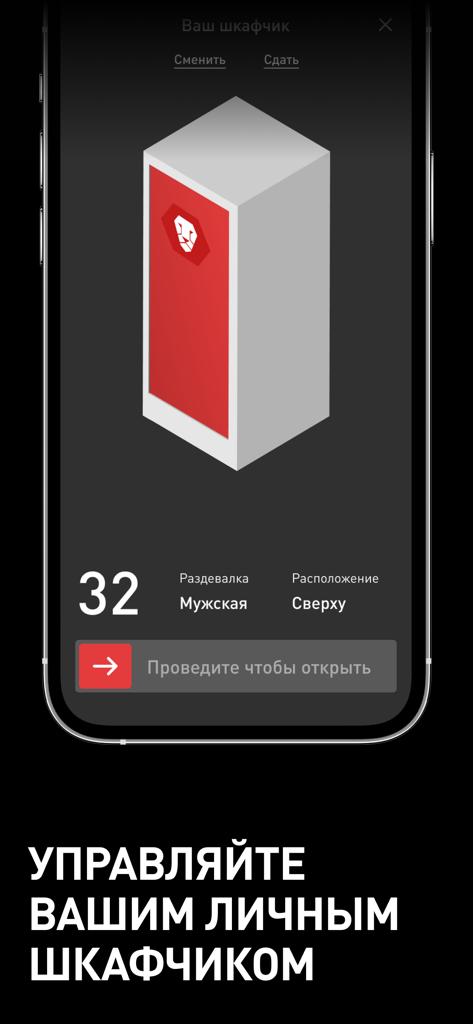
A smartphone showing the digital locker management screen of the Invictus fitness app.
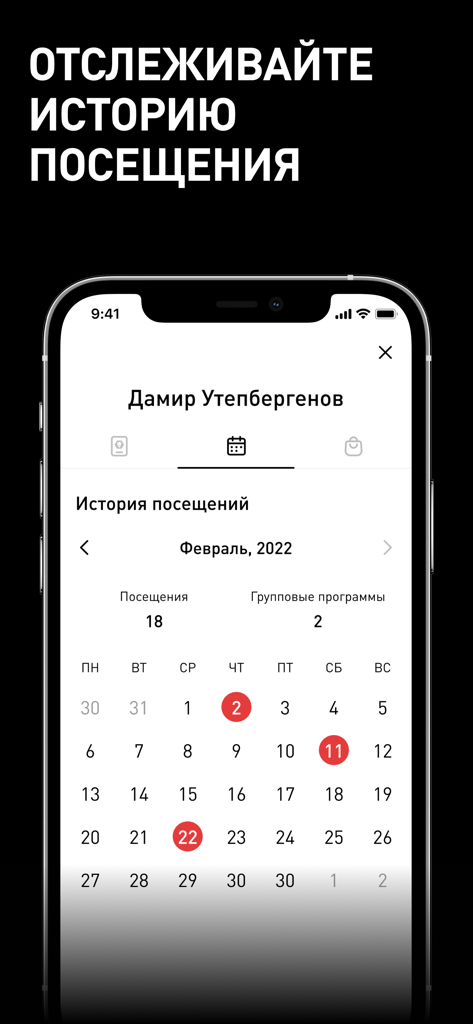
Invictus fitness app screenshot showing monthly visit history calendar and workout statistics
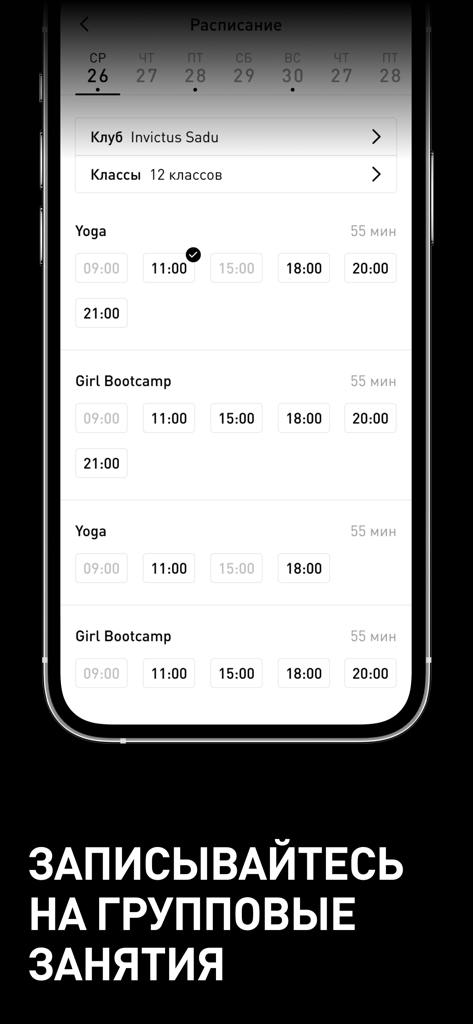
Mobile screen of Invictus app showing group class schedule and booking for Yoga and Bootcamp.
Description
Download
More Like This
Apps with similar features and user experience

Planet Fitness
Planet Fitness Holdings, LLC

Smart Fit App
Smartfit Escola de Ginastica e Danca SA
Next Fit
DLG TECNOLOGIA LTDA

Momence
Momence, Inc.

Panobianco Academia
PANOBIANCO S ACADEMIA DE GINASTICA LTDA

SCA Aluno
Prosistemas Produtos em Software Limitada EPP

Club Pilates
Xponential Fitness LLC

Credencial Sesc SP
Servico Social do Comercio
![[solidcore]](https://fastly.mwm-storage.mwmcdn.com/raw_files/16b6e0b0-adf4-41c5-84f8-e234f4d24f7e?height=160&format=webp)
[solidcore]
Solidcore Holdings, LLC
This page is not an official page of the app or its developer, but an independent editorial publication created for informational and commentary purposes. Unless expressly stated otherwise, neither the app nor its developer is affiliated with, endorsed by, sponsored by, authorized by, or otherwise officially connected with MWM, Apple, Google Play, the app publisher, or the app's developer, and nothing on this page implies that the app was developed using MWM's services. Any trademarks, logos, screenshots, and other content remain the property of their respective owners.