InView: Feed Planner for Insta

InView: Feed Planner for Insta


Download on App Store
Logo of InView: Feed Planner for Insta

InView: Feed Planner for Insta – Curate Your Flawless Aesthetic

Stop guessing and start designing. Preview your layout with drag-and-drop ease, batch-plan your captions, and build a cohesive feed that turns visitors into followers.

Download on App Store

Publisher

TAPLEB, OOO

Category

Photo & Video

Downloads

3K+

User Rating

1.0/5

Total Ratings

0

Locales

1

Visualize Your Aesthetic

Discover the interface used by 3K+ users.
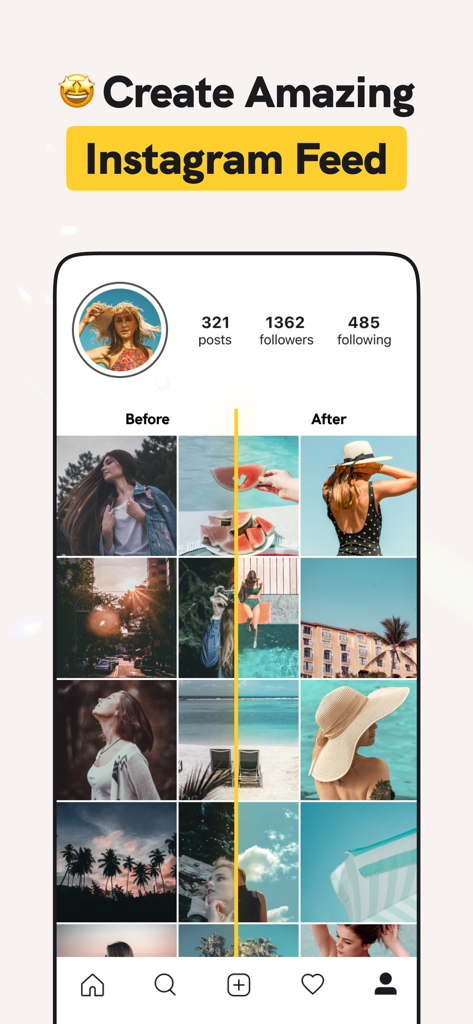
Before and after comparison of a curated aesthetic Instagram feed preview

Before and after comparison of a curated aesthetic Instagram feed preview

A mobile interface for InView showing a yellow themed Instagram feed preview with drag and drop photo organization

A mobile interface for InView showing a yellow themed Instagram feed preview with drag and drop photo organization

A mockup of the InView app displaying a curated aesthetic Instagram grid with a follower growth notification.

A mockup of the InView app displaying a curated aesthetic Instagram grid with a follower growth notification.

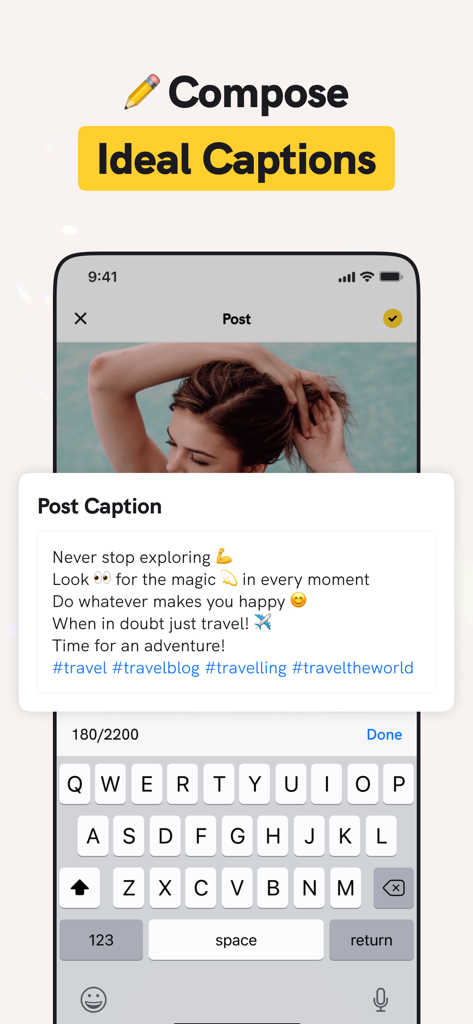
Interface for composing and planning Instagram captions and hashtags with the InView app.

Interface for composing and planning Instagram captions and hashtags with the InView app.

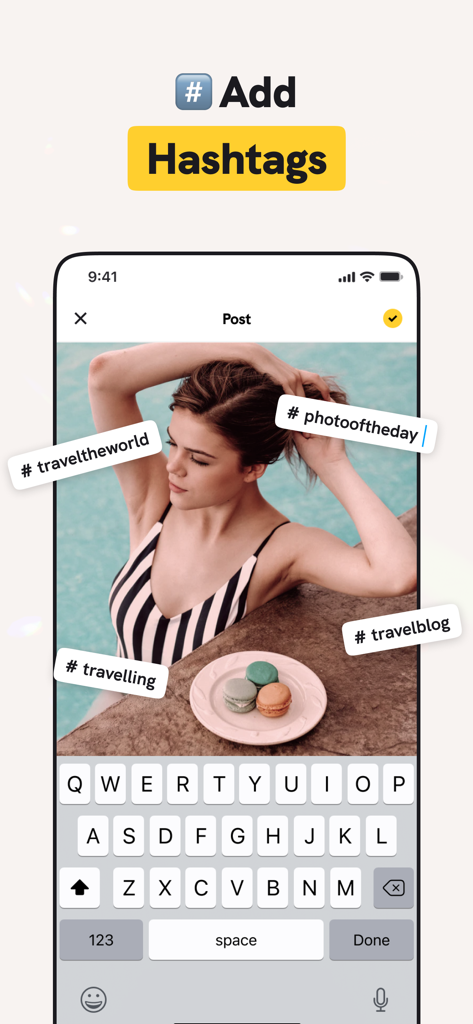
Adding hashtags to an Instagram post preview in the InView feed planning app interface

Adding hashtags to an Instagram post preview in the InView feed planning app interface

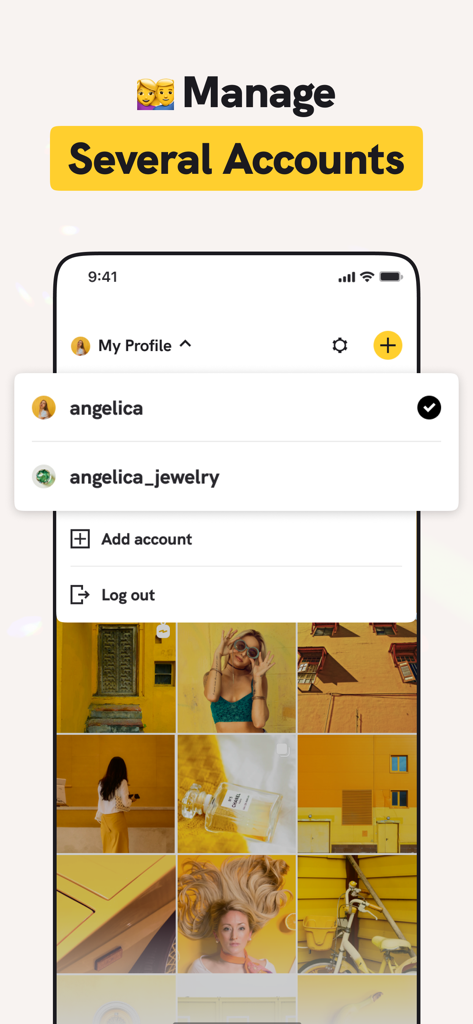
Interface of InView app showing a dropdown menu to switch between multiple Instagram accounts for feed planning

Interface of InView app showing a dropdown menu to switch between multiple Instagram accounts for feed planning

Curate a Grid That Converts

The tools that make this app stand out, trusted by 3K+ users.

🎹

Seamless Grid Preview

Eliminate post-anxiety by visualizing exactly how your photos will look together before you ever hit share.

⏳

Smart Content Batching

Write engaging captions and organize hashtag groups in advance to keep your posting schedule stress-free.

🌟

Professional Toolset

Manage multiple accounts and plan complex carousel posts to maintain a consistent aesthetic across all your brands.

About the app

Everything you need to know about InView: Feed Planner for Insta.

Description

Update your Instagram like a pro! InView is a great tool to plan and preview your feed before posting anything on Instagram. Create your own unique theme and layout and see how your feed will look like before you post. Upload your existing feed and add photos from your camera roll to check how good they look together. Drag and drop individual tiles if you feel that anything is out of place until you achieve a perfect look you have in mind. With this visual planner it is easy to design a catchy feed and have all your future posts neatly organized. DESIGN FEED Some types of feeds like color coordinated feeds are difficult to implement and require a bit of strategic planning, but the result is well worth the efforts! With InView you can easily pull off the most complex looking feed designs and instantly elevate your account and make it more attractive for visitors. CAPTIONS AND HASHTAGS Once you’ve arranged your pics in the feed the way you like it, you can think through and note down your captions and hashtags too. Sometimes writing an interesting and engaging text to go with your photo requires some time and inspiration, so you can go back to your unfinished texts anytime you want to until they are polished to perfection. Have a post idea but don’t have a suitable image yet? Use a placeholder feature to write it all down and add a pic later. POST DIRECTLY TO INSTAGRAM Time to post is no longer a stressful moment! Just pick your next planned post and share it directly to your Instagram account along with the accompanying text. It’s also possible to share it to stories if you like to publish previews to your posts to stories as well. BULK EDITING If you want to share, edit or delete several posts at once, it’s not a problem! Just select the entries you want to edit and perform actions that would normally take much longer just with a few taps. PREMIUM FEATURES *Use and post to multiple accounts *Add and edit carousel posts *Upload any number of preview photos, videos and carousels for unlimited creativity! SUBSCRIPTIONS Weekly subscription for $7.99 Yearly subscription for $35.99 You can get unlimited access to all the advanced functionality by subscribing to a weekly or a yearly plan inside the app. There's also a free 3 day trial period to get a taste of what InView Pro has to offer. Once expired, the trial period automatically changes to a paid weekly subscription ($7.99 a week). Payment will be charged to iTunes Account at confirmation of purchase. Subscription automatically renews unless auto-renew is turned off at least 24-hours before the end of the current period. Account will be charged for renewal within 24-hours prior to the end of the current period, and identify the cost of the renewal. Subscriptions may be managed by the user and auto-renewal may be turned off by going to the user's Account Settings after purchase. Any unused portion of a free trial period, if offered, will be forfeited when the user purchases a subscription to that publication, where applicable. Privacy policy: https://taplab.app/privacypolicy EULA: https://taplab.app/subscriptionterms?app=InView

Latest Version

1.0.7

Size

127.6 MB

First Released

Oct 17, 2021

Ready to Level Up Your Aesthetic?

Stop the post-and-delete cycle. Plan your perfect grid, prep your captions, and transform your Instagram into a professional brand today.

Download on App Store

App information, icons, screenshots, and descriptions displayed on this page are sourced from the Apple App Store and are the property of their respective developers. Download estimates and rankings are based on MWM's proprietary models and may not reflect actual figures. This page is provided for informational and analytical purposes only.

Believe this page infringes your intellectual property? File a dispute