iPeng
iPeng
Download on App Store

This page is not an official page of the app or its developer, but an independent editorial publication created for informational and commentary purposes. Unless expressly stated otherwise, neither the app nor its developer is affiliated with, endorsed by, sponsored by, authorized by, or otherwise officially connected with MWM, Apple, Google Play, the app publisher, or the app's developer, and nothing on this page implies that the app was developed using MWM's services. Any trademarks, logos, screenshots, and other content remain the property of their respective owners.


Logo of iPeng
Download on App Store

iPeng

Modernize your high-fidelity ecosystem with the most powerful control app for Logitech Squeezebox and Roon. Experience seamless multi-room management, deep library customization, and professional-grade playback across all your Apple devices.

Key Figures

Downloads

287K+

User Rating

4.6/5

Total Ratings

6K+

Publisher

Du!Business GmbH

Category

Music

Locales

10

Latest Version

9.8.4

Size

36.4 MB

First Released

Dec 10, 2013
Features

Master Your High-Fidelity Ecosystem

iPeng 9 transforms your iPhone, iPad, and Apple Watch into a professional-grade remote and player for Squeezebox and Roon, designed specifically for the discerning audiophile.

Seamless Multi-Room Command

Effortlessly group players and move music between rooms with intuitive drag-and-drop controls and QuickSwitch functionality.

Audiophile-Grade Playback

Convert your iOS device into a high-performance player for Roon or Squeezebox, ensuring your bit-perfect library is always within reach.

The following screenshots and description are sourced directly from the app's official store listing and are the property of the app developer.

App Store

Screenshots
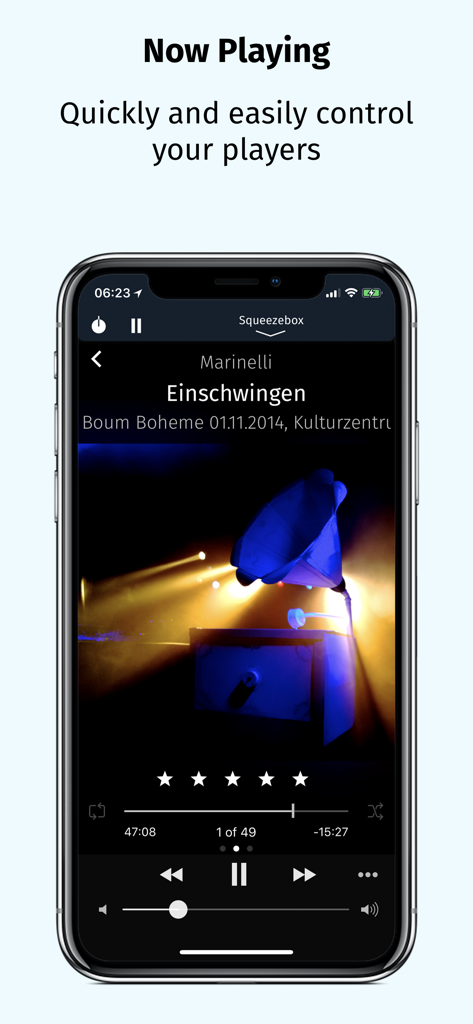
iPeng - iPeng 9 music remote app showing the Now Playing screen with playback controls and album artwork on an iPhone.
iPeng 9 music remote app showing the Now Playing screen with playback controls and album artwork on an iPhone.

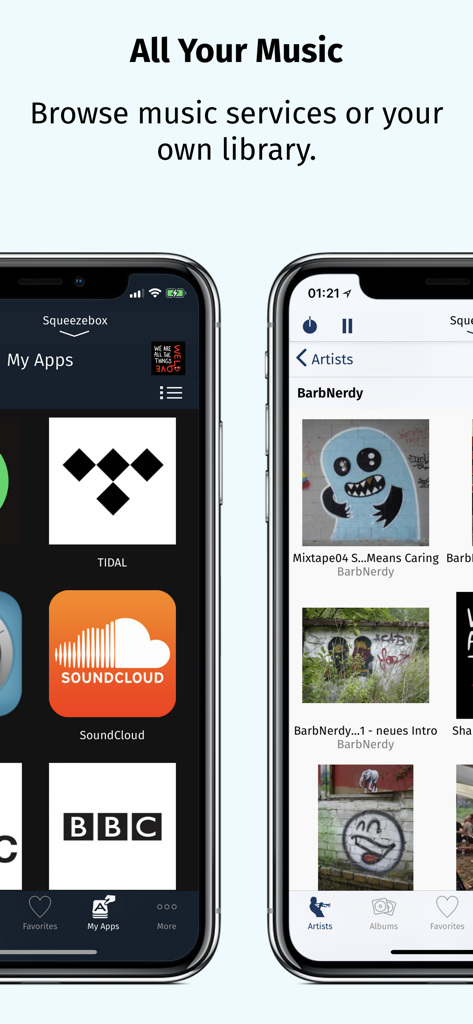
iPeng - iPeng 9 app screenshots showing integrated music services like Tidal and SoundCloud alongside a personal music library organized by artist
iPeng 9 app screenshots showing integrated music services like Tidal and SoundCloud alongside a personal music library organized by artist

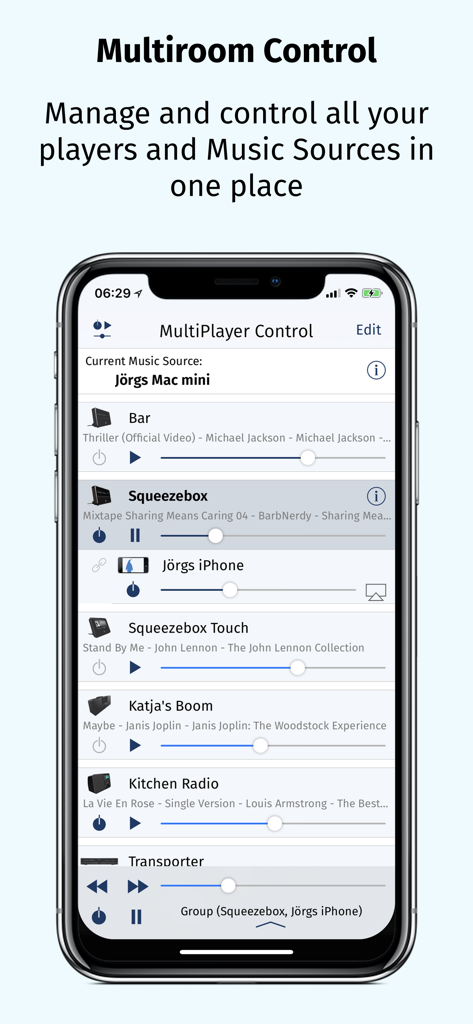
iPeng - iPhone screen showing the iPeng 9 MultiPlayer Control interface for managing multiple audio players
iPhone screen showing the iPeng 9 MultiPlayer Control interface for managing multiple audio players

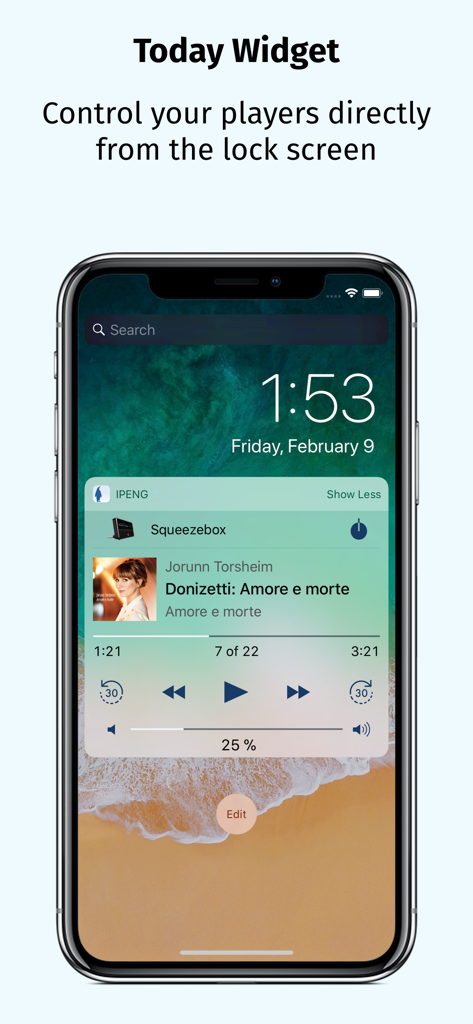
iPeng - iPeng 9 today widget on an iPhone lock screen showing Squeezebox music player controls
iPeng 9 today widget on an iPhone lock screen showing Squeezebox music player controls

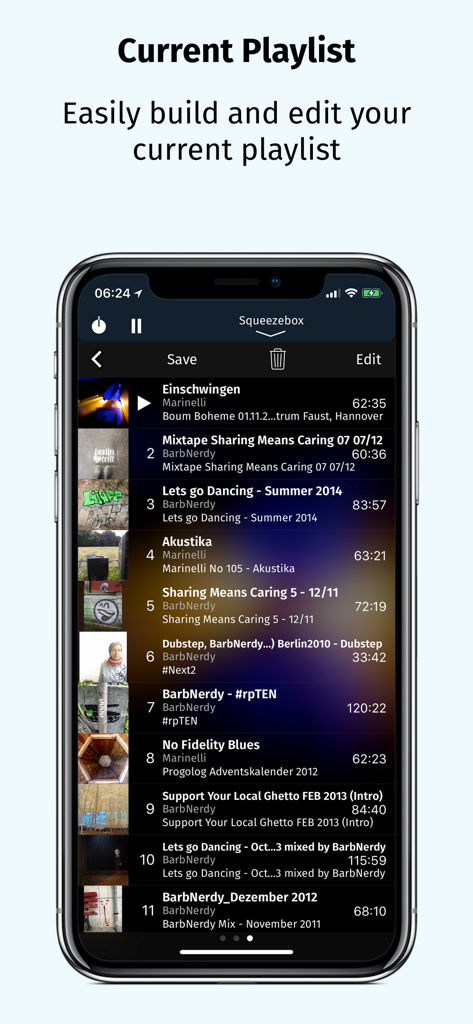
iPeng - iPeng 9 current playlist screen showing track listings and editing options

iPeng 9 current playlist screen showing track listings and editing options

Description

iPeng 9, the music remote for the Logitech® Squeezebox™, has been designed for the latest iOS versions and fully supports all iPhone and iPad form factors. iPeng 9 is a remote control app that will work all over your home with your iPhone, iPad, iPod touch and Apple Watch. You can also purchase an additional playback capability as an In-App-Purchase that will turn your iPhone or iPad into a full-blown music player for your Squeezebox Server or Roon Server. *** New in iPeng 9 *** • Support of iPhone 11, Pro, X/XS and XS Max • Latest Apple Watch support including Series 5, under watchOS 3 and newer • Today Widget to use iPeng in Notification Center and on the lock screen. • Full multitasking support on iPad and iPad Pro, including Split View and Slide Over under iOS 9 and newer. *** What’s new compared to iPeng Classic? *** * Full Support of latest iOS Versions * • iPeng has been redesigned, matching Apple's flat UI design for an up-to-date appeal, and uses a modernized platform and code base for continuous support of new iOS features. * Universal App * • iPeng 9 is a universal app for both iPhone, iPad and Apple Watch, so you only have to purchase the app once. Older iPeng versions had separate apps for iPhone and iPad. * Customizable * • The customizable main menu allows you to show different menu items in your top level menu or hide things that you don’t need. • Change the structure of your main menu through a simple drag-and-drop interface. • You can select a bright or dark color scheme for iPeng, and iPeng can even automatically select it based on your lighting conditions. * Easier Multi-Room Control * • The redesigned MultiPlayer Control simplifies handling many players. • QuickSwitch lets you move playlists from one player to another easily with a swipe of your finger. • Have direct access to Power/Volume for each connected player and change other player settings in the player details. • Group players to synchronized groups. Jointly control playback and volume for these groups and move players between them using drag-and-drop or a toolbar. • Power all players in a group off with a single click when you leave. * Manage Playlists and Favorites * • View, save, change and rearrange not only your current playlist but also saved playlists and favorites. * Works with Logitech Squeezebox and compatible players * • iPeng 9 works with all Logitech Squeezebox Players as well as many Squeezebox-compatible players like Innuos Zen, the SOtM sMS-1000SQ and sMS-100 or VortexBox players. • With iPeng Playback, iPeng also works as a player with Roon. *** Enjoy the familiar features and comfort of iPeng. *** * Easy and Fast to Use * • The functionality of iPeng is optimized for speed of use guaranteeing long-term fun. • Built-in Tutorials help you to learn iPeng’s operation. * Explore Your Music Library (1) * • Browse your own files by categories like Albums, Artists, Genres or simply search for your music. * Explore Remote Services * • You get access to a whole world of internet radio and music services like Rhapsody™ and Spotify™ and have control over them as if they were in your own library. * Use 3rd Party Plugins (2) * • iPeng supports a growing number of 3rd party plugins for Squeezebox™, e.g. CustomBrowse, TrackStat, Music and Artist Information and many more. * Use MySqueezebox.com * • iPeng 9 doesn’t require a server to operate your Squeezebox, it also supports Logitech’s MySqueezbox.com online service. Note: This does not apply to the Playback functionality. iPeng requires one or more Squeezebox™ or any compatible hard- or software player. Squeezebox™ is a trademark of Logitech. (1) LogitechMedia Server/Squeezebox Server version 7.5 or newer available for free from mysqueezebox.com/download or downloads.slimdevices.com/nightly/ (2) Installation of 3rd party plugins in Logitech Media Server required.

Download

Download on App Store

This page is not an official page of the app or its developer, but an independent editorial publication created for informational and commentary purposes. Unless expressly stated otherwise, neither the app nor its developer is affiliated with, endorsed by, sponsored by, authorized by, or otherwise officially connected with MWM, Apple, Google Play, the app publisher, or the app's developer, and nothing on this page implies that the app was developed using MWM's services. Any trademarks, logos, screenshots, and other content remain the property of their respective owners.







