IPTV Smart Player, Live Stream
Download on App Store

This page is not an official page of the app or its developer, but an independent editorial publication created for informational and commentary purposes. Unless expressly stated otherwise, neither the app nor its developer is affiliated with, endorsed by, sponsored by, authorized by, or otherwise officially connected with MWM, Apple, Google Play, the app publisher, or the app's developer, and nothing on this page implies that the app was developed using MWM's services. Any trademarks, logos, screenshots, and other content remain the property of their respective owners.


Logo of IPTV Smart Player, Live Stream
Download on App Store

IPTV Smart Player, Live Stream

Take total control of your viewing experience. Effortlessly manage M3U and Xtream playlists with pro-grade features like multi-screen support, Chromecast, and a sleek EPG designed for the modern cord-cutter.

Key Figures

Downloads

800

User Rating

1.0/5

Total Ratings

0

Publisher

Muhammad Uzair Ajmal

Category

Entertainment

Locales

18

Latest Version

1.2

Size

50.6 MB

First Released

Mar 5, 2025
Features

Cut the Cord, Not the Quality

Transform your iPad and iPhone into a high-performance entertainment hub. Import your favorite playlists and enjoy a premium, personalized viewing experience designed for the modern streamer.

Pro-Level Multi-Screen Casting

Never miss a moment of the action. Watch multiple sports streams at once or cast your favorite channels directly to the big screen with full Chromecast support.

Ultimate Playlist Integration

Take full control of your media. Effortlessly sync your Xtream Codes API or M3U URLs to organize all your global content in one sleek, intuitive interface.

The following screenshots and description are sourced directly from the app's official store listing and are the property of the app developer.

App Store

Screenshots
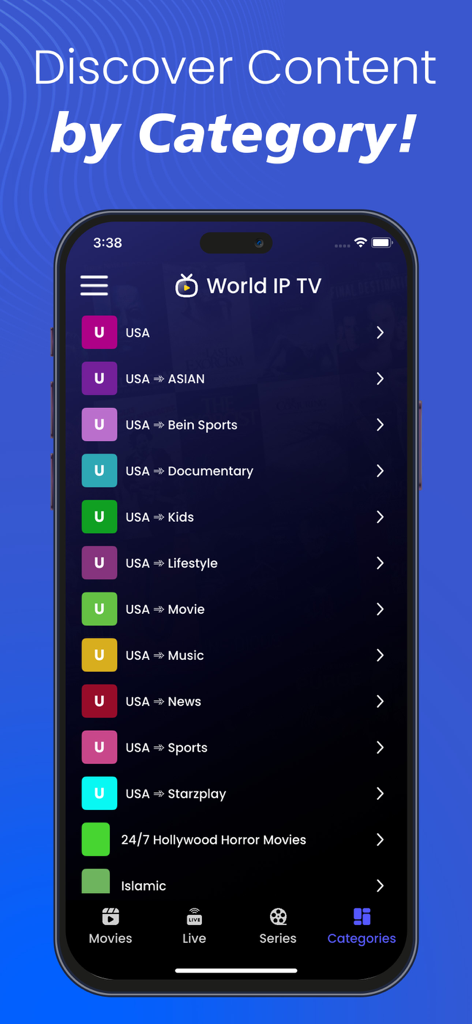
IPTV Smart Player, Live Stream - IPTV Smart Player app interface showing content categories on a smartphone screen
IPTV Smart Player app interface showing content categories on a smartphone screen

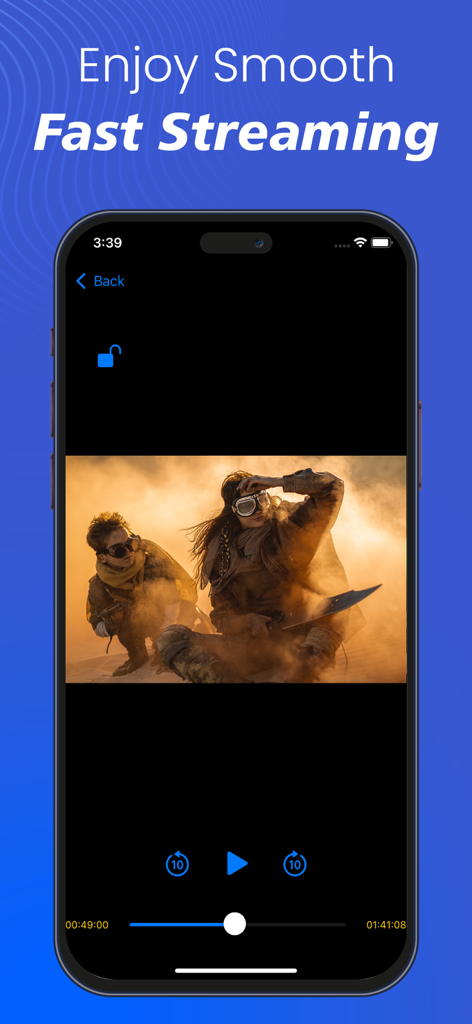
IPTV Smart Player, Live Stream - IPTV Smart Player mobile interface showing a movie stream with playback controls
IPTV Smart Player mobile interface showing a movie stream with playback controls

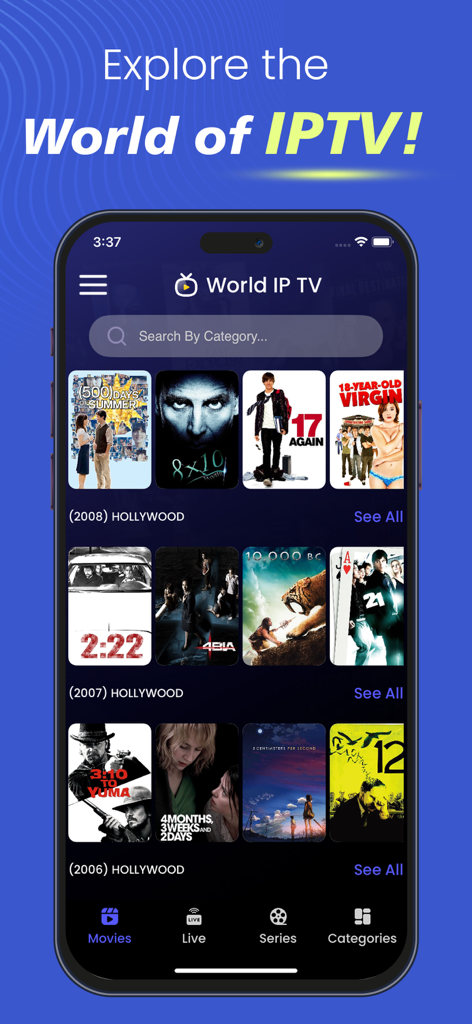
IPTV Smart Player, Live Stream - IPTV Smart Player app interface showing a collection of Hollywood movies
IPTV Smart Player app interface showing a collection of Hollywood movies

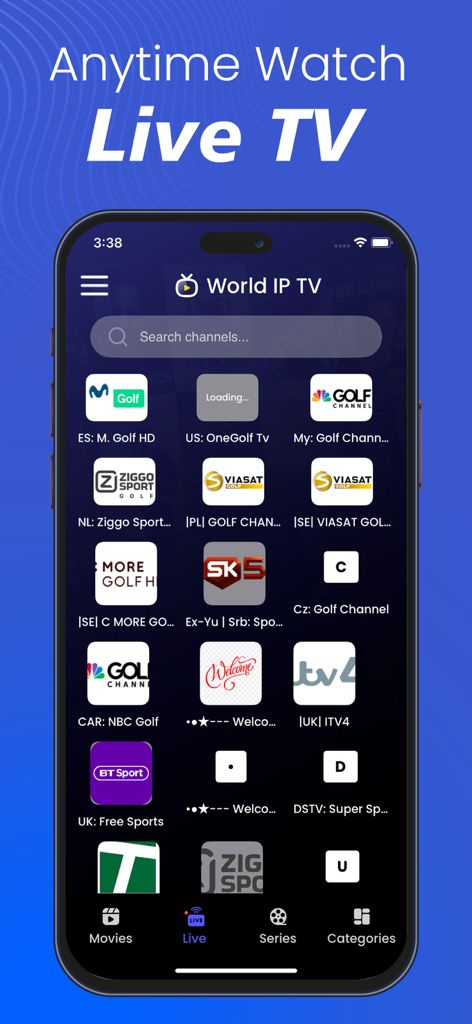
IPTV Smart Player, Live Stream - IPTV Smart Player app interface displaying live sports and international TV channels
IPTV Smart Player app interface displaying live sports and international TV channels

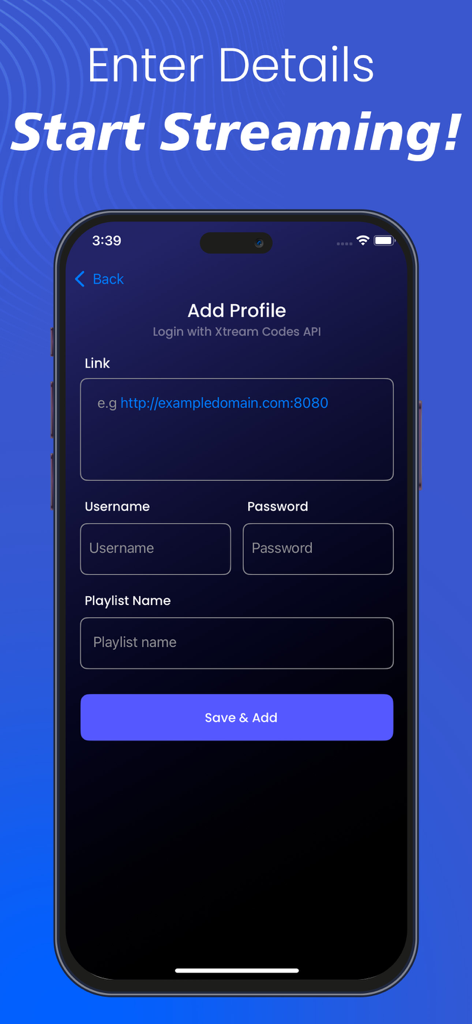
IPTV Smart Player, Live Stream - User interface for adding an IPTV profile with Xtream Codes API login credentials including link username and password

User interface for adding an IPTV profile with Xtream Codes API login credentials including link username and password

Description

IPTV Smart Player, Live Stream: Revolutionizing Your Entertainment Experience Introducing the IPTV Smart Player, Live Stream—your ultimate gateway to an enhanced entertainment experience. Designed for sophistication and convenience, this smart IPTV player elevates your viewing experience like never before. With IPTV Player, you can effortlessly stream video content directly from the internet using Streaming URLs and the Xtream Codes API provided by your IPTV service provider. This application displays only the content added by the user, ensuring a personalized viewing experience. Additionally, the Xtream IPTV local media player allows users to play media files stored on their devices, making it a versatile entertainment hub for IPTV users. Key Features of IPTV Smart Player, Live Stream 1. Chromecast Support Stream your favorite content directly to your TV using Chromecast integration. 2. Multi-Screen Support Watch multiple programs or channels simultaneously, perfect for multitasking entertainment. 3. Xtream Codes API Integration Seamlessly connect with the Xtream Codes API to stream your content without hassle. 4. M3U URL Support Import and manage IPTV playlists effortlessly with M3U playlist compatibility. 5. Parental Control Restrict access to certain content, ensuring a safe viewing experience for families. 6. Customizable Content List Order Arrange content lists according to your preferences for an optimized user experience. 7. Refresh EPG (Electronic Program Guide) Manually refresh EPG data to update program listings instantly. 8. Multi-User Support Create multiple user profiles within the same application for a personalized experience. 9. Favorites Management Mark and quickly access your favorite shows and movies. 10. Search Functionality Find your preferred content easily with the built-in search feature. 11. Manual Data Refresh Refresh content manually to ensure you always have access to the latest media. 12. Sorting Options Various sorting options, including A-Z, Z-A, and more, for seamless navigation. 13. Subtitle Support Enjoy enhanced understanding with integrated subtitle support. 14. User-Friendly Interface A sleek, intuitive UI design ensures a seamless and engaging user experience. 15. Extensive Customization Options Personalize your IPTV interface with advanced customization settings. 16. Movie Information & Ratings Access details like director, cast, release year, and ratings for a well-informed viewing choice. Important Notes: • All images used in Xtream IPTV Player store listing screenshots are licensed under the common creative zero (CCO). • Xtream IPTV player has no built-in media content. The app is a video media player like any other video player. • Content Responsibility: Remember, the app is a platform for users to add and play their own content. Ensure that you have the necessary rights or permissions to access and stream the content you add. • Compliance: Respect copyright laws and guidelines. Avoid streaming or sharing copyrighted material without proper authorization. Disclaimer: We do not promote or offer copyrighted material, IPTV subscriptions, or streams. Users are responsible for adding their streaming URLs or content. This application only displays the content added by the user and plays the user's content in this application.

Download

Download on App Store

This page is not an official page of the app or its developer, but an independent editorial publication created for informational and commentary purposes. Unless expressly stated otherwise, neither the app nor its developer is affiliated with, endorsed by, sponsored by, authorized by, or otherwise officially connected with MWM, Apple, Google Play, the app publisher, or the app's developer, and nothing on this page implies that the app was developed using MWM's services. Any trademarks, logos, screenshots, and other content remain the property of their respective owners.








