iQR Scanner Pro

iQR Scanner Pro

Download on App Store
Logo of iQR Scanner Pro

iQR Scanner Pro: The Professional’s Choice for Instant Scanning and Generation

Decode everything from digital menus to price tags with unmatched speed. Create custom codes, track your history, and shop smarter with our secure, all-in-one utility.

Publisher

thuy nguyen thi thu

Category

Utilities

Downloads

92K+

User Rating

3.8/5

Total Ratings

100

Locales

25

Efficiency at a Glance

Discover the interface used by 92K+ users.
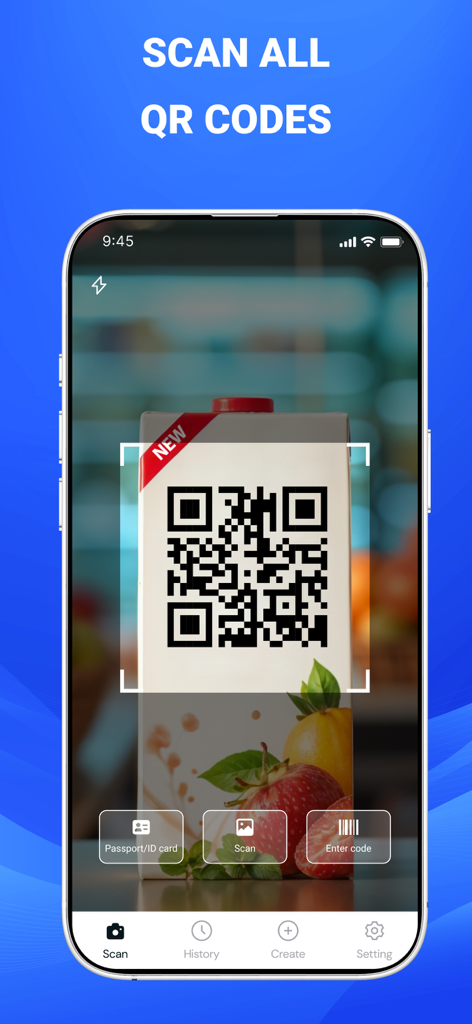
iQR Scanner Pro app interface scanning a QR code on a juice carton with options for history and creation

iQR Scanner Pro app interface scanning a QR code on a juice carton with options for history and creation

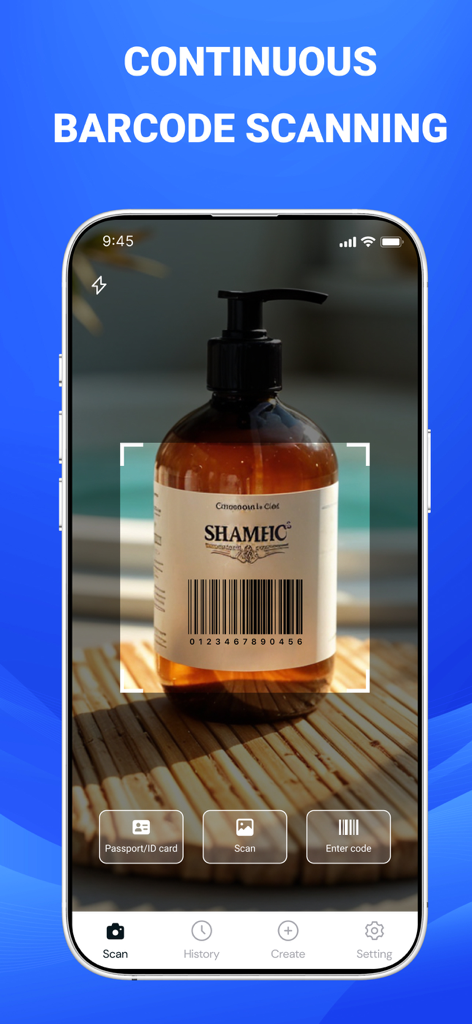
iQR Scanner Pro app interface scanning a barcode on a product bottle

iQR Scanner Pro app interface scanning a barcode on a product bottle

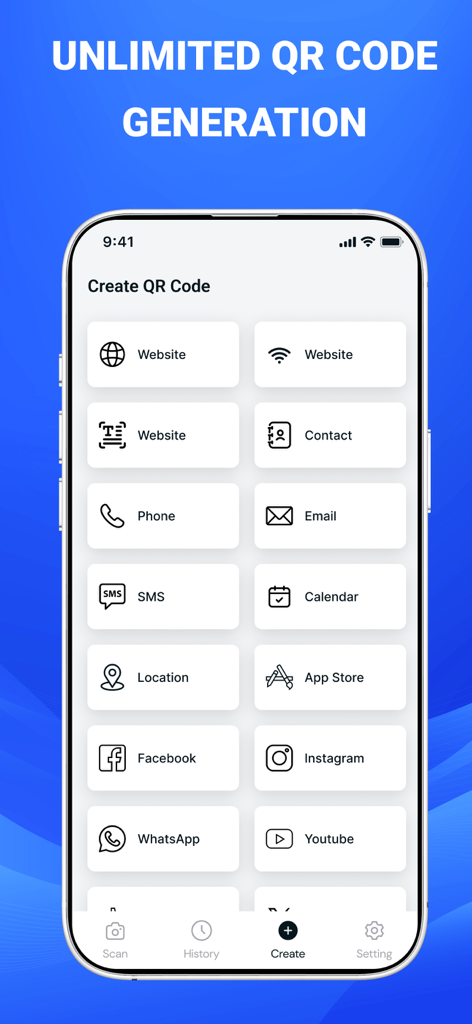
Interface of the iQR Scanner Pro app showing various options to create custom QR codes for websites, contacts, emails, and social media platforms.

Interface of the iQR Scanner Pro app showing various options to create custom QR codes for websites, contacts, emails, and social media platforms.

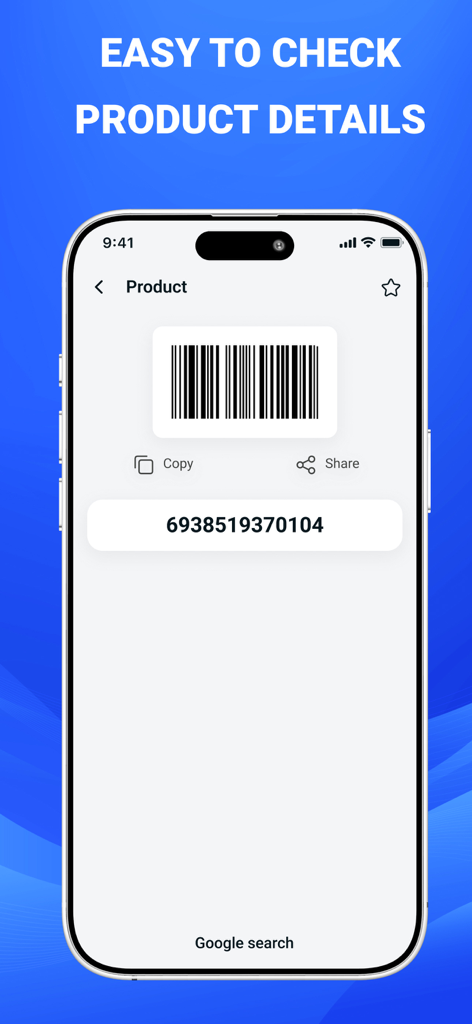
iQR Scanner Pro app interface showing a scanned barcode with product numeric code and options to copy or search on Google

iQR Scanner Pro app interface showing a scanned barcode with product numeric code and options to copy or search on Google

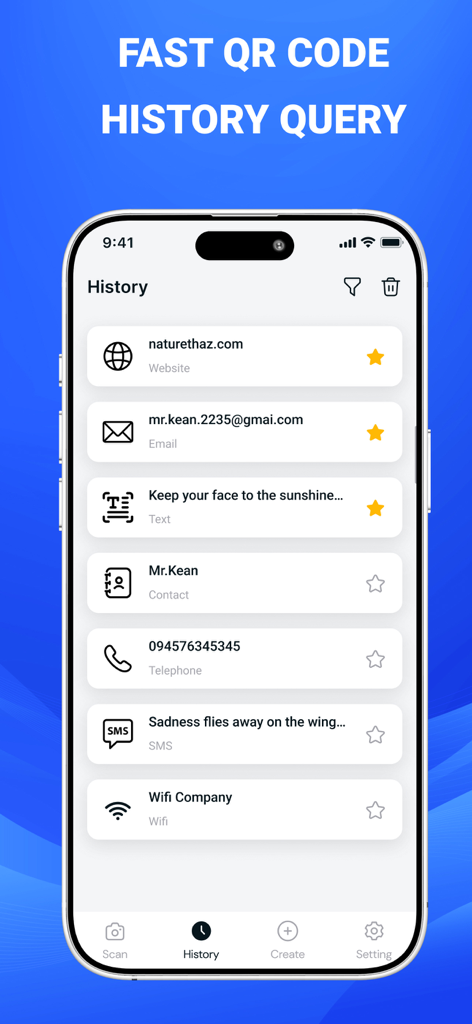
History screen of iQR Scanner Pro app displaying a list of previously scanned QR codes including websites, emails, and contacts.

History screen of iQR Scanner Pro app displaying a list of previously scanned QR codes including websites, emails, and contacts.

The All-in-One Utility for Professionals

The tools that make this app stand out, trusted by 92K+ users.

Instant Decoding & History

Save time with lightning-fast recognition and an automatic log to revisit menus, links, or tickets later.

🚀

Business-Ready Generator

Create custom QR codes for your Wi-Fi, social profiles, or payment links to grow your network on the fly.

📊

Smart Price Intelligence

Shop with confidence by scanning retail barcodes to instantly compare prices and unlock the best deals.

About the app

Everything you need to know about iQR Scanner Pro.

Description

iQR Scanner Pro lets you instantly scan any QR code with speed and accuracy. Whether it’s WiFi passwords, website links, digital menus, event tickets, or payment codes, the app reads them all in seconds. Simply point your camera at a QR code, and iQR Scanner Pro will recognize and decode it automatically, giving you fast access to the information you need. The app also features a barcode scanner that supports product barcodes, retail tags, and various code formats used in stores and packaging. With iQR Scanner Pro, you can check product prices, view detailed item information, and compare options. It's a good choice for shopping and everyday use. MAIN FEATURES: • Supports Multiple Formats: Automatically scan and decode almost QR and barcode formats. • Price Scanner: Compare prices online and unlock offers with promo codes. • QR Code Generator: Create custom QR codes for Wi-Fi, URLs, and more. You can create and save your own QR codes • High Security: Only requires camera access, ensuring full privacy. • Scan History: Revisit previous scans easily. • Flashlight Support: Scan anytime, even in low-light conditions. HOW TO USE? 1. Point your camera at any QR code or barcode. 2. The app will instantly detect and scan it automatically. 3. View your results and choose actions such as opening links, connecting to Wi-Fi, or searching products. DESIGN FOR: • Go shopping to check product prices • Travelers scanning tickets, menus, and Wi-Fi codes • Who want to share menus, websites, or contact info • Shops & sellers who need QR codes for payments or promotions • Students sharing links, study materials, or project files • Event organizers needing quick access codes for tickets or check-in • Home Wi-Fi owners who want an easy way for guests to connect • Creators & influencers sharing social profiles instantly • Anyone who uses QR codes or barcodes daily SUBSCRIPTION INFORMATION • Weekly subscription: $5.99 • Yearly subscription: $79.99 • Prices may vary by country depending on local taxes, currency rates, and regional policies. Your subscription gives you full access to all premium features. Payment will be charged to your App Store account at confirmation of purchase. Subscriptions renew automatically unless canceled at least 24 hours before the renewal date. You can manage or cancel your subscription anytime in your account settings. Download iQR Scanner Pro app now and see how quick and convenient it can be. Thanks for using our app! Privacy policy: https://sites.google.com/view/qrscannerpro-privacypolicy Terms and Conditions: https://sites.google.com/view/qrscannerpro-termcondition

Latest Version

2.5

Size

37.7 MB

First Released

May 6, 2025

Upgrade to the Ultimate Pro Scanner

Join over 92,000 power users who save time with instant scanning, secure price checks, and custom QR generation. Experience the speed and efficiency your daily routine deserves.

Download on App Store
FAQ

Frequently Asked Questions

Everything you need to know about iQR Scanner Pro

What is iQR Scanner Pro?

iQR Scanner Pro is an application that allows users to instantly scan any QR code and barcode. It decodes information from various formats, including WiFi, website links, product barcodes, and event tickets.

How does iQR Scanner Pro work?

iQR Scanner Pro works by pointing your camera at a QR code or barcode. The app automatically detects, scans, and decodes the information, then presents results for user action, such as opening links or connecting to Wi-Fi.

Can iQR Scanner Pro scan barcodes?

Yes, iQR Scanner Pro includes a barcode scanner. It supports product barcodes, retail tags, and various other code formats found in stores and on packaging, enabling price checks and detailed item information.

Can I create QR codes with iQR Scanner Pro?

Yes, iQR Scanner Pro features a QR Code Generator. Users can create and save custom QR codes for Wi-Fi, URLs, contacts, and other data, as confirmed by the app's features list and UI.

Does iQR Scanner Pro offer a price scanner?

Yes, iQR Scanner Pro includes a Price Scanner feature. It allows users to compare prices online and unlock offers using promo codes for products scanned via barcodes.

What permissions does iQR Scanner Pro require?

iQR Scanner Pro only requires camera access to function. This minimal permission request ensures high security and full privacy for the user, as stated in its main features.

Can I review past scans in iQR Scanner Pro?

Yes, iQR Scanner Pro maintains a Scan History. Users can easily revisit previous scans, which is a core feature for quick access to past scanned information.

Does iQR Scanner Pro support scanning in low light?

Yes, iQR Scanner Pro supports scanning in low-light conditions. The app includes a Flashlight Support feature to ensure usability anytime and in various environments.

What is the subscription cost for iQR Scanner Pro?

iQR Scanner Pro offers a weekly subscription for $5.99 and a yearly subscription for $79.99. Prices may vary by country due to local taxes, currency rates, and regional policies.

How do I cancel my iQR Scanner Pro subscription?

To cancel your iQR Scanner Pro subscription, you must do so at least 24 hours before the renewal date. You can manage or cancel your subscription anytime in your App Store account settings.

What types of QR codes can iQR Scanner Pro scan?

iQR Scanner Pro can scan various QR code types, including WiFi passwords, website links, digital menus, event tickets, and payment codes. It automatically decodes almost all QR formats.

Is iQR Scanner Pro suitable for shopping?

Yes, iQR Scanner Pro is suitable for shopping. It allows users to check product prices, view detailed item information, and compare options using its barcode scanner and price scanner features.

App information, icons, screenshots, and descriptions displayed on this page are sourced from the Apple App Store and are the property of their respective developers. Download estimates and rankings are based on MWM's proprietary models and may not reflect actual figures. This page is provided for informational and analytical purposes only.

Believe this page infringes your intellectual property? File a dispute