Power Barcode Scanner
Download on App Store

This page is not an official page of the app or its developer, but an independent editorial publication created for informational and commentary purposes. Unless expressly stated otherwise, neither the app nor its developer is affiliated with, endorsed by, sponsored by, authorized by, or otherwise officially connected with MWM, Apple, Google Play, the app publisher, or the app's developer, and nothing on this page implies that the app was developed using MWM's services. Any trademarks, logos, screenshots, and other content remain the property of their respective owners.


Logo of Power Barcode Scanner
Download on App Store

Power Barcode Scanner

Turn your device into an industrial-grade tool. Batch scan, manage inventory, and export to Excel with precision—no expensive hardware required.

Key Figures

Downloads

509K+

User Rating

4.8/5

Total Ratings

12K+

Publisher

Irvinesoft Inc

Category

Utilities

Locales

2

Latest Version

4.1.5

Size

56.4 MB

First Released

Aug 13, 2012
Features

Scale Your Business with Professional Scanning

Turn your mobile device into a high-performance inventory toolkit. Manage stock, track logistics, and automate data entry without the need for expensive dedicated hardware.

High-Speed Batch Scanning

Process hundreds of items in a single session with industrial-grade speed. The advanced crosshair ensures you grab the right code every time, even in crowded stockrooms.

Seamless Excel & CSV Export

Eliminate manual errors and save hours of work. Export your scanned data and custom product details directly to professional spreadsheets for instant inventory reporting.

The following screenshots and description are sourced directly from the app's official store listing and are the property of the app developer.

App Store

Screenshots
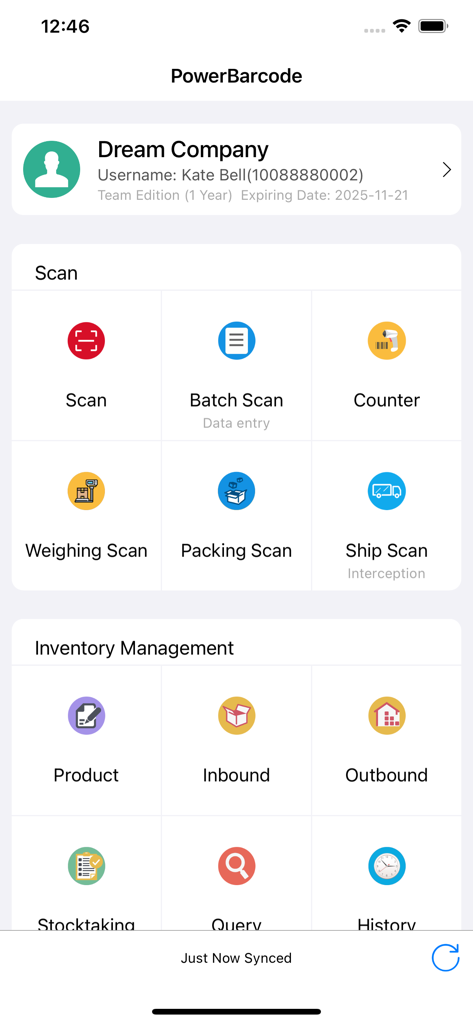
Power Barcode Scanner - Dashboard of Power Barcode Scanner showing scanning and inventory management tools for businesses

Dashboard of Power Barcode Scanner showing scanning and inventory management tools for businesses
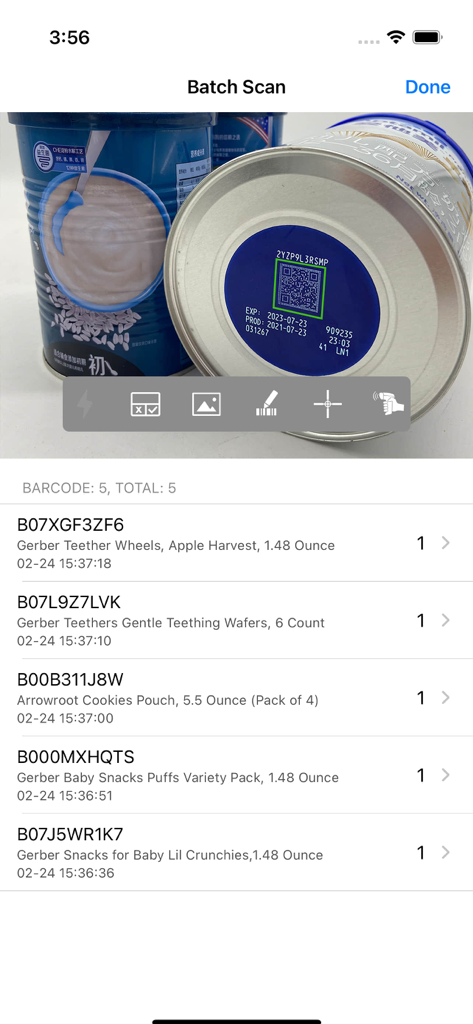
Power Barcode Scanner - Power Barcode Scanner app interface showing the batch scan feature with a list of scanned baby products and their quantities
Power Barcode Scanner app interface showing the batch scan feature with a list of scanned baby products and their quantities

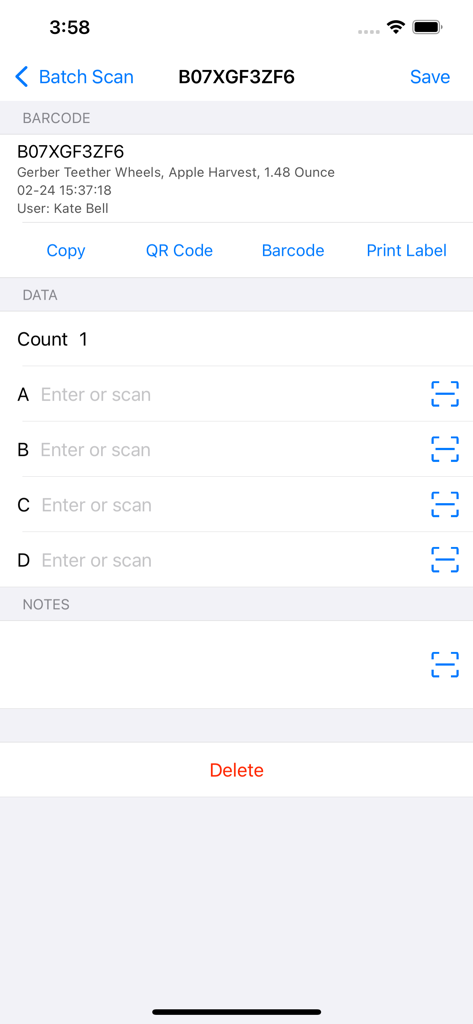
Power Barcode Scanner - A screenshot of the Power Barcode Scanner app showing product details and data entry fields for inventory management.
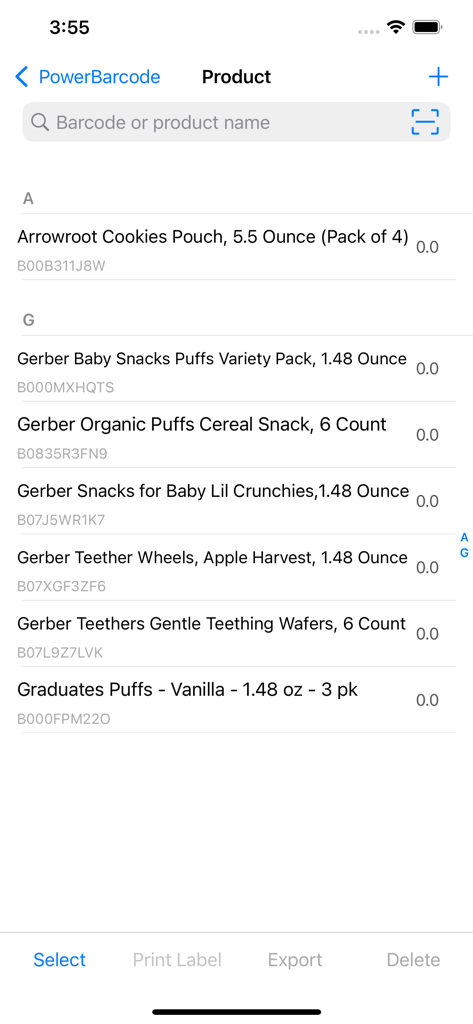
A screenshot of the Power Barcode Scanner app showing product details and data entry fields for inventory management.

Power Barcode Scanner - Mobile product inventory list with barcode identifiers and management options.
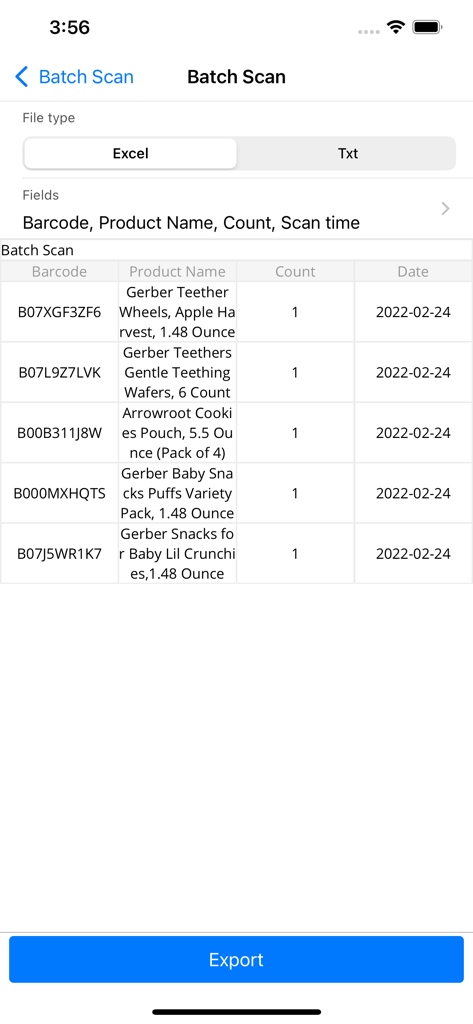
Mobile product inventory list with barcode identifiers and management options.

Power Barcode Scanner - Power Barcode Scanner app batch scan screen showing a list of scanned products and an export to Excel option
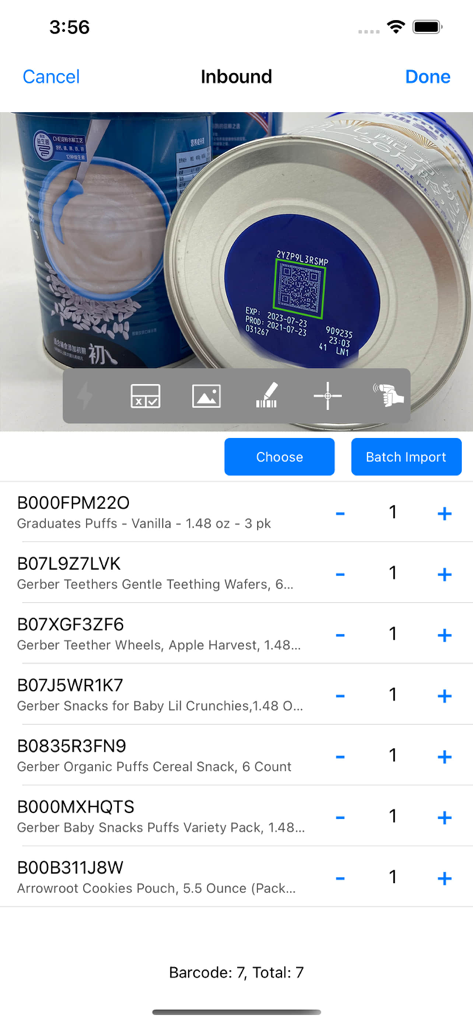
Power Barcode Scanner app batch scan screen showing a list of scanned products and an export to Excel option

Power Barcode Scanner - Inbound inventory screen showing a batch of scanned baby products with QR code scanning and item list in Power Barcode Scanner app.
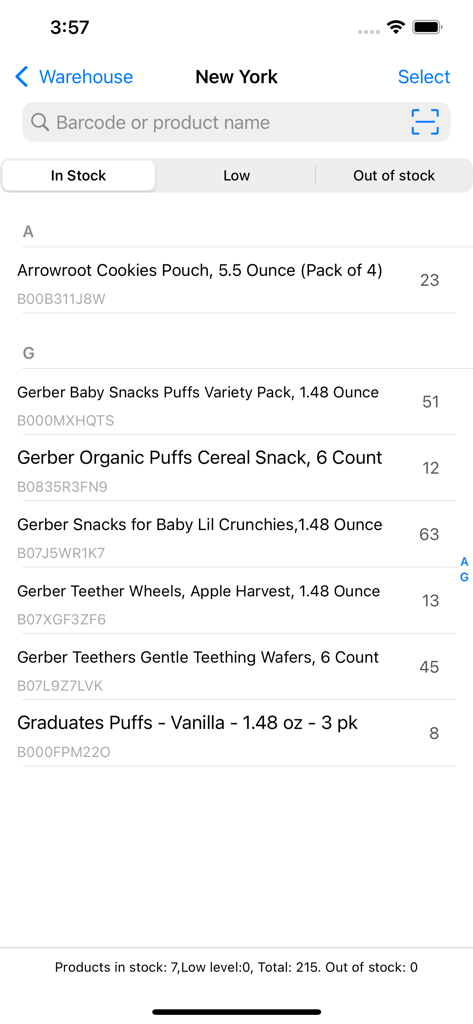
Inbound inventory screen showing a batch of scanned baby products with QR code scanning and item list in Power Barcode Scanner app.

Power Barcode Scanner - Mobile inventory management screen showing product names quantities and barcode IDs in the Power Barcode Scanner app
Mobile inventory management screen showing product names quantities and barcode IDs in the Power Barcode Scanner app

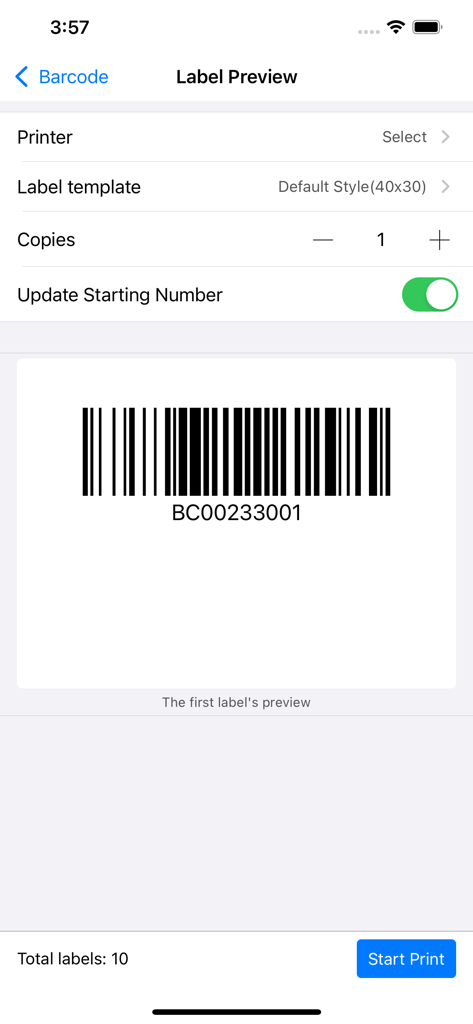
Power Barcode Scanner - Label preview screen showing a generated barcode and print settings for business inventory
Label preview screen showing a generated barcode and print settings for business inventory

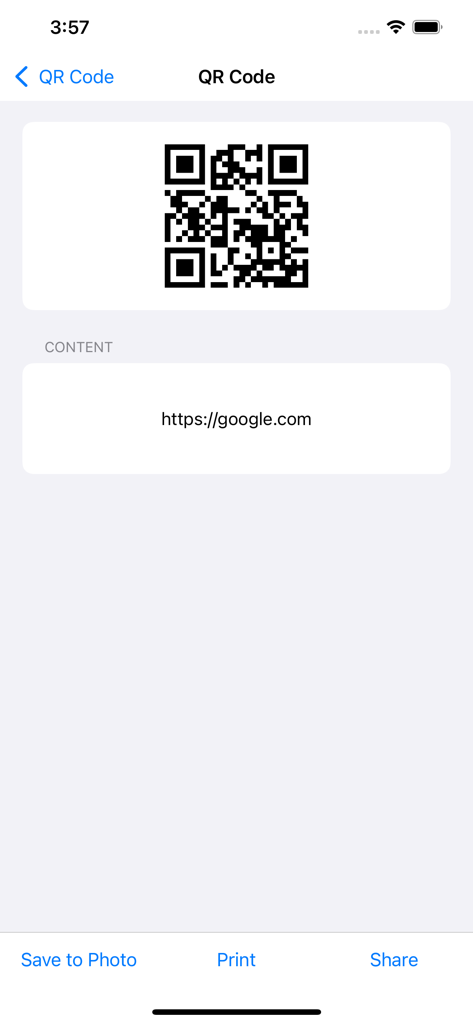
Power Barcode Scanner - Power Barcode Scanner app interface showing a generated QR code for a web link with options to save print and share.
Power Barcode Scanner app interface showing a generated QR code for a web link with options to save print and share.

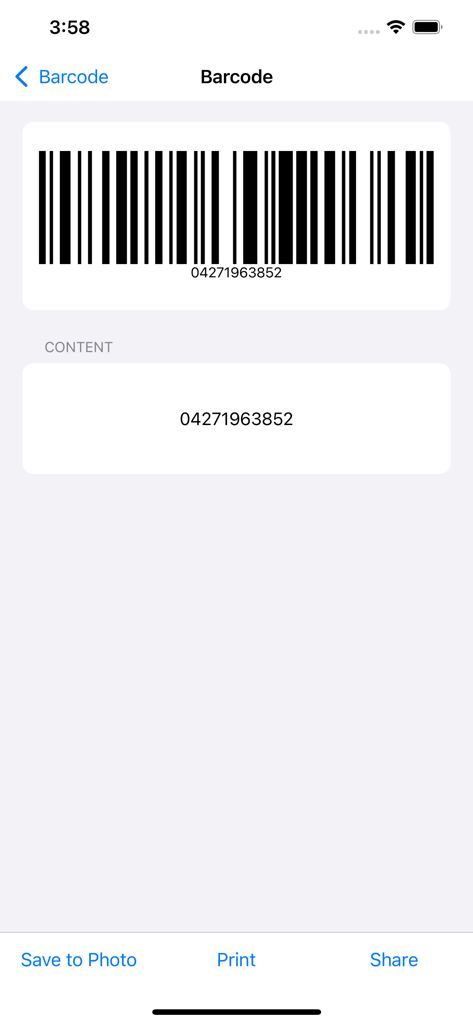
Power Barcode Scanner - Screen displaying a scanned barcode with its numerical content and action buttons for saving printing and sharing

Screen displaying a scanned barcode with its numerical content and action buttons for saving printing and sharing

Description

Power Barcode is a super powerful barcode scanner and QR code scanner. The batch scanning feature helps you continuously scan a batch of barcodes/ QR codes and export them. The advanced Crosshair in screen center helps you identify the right barcode/QR code during scanning. The copy/export feature helps you export scanned barcode as text or excel file. Also, it is a barcode generator and QR code generator. Save generated barcodes and QR code images to Photos or export for print. The data entry feature helps you input custom information for a scanned barcode, such as quantity, product properties, customer name, tracking code, part-numbers. The inventory management application helps you do inventory management, warehouse management, assets management. The sticker print features helps you print barcodes and QR codes stickers with A4 paper printer. No need to buy a sticker printer, saves a lot :-). There are more features in this barcode solution app. Try it and you will love it. [Supported code type] • QR code • Code 128 • EAN-8 • EAN-13 • UPC-E • Aztec • PDF 417 • ITF-14 • Data Matrix • Interleaved 2 of 5 • Code 93 • Code 39 Power Barcode makes iPhone/iPad into a smart mobile scanner, which can be used to scan a variety of applications anytime, anywhere. People from different areas are use Power Barcode to improve their work efficiency every day. * Shops and supermarkets are using it to manage purchases, sales and inventory. * Production companies are using it to manage production, manage inventory, product traceability, and logistics tracking. * Agricultural food companies are using it to manage the traceability of green products. * The courier is using it to manage goods distribution and inventory management. * Micro-business entrepreneurs are using it to manage orders and shipments. * Accountant is using it to batch scan and register invoices and reimbursement forms. We are proud of serving so many people every day. [Contact us] Numob Technologies Email: support@numob.com [Subscriptions & Price] You can use this App for free. We also provide subscription Edition to offer advanced features, such as cloud data backup, team collaboration, enterprise custom apps. Payment will be charged to iTunes Account at confirmation of purchase. Subscription automatically renews unless auto-renew is turned off at least 24-hours before the end of the current period. Account will be charged for renewal within 24-hours prior to the end of the current period, and identify the cost of the renewal. Subscriptions may be managed by the user and auto-renewal may be turned off by going to the user's Account Settings after purchase. Any unused portion of a free trial period, if offered, will be forfeited when the user purchases a subscription to that publication, where applicable. If you turn off the auto-renew, you can still keep all your data on the device. [Terms & Policy] Terms of use: https://www.numob.com/#/terms-of-use/ Privacy policy: https://www.numob.com/#/privacy-policy/

Download

Download on App Store

This page is not an official page of the app or its developer, but an independent editorial publication created for informational and commentary purposes. Unless expressly stated otherwise, neither the app nor its developer is affiliated with, endorsed by, sponsored by, authorized by, or otherwise officially connected with MWM, Apple, Google Play, the app publisher, or the app's developer, and nothing on this page implies that the app was developed using MWM's services. Any trademarks, logos, screenshots, and other content remain the property of their respective owners.