iTranscription
iTranscription

This page is not an official page of the app or its developer, but an independent editorial publication created for informational and commentary purposes. Unless expressly stated otherwise, neither the app nor its developer is affiliated with, endorsed by, sponsored by, authorized by, or otherwise officially connected with MWM, Apple, Google Play, the app publisher, or the app's developer, and nothing on this page implies that the app was developed using MWM's services. Any trademarks, logos, screenshots, and other content remain the property of their respective owners.
Logo of iTranscription

iTranscription

Transform audio and video into accurate text with 100% local processing. Powered by Whisper AI, iTranscription keeps your sensitive recordings private on your device—no cloud, no subscriptions, and zero data tracking.

Key Figures

Downloads

100+

User Rating

1.0/5

Total Ratings

0

Publisher

Linosec

Category

Business

Locales

1

Latest Version

1.0

Size

2.3 GB

First Released

Oct 16, 2025
Features

Professional AI Transcription. Total Privacy.

Transform your audio and video files into accurate text with industry-leading Whisper AI. Built for professionals who demand security, speed, and zero subscriptions.

100% Private & Offline

Process sensitive legal, medical, or research data entirely on-device. No cloud uploads, no tracking, and no internet required.

Smart AI Summaries

Save hours with instant summaries and multi-language translations powered by on-device iOS 18 intelligence.

The following screenshots and description are sourced directly from the app's official store listing and are the property of the app developer.

App Store

Screenshots
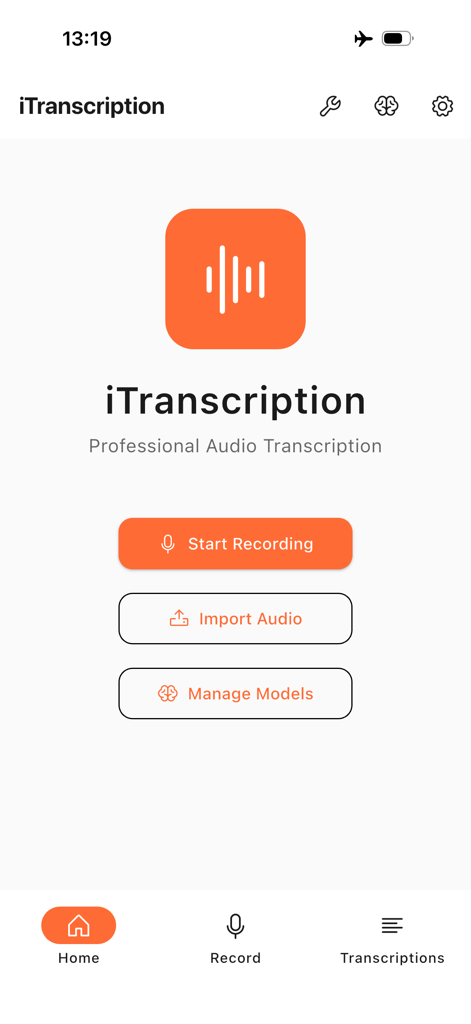
iTranscription - iTranscription mobile app home screen with options to start recording import audio and manage AI models
iTranscription mobile app home screen with options to start recording import audio and manage AI models

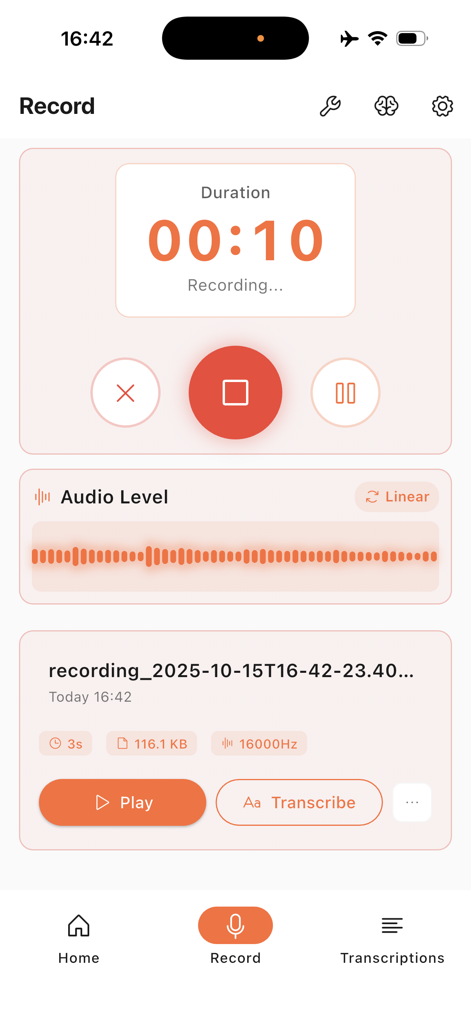
iTranscription - Screen showing the audio recording interface of the iTranscription app with a timer and waveform
Screen showing the audio recording interface of the iTranscription app with a timer and waveform

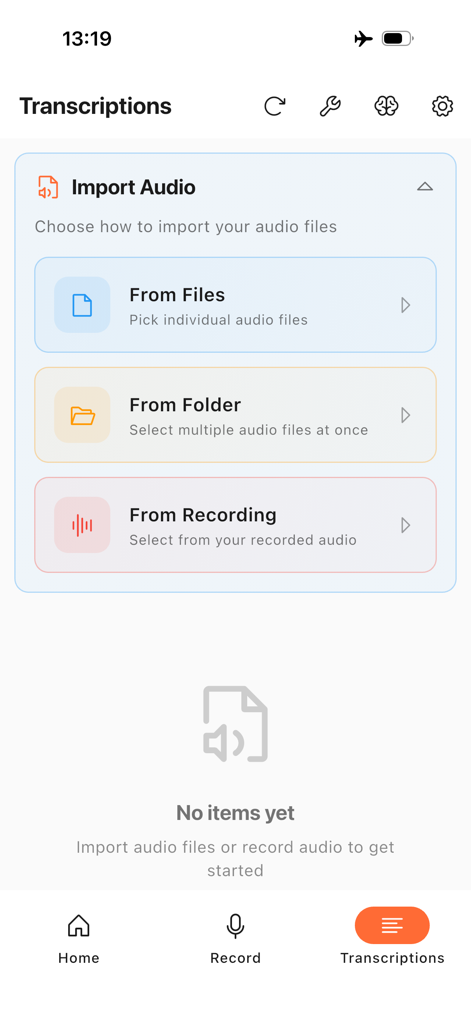
iTranscription - The iTranscription app interface showing options to import audio from files, folders, or recordings for offline transcription.
The iTranscription app interface showing options to import audio from files, folders, or recordings for offline transcription.

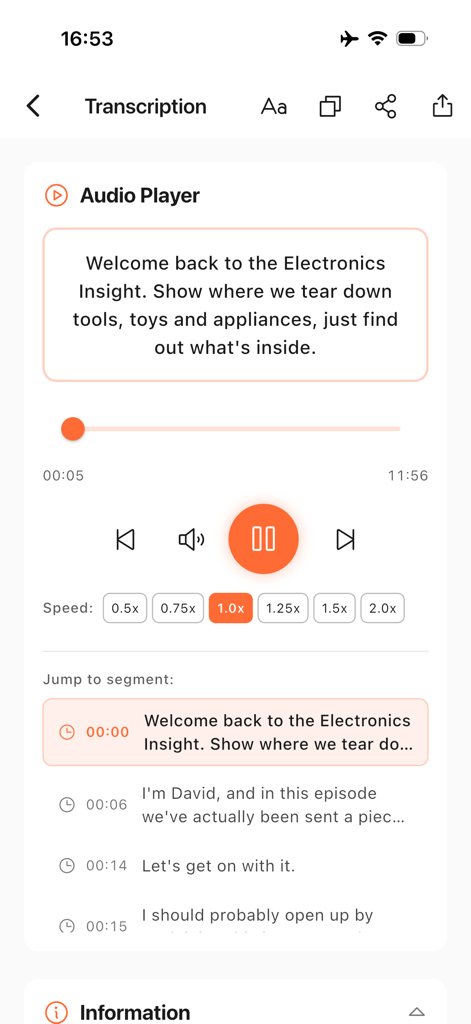
iTranscription - iTranscription app interface showing an audio player with synchronized text segments and playback controls.
iTranscription app interface showing an audio player with synchronized text segments and playback controls.

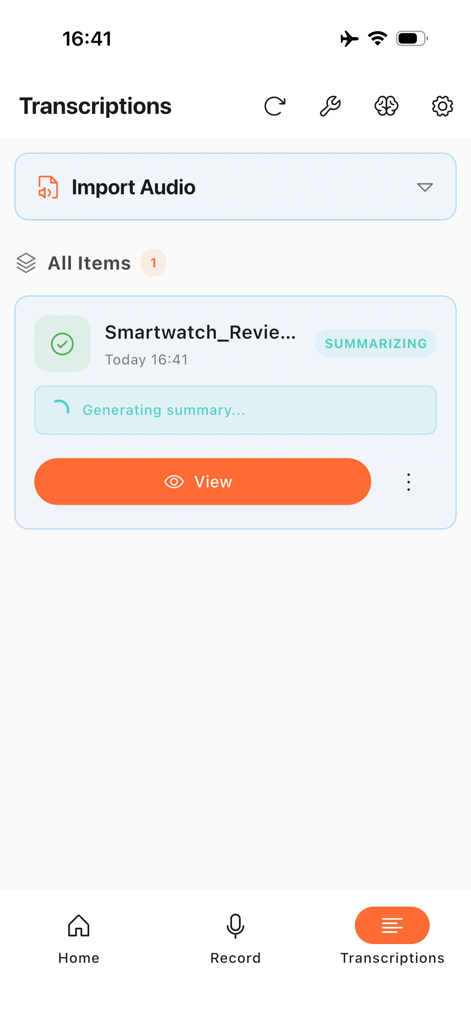
iTranscription - iTranscription app interface showing a transcription item with a progress bar for generating an AI summary.
iTranscription app interface showing a transcription item with a progress bar for generating an AI summary.

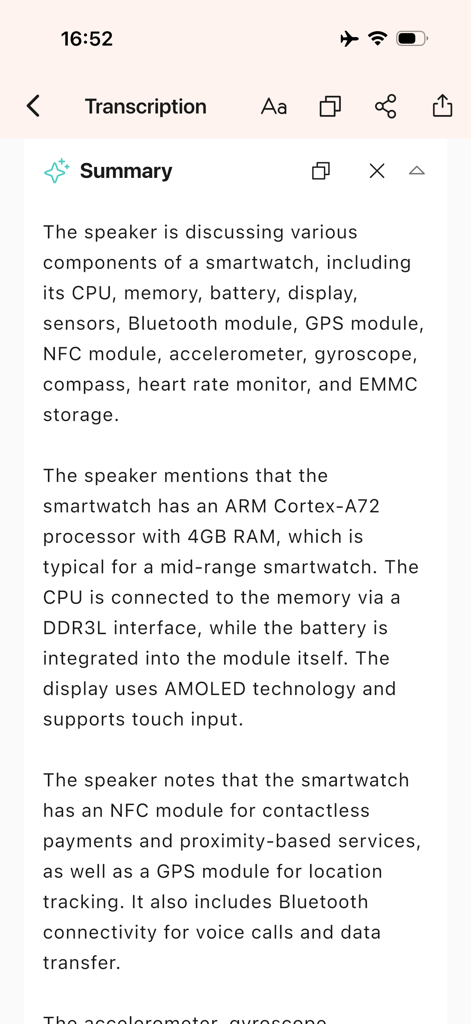
iTranscription - A screenshot of the iTranscription app showing an AI-generated summary of a technical discussion about smartwatch hardware components on an iPhone

A screenshot of the iTranscription app showing an AI-generated summary of a technical discussion about smartwatch hardware components on an iPhone

Description

**Transform Your Audio into Text—Completely Offline** iTranscription is a powerful, privacy-focused transcription app that converts your recordings, audio files, and video files into accurate text—all without ever leaving your device. Powered by OpenAI's industry-leading Whisper AI technology, iTranscription delivers professional-grade transcription results while keeping your data completely private. ** Record & Transcribe** • Record high-quality audio directly in the app • Automatic transcription as you record or afterwards • Perfect for meetings, lectures, interviews, and voice memos • Support for 99+ languages with exceptional accuracy ** Import & Process Any Media** Import audio and video files in virtually any format: **Audio Formats:** MP3, WAV, FLAC, M4A, AAC, OGG, OPUS, WMA, APE, TAK, TTA, WavPack, ALAC, AIFF, CAF, AU, AC3, MKA, AMR, 3GA, GSM, Speex, RealAudio, and more **Video Formats:** MP4, MOV, AVI, MKV, WEBM, FLV, WMV, M4V, MPEG, 3GP, VOB, OGV, MXF, ASF, DivX, RealMedia, and more The app automatically extracts and processes audio from video files, making it easy to transcribe conference recordings, video interviews, lectures, and online content. ** AI-Powered Features (iOS 18+)** • **Smart Summarization**: Get concise summaries of your transcriptions instantly • **Multi-Language Translation**: Translate transcriptions into different languages • All AI processing happens entirely on your device—no internet required ** Privacy First, Always** • **100% Local Processing**: All transcription, summarization, and translation happens on your device • **Zero Cloud Uploads**: Your audio and text never leave your iPhone or iPad • **No Tracking**: We don't collect, store, or transmit any of your data • **Internet Only for Models**: Network connection used exclusively to download AI models from Hugging Face • **Completely Offline**: Once models are downloaded, work anywhere without internet ** Professional Features** • Multiple Whisper model sizes to balance speed and accuracy • Export transcriptions in multiple formats (TXT and SRT) • Timestamp support for subtitles and captions • Batch processing for multiple files • Search and filter through your transcription history • Dark mode support • Accessible design for all users ** Truly Global** Support for 99+ languages translation including: English, Spanish, French, German, Italian, Portuguese, Chinese, Japanese, Korean, Arabic, Russian, Hindi, Dutch, Polish, Turkish, Vietnamese, Thai, and many more. ** Storage & Organization** • All data stored locally on your device • Organized transcription library with search • Easy management of recordings and transcriptions • Full control—delete anytime ** System Requirements** • iOS 16.0 or later for Transcription • iOS 18.0 or later for AI summarization and translation features • Sufficient storage for AI models (models downloaded on first use) • We recommend using iPhone Pro series or iPad Mini series for Summarization and Translation functionalities ** Perfect For** • Journalists and reporters • Students and researchers • Content creators and podcasters • Business professionals • Medical professionals • Legal practitioners • Language learners • Anyone who needs accurate transcription **Why Choose iTranscription?** Unlike cloud-based transcription services, iTranscription puts you in complete control. There are no subscriptions, no usage limits, no data mining, and no privacy concerns. Your sensitive audio—whether it's confidential business meetings, medical consultations, legal interviews, or personal recordings—stays on your device where it belongs. Download iTranscription today and experience the freedom of truly private, professional-grade transcription.

Download

This page is not an official page of the app or its developer, but an independent editorial publication created for informational and commentary purposes. Unless expressly stated otherwise, neither the app nor its developer is affiliated with, endorsed by, sponsored by, authorized by, or otherwise officially connected with MWM, Apple, Google Play, the app publisher, or the app's developer, and nothing on this page implies that the app was developed using MWM's services. Any trademarks, logos, screenshots, and other content remain the property of their respective owners.