
This page is not an official page of the app or its developer, but an independent editorial publication created for informational and commentary purposes. Unless expressly stated otherwise, neither the app nor its developer is affiliated with, endorsed by, sponsored by, authorized by, or otherwise officially connected with MWM, Apple, Google Play, the app publisher, or the app's developer, and nothing on this page implies that the app was developed using MWM's services. Any trademarks, logos, screenshots, and other content remain the property of their respective owners.


itslearning mobile
No more academic black holes. This app hands teachers and students the reins to their digital classroom, anytime, anywhere.
Downloads
2.5M+User Rating
Total Ratings
13.8KPublisher
Category
EducationLocales
13Latest Version
3.12Size
15.8 MBFirst Released
Dec 30, 2014An evaluation of key functionalities designed for educators and learners leveraging the itslearning LMS on mobile devices.
itslearning mobile: Core Features Analysis
Instant Notifications
The app delivers real-time alerts for new assessments and other important actions, ensuring users are immediately informed of critical updates.
Task Management & Follow-up
It allows users to manage personal task lists and provides teachers with follow-up task capabilities, aiding in workload organization and student progress tracking.
Course Content Access
This tool features comprehensive access to all favorite courses and their associated content, enabling users to engage with learning materials on the go.
In-app Messaging
The app provides a dedicated messaging function, facilitating direct and efficient communication between students, teachers, and collaborative groups within the platform.
Course Overview & Bulletins
It offers a clear and simple overview of course bulletins and the latest changes, keeping users abreast of significant academic updates at a glance.
Calendar Integration
The app provides easy access to the itslearning calendar and the option to connect it with the device's native calendar, improving schedule management and deadline awareness.
Frequently Asked Questions
Everything you need to know about itslearning mobile
What is the itslearning mobile app?
The itslearning mobile app is the official application designed for teachers and students, bringing the itslearning experience to their devices. It provides an overview of bulletins, course content, and communication tools.
What are the main features of the itslearning mobile app?
The itslearning mobile app offers bulletins, messaging, course content access, a task list, calendar access, and instant notifications for assessments and important actions.
Does the itslearning mobile app include a messaging function?
Yes, the itslearning mobile app includes a messaging function. Users can send and receive messages, participate in conversations, and attach files like documents.
Can I attach files in messages using the itslearning mobile app?
Yes, users can attach files in messages within the itslearning mobile app. This is supported by the app's permissions for camera and files, and demonstrated in chat conversations.
How do users log in to the itslearning mobile app?
To log in, users search for their school or site, select their login method, and then enter their username and password. No further steps are required after this.
Does the itslearning mobile app provide instant notifications?
Yes, the itslearning mobile app provides instant notifications about new assessments and other important actions. It also requests permission to receive push notifications.
What permissions does the itslearning mobile app request?
The itslearning mobile app requests permissions for camera and files, notifications, and calendar access. These enable features like profile picture changes, file attachments, push alerts, and device calendar integration.
Can teachers manage tasks using the itslearning mobile app?
Yes, teachers can manage tasks, including follow-up tasks, directly within the itslearning mobile app. The app features a dedicated task list for this purpose.
Can itslearning mobile connect to my device's calendar?
Yes, the itslearning mobile app can connect its calendar to your device's calendar. This functionality requires granting the app calendar permission.
The following screenshots and description are sourced directly from the app's official store listing and are the property of the app developer.
App Store
Screenshots
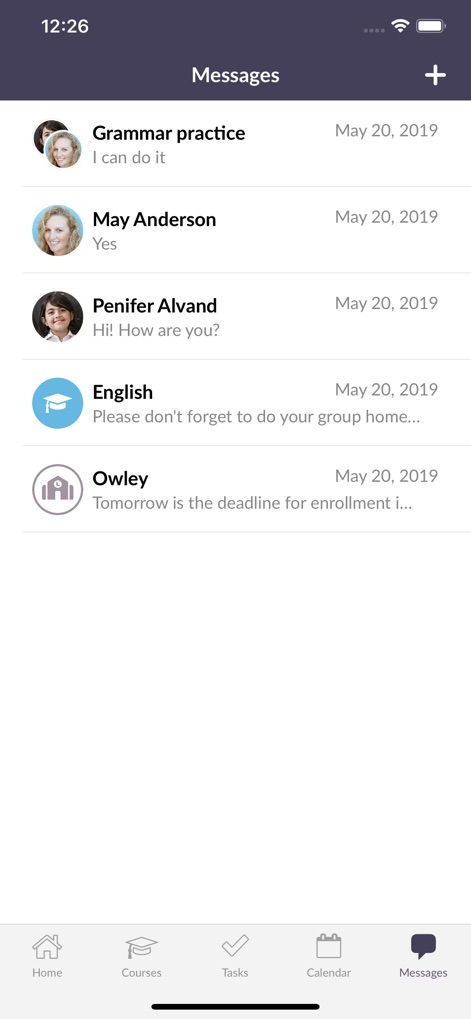
The app provides a clear conversation list and identifies senders with names and profile images for efficient communication management.
Direct Communication
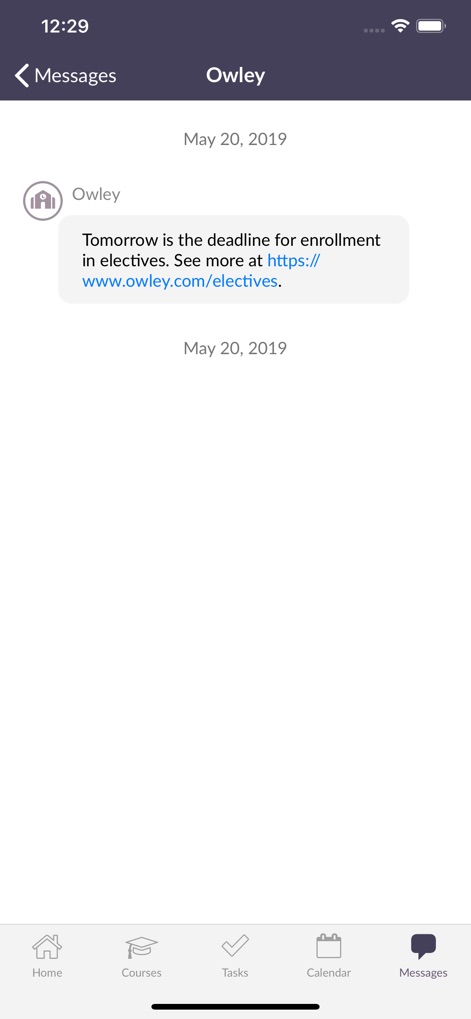
Users can view individual message displays, including sender details and embedded links for accessing external resources.
Focused Conversations
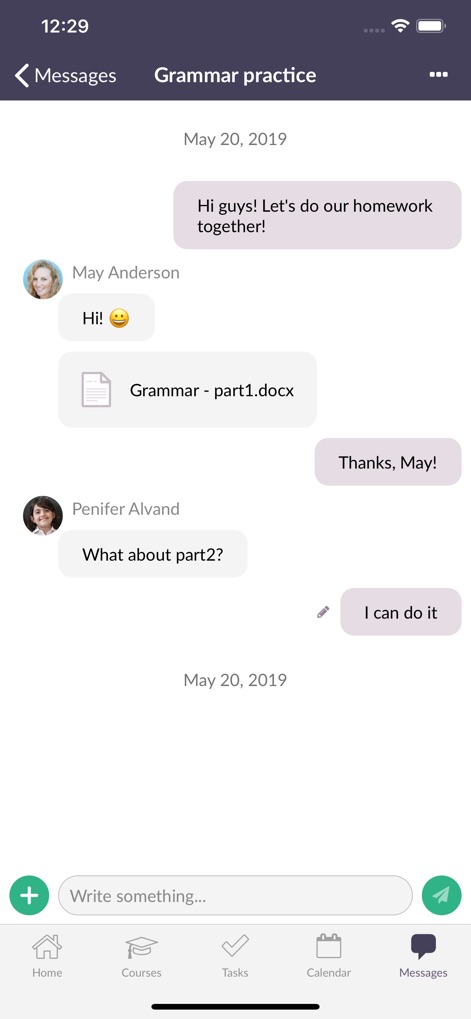
This tool facilitates collaborative discussions within an interactive message thread and supports sharing file attachments directly in chats.
Engage & Collaborate
Description
Download
More Like This
Apps with similar features and user experience

GetCourse
Timur Karimbaev

CourseKey Student
COURSE KEY

少年得到-知识百科平台
Kude youth (tianjin) culture communication co. LTD

Ulife
GAEC Educacao S/A

知享学堂
Hangzhou Kuozhi Network Technology Co., Ltd.

Tfaseel
QUANTIC TECH SOLUTIONS FZC

Classera
Classera Inc.

JustSchool - English Online
Igor Furmanenko

myWGU Mobile
Western Governors University
This page is not an official page of the app or its developer, but an independent editorial publication created for informational and commentary purposes. Unless expressly stated otherwise, neither the app nor its developer is affiliated with, endorsed by, sponsored by, authorized by, or otherwise officially connected with MWM, Apple, Google Play, the app publisher, or the app's developer, and nothing on this page implies that the app was developed using MWM's services. Any trademarks, logos, screenshots, and other content remain the property of their respective owners.