iWriteMusic Pro
iWriteMusic Pro
Download on App Store

This page is not an official page of the app or its developer, but an independent editorial publication created for informational and commentary purposes. Unless expressly stated otherwise, neither the app nor its developer is affiliated with, endorsed by, sponsored by, authorized by, or otherwise officially connected with MWM, Apple, Google Play, the app publisher, or the app's developer, and nothing on this page implies that the app was developed using MWM's services. Any trademarks, logos, screenshots, and other content remain the property of their respective owners.


Logo of iWriteMusic Pro
Download on App Store

iWriteMusic Pro

The fastest way to create, edit, and share beautiful sheet music on your iPad. Designed for busy educators, songwriters, and performers who need professional results without the complexity of desktop software.

Key Figures

Downloads

139K+

User Rating

4.5/5

Total Ratings

2K+

Publisher

Kazuo Nakamura

Category

Music

Locales

1

Latest Version

3.6.8

Size

19.0 MB

First Released

Oct 22, 2011
Features

Compose, Arrange, and Teach with Unmatched Speed

Join thousands of productive musicians who have traded complex desktop software for a streamlined iPad workflow that turns musical ideas into professional scores in minutes.

Lightning-Fast One-Flick Entry

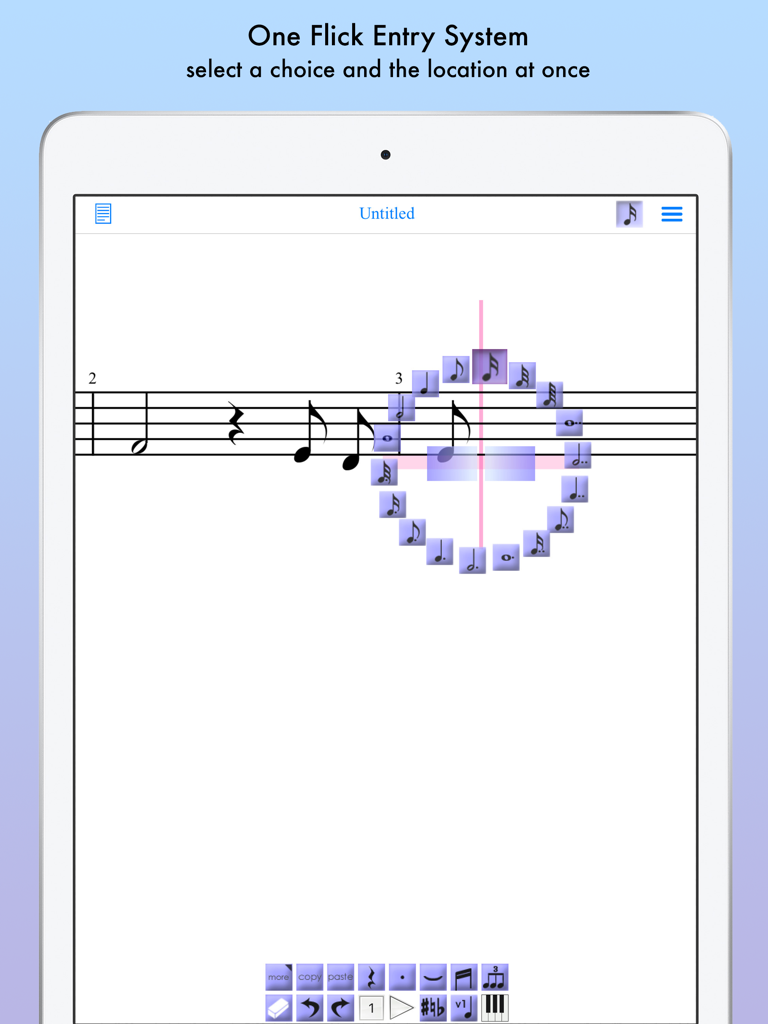
Say goodbye to tedious menus. Our innovative input system lets you select pitch and duration in a single gesture, doubling your notation speed for rehearsals and lessons.

Pro Results, Zero Learning Curve

Skip the manuals. iWriteMusic is designed for educators and gigging musicians who need to create beautiful, print-ready scores without the headache of desktop bloatware.

The following screenshots and description are sourced directly from the app's official store listing and are the property of the app developer.

App Store

Screenshots
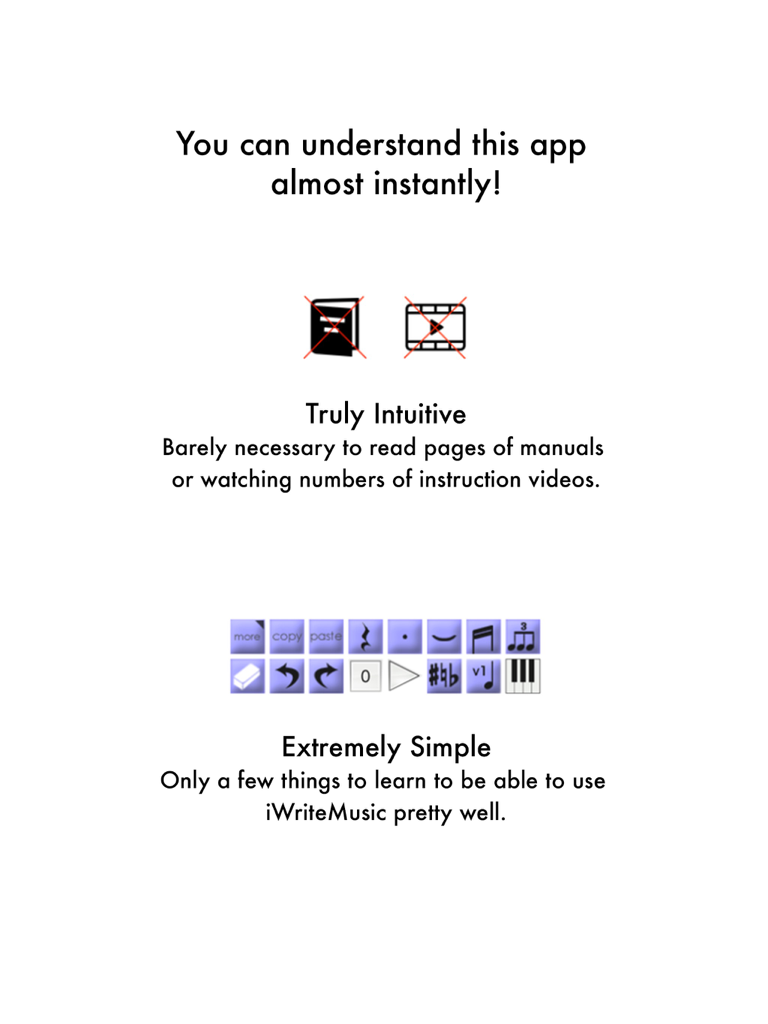
iWriteMusic Pro - Intuitive and simple interface for music notation in iWriteMusic Pro.
Intuitive and simple interface for music notation in iWriteMusic Pro.

iWriteMusic Pro - iWriteMusic Pro app showing the One Flick Entry System on iPad for quick music notation
iWriteMusic Pro app showing the One Flick Entry System on iPad for quick music notation

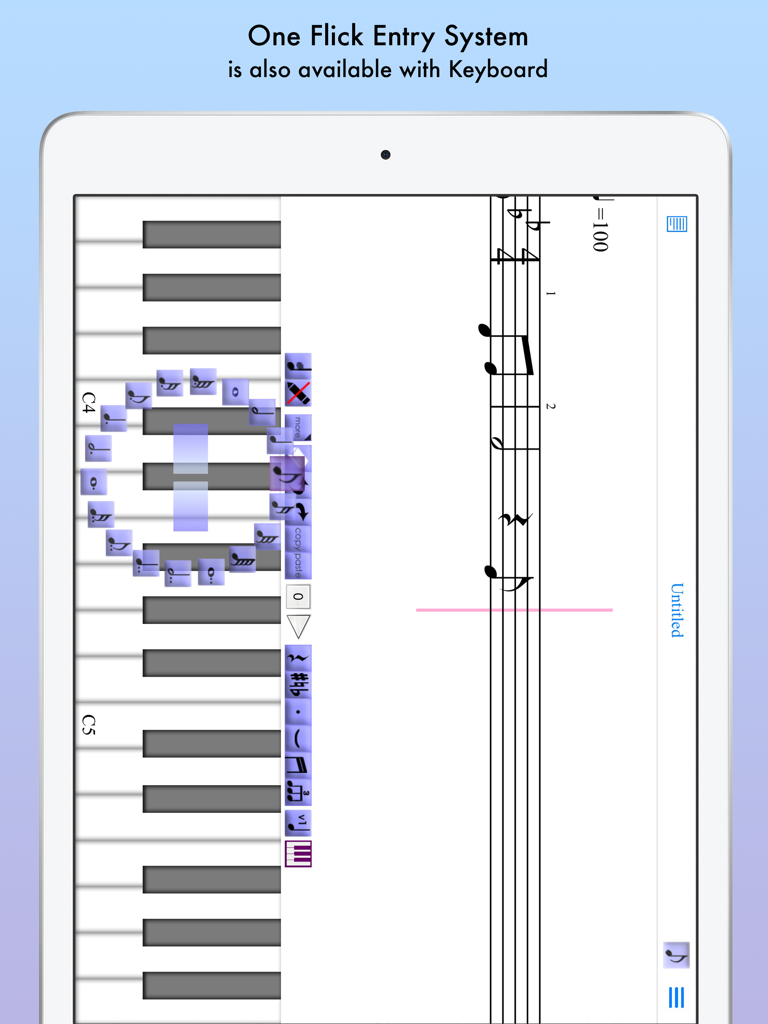
iWriteMusic Pro - iWriteMusic Pro iPad app displaying the one flick entry system on a virtual piano keyboard.
iWriteMusic Pro iPad app displaying the one flick entry system on a virtual piano keyboard.

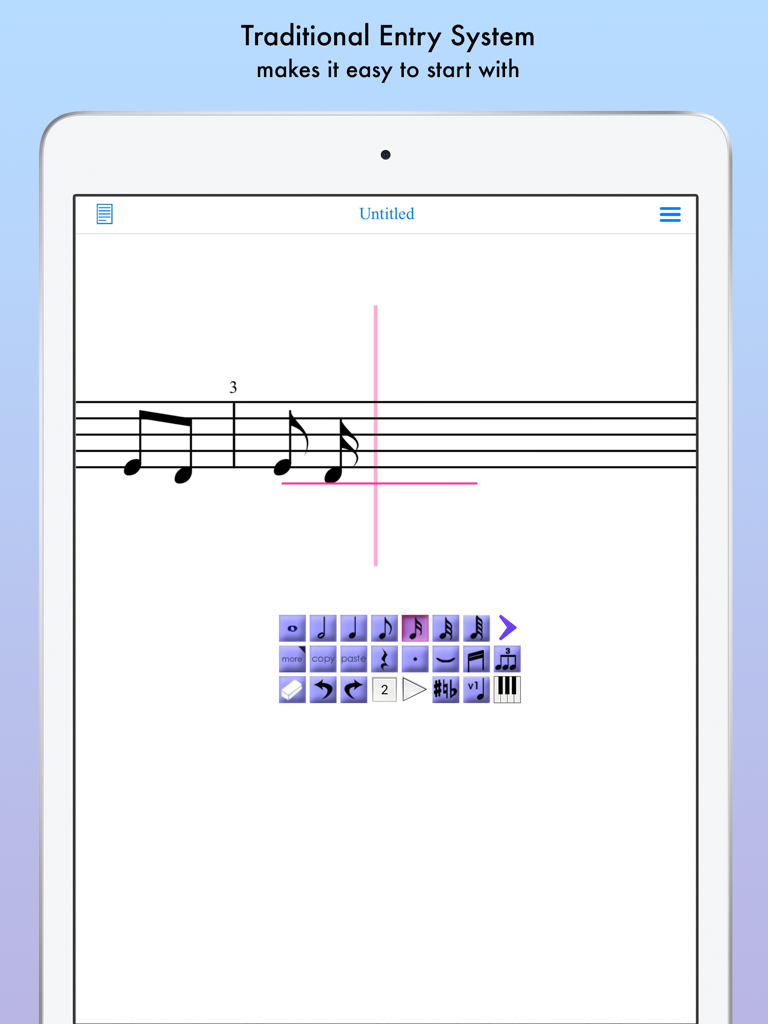
iWriteMusic Pro - Traditional music notation entry interface on iWriteMusic Pro for iPad
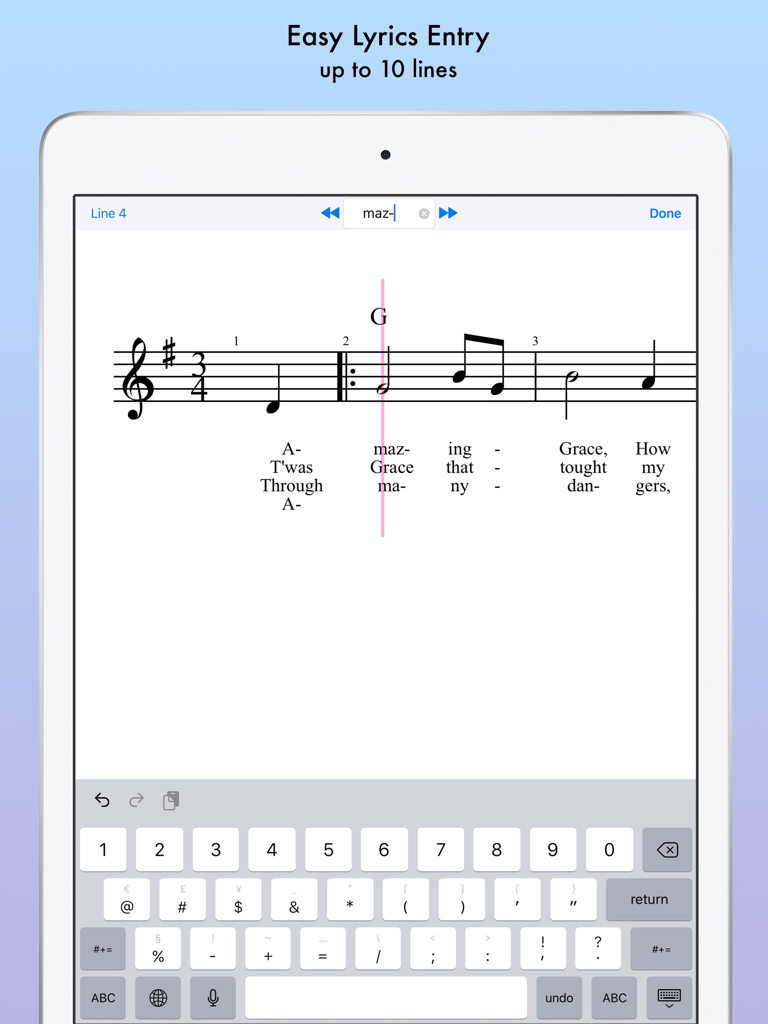
Traditional music notation entry interface on iWriteMusic Pro for iPad

iWriteMusic Pro - iPad music notation app interface showing easy lyrics entry for multiple verses
iPad music notation app interface showing easy lyrics entry for multiple verses

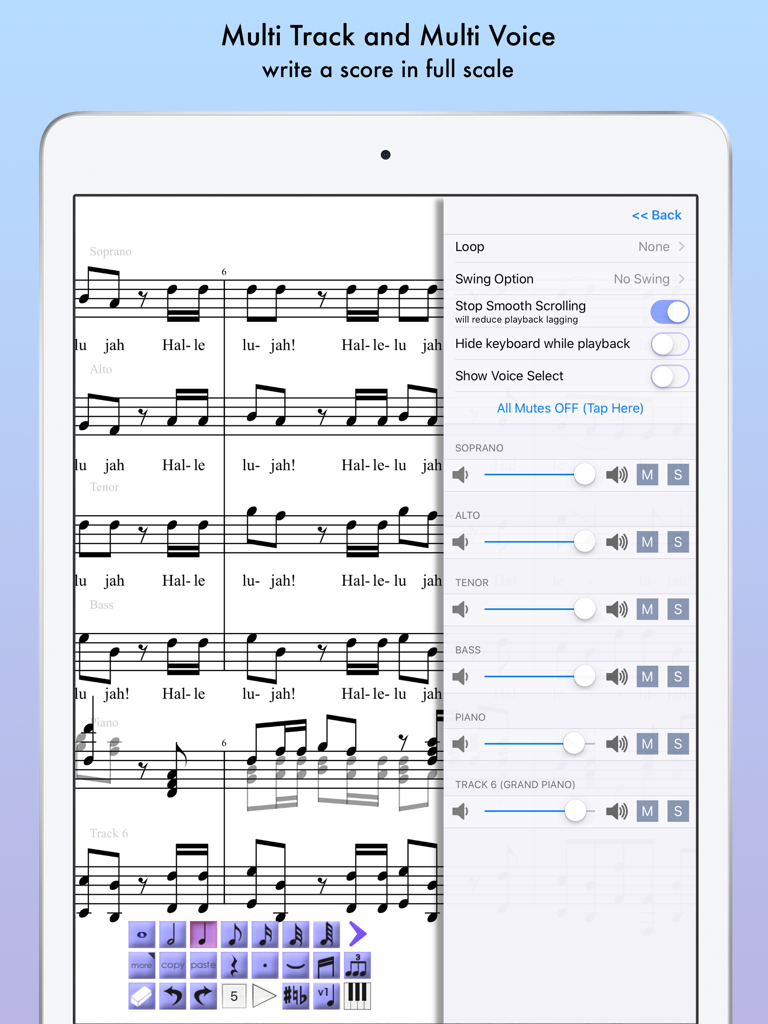
iWriteMusic Pro - iPad screen displaying iWriteMusic Pro with a multi track choral score and a side playback mixer menu.
iPad screen displaying iWriteMusic Pro with a multi track choral score and a side playback mixer menu.

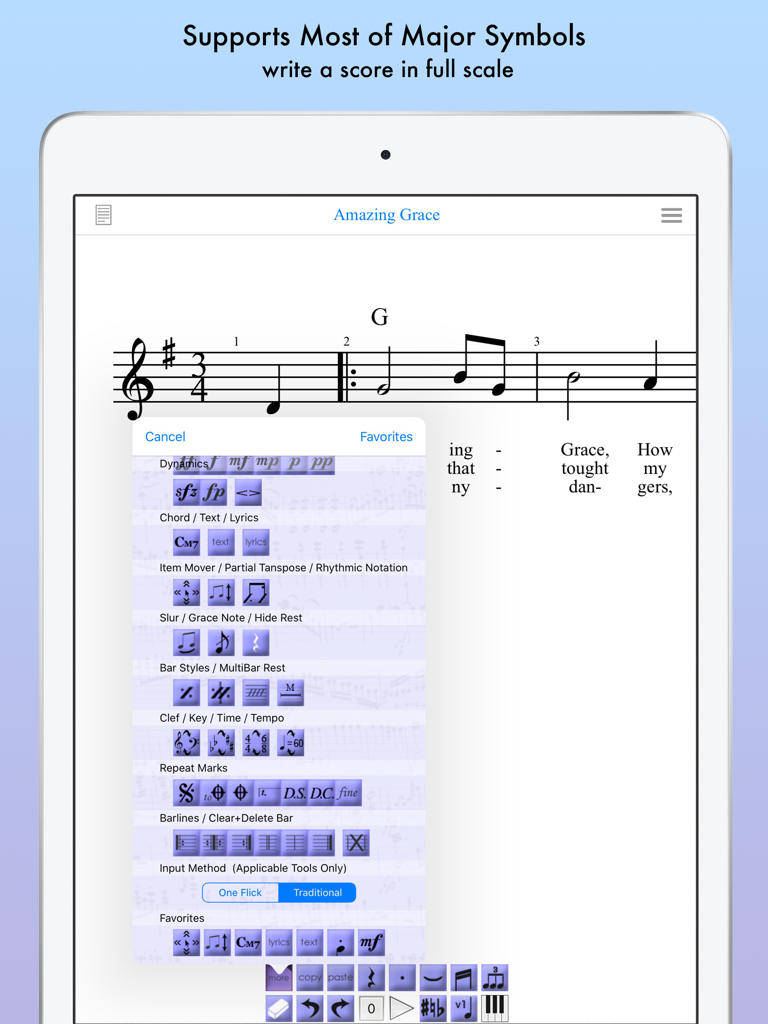
iWriteMusic Pro - iPad screen displaying the iWriteMusic Pro app with a sheet music score and a selection menu of musical notation symbols
iPad screen displaying the iWriteMusic Pro app with a sheet music score and a selection menu of musical notation symbols

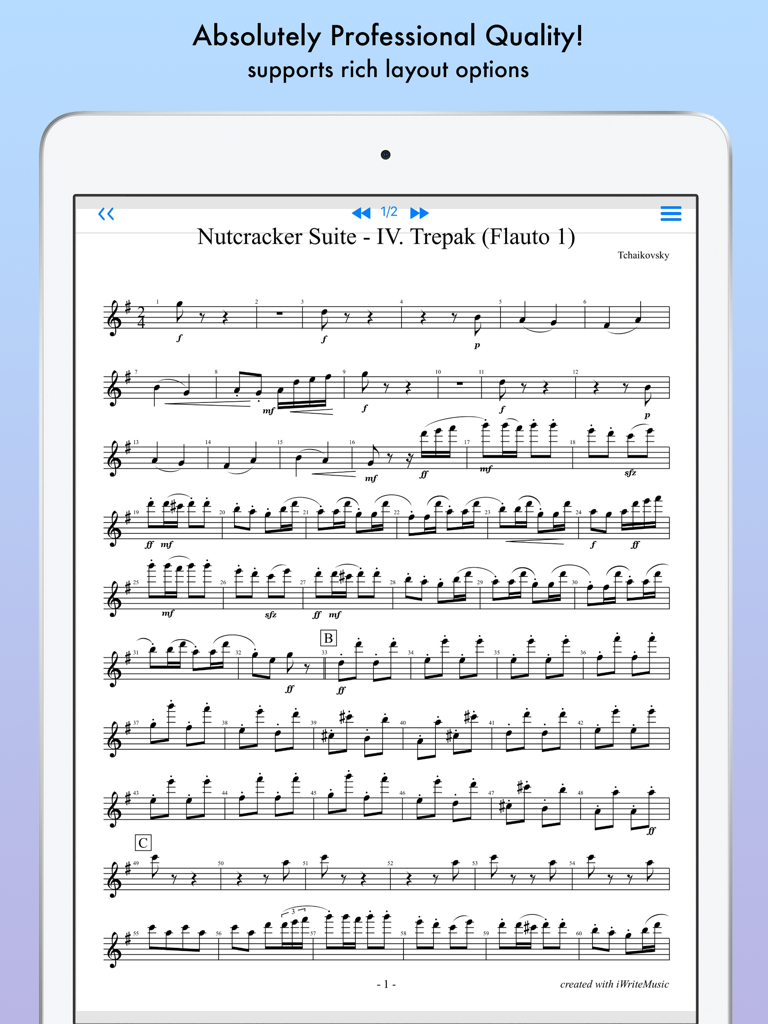
iWriteMusic Pro - Professional sheet music score displayed on an iPad
Professional sheet music score displayed on an iPad

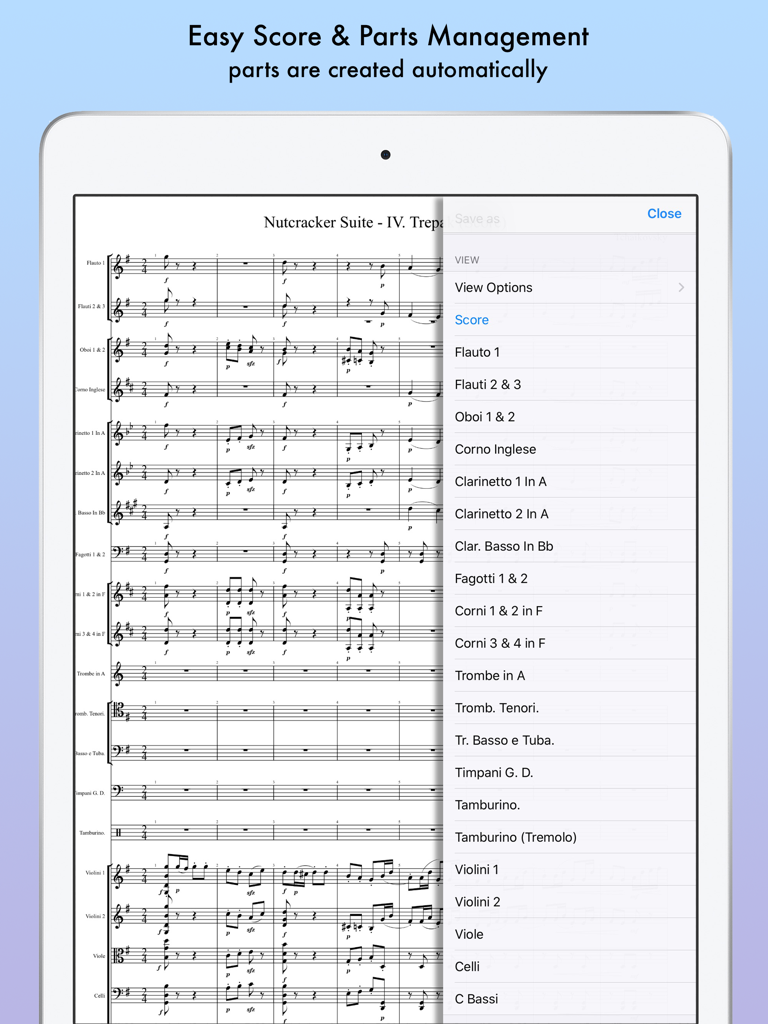
iWriteMusic Pro - Musical score and instrument parts management in iWriteMusic Pro on iPad.
Musical score and instrument parts management in iWriteMusic Pro on iPad.

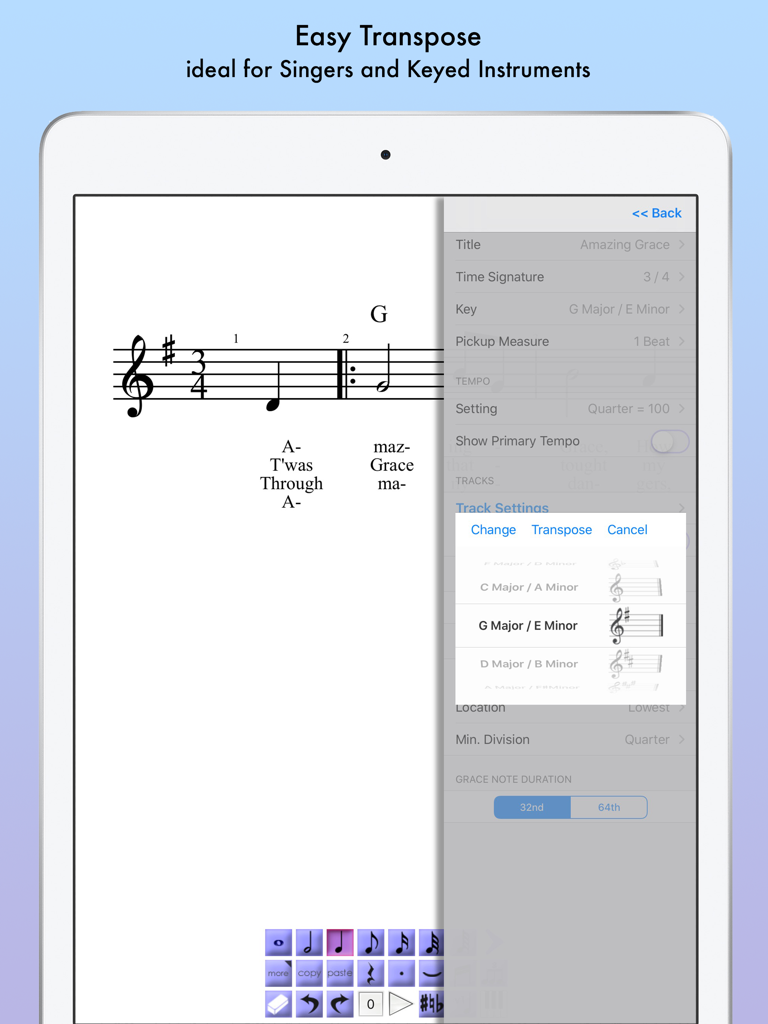
iWriteMusic Pro - iWriteMusic Pro app interface showing the easy transpose menu for a music score on an iPad

iWriteMusic Pro app interface showing the easy transpose menu for a music score on an iPad

Description

Music Writing is easy and fun when you use iWriteMusic! Experience the perfect harmony of ease and versatility in sheet music creation with iWriteMusic! Say goodbye to complicated notation apps and hello to intuitive design. Enjoy quick and beautiful sheet music creation with a comprehensive suite of essential tools for concerts, lessons, and music classes. Best fit for professional musicians, music teachers and students. For songwriters, composers and arrangers. For both singers and instrumentalists (piano, violin, cello, guitar, flute, saxophone, trumpet, drums, etc.). Great for writing down ideas, creating lesson materials, creating lead sheets, or creating scores and parts for chorus groups, choirs, chamber orchestras, jazz bands, Latin bands, orchestras, and more. For daily practice, rehearsals, concerts, iWriteMusic will help you enrich your musical life! Check out 7 reasons to choose iWriteMusic. 1. You can understand this app almost instantly! Because of Truly Intuitive and Extremely Simple user interface, you barely need to read pages of manuals nor watching numbers of instruction videos. Unlike Finale, Sibelius and other similar apps, you just have a few things to learn to be able to use this app pretty well. 2.Double your productivity with our Highly Efficient Input System. If you’re already familiar with notation apps and looking for faster & more efficient entry system, try our innovative One-Flick Entry System along with Traditional Entry System to get your job done in no time! What is Traditional Entry System? - The choices will appear with ToolBox. - Select a value and the location separately. - Recommended to those who are not yet familiar with any music notation apps. What is OneFlick Entry System? - The choices will appear when you touch the screen. - Select a location and the value at once. - The selection will change as you slide your finger to left/right. - Recommended to those who are familiar with music notation apps and looking for faster and more efficient entry system. 3. Creates beautiful sheet music / music score - absolutely professional quality! - rich options for page layout adjustment - easy parts creation - easy score/parts management - direct print-out via AirPrint 4. Supports most of major notation elements - multi-track writing - multi-voice writing - percussion/drums notation - chord symbols and lyrics - multi-bar rest - time change - key change - clef change - tempo change - grace note - articulations and dynamics marks - easy song transpose - partial transpose and many more! 5. Useful playback options for practice - mixer with solo, mute and voice select - loop and swing options 6. Data & sheet music sharing - exports/Imports iWriteMusic data file - exports PDF or JPG - exports Standard MIDI file which can be imported by other apps such as GarageBand 7. Extremely Compact Size (15 MB) You can save your device storage space for photos and other apps. ATTENTION: Latency during playback and drawing may occur by device capacity or number of tracks and background applications.

Download

Download on App Store

This page is not an official page of the app or its developer, but an independent editorial publication created for informational and commentary purposes. Unless expressly stated otherwise, neither the app nor its developer is affiliated with, endorsed by, sponsored by, authorized by, or otherwise officially connected with MWM, Apple, Google Play, the app publisher, or the app's developer, and nothing on this page implies that the app was developed using MWM's services. Any trademarks, logos, screenshots, and other content remain the property of their respective owners.







