iziCast
iziCast
Download on App Store

This page is not an official page of the app or its developer, but an independent editorial publication created for informational and commentary purposes. Unless expressly stated otherwise, neither the app nor its developer is affiliated with, endorsed by, sponsored by, authorized by, or otherwise officially connected with MWM, Apple, Google Play, the app publisher, or the app's developer, and nothing on this page implies that the app was developed using MWM's services. Any trademarks, logos, screenshots, and other content remain the property of their respective owners.

Logo of iziCast
Download on App Store

iziCast

Empower your mobile stream with studio-grade control. Broadcast high-fidelity sound to Icecast, Shoutcast, or RTMP using your favorite external gear and mixers.

Key Figures

Downloads

82K+

User Rating

4.7/5

Total Ratings

300

Publisher

Daniel Noethen

Category

Music

Locales

2

Latest Version

1.10.7

Size

24.4 MB

First Released

May 17, 2019
Features

Studio-Grade Broadcasting Anywhere

Transform your iPhone or iPad into a professional mobile studio. iziCast gives you the technical precision and hardware compatibility needed to produce high-fidelity live content on the move.

Pro Hardware Integration

Connect class-compliant mixers, interfaces, and microphones. From Focusrite to Zoom, leverage your professional gear for crystal-clear audio on a mobile setup.

Universal Streaming Support

Go live on YouTube, Twitch, and Facebook via RTMP, or host your own show on Icecast and Shoutcast servers. You have total control over your broadcast destination.

The following screenshots and description are sourced directly from the app's official store listing and are the property of the app developer.

App Store

Screenshots
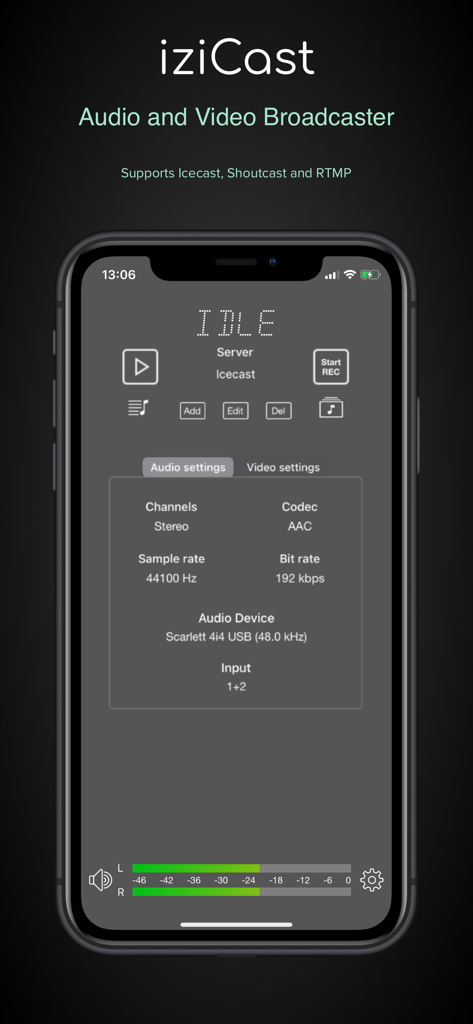
iziCast - iziCast mobile app interface displaying audio settings and hardware connection status
iziCast mobile app interface displaying audio settings and hardware connection status

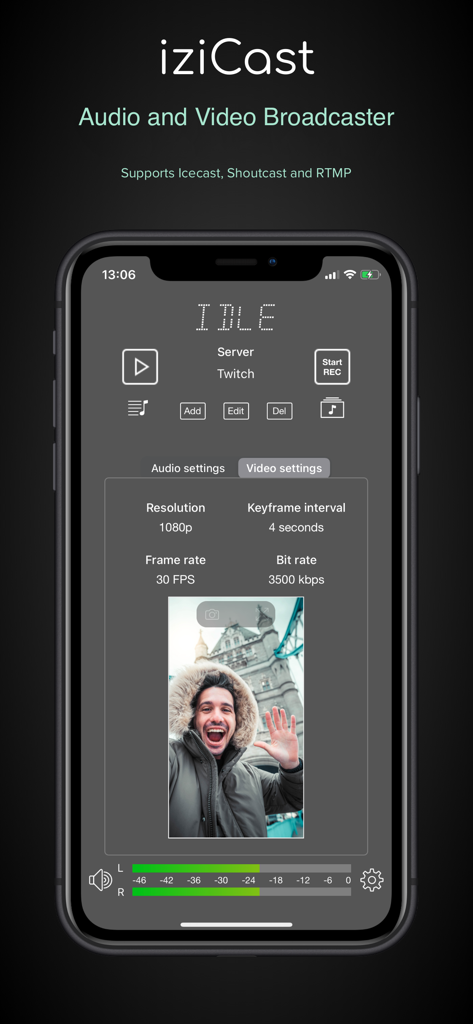
iziCast - iziCast app video settings interface showing resolution and frame rate on an iPhone
iziCast app video settings interface showing resolution and frame rate on an iPhone

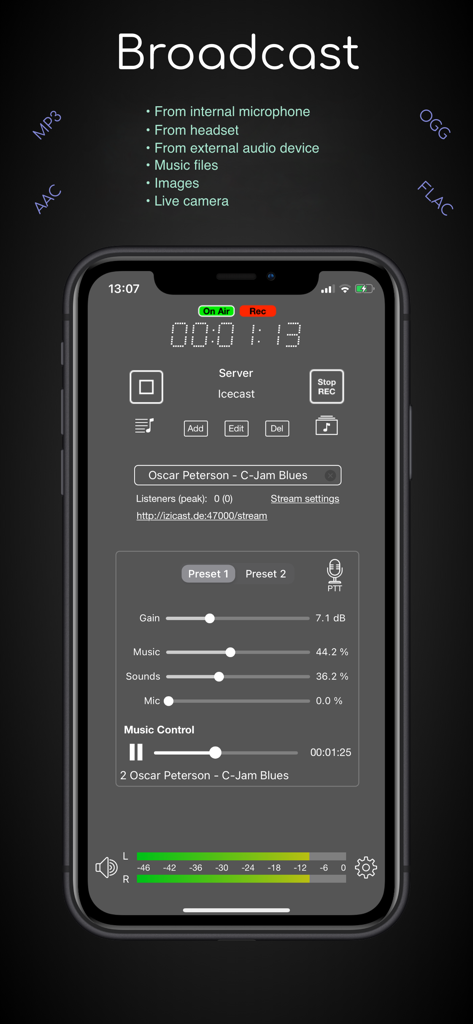
iziCast - iziCast app display showing professional live audio broadcasting controls on a smartphone
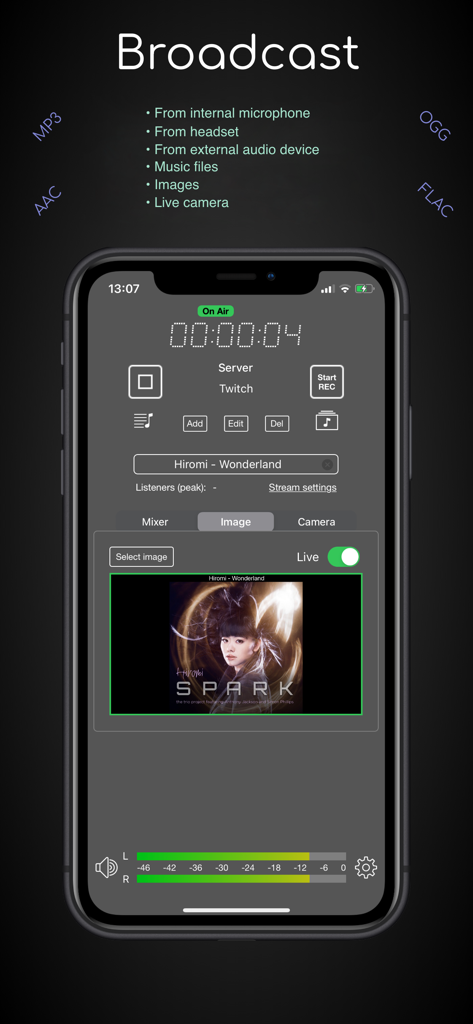
iziCast app display showing professional live audio broadcasting controls on a smartphone

iziCast - iziCast app interface showing a live Twitch stream with audio levels and album art
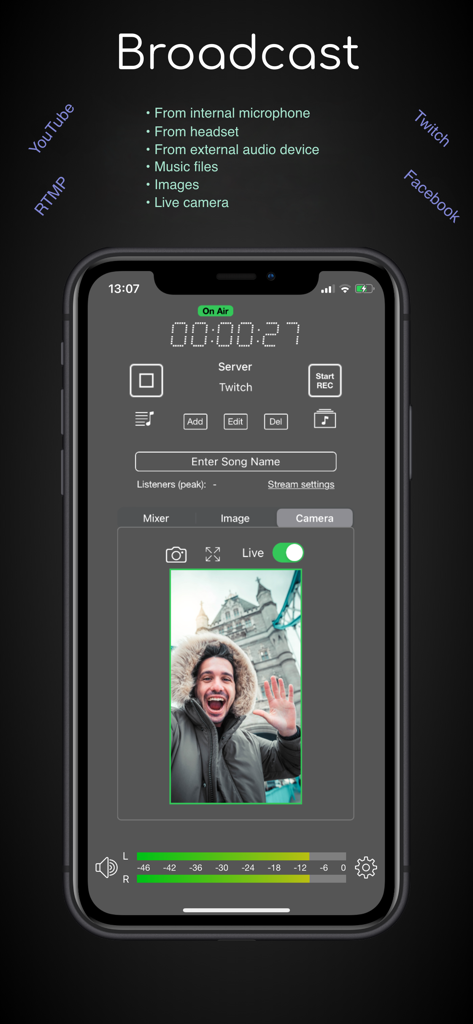
iziCast app interface showing a live Twitch stream with audio levels and album art

iziCast - The iziCast app interface showing a live video broadcast with real time audio level monitoring.
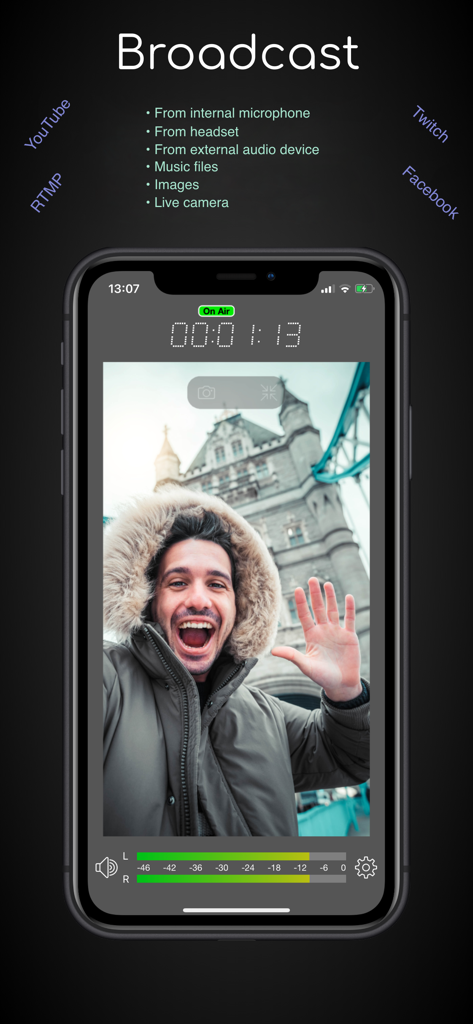
The iziCast app interface showing a live video broadcast with real time audio level monitoring.

iziCast - iziCast app interface showing a live video broadcast with on-air timer and audio level meters
iziCast app interface showing a live video broadcast with on-air timer and audio level meters

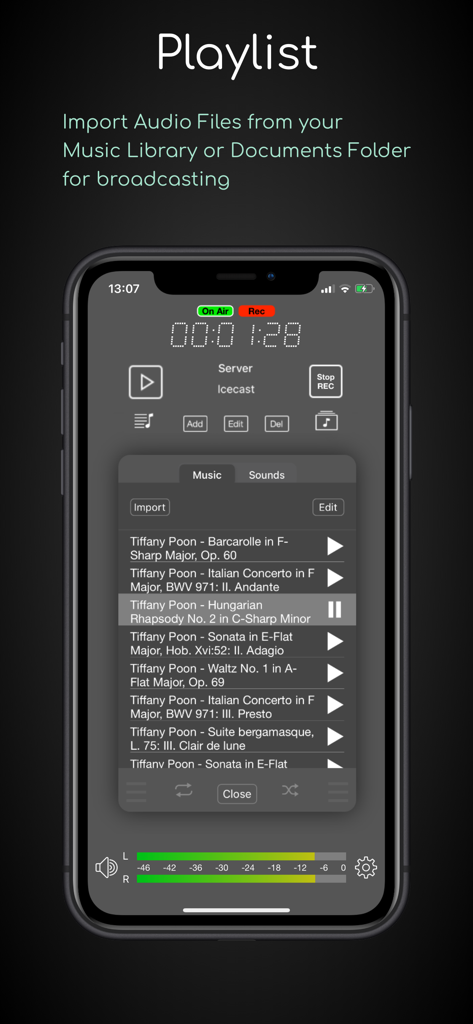
iziCast - iziCast app playlist interface showing a list of music tracks ready for live broadcasting with volume levels and recording status
iziCast app playlist interface showing a list of music tracks ready for live broadcasting with volume levels and recording status

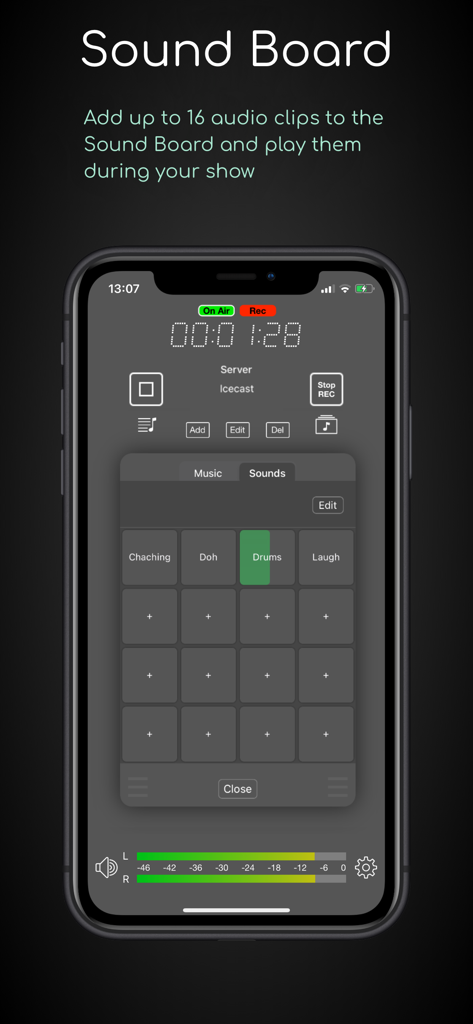
iziCast - iziCast app sound board feature showing 16 audio pads for live broadcasting
iziCast app sound board feature showing 16 audio pads for live broadcasting

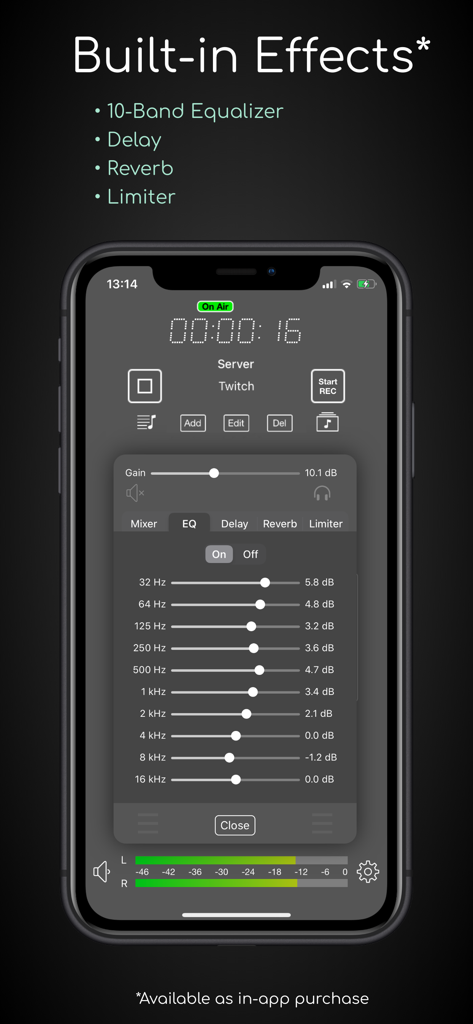
iziCast - iziCast app interface showing a 10-band equalizer and built-in audio effects for live broadcasting

iziCast app interface showing a 10-band equalizer and built-in audio effects for live broadcasting
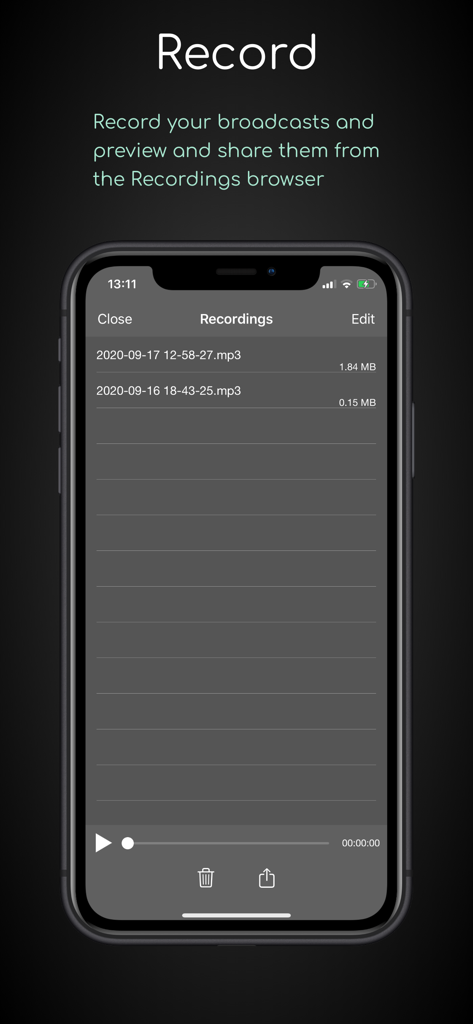
iziCast - Interface of iziCast app displaying a list of recorded audio broadcasts and playback controls on a mobile phone

Interface of iziCast app displaying a list of recorded audio broadcasts and playback controls on a mobile phone

Description

iziCast is a versatile audio and video broadcaster. You can broadcast audio from the internal microphone, external audio devices, audio files and Audiobus compatible apps to Icecast, Shoutcast and RTMP servers.  Live video from your camera can be broadcasted to any RTMP compatible service, such as YouTube, Twitch, Facebook and Telegram. Any of the supported audio sources listed above can be combined with your live camera.   When using RTMP you can decide if you want to use one of your device cameras as video source or simply an image. In case of an image it is up to you if you want to stream a single image, the album cover of the current track or just a black image to save bandwidth.  The image can be changed during the broadcast and you can even let iziCast write text like the current song on the image. Besides that, iziCast comes with a lot more features. Have a look at the list below to find out what else iziCast can do. If you have any questions or suggestions feel free to contact me at izicast@danielnoethen.de The following features are included in iziCast: • Supports internal microphones • Supports external multi channel audio devices • Supports video streaming from your device camera • Supports audio files • Sound Board with up to 16 sound pads • Supports Icecast 2 and Shoutcast 1 & 2 (legacy mode) • Supports Liquidsoap based internet radio platforms (e.g. Airtime/Azuracast) • Supports RTMP/RTMPS (YouTube, Twitch, Facebook, Telegram, etc.) • Supports Audiobus • Supports audio recording • Supports Push To Talk • Preview and share your audio recordings • Provides multiple effects via In-App Purchase (10-Band EQ, Delay, Reverb, Limiter) • Supports MP3 (bit rates from 8 kbps to 320 kbps) • Supports AAC (bit rates from 96 kbps to 320 kbps) • Supports AAC+/AAC-HE (bit rates from 24 bps to 80 kbps) • Supports OGG/Vorbis (bit rates from 16 kbps to 320 kbps) • Supports FLAC (Free Lossless Audio Codec) • Shows you the input audio volume on its level meter • Shows you the used traffic and file size of a session (tap the dot matrix text) • Shows you the number of current and peak listeners • Automatically reconnects on connection failures • Allows you to update the song information • Allows you to apply gain to the input volume • Allows you to mix multiple audio sources with individual volumes • Supports monitoring Which external audio devices are supported?  Basically, every class-compliant audio device is supported. Manufacturers will usually indicate whether a device is class-compliant or not.  If you cannot find information about class compliance, a good rule of thumb is that an audio device is class-compliant if it does not need a driver to work on macOS. So, if your device works on macOS without a driver, it will also work on your iPhone or iPad with iziCast. List of successfully tested external audio devices: (There is a very high chance that your device will work with iziCast even if it is not listed here) • 1010music Bluebox • Alesis MultiMux 12 USB (Please set the preferred input sample rate to 44100 Hz) • Apogee jam+ • Apple AirPods (Pro) • Apple EarPods • Behringer U-Control UCA202 / UCA222 • Behringer Xenyx 302 USB • Behringer U-Phoria UMC404HD • Elektron Digitakt • Elektron Syntakt • Evermix MixBox • Focusrite Scarlett 4i4 • M-audio Fast Track Ultra Pro • Pyle PAD30MXUBT • Roland go:mixer • Tascam iM2X • Tascam iXJ2 • Tascam US-1800 • Traktor Z1 • Yamaha SC2 Silent Piano • Zoom F1 • Zoom H2 Recorder (Please set the sample rate on the device to 48 kHz) • Zoom H3-VR • Zoom H4n Pro • Zoom H6

Download

Download on App Store

This page is not an official page of the app or its developer, but an independent editorial publication created for informational and commentary purposes. Unless expressly stated otherwise, neither the app nor its developer is affiliated with, endorsed by, sponsored by, authorized by, or otherwise officially connected with MWM, Apple, Google Play, the app publisher, or the app's developer, and nothing on this page implies that the app was developed using MWM's services. Any trademarks, logos, screenshots, and other content remain the property of their respective owners.







