
Japan Airlines


Experience the heart of Japanese hospitality at your fingertips. From instant flight reservations to real-time itinerary updates, manage every detail of your journey with world-class efficiency and ease.
Publisher
Category
TravelDownloads
7M+User Rating
Total Ratings
396K+Locales
8Discover the interface used by 7M+ users.
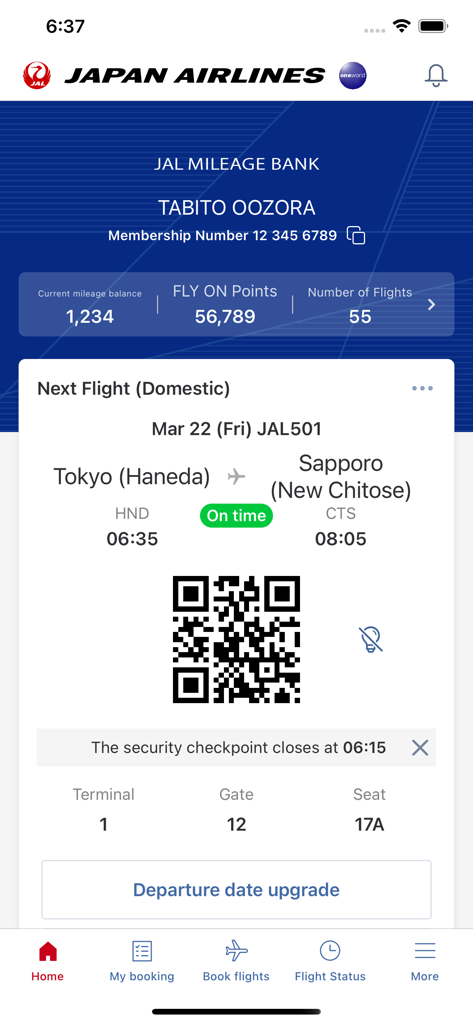
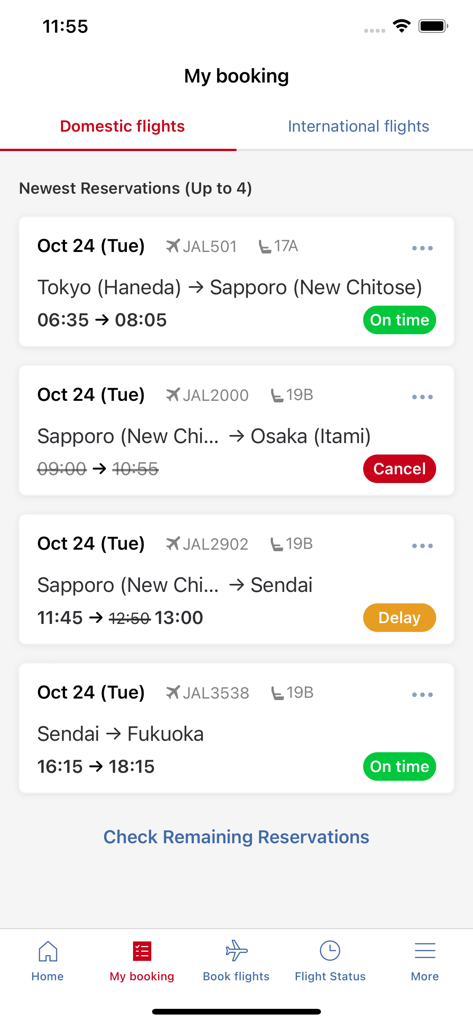
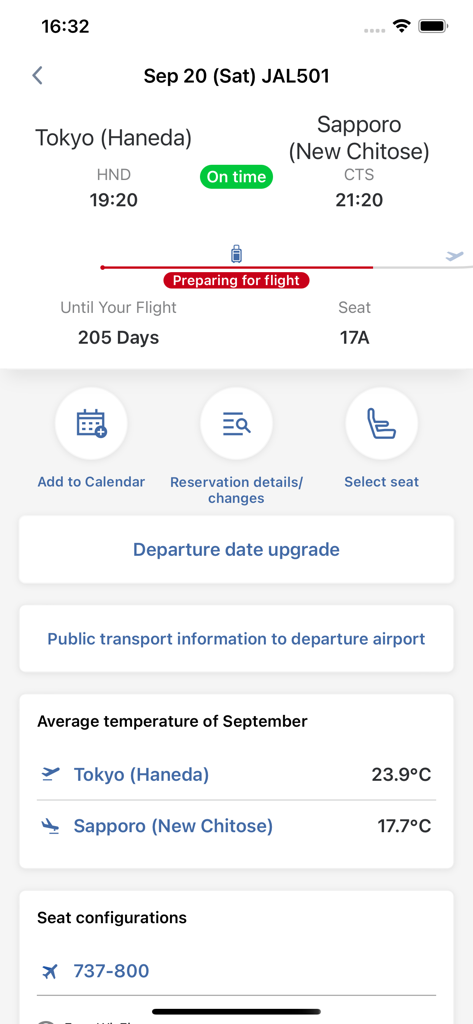
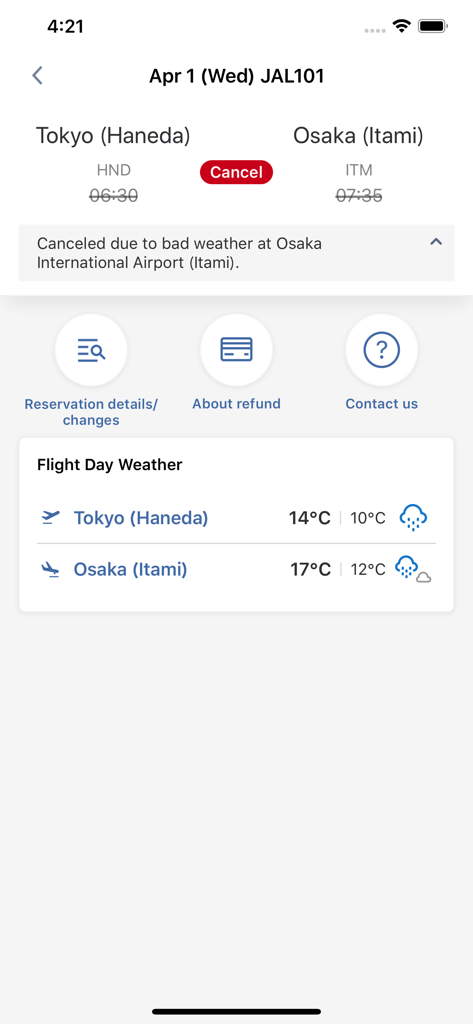
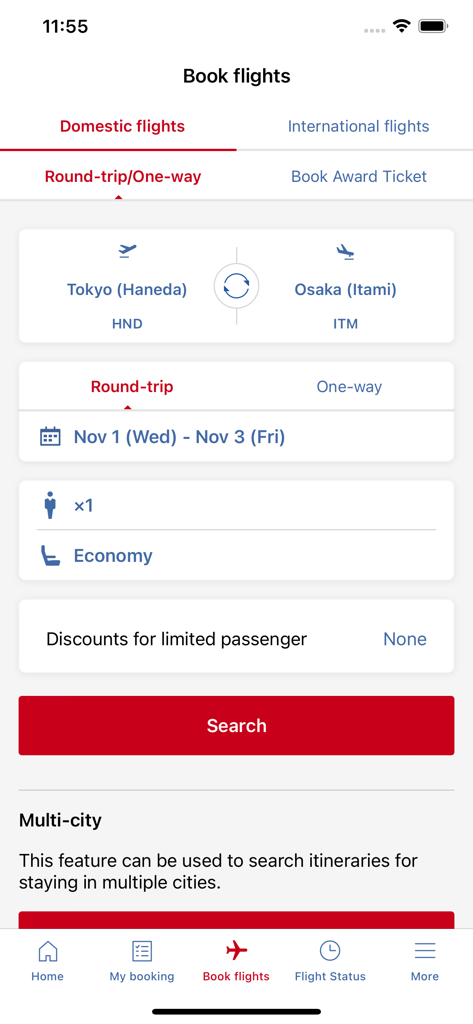
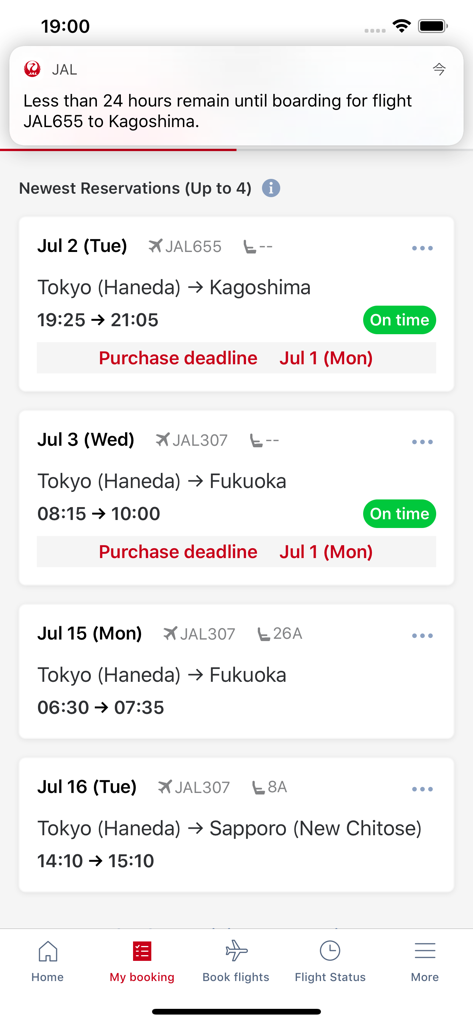
The tools that make this app stand out, trusted by 7M+ users.
Navigate your trip with a dynamic, chronological view of your itinerary and flight status that adapts in real-time.
Stay ahead of every change with push notifications for gate updates, delays, and departure reminders delivered to your wrist or pocket.
Manage your JAL Mileage Bank profile and book international flights in seconds while tracking your progress toward elite status.
Insights from user reviews.
Sentiment Score
Summary
This mobile app receives overwhelmingly negative feedback, with many users reporting that it is unusable, buggy, and unstable, often crashing or freezing. Key issues include a dysfunctional booking and reservation management system, where users struggle to find or connect their flights, complete check-ins, or purchase tickets, often requiring excessive data input unlike competitors. The login process is frequently criticized for its tedious alerts and re-authentication demands, while many iPhone users report critical failures with Apple Wallet integration for boarding passes. Despite a few positive remarks on specific UI elements, the overall user experience is described as clunky and difficult to navigate, leading to a strong recommendation for significant improvements to app functionality and reliability.
Common Themes
Everything you need to know about Japan Airlines.
Description
Latest Version
5.3.84
Size
159.8 MB
First Released
Aug 8, 2012
Download the JAL app to manage your reservations with ease, track your itinerary in real-time, and experience world-class Japanese hospitality from the palm of your hand.
Everything you need to know about Japan Airlines
The JAL app allows users to make reservations and purchases for all flights. It also displays reservation details, flight status, JMB member information, and provides notifications for flight changes.
Yes, users can make reservations for both domestic and international flights directly through the Japan Airlines app. The app features a dedicated 'Book flights' section for this purpose.
The JAL app allows users to check flight status by route or flight number. For international flights, the search functionality extends to two days before or after the scheduled date.
Yes, the JAL app sends notifications for flight delays and cancellations. It also provides reminders for flights that are less than 24 hours away from departure.
Yes, the JAL app displays JAL Mileage Bank member information on the home screen when logged in. This includes current mileage balance, FLY ON Points, and number of flights.
The Timeline feature in the JAL app provides detailed itinerary information chronologically. It automatically adjusts based on the reservation and current flight status as departure approaches.
Yes, the Japan Airlines app offers a 'Multi-city' feature. This function enables users to search for and book itineraries that involve stays in multiple cities.
Yes, the JAL app displays a QR code for your upcoming flight directly on the home screen. This code is used for purposes like security checkpoints and boarding.
Apps with similar features and user experience

China Southern Airlines Company Limited

United Air Lines

Delta Air Lines, Inc

Southwest Airlines

Air China Limited

easyJet Airline Company Limited

Turkish Airlines

Aerovias de Mexico, S.A. de C.V.

LATAM Airlines Group S.A.
App information, icons, screenshots, and descriptions displayed on this page are sourced from the Apple App Store and are the property of their respective developers. Download estimates and rankings are based on MWM's proprietary models and may not reflect actual figures. This page is provided for informational and analytical purposes only.
Believe this page infringes your intellectual property? File a dispute