Japanese FlickTyping practice
Download on App Store

This page is not an official page of the app or its developer, but an independent editorial publication created for informational and commentary purposes. Unless expressly stated otherwise, neither the app nor its developer is affiliated with, endorsed by, sponsored by, authorized by, or otherwise officially connected with MWM, Apple, Google Play, the app publisher, or the app's developer, and nothing on this page implies that the app was developed using MWM's services. Any trademarks, logos, screenshots, and other content remain the property of their respective owners.

Logo of Japanese FlickTyping practice
Download on App Store

Japanese FlickTyping practice

Ditch the Romaji and unlock lightning-fast Japanese input. Level up your skills with gamified 60-second trials, climb the global leaderboards, and type like a pro.

Key Figures

Downloads

117K+

User Rating

4.6/5

Total Ratings

2K+

Publisher

M kajimura

Category

Games

Locales

2

Latest Version

3.38.0

Size

136.4 MB

First Released

Mar 6, 2019
Features

Master the Art of Japanese Speed-Typing

Ditch slow Romaji inputs and learn to type like a native with our gamified training system designed for maximum efficiency.

Native-Level Efficiency

Master the 12-key flick method used across Japan to double your mobile typing speed and communicate effortlessly.

Global Net Rankings

Turn practice into play. Compete against learners worldwide in daily rankings and track your climb to the top 100.

The following screenshots and description are sourced directly from the app's official store listing and are the property of the app developer.

App Store

Screenshots
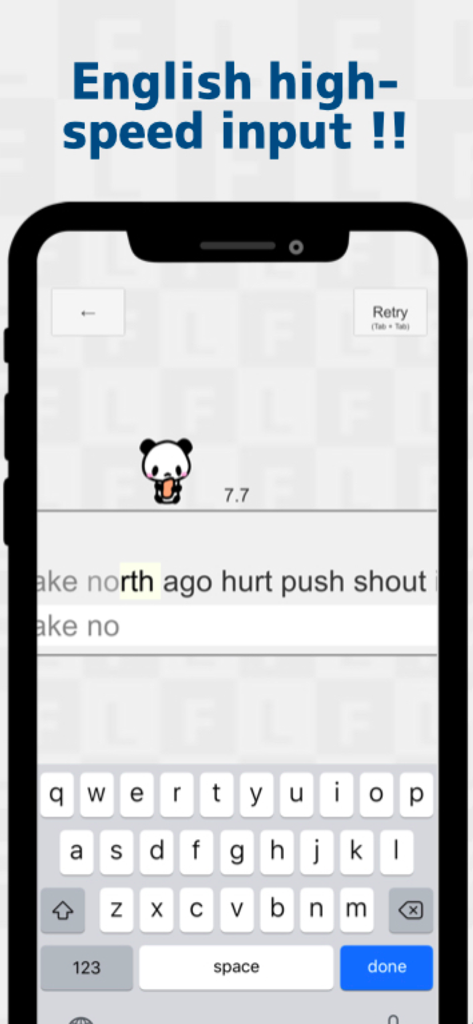
Japanese FlickTyping practice - Mobile app screenshot showing English high speed typing practice with a panda character and QWERTY keyboard
Mobile app screenshot showing English high speed typing practice with a panda character and QWERTY keyboard

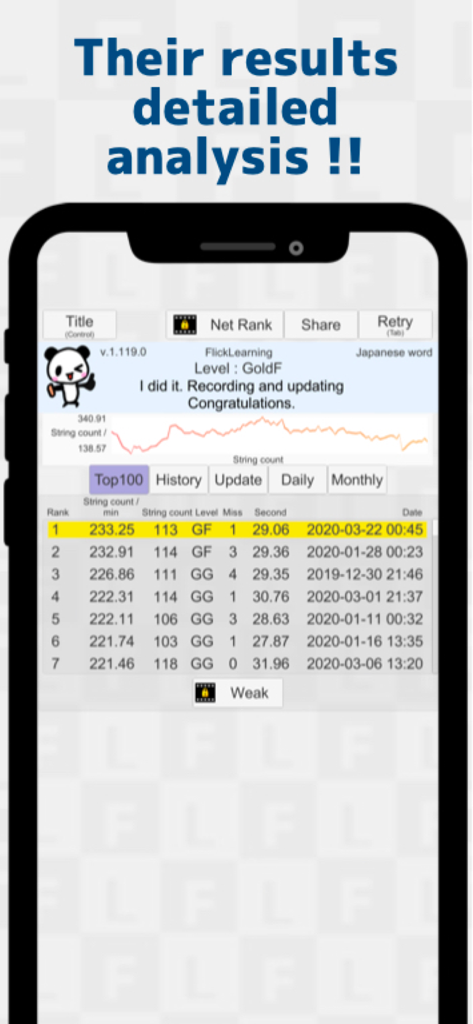
Japanese FlickTyping practice - Results screen showing detailed typing analysis and Top 100 rankings in the Japanese FlickTyping practice app.
Results screen showing detailed typing analysis and Top 100 rankings in the Japanese FlickTyping practice app.

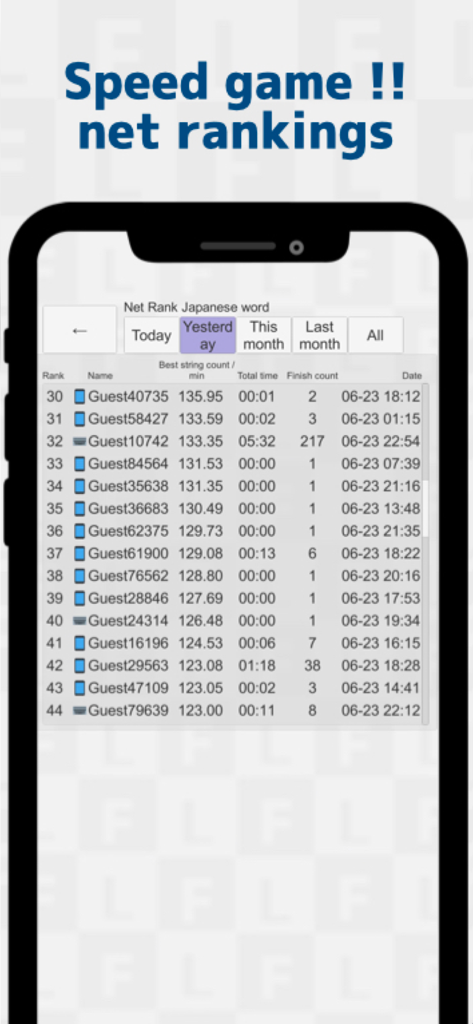
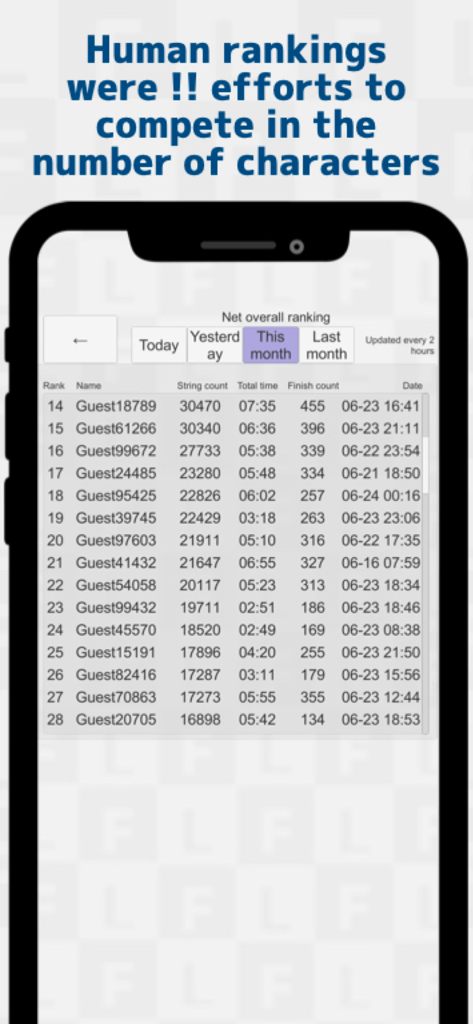
Japanese FlickTyping practice - Japanese FlickTyping app net rankings leaderboard showing user scores
Japanese FlickTyping app net rankings leaderboard showing user scores

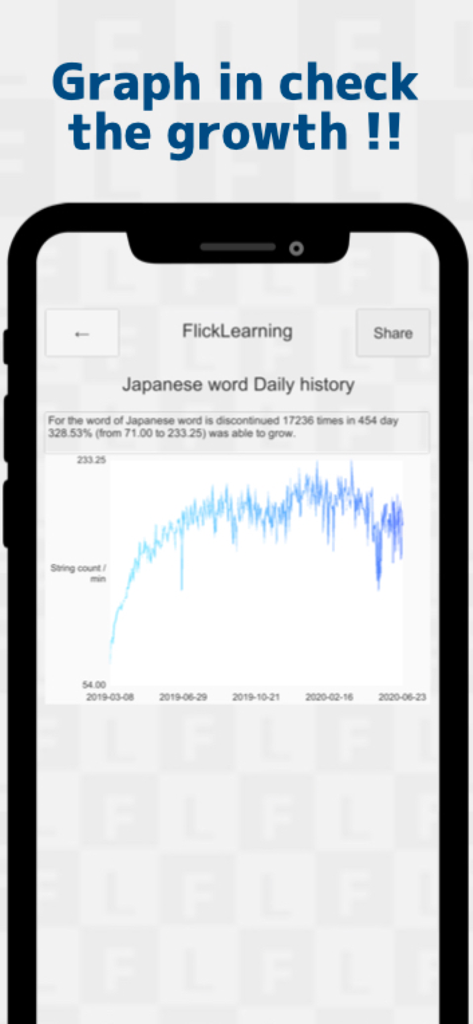
Japanese FlickTyping practice - A line graph showing typing speed growth over several months in the Japanese FlickTyping practice app
A line graph showing typing speed growth over several months in the Japanese FlickTyping practice app

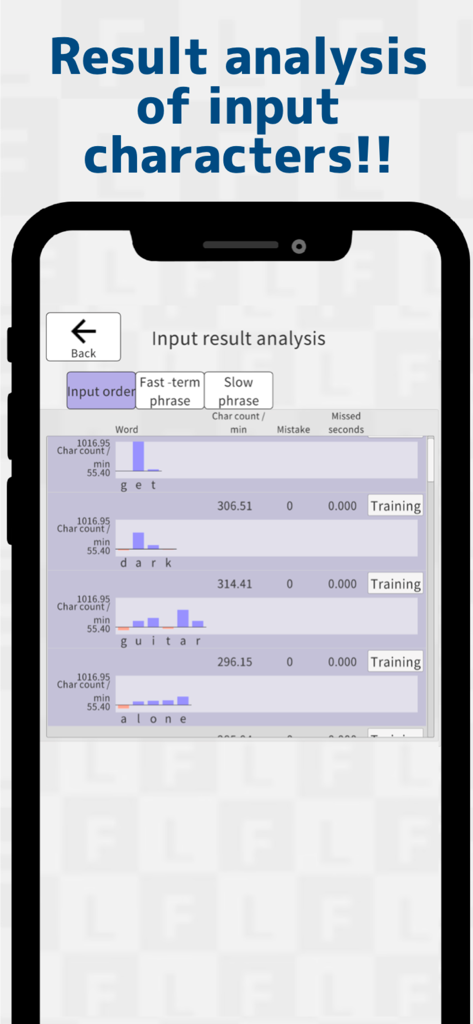
Japanese FlickTyping practice - A mobile screen showing a detailed result analysis of typing speed and character count per minute for individual words in the Japanese FlickTyping practice app
A mobile screen showing a detailed result analysis of typing speed and character count per minute for individual words in the Japanese FlickTyping practice app

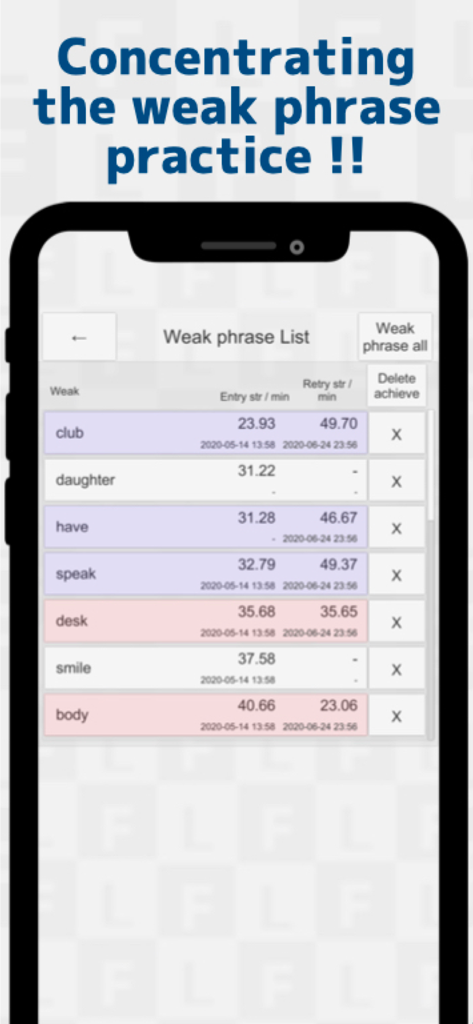
Japanese FlickTyping practice - Japanese FlickTyping practice app showing a list of weak phrases with typing speed statistics
Japanese FlickTyping practice app showing a list of weak phrases with typing speed statistics

Japanese FlickTyping practice - Leaderboard showing the net overall rankings for Japanese flick typing practice
Leaderboard showing the net overall rankings for Japanese flick typing practice

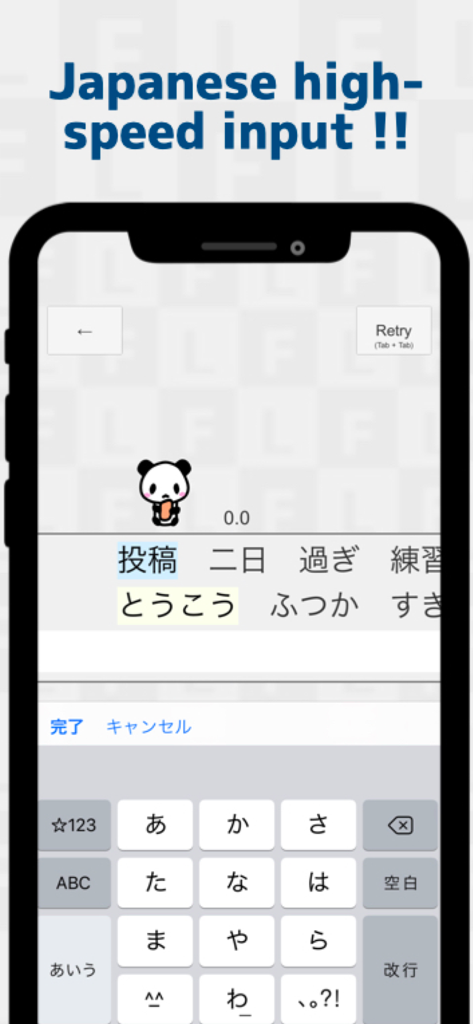
Japanese FlickTyping practice - A mobile app interface for practicing Japanese flick typing with a 12 key keyboard
A mobile app interface for practicing Japanese flick typing with a 12 key keyboard

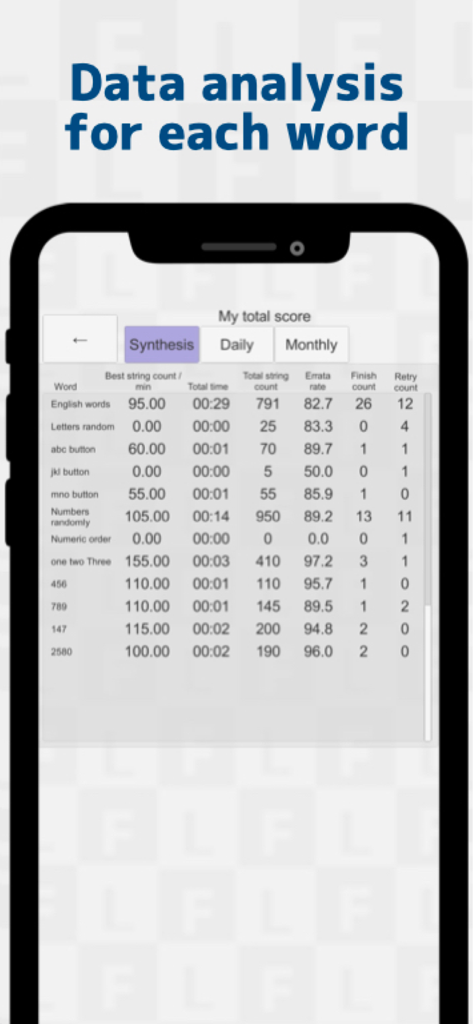
Japanese FlickTyping practice - A detailed data analysis screen showing typing performance statistics including speed and accuracy for various word categories.
A detailed data analysis screen showing typing performance statistics including speed and accuracy for various word categories.

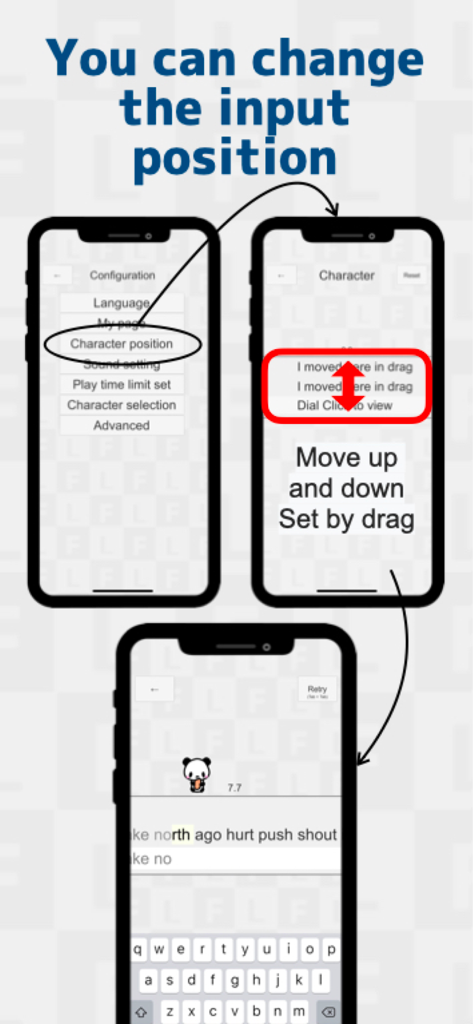
Japanese FlickTyping practice - Tutorial screens showing how to adjust the vertical input position in the Japanese FlickTyping practice app

Tutorial screens showing how to adjust the vertical input position in the Japanese FlickTyping practice app

Description

It was designed to allow high-speed flick input. Japanese, English, supports a number. iPhone, iPad compatible. We can compete with everyone and the speed and the number of characters in progress in the net ranking in the daily, monthly. Updated as the day-to-day growth is seen record, daily record, also displays such as the Top100 rankings. ... is a change in the movement of the panda depending on the results of operations Flick input will progress a game. There is also a training app aims to speed up in earnest. Not curve flicks only, or in response to the turn flick of Japanese flick the fastest input method It is. Also 2020 is an application that you want to recommend. 【rule】 The first time will end is measured at 60 seconds. Such as when it fails in the middle, you Yes as soon as possible to retry. When you enter the first character, and start the measurement. [I want to do in such a person] If you want to start a flick input from now bought a smartphone If flick input is still slow Once but did flick input, who returned to Garake striking give up If you entered mites now in Roman letters input, who want to soon be comfortable character input outside Japanese is good, but is more a weak flick of English With one hand flick until now, those who want to challenge both hands flick But flick input national Ranker, those who want to be still faster If you flick practice did not last so I think If you want to typing practice on a PC If you want to typing practice with Bluetooth keyboard [function] Net rankings Personal result rankings Input position change function Weak phrase practice function Bluetooth keyboard support BGM silence set Practice time limit change set [Various word] Japanese English The numbers [2 types of results screen] Net rankings Everyone competes on the net. And individuals result rankings It is a score ranking in the terminal. [Net ranking] - The number of characters net rankings Compete the number of characters in a different-month day all the words in the app. And speed net rankings The word by you compete to flick speed. [Individual result screen] - Top100 rankings - And update records - Daily, monthly record - Overall record For more information on each of the individual result screen is as follows. ◆ Top100 rankings Displays the best record Top100 ranking until now. ◆ update record Only the results when you update the record will be recorded. It has become to a page that the process of growth is seen. ◆ daily, monthly record Daily truncation number of times, abstain number of times, and maximum kana characters / min are recorded. ◆ the entire recording Displays the record, such as a word Another type number. [App purchase] In this app, banner are provided on each page are available to continue billing advertising, the video ads for using the specific function It will be hidden. Monthly pay 600 yen / month ◆ About automatic continuation billing -App billing will be charged through iTunes account. - stopping the changes and automatic updating of the registered content, please support from the setting screen of AppleID after purchase. -App billing will be automatically updated. If more than 24 hours ago the end of your subscription period, you can stop the automatic update. And procedures of in-app billing update is done during the period from 24 hours before the registration period until the end period. ◆ confirmation and cancellation · In the case of iPhone iPhone Settings / iTunes Store and App Store / Apple ID / Apple ID display / subscription / this application https://support.apple.com/ja-jp/HT202039 ◆ Terms and Conditions https://flicklearning.nonip.net/privacy_en.html [About authority] And screen capture the performance results we have to be able to SNS post. For this reason, you are allowed to add permission to save the image file to the terminal. Authority: Privacy Access (NSPhotoLibraryUsageDescription) [Other] Flick learning is provided by Kajinet.

Download

Download on App Store

This page is not an official page of the app or its developer, but an independent editorial publication created for informational and commentary purposes. Unless expressly stated otherwise, neither the app nor its developer is affiliated with, endorsed by, sponsored by, authorized by, or otherwise officially connected with MWM, Apple, Google Play, the app publisher, or the app's developer, and nothing on this page implies that the app was developed using MWM's services. Any trademarks, logos, screenshots, and other content remain the property of their respective owners.








