Jeppesen Aviator

Jeppesen Aviator

Download on App Store
Logo of Jeppesen Aviator

Jeppesen Aviator: The Unified EFB Ecosystem for Professional Pilots

Streamline your flight deck workflow with a synchronized suite of mission-critical tools, from intelligent briefing and navigation logging to seamless document management and cross-device redundancy.

Download on App Store

Publisher

Jeppesen

Category

Navigation

Downloads

162K+

User Rating

3.8/5

Total Ratings

0

Locales

1

Mission-Critical Clarity

Discover the interface used by 162K+ users.
Jeppesen Aviator app launch screen with clouds and flight icon

Jeppesen Aviator app launch screen with clouds and flight icon

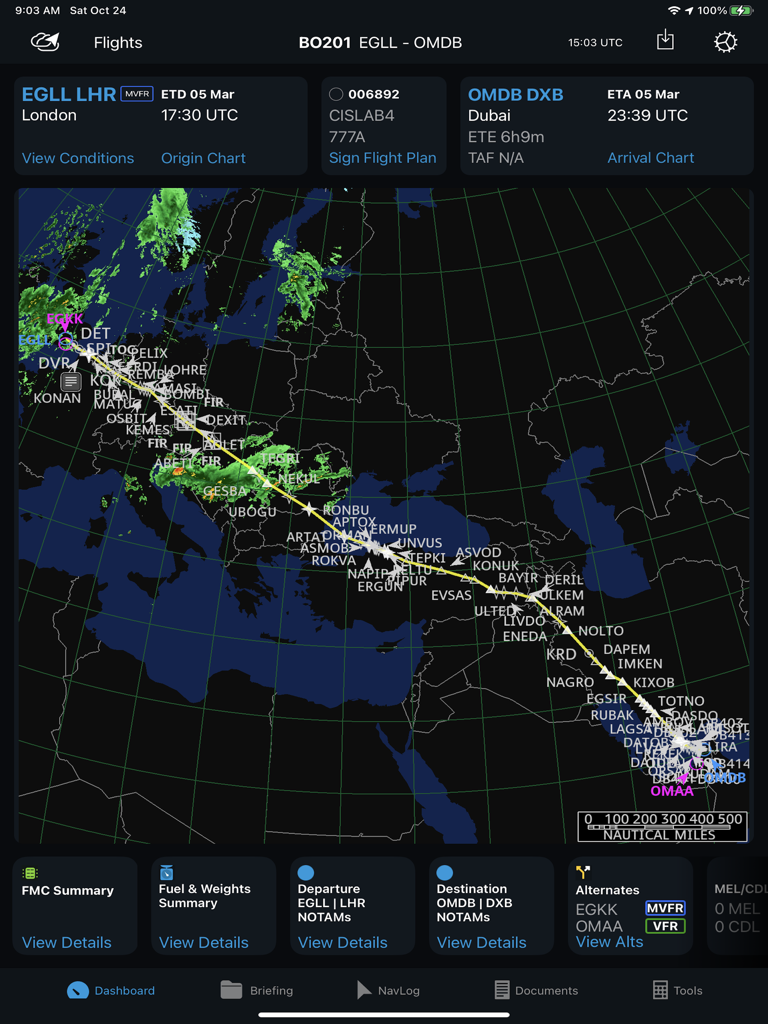
Jeppesen Aviator app interface showing a flight route map from London to Dubai with weather overlays and navigation dashboard.

Jeppesen Aviator app interface showing a flight route map from London to Dubai with weather overlays and navigation dashboard.

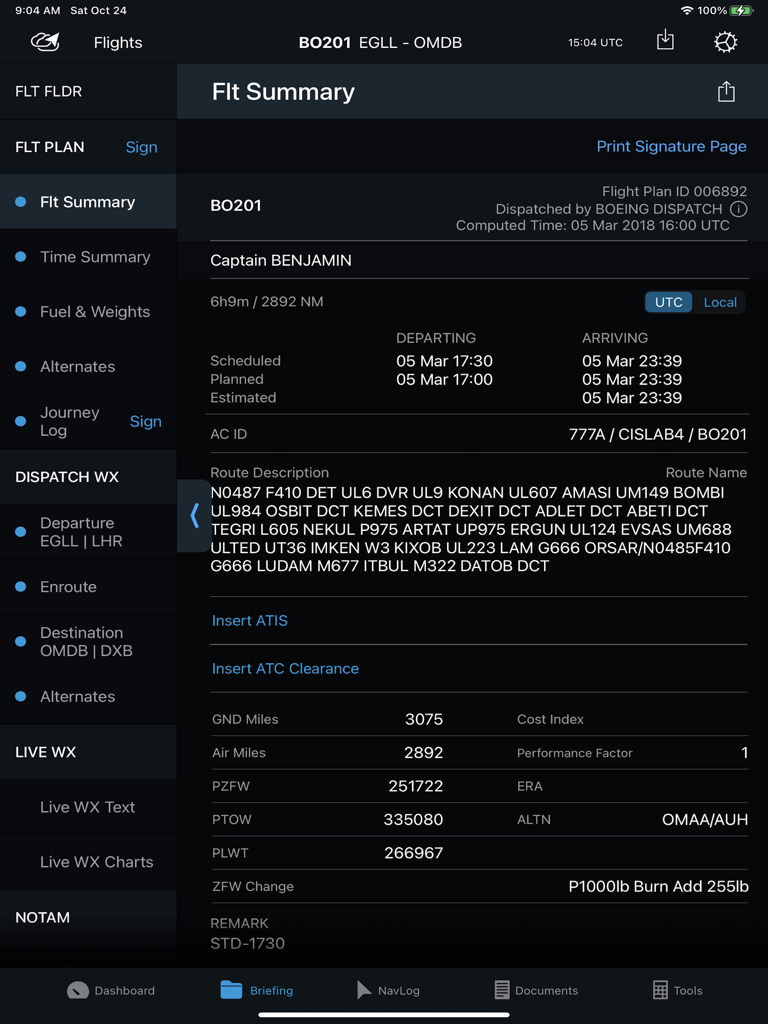
A flight summary dashboard in the Jeppesen Aviator iPad app showing flight plan details route description and departure arrival times

A flight summary dashboard in the Jeppesen Aviator iPad app showing flight plan details route description and departure arrival times

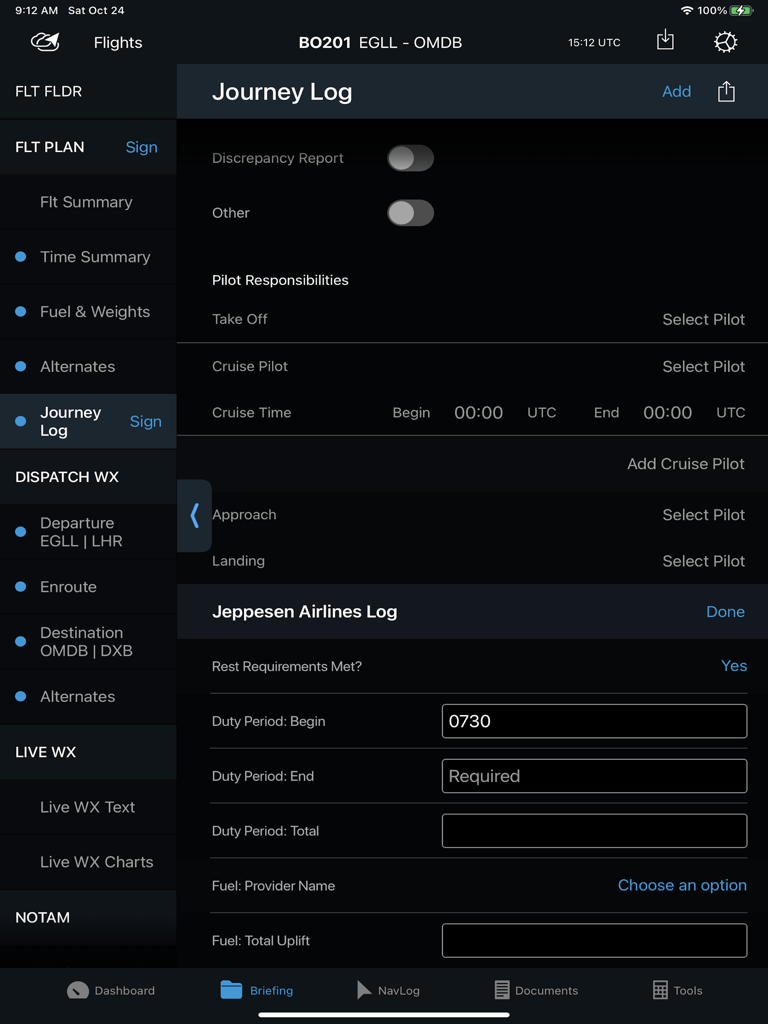
Electronic flight bag interface showing a journey log for professional pilots within the Jeppesen Aviator app

Electronic flight bag interface showing a journey log for professional pilots within the Jeppesen Aviator app

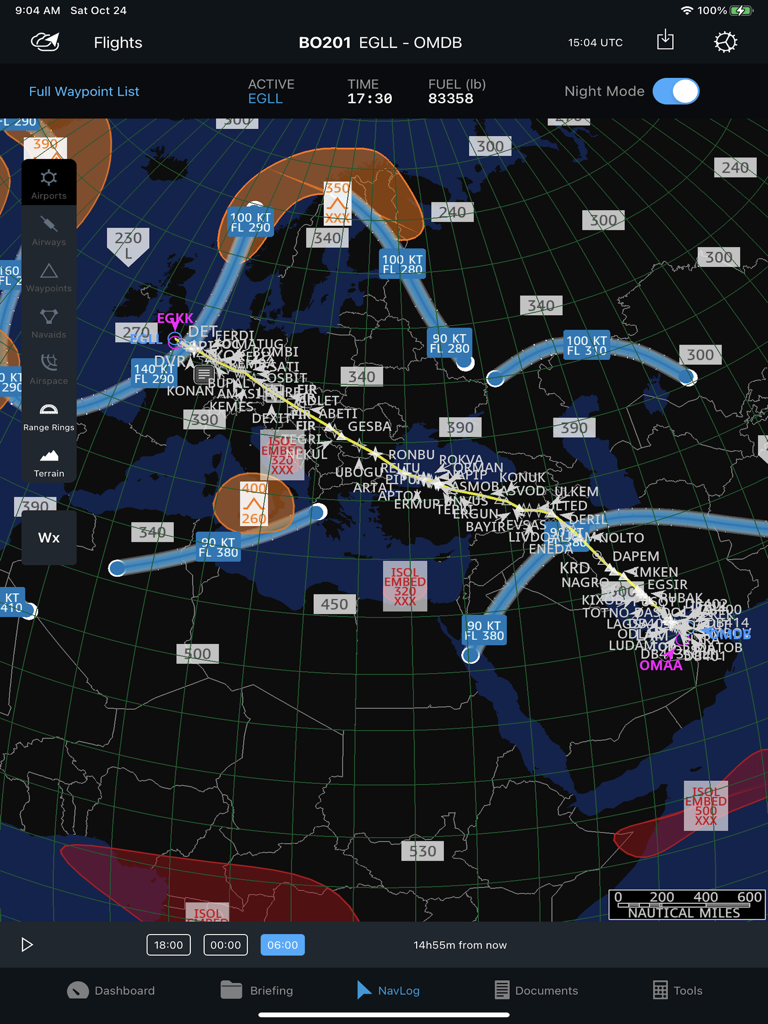
Professional flight navigation log showing route and weather overlays on a world map

Professional flight navigation log showing route and weather overlays on a world map

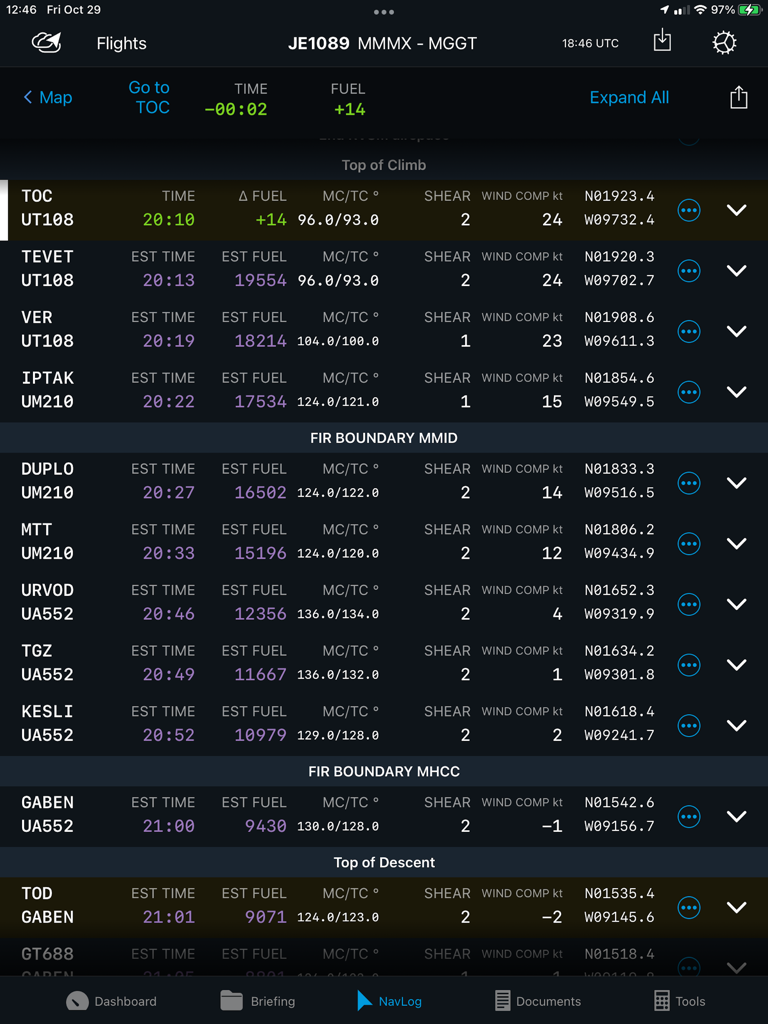
Electronic Flight Bag NavLog interface showing aviation waypoints, estimated fuel, and flight timing data

Electronic Flight Bag NavLog interface showing aviation waypoints, estimated fuel, and flight timing data

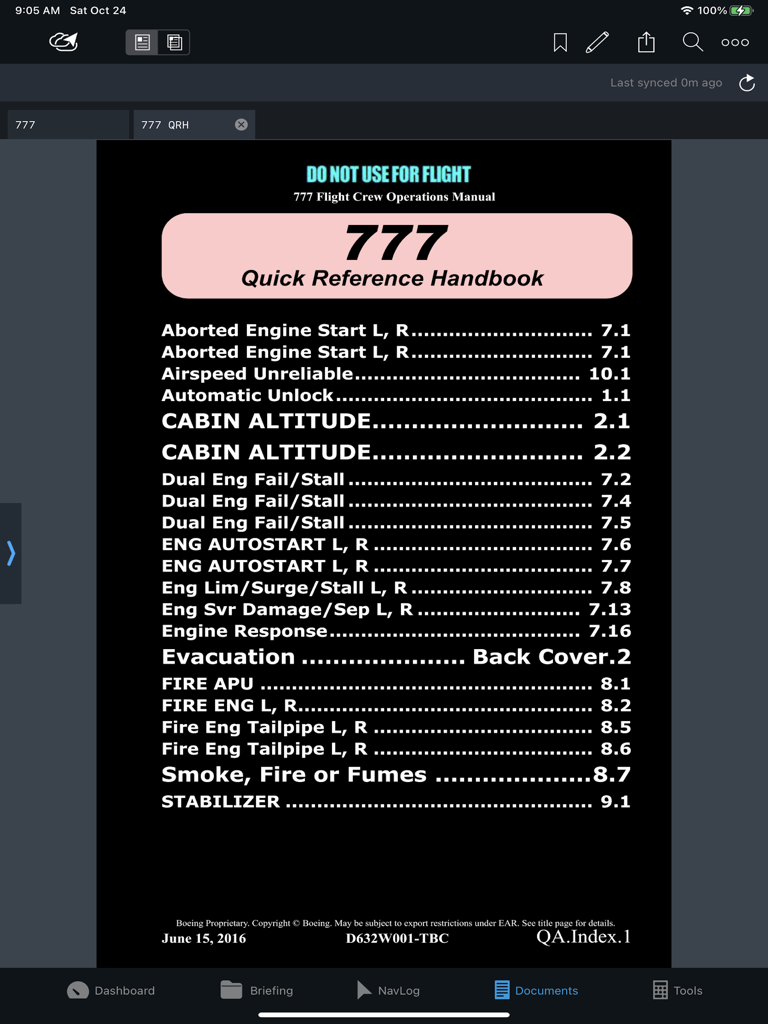
Jeppesen Aviator app interface showing the Boeing 777 Quick Reference Handbook index in the Documents module

Jeppesen Aviator app interface showing the Boeing 777 Quick Reference Handbook index in the Documents module

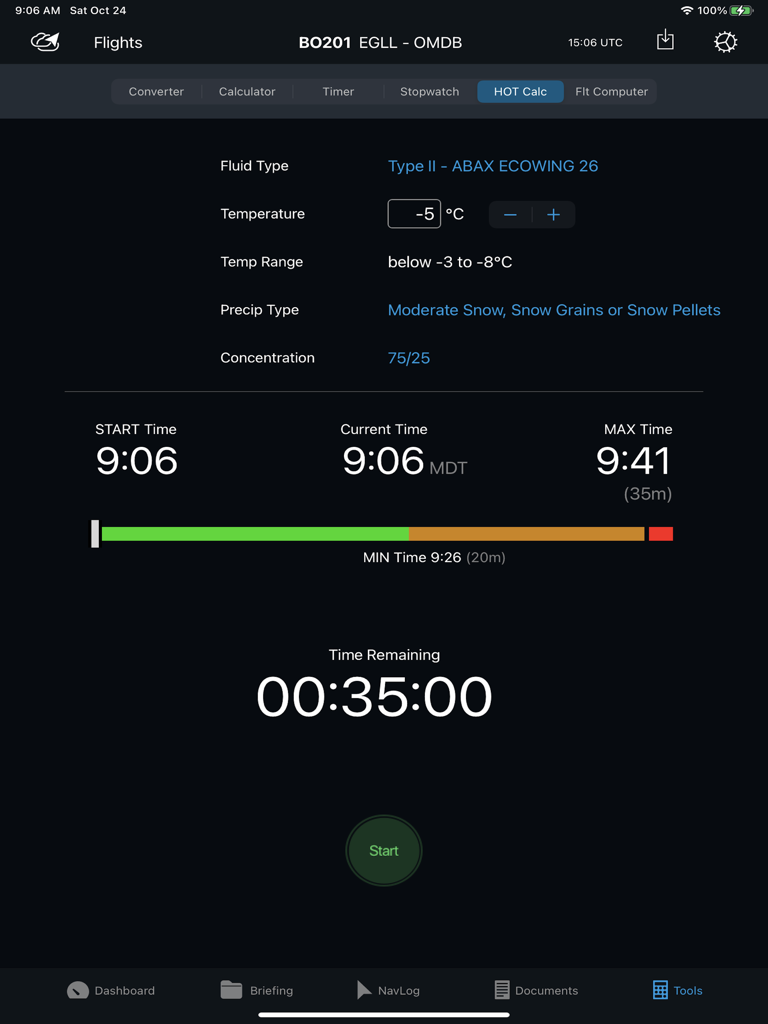
Jeppesen Aviator de-icing holdover timer tool showing remaining time and weather conditions

Jeppesen Aviator de-icing holdover timer tool showing remaining time and weather conditions

Precision-Engineered for Professional Aviators

The tools that make this app stand out, trusted by 162K+ users.

🔄

Seamless Data Synchronization

Eliminate manual data re-entry errors by automatically synchronizing flight plans and metadata across your NavLog, Briefing, and Performance modules.

🛡️

Mission-Critical Redundancy

Ensure operational continuity with device-to-device sharing and offline Trip Kits, keeping you flight-ready even when connectivity is compromised.

📊

Unified Flight Dashboard

Gain instant situational awareness with a centralized view of METARs, TAFs, and NOTAMs, integrated directly with your charts and navigation.

About the app

Everything you need to know about Jeppesen Aviator.

Description

Aviator is an all-in-one application that provides centralized access to a seamless, integrated suite of EFB tools, with an intuitive, simple interface, and streamlined workflow. Its configurable modules display critical information from various sources, can be monitored at a glance, and includes: • Dashboard module • Briefing module • NavLog module • Documents module • Tools module • Charts and Navigation integration with FliteDeck Pro (FD Pro) • Performance integration with Onboard Performance Tool (OPT) • Flight Optimization • Company own applications* *Integrates with any integrated EFB application, Ground Web Service (GWS), Dynamic Data Distribution (D3), or FliteBrief providing AIRINC 633-1 or 633-2 formatted flight folders. Do it right. Do it once. Aviator reduces the need for manual data re-entry by sharing and synchronizing data between integrated applications. This not only saves pilots time in the cockpit but also reduces the potential of human input error. Aviator helps keep your operational risks to a minimum by combining four-fold backup redundancies to keep your fleet moving. Cloud-based navigation data assures the industry’s highest data accessibility. The integration of Jeppesen’s “Trip Kit on Demand” gives operators a backup service which assures their pilots always have the charts needed to keep your fleet moving safely – even when other data providers fail. And if a pilot is unable to update their device, Aviator’s device-to-device sharing service allows other crew members to share their flight plans, flight information, navigation logging actuals, and even Trip Kits – right in the cockpit. Aviator customers naturally have access to Jeppesen’s 24/7/365 world-class support service. Aviator Features: •Dashboard Module o Flight Summary o Weather Summary and Raw/Decoded Detailed Weather o Airport NOTAMs and Airport Data o Links to FliteDeck Pro Charts and Navigation o Route Map with Weather Overlay o Links to commonly accessed features •Briefing Module o Transforms the pilot briefing and navigation logging process into a fully electronic format available anywhere there is connectivity. o Review and sign your flight plan, NOTOCs, Loadsheets, and Journey Logs. o Review planned and estimated values in your AIRINC 633 formatted flight folders. o Review dispatched weather, NOTAMs, and other airline documents submitted in the flight package. o Retrieve real-time textual weather (METARs, TAFs, SIGMETs, AIRMETs, and PIREPs) o Retrieve weather charts (prognostic, hazards, winds, radar/satellite) for up-to-date weather. o Create and submit a journey log for your trip. o Capture Performance data from 3rd party applications. •NavLog Module o Enter actual waypoint navigation metadata as you fly. o Route map with weather overlays •Documents Module o View traditional paper-based airplane and airline documents in a fully digital format with a powerful document viewer which allows for indexing, bookmarking, highlighting, annotating, printing, and displaying in night mode. o Reconcile your annotations to a newer version of your document. o Distribute electronic form templates that can be filled out and submitted with your closeout report for each flight to create your own customized, form-assisted, business processes. •Tools Module o Unit Conversion Tool o Calculator o Timer o Stopwatch o De-icing Hold-over Timer o Flight Computer

Latest Version

3.11.1

Size

278.2 MB

First Released

Feb 3, 2017

Elevate Your Flight Deck Efficiency

Join thousands of professional pilots who trust the industry’s most reliable integrated EFB suite for seamless, mission-critical workflows.

Download on App Store

App information, icons, screenshots, and descriptions displayed on this page are sourced from the Apple App Store and are the property of their respective developers. Download estimates and rankings are based on MWM's proprietary models and may not reflect actual figures. This page is provided for informational and analytical purposes only.

Believe this page infringes your intellectual property? File a dispute