JPG/PNG Converter


Instantly transform HEIC, WebP, and PSD files into universal formats. Process multiple images at once with 100% on-device privacy—your photos never leave your phone.
Publisher
Category
Photo & VideoDownloads
285K+User Rating
Total Ratings
2K+Locales
33Discover the interface used by 285K+ users.
The tools that make this app stand out, trusted by 285K+ users.
Your photos never leave your iPhone. All conversions happen locally, ensuring your sensitive documents and private images stay secure and off the cloud.
Stop wasting time with one-by-one uploads. Select multiple images at once to convert entire albums in seconds, keeping your mobile workflow frictionless.
Easily transform HEIC, WebP, PSD, and TIFF files into web-ready JPGs or PNGs, ensuring compatibility with any website, job portal, or social platform.
Everything you need to know about JPG/PNG Converter.
Description
Latest Version
1.0.42
Size
80.0 MB
First Released
Mar 28, 2022
Join over 285,000 users who convert HEIC, WebP, and PSD files privately on their device. Stop struggling with format errors and streamline your workflow today.
Everything you need to know about JPG/PNG Converter
The JPG/PNG Converter app converts various image formats, including HEIC, PNG, GIF, and TIFF, into JPEG/JPG/PNG files. It addresses compatibility issues with apps or webpages that do not support HEIC.
The JPG/PNG Converter app can convert a wide range of formats including PNG, Animated APNG, JPEG, Targa, GIF, Animated GIF, PVR, ICO, BMP, WebP, TIFF, PSD, and OpenEXR.
Yes, the JPG/PNG Converter app supports converting multiple images simultaneously. Users can select several images to convert at once, enhancing efficiency.
Yes, JPG/PNG Converter respects user privacy. All conversion processes occur directly on your device, ensuring that image data never leaves it.
When converting images to JPG format using JPG/PNG Converter, any transparent colors present in the original image will change to white.
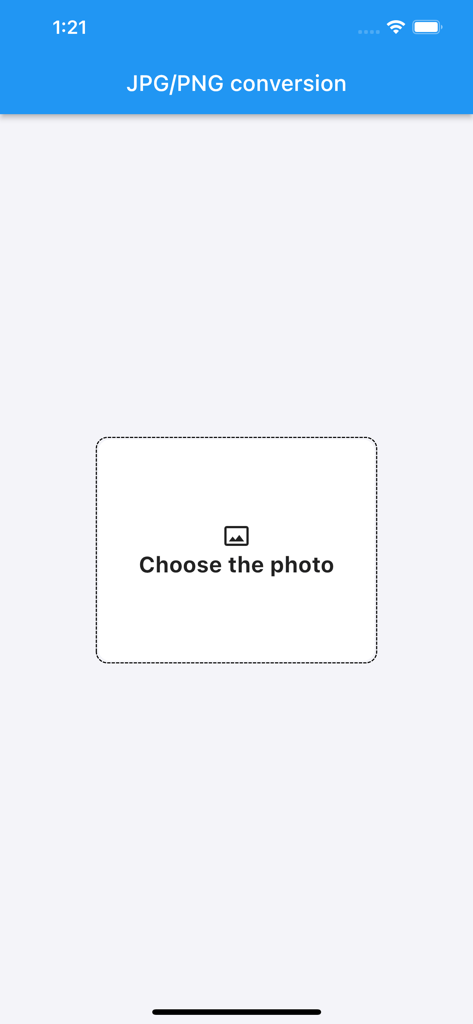
Users select photos for conversion in JPG/PNG Converter by tapping the central 'Choose the photo' box displayed on the main screen of the app.
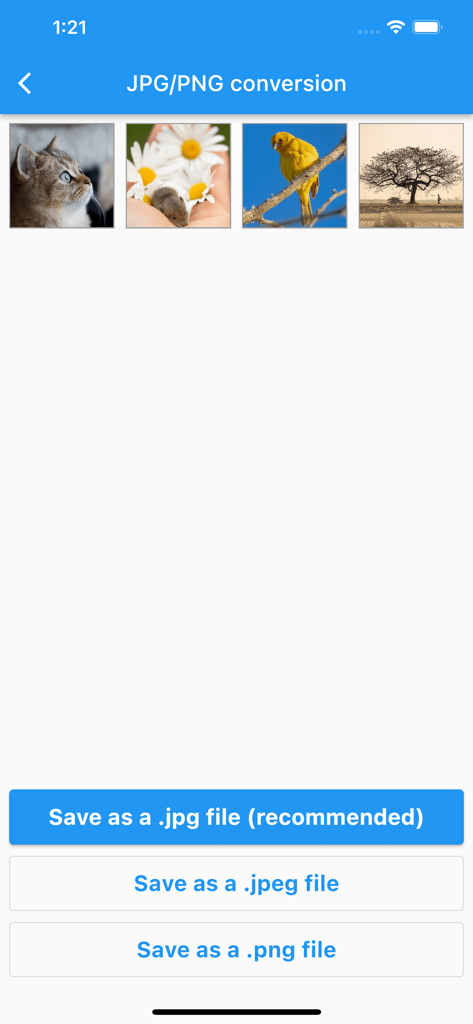
After selecting images, JPG/PNG Converter provides output options to save files as '.jpg file (recommended)', '.jpeg file', or '.png file' via distinct buttons.
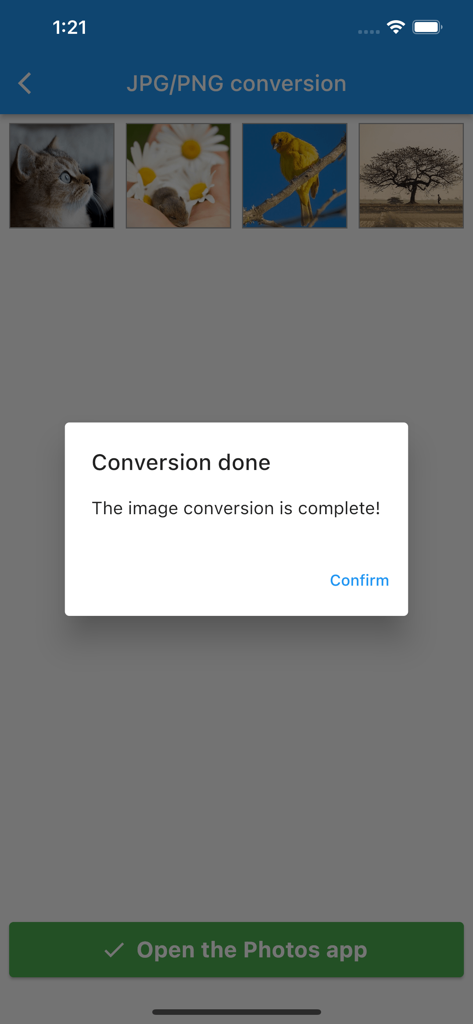
Upon completion of a conversion, JPG/PNG Converter displays a 'Conversion done' pop-up with a 'Confirm' button, and an 'Open the Photos app' button appears at the bottom.
Apps with similar features and user experience
App information, icons, screenshots, and descriptions displayed on this page are sourced from the Apple App Store and are the property of their respective developers. Download estimates and rankings are based on MWM's proprietary models and may not reflect actual figures. This page is provided for informational and analytical purposes only.
Believe this page infringes your intellectual property? File a dispute