
This page is not an official page of the app or its developer, but an independent editorial publication created for informational and commentary purposes. Unless expressly stated otherwise, neither the app nor its developer is affiliated with, endorsed by, sponsored by, authorized by, or otherwise officially connected with MWM, Apple, Google Play, the app publisher, or the app's developer, and nothing on this page implies that the app was developed using MWM's services. Any trademarks, logos, screenshots, and other content remain the property of their respective owners.

JUMP PAINT by MediBang
Master the art of manga with exclusive lessons from the Weekly Shonen Jump editors. Use professional G-pens, screen tones, and fonts to create your masterpiece and enter official contests directly from your iPhone.
Downloads
1M+User Rating
Total Ratings
11K+Publisher
Category
EntertainmentLocales
18Latest Version
6.4Size
81.2 MBFirst Released
Jun 22, 2017Master the Art of Manga
Everything you need to create, learn, and publish your own manga using the same professional tools as the legends of Weekly Shonen Jump.
Pro-Grade Manga Tools
Access over 90 free brushes, including authentic G-pens and mapping pens, plus 800+ professional screen tones and backgrounds.
Weekly Shonen Jump Lessons
Master the craft with exclusive tutorials on storyboarding, character design, and dialogue straight from the world's top manga editors.
Frequently Asked Questions
Everything you need to know about JUMP PAINT by MediBang
What is JUMP PAINT?
JUMP PAINT is a completely free app for creating official Weekly Shonen Jump manga and illustrations. It is a collaboration between MediBang Paint and Weekly Shonen Jump, providing tools, brushes, materials, and manga fonts.
Is JUMP PAINT free to use?
Yes, JUMP PAINT is a completely free app. It provides free G-pens, Mapping Pens, Tones, and Backgrounds for creating manga and illustrations without any cost.
What drawing tools are available in JUMP PAINT?
JUMP PAINT includes over 90 free brushes, such as Pen, Pencil, Watercolor, G Pen, Mapping Pen, and Acrylic. Users can also create custom brushes and utilize features like Force Fade In and Out for precise lines.
Does JUMP PAINT offer learning resources for manga creation?
Yes, JUMP PAINT offers extensive learning resources for manga creation. These include lessons on story, character design, and dialogue provided by Jump's editorial department, accessible directly within the app.
Can users enter manga contests through JUMP PAINT?
Yes, users can enter Jump contests directly through the JUMP PAINT app. The application provides information on each contest, ensuring creators are aware of opportunities to submit their work.
Does JUMP PAINT support pen pressure on iPhone?
Yes, JUMP PAINT supports pen pressure on compatible iPhone models. Specifically, the 3D Touch feature on iPhone 6 and iPhone 6 Plus enables users to apply pen pressure when drawing within the app.
What free resources are available in JUMP PAINT for backgrounds and tones?
JUMP PAINT provides 800 different types of free tones and backgrounds. These resources include premade clouds, buildings, and vehicles, which users can easily add to their creations with a single touch.
Can JUMP PAINT users collaborate on projects?
Yes, JUMP PAINT enables team creation, allowing users to collaborate on work with friends from any location. This feature facilitates shared creative projects among multiple users.
Is a MediBang account required to use JUMP PAINT's cloud features?
Yes, a MediBang account is required to access JUMP PAINT's cloud features. Users must create an account at medibang.com to utilize functionalities like cloud storage and data backup.
What kind of fonts does JUMP PAINT offer for comics?
JUMP PAINT offers 50 professional comic fonts. These fonts assist users in setting the atmosphere of their comics and defining character moods or personalities effectively within their artwork.
The following screenshots and description are sourced directly from the app's official store listing and are the property of the app developer.
App Store
Screenshots
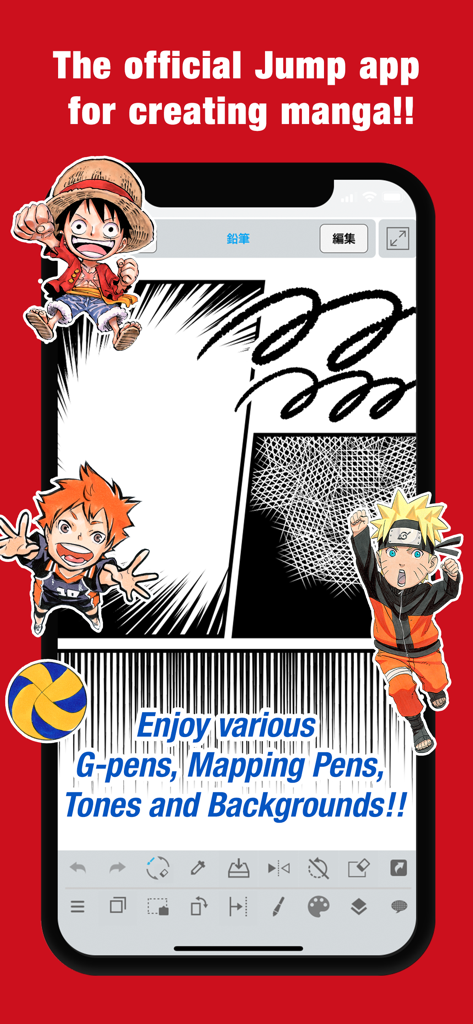
Mobile interface of JUMP PAINT app featuring manga panels and characters like Naruto and Luffy
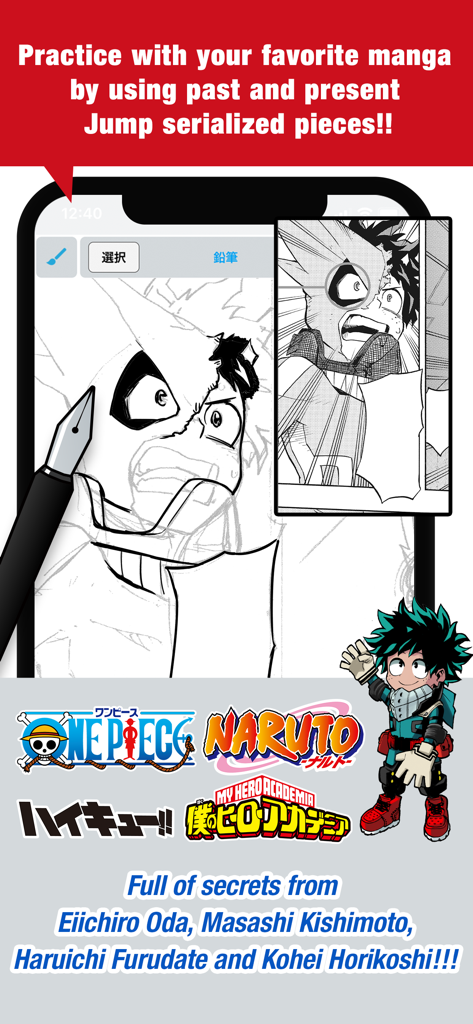
JUMP PAINT app screen showing manga drawing practice with My Hero Academia character and popular Shonen Jump series logos
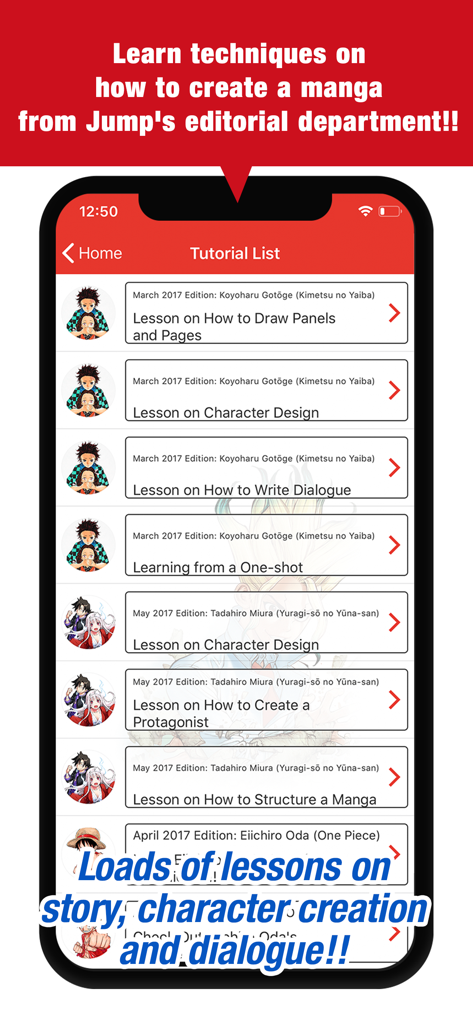
Screenshot of the JUMP PAINT app showing a list of official manga creation tutorials from Shonen Jump authors
Description
Download
More Like This
Top-ranked apps in the same category

TikTok - Videos, Shop & LIVE
TIKTOK PTE. LTD.

Netflix
Netflix, Inc.

Freecash - Get Paid Real Money
256 REWARDS LTD

DramaBox - Stream Drama Shorts
STORYMATRIX PTE. LTD

HBO Max: Stream Movies & TV
WarnerMedia Global Digital Services, LLC

Amazon Prime Video
AMZN Mobile LLC

NetShort - Popular Dramas & TV
NETSTORY PTE. LTD.

ReelShort - Stream Drama & TV
New Leaf Publishing, Inc.

Disney+
Disney Electronic Content, Inc.
This page is not an official page of the app or its developer, but an independent editorial publication created for informational and commentary purposes. Unless expressly stated otherwise, neither the app nor its developer is affiliated with, endorsed by, sponsored by, authorized by, or otherwise officially connected with MWM, Apple, Google Play, the app publisher, or the app's developer, and nothing on this page implies that the app was developed using MWM's services. Any trademarks, logos, screenshots, and other content remain the property of their respective owners.