This page is not an official page of the app or its developer, but an independent editorial publication created for informational and commentary purposes. Unless expressly stated otherwise, neither the app nor its developer is affiliated with, endorsed by, sponsored by, authorized by, or otherwise officially connected with MWM, Apple, Google Play, the app publisher, or the app's developer, and nothing on this page implies that the app was developed using MWM's services. Any trademarks, logos, screenshots, and other content remain the property of their respective owners.

KANTAN Chord
The ultimate Safari extension for songwriters and worship leaders. Convert web-based chords to degrees, analyze keys automatically, and simplify complex tabs to fit your vocal range and skill level in one click.
Key Figures
Downloads
1K+
User Rating
3.9/5
Total Ratings
0
Publisher
InstaChord Corp.
Category
Music
Locales
2
Latest Version
2025.3.6
Size
1.1 MB
First Released
Mar 23, 2022
Features
Master Your Music Theory in Seconds
Stop struggling with complex keys. KANTAN Chord converts any chord sheet into a format you can actually play, right inside your Safari browser.
Instant Key Detection
Automatically find the "home base" of any song and transpose it in one tap to perfectly match your vocal range or instrument.
Play Like a Nashville Pro
Convert standard chords to Nashville Numbers or Roman Numerals to master the theory and logic behind your favorite tracks.
The following screenshots and description are sourced directly from the app's official store listing and are the property of the app developer.
App Store
Screenshots
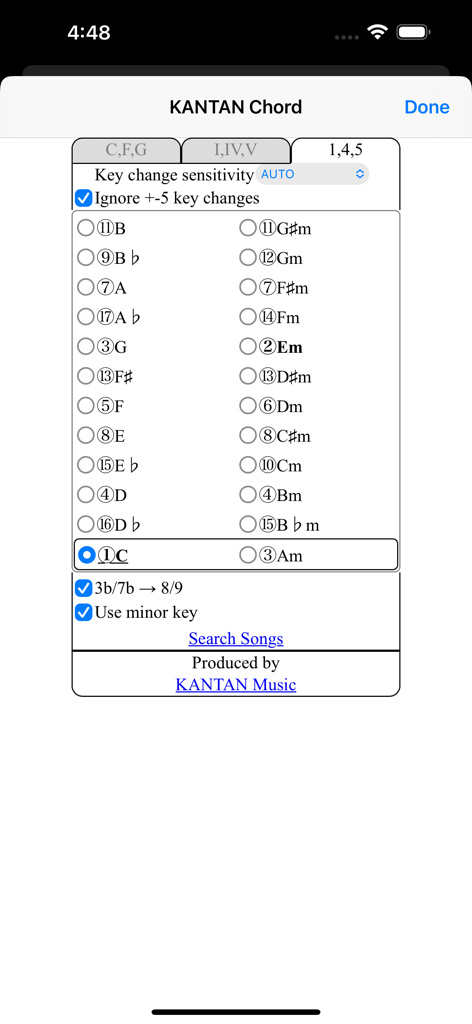
KANTAN Chord app interface showing musical key selection and Nashville Number System settings for musicians.
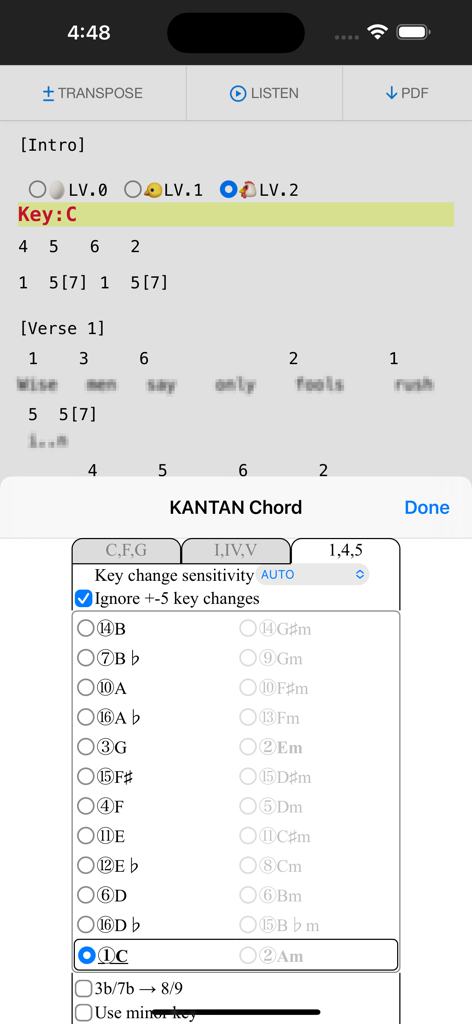
KANTAN Chord extension converting song chords to Nashville numbers in a browser
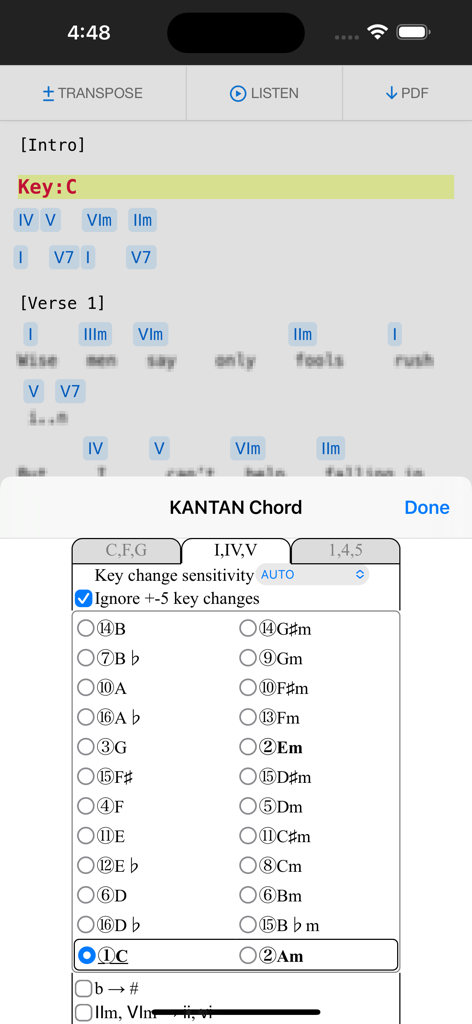
KANTAN Chord Safari extension converting song chords into roman numeral degrees on an iPhone.
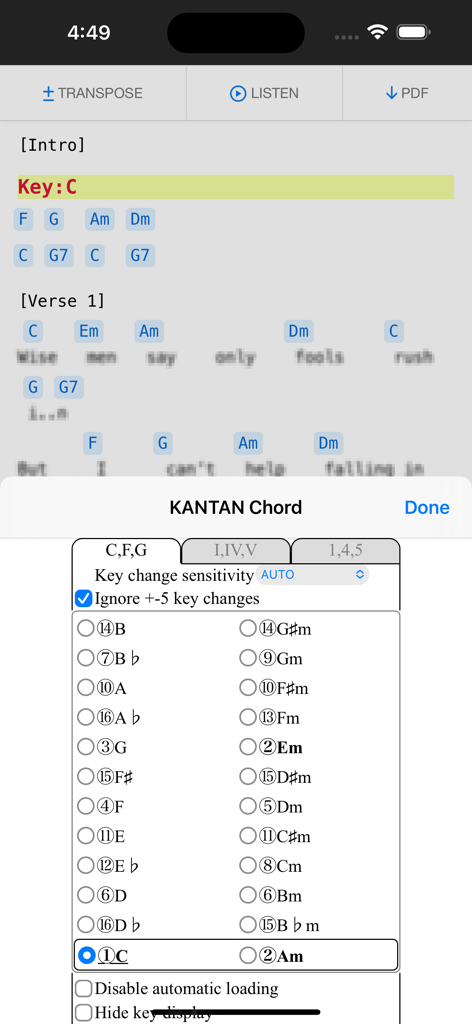
KANTAN Chord browser extension displaying key selection and transposition settings on a mobile device
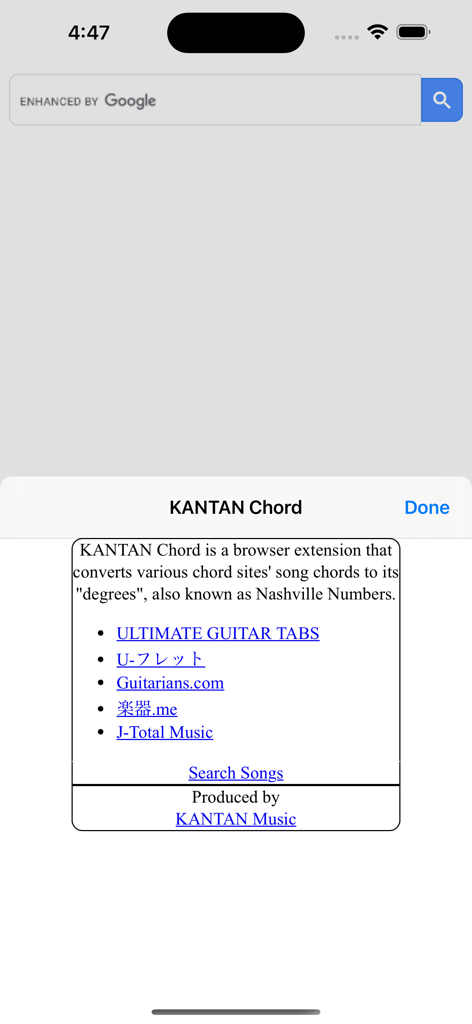
Introductory screen of the KANTAN Chord extension showing a list of compatible music sites like Ultimate Guitar and Nashville Numbers conversion information
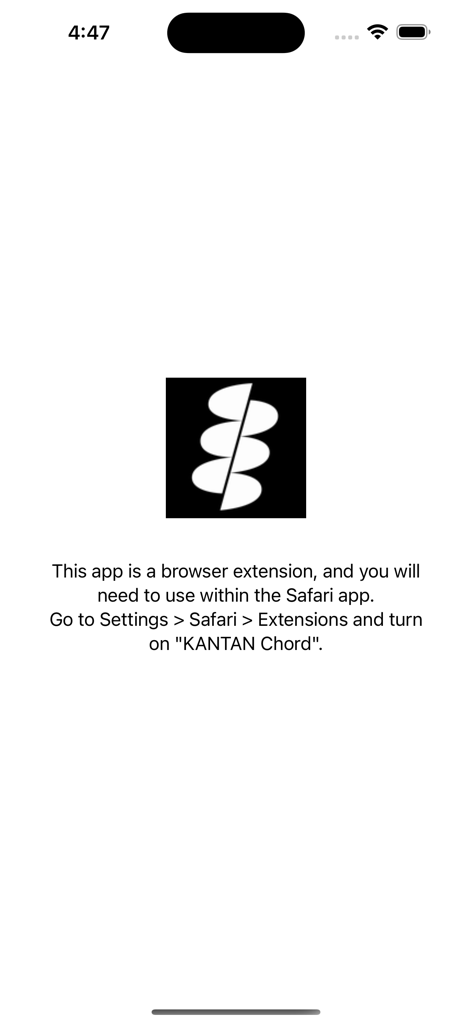
Setup screen with instructions to enable the KANTAN Chord Safari extension in iOS settings.
Description
• Overview
KANTAN Chord is a browser extension that converts various chord sites' song chords to its "degrees", also known as Nashville Numbers.
(Former name: InstaChordizer)
• Compatible sites
- ULTIMATE GUITAR TABS(https://www.ultimate-guitar.com/)
- U-フレット(https://www.ufret.jp/)
- 楽器.me(https://gakufu.gakki.me/)
- J-Total Music(https://music.j-total.net/)
- Guitarians.com(https://guitarians.com/)
- 91譜(https://www.91pu.com.tw/)
• How to use
Open the chord web page.
From the browser extensions, choose KANTAN Chord icon and it opens a pop-up window.
Choose from tabs "C,F,G" (original) , "I,IV,V" (roman numerals), or "1,4,5" (degrees).
- "C,F,G" (original)
Displays the chords in its original form.
Select radio buttons change keys.
- "I,IV,V" (roman numerals)
Displays the chords' degrees, in standard roman numerals format.
- "1,4,5" (degrees)
Displays the chords' degrees, in numbers.
Different symbols follow the "KANTAN Chord" system, based on the Nashville Number System.
For more details, please visit this page: https://instachord.com/instruction/icn/
• Key analyzation
KANTAN Chord automatically analyzes the song's key and displays it in red text with a yellow background banner.
When the key changes during a song, it will be displayed with additional banners.
E.g. "Key:E(-3)" or "Key:Ab(+1)"
Numbers such as (-3) and (+1) represent half steps. If your instrument can transpose, try adjusting to these numbers.
If the key analyzation is wrong or is difficult to play, try adjusting the analyzation sensitivity.
- Ignore +-5 key changes
When changing to a dominant (+5 half steps) or subdominant key (-5 half steps) , chords used will be very similar to its original key. When this option is turned on, KANTAN Chord will ignore +-5 key changes and stay in its original key.
• Displayed keys
You can choose keys outside of the auto-analyzed key.
- Song's analyzed key
The song's auto-analyzed most likely key is outlined in a box.
- Difficulty rank
The numbers in front of the key (Eg. ①, ②, ③...) are difficulty ranks when playing on the InstaChord, from easiest to most difficult. Please use as reference, when the analyzed key if wrong or when the original key is difficult to play.
① and ② are in bold, and ① is underlined.
- Changing they key (in C,F,G tab)
When in the C,F,G tab, you can pick different keys to transpose to.
- Changing they key (in I,IV,V or 1,4,5 tab)
In I,IV,V or 1,4,5 tab, you can change the base key. Apply when the analyzed key is wrong, or when the original key is difficult to play. If other keys are greyed-out, turn off analyzation sensitivity.
• Options for C,F,G tab
- Disable automatic loading
KANTAN Chord will not take effect until the icon is pressed.
Use this option if there are compatibility issues with the site's features or other extensions.
This option is only effective in the C,F,G tab.
- Hide key display
KANTAN Chord displays the song's key and displays it in red text with a yellow background banner.
Use this option to hide the key display.
This option is only effective in the C,F,G tab.
• Options for I,IV,V tab
- b → #
All half tones are represented with #
- IIm, VIm → ii, vi
Minor chords are represented with lower case roman numerals.
• Options for 1,4,5 tab
- 3b/7b → 8/9 (5b/2b → 8/9 for minor key)
For the InstaChord, commonly used chords are allocated on the 8 and 9 buttons.
Using this option will make use of these buttons.
- Use minor key
Allows the use of minor key
• Beginner mode
By selecting LV.0 / LV.1 / LV.2 shown on the first line, you can adjust the difficulty of the chords.
In LV.0 / LV.1 mode, chords will be simplified.
In LV.2 mode, all chords will be in their original form.
This mode isl not available when minor key is selected.
This page is not an official page of the app or its developer, but an independent editorial publication created for informational and commentary purposes. Unless expressly stated otherwise, neither the app nor its developer is affiliated with, endorsed by, sponsored by, authorized by, or otherwise officially connected with MWM, Apple, Google Play, the app publisher, or the app's developer, and nothing on this page implies that the app was developed using MWM's services. Any trademarks, logos, screenshots, and other content remain the property of their respective owners.








