Keedogo Plus

Keedogo Plus

Download on App Store
Logo of Keedogo Plus

Keedogo Plus: Empowering Every Child to Write with Confidence

The simplified iPad keyboard designed for early learners and neurodiverse students, featuring word prediction, lowercase key labels, and dyslexia-friendly fonts to make writing accessible for everyone.

Publisher

AssistiveWare B.V.

Category

Education

Downloads

7K+

User Rating

4.3/5

Total Ratings

0

Locales

11

A Glimpse Inside

Discover the interface used by 7K+ users.
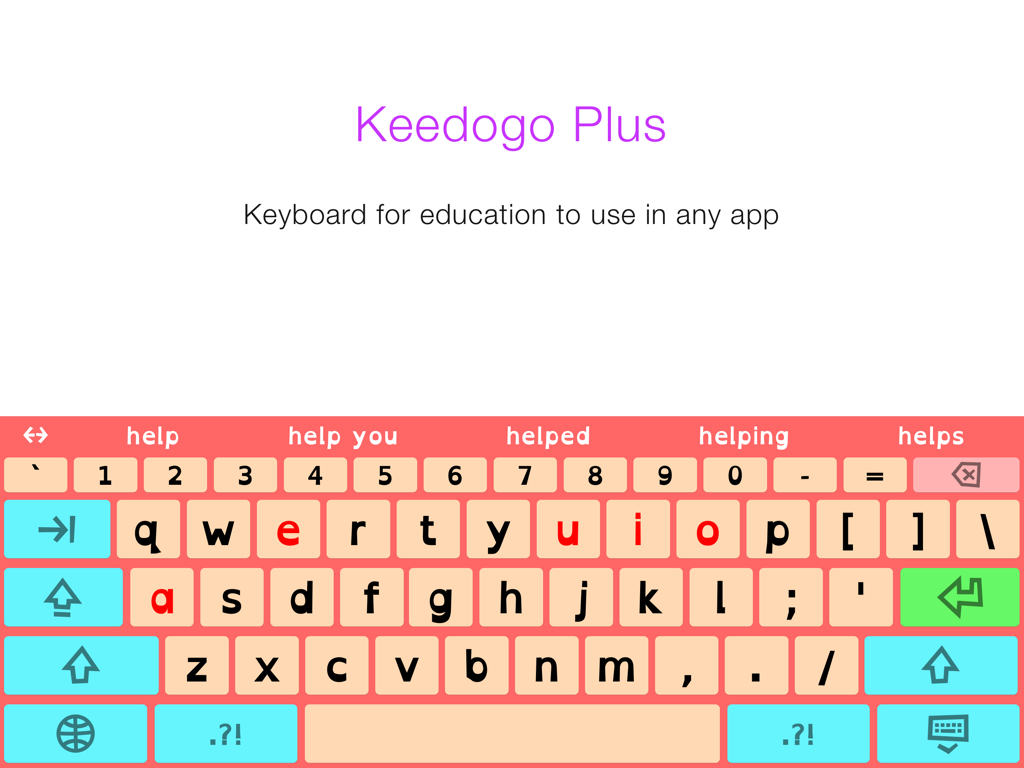
Keedogo Plus simplified iPad keyboard with word prediction and color coded vowels for children

Keedogo Plus simplified iPad keyboard with word prediction and color coded vowels for children

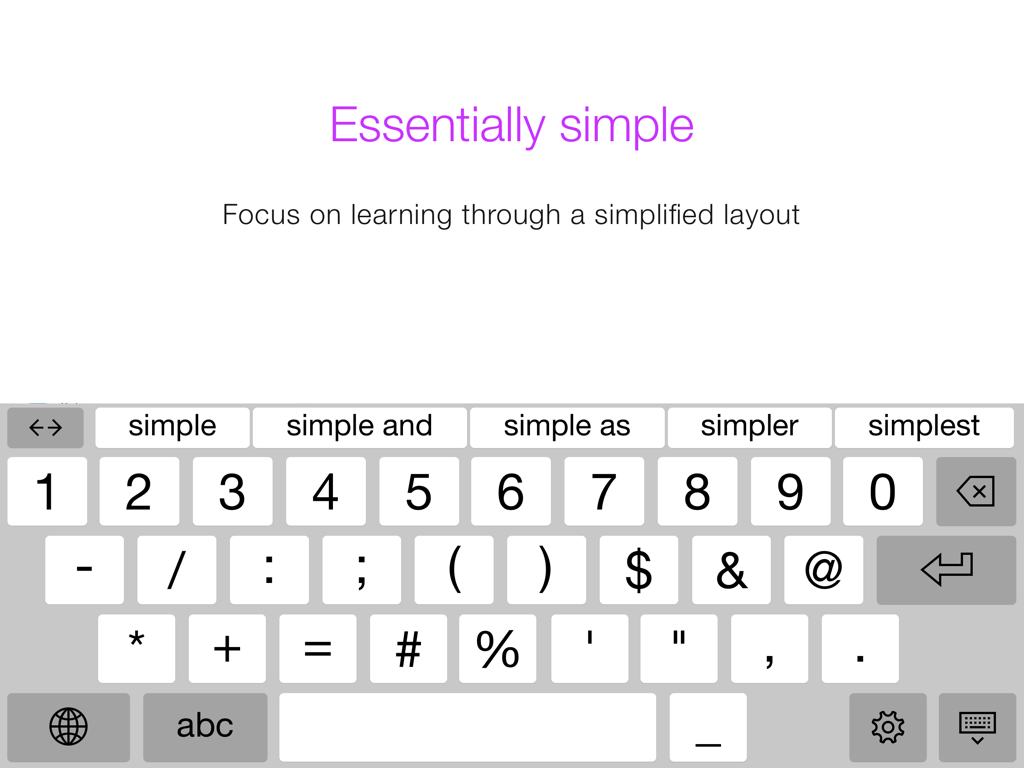
Keedogo Plus iPad keyboard showing a simplified numeric and symbolic layout with word prediction bar

Keedogo Plus iPad keyboard showing a simplified numeric and symbolic layout with word prediction bar

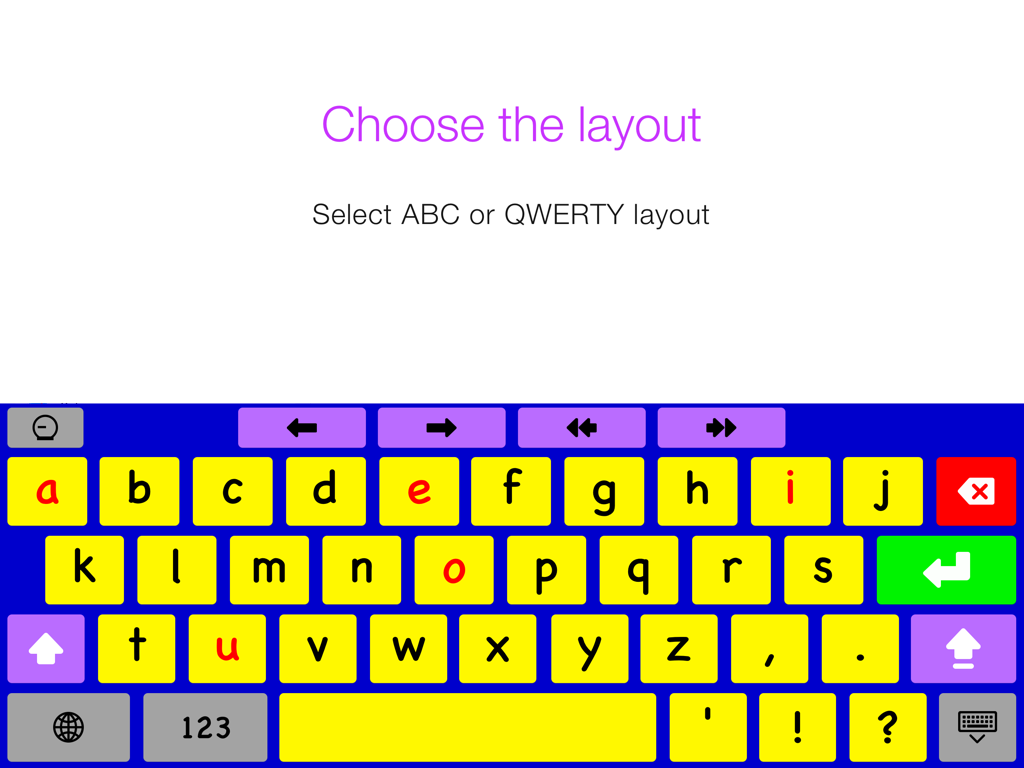
Keedogo Plus simplified iPad keyboard showing an alphabetical layout with lowercase letters and red vowels.

Keedogo Plus simplified iPad keyboard showing an alphabetical layout with lowercase letters and red vowels.

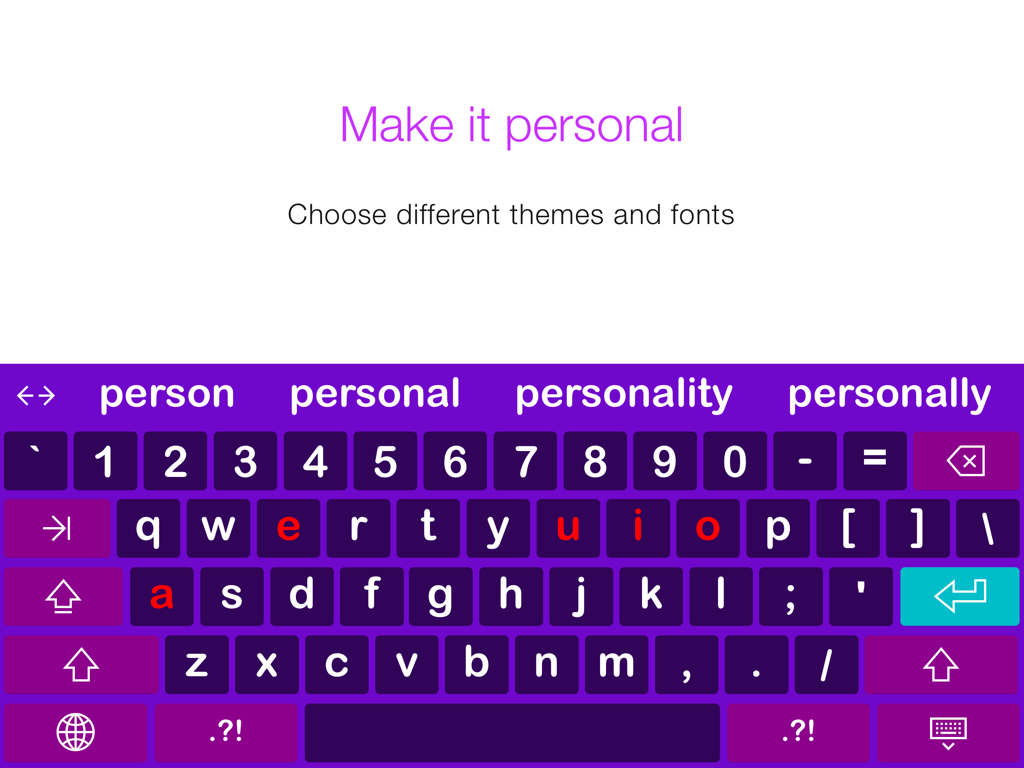
Keedogo Plus simplified iPad keyboard with a purple theme, word prediction bar, and color-coded vowels.

Keedogo Plus simplified iPad keyboard with a purple theme, word prediction bar, and color-coded vowels.

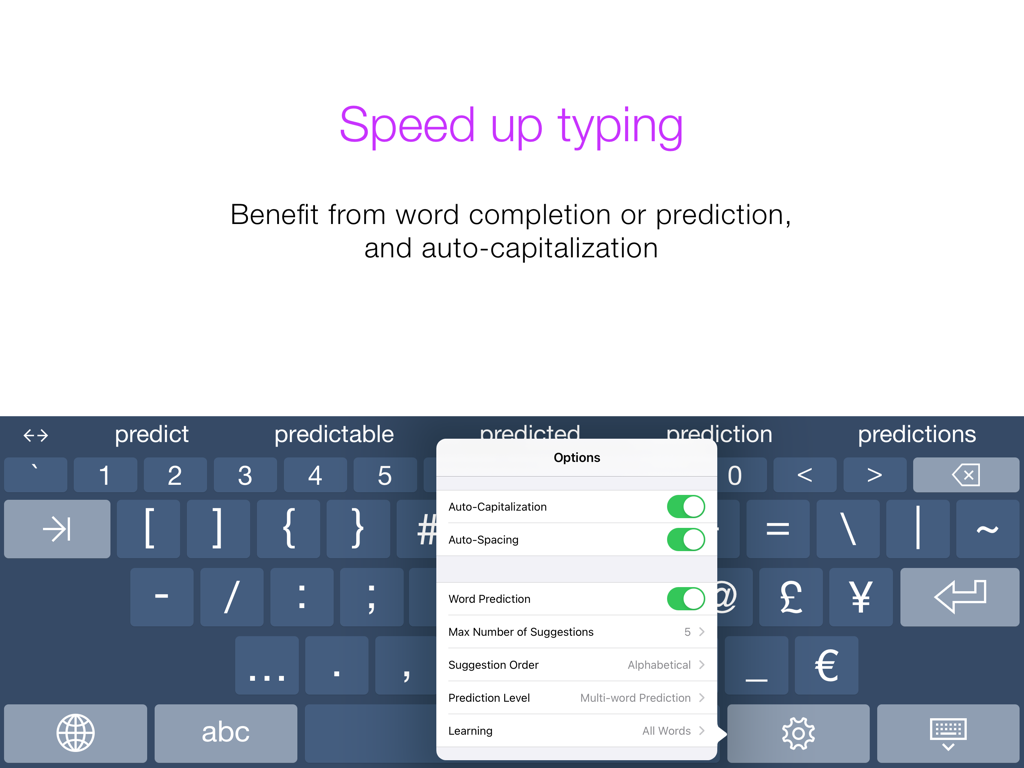
Keedogo Plus assistive keyboard showing word prediction and auto-capitalization settings.

Keedogo Plus assistive keyboard showing word prediction and auto-capitalization settings.

Designed for Early Success in Writing

The tools that make this app stand out, trusted by 7K+ users.

🔡

Lowercase & Color-Coded Keys

Match what children see on the screen with lowercase key labels and color-coded vowels to accelerate phonics and letter recognition.

Confidence-Boosting Prediction

Reduce typing frustration with smart word suggestions that empower young writers to express their thoughts without getting stuck on spelling.

👁️

Dyslexia-Friendly Accessibility

Improve readability and focus with specialized fonts like OpenDyslexic and high-contrast themes tailored for neurodiverse learners.

About the app

Everything you need to know about Keedogo Plus.

Description

Keedogo Plus is an iPad keyboard with word prediction designed for children and young students. The keyboard provides a simplified layout with just the essential keys so early writers can focus on developing their skills rather than being distracted by symbols and functions they don’t yet need. Keedogo Plus offers something for everyone: Five different themes, fully configurable word prediction, and a QWERTY or ABC layout. Featuring lowercase key labels and color-coded vowels, learning has never been easier. Keedogo Plus can be used in almost any app as an alternative to the standard iOS keyboard. Keedogo Plus is currently available in English, French, Spanish, Dutch, German, Italian, Swedish, Norwegian, Danish, Czech and Polish. Essentially simple - Focus on learning through a simplified keyboard layout - Support early literacy development with lowercase key labels - Do not get distracted by auto-correction or spell check Optimize for early learners - Select ABC or QWERTY layout - Benefit from lowercase key labels and color-coded vowels - Choose your preferred font, including dyslexic and school-friendly fonts Speed up typing and build confidence - Reduce typing efforts with self-learning word prediction - Use the cursor keys to navigate through text quickly - Turn Auto-Capitalization and Auto-Spacing ON or OFF Personalize word prediction - Choose between word-completion, next-word prediction and multi-word prediction - Configure the number of suggestions and suggestion order - Learn all words, correctly spelled words, or turn learning off - Adjust the size of the prediction bar to your needs User comfort - Use Keedogo Plus in almost any app on iPad - Select one of the 11 available languages, including regional keyboard layouts - Choose from 5 different themes

Latest Version

4.0.2

Size

144.0 MB

First Released

Sep 30, 2014

Give Your Child the Tools to Write with Confidence

Join thousands of families and educators using Keedogo Plus to simplify the writing process and empower early learners on iPad.

Download on App Store

App information, icons, screenshots, and descriptions displayed on this page are sourced from the Apple App Store and are the property of their respective developers. Download estimates and rankings are based on MWM's proprietary models and may not reflect actual figures. This page is provided for informational and analytical purposes only.

Believe this page infringes your intellectual property? File a dispute