
This page is not an official page of the app or its developer, but an independent editorial publication created for informational and commentary purposes. Unless expressly stated otherwise, neither the app nor its developer is affiliated with, endorsed by, sponsored by, authorized by, or otherwise officially connected with MWM, Apple, Google Play, the app publisher, or the app's developer, and nothing on this page implies that the app was developed using MWM's services. Any trademarks, logos, screenshots, and other content remain the property of their respective owners.

KFC Philippines
From the US to the PH, send a bucket of joy in just a few taps. Order Original Recipe chicken for family delivery back home, track orders in real-time, and stay connected through the flavors they love.
Downloads
480K+User Rating
Total Ratings
6K+Publisher
Category
Food & DrinkLocales
1Latest Version
2.27.31Size
44.3 MBFirst Released
Jul 22, 2020Share the Taste of Home, Wherever You Are
Whether you are sending a treat to family in the Philippines or preparing for your next trip, the KFC Philippines app brings the flavors you love directly to their doorstep.
The Perfect Remote 'Padala'
Surprise your loved ones in the Philippines by ordering their favorite Bucket Meals and Fully Loaded Boxes directly from the USA.
Exclusive Local Favorites
Access the unique PH menu including the Zinger, Rice Bowls, and Filipino-style Spaghetti that you can't find in American stores.
Frequently Asked Questions
Everything you need to know about KFC Philippines
What is the KFC Philippines Mobile App for?
The KFC Philippines Mobile App facilitates ordering favorite KFC meals, tracking orders, saving reorder details, accessing promotions, and locating nearby outlets.
Can I track my food order using the KFC Philippines Mobile App?
Yes, the KFC Philippines Mobile App offers real-time tracking for food orders. Users can monitor the status and delivery progress directly within the app's interface.
What payment methods does the KFC Philippines Mobile App support?
The KFC Philippines Mobile App supports online payments including Debit, Credit, and E-Wallets. It also provides a Cash Upon Arrival (Cash On Delivery) payment option.
How do I find KFC deals and promotions on the KFC Philippines Mobile App?
Users find deals and promotions through the "My Deals" section and can apply coupon codes directly in the KFC Philippines Mobile App. It updates users on news and offers.
Can I choose between delivery and pickup for my order on the KFC Philippines Mobile App?
Yes, the KFC Philippines Mobile App allows users to choose between delivery and pickup for their food orders. Both options are accessible for meal selection.
What food categories are available to order on the KFC Philippines Mobile App?
The KFC Philippines Mobile App menu includes categories like "What's New," "Fully Loaded Box," "Favourites," "Bowls, Pastas, & More," and "Ribs" for easy browsing.
Does the KFC Philippines Mobile App allow reordering of previous meals?
Yes, the KFC Philippines Mobile App saves past orders and delivery locations. This feature enables users to easily reorder their favorite meals and streamline future purchases.
The following screenshots and description are sourced directly from the app's official store listing and are the property of the app developer.
App Store
Screenshots
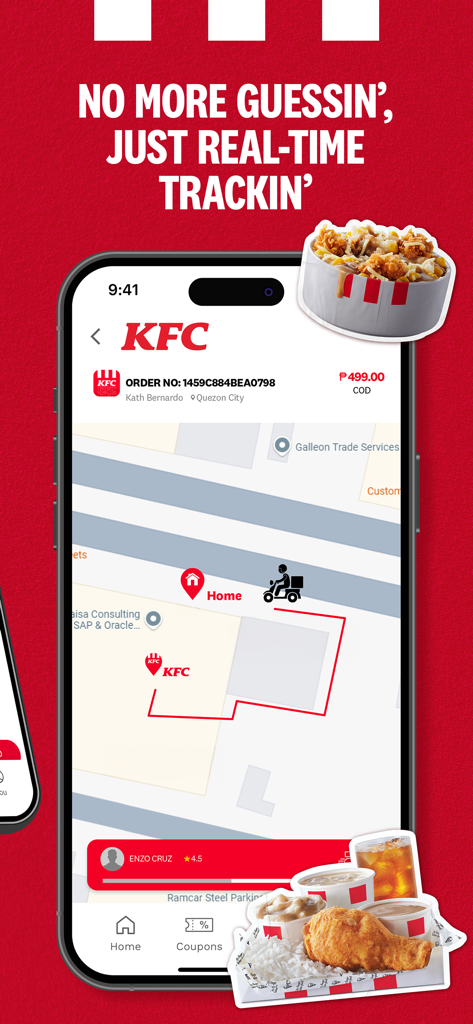
Real-time delivery tracking screen on the KFC Philippines mobile app showing a map and delivery rider icon
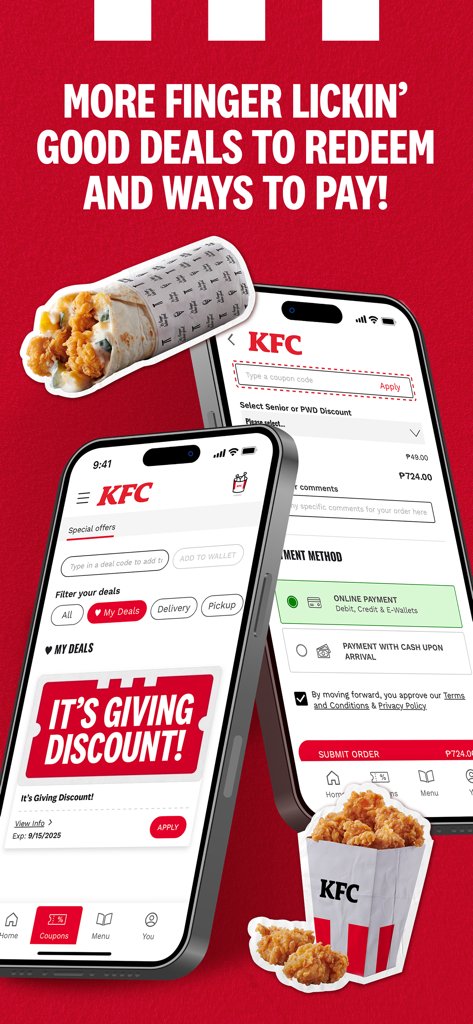
KFC Philippines mobile app screens showing special deals and various payment methods
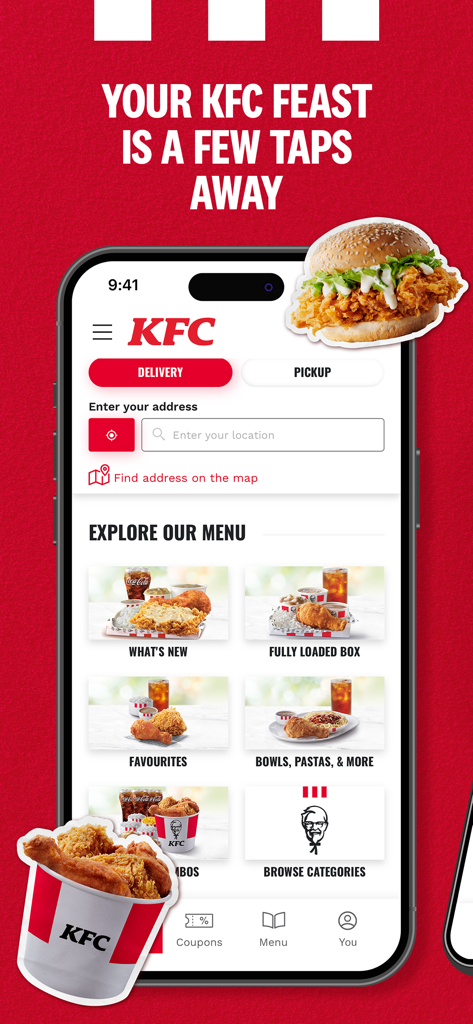
KFC Philippines mobile app home screen with delivery and menu options
Description
Download
More Like This
Apps with similar features and user experience

BAHROMA – рестораны и бонусы
FAST SOFT, OOO

麦当劳McDonald's - 到店取餐 麦咖啡 麦乐送
McDonald's (China) Co., Ltd.

McDonald's
McDonalds USA LLC

Chick-fil-A
Chick-fil-A, Inc.

Little Caesars Pizza
Little Caesar Enterprises, Inc.

Starbucks
Starbucks Coffee Company
Domino's Pizza USA
Domino's Pizza LLC

Subway®
Doctors Associates Inc

McDonald's Offers and Delivery
ARCOS DORADOS ARGENTINA S.A.
This page is not an official page of the app or its developer, but an independent editorial publication created for informational and commentary purposes. Unless expressly stated otherwise, neither the app nor its developer is affiliated with, endorsed by, sponsored by, authorized by, or otherwise officially connected with MWM, Apple, Google Play, the app publisher, or the app's developer, and nothing on this page implies that the app was developed using MWM's services. Any trademarks, logos, screenshots, and other content remain the property of their respective owners.